


I know finalizing the SEO plugins for a WordPress website is a huge source of confusion. Isn’t it?
There are so many options out there.
The worst part is that they all seem to do pretty much the same thing, with just a few small differences.
So, how do you decide?
Well, I am not throwing any random SEO plugins on my list.
Instead, I’ll share the ones I actually use on my own site. Besides my top 8 choices, you won’t need any other SEO plugin because the ones I’m recommending cover everything from On-Page SEO to Site Audit, Schema Optimization, Sitemap creation, Image SEO, and more.
That means you don’t have to waste time trying out other plugins.
While I do pay for the premium versions of these plugins for my WordPress site to access all the features, the free versions still offer plenty of help. I only choose plugins where even the free version is really useful.
So, think of this post as your checklist for installing SEO plugins on your journey to improving your WordPress site. My goal is to provide you with a list of the best SEO plugins for WordPress that are highly necessary for your site.
Ready to go?
List of 8 Best SEO plugins for WordPress in 2026 [My Top Picks]
By considering these categories, here are the best SEO plugins for WordPress in 2026:
| SEO Plugin | Best For | Category |
|---|---|---|
| Rank Math | Complete SEO optimization suite | SEO Suite |
| Yoast | Oldest & secure SEO plugin | SEO Suite |
| AIOSEO | Best for Beginners | SEO Suite |
| W3TC | Free performance optimization plugin | Performance |
| WP Rocket | Paid performance optimization plugin | Performance |
| Broken Link Checker | Finding & Fixing broken links for free | Technical SEO |
| WP Review Pro | Best WordPress review plugin | On Page SEO |
| MonsterInsights GA | GA Installation plugin | Miscellaneous |
1. Rank Math SEO
| Plugin Details | Information |
|---|---|
| Version | 1.0.270 |
| Last Updated | 2 weeks ago |
| Active Installations | 4+ million |
| Required WordPress Version | 6.3 or higher |
| Tested Up To | 7.0 |
| Required PHP Version | 7.4 or higher |

I have been using Rank Math on my site for a long time. I migrated here from the Yoast SEO plugin.
Why?
It has 15+ built-in SEO modules that cover everything from generating Schema and Sitemaps to editing Robot.txt files, optimizing images, and even handling Local SEO and WooCommerce SEO.
You can do a basic post SEO to an advanced level of On-Page SEO with this plugin.
The reason to list Rank Math SEO plugin #1 in the list is not only because it’s free, but it offers some AMAZING features. In fact, what the Yoast SEO plugin offers in its premium version is what you can get for free in the Rank Math plugin.
The plugin offers you incredible features, including;
- You can do basic SEO, like controlling the meta tags of a post, including meta titles, meta descriptions, post index/no index, and more.
- You can run a detailed SEO analysis based on 30+ factors
- You get an AI assistant
- You can integrate Google Analytics & GSC and simplify data in a much better way
- You can use Rank Tracker and see how your keywords are fluctuating in the SERP
- You can use a Schema generator for structured data optimization
- You can generate an XML sitemap
- You can optimize your content for up to 5 keywords
- You can get Google, Facebook, and Twitter previews
- You will get LSI keyword suggestions for each post
- You can easily redirect using their Redirect Manager module
- You’ll get automatic interlinking suggestions for links to other pages on your website, as you write.
- You can easily monitor your 404 page so you don’t lose visitors because they get stuck on a 404 Not Found page
- More…
Above all, you can easily track your keyword positions on Google (you just need to connect your Google Search Console account).
Such advanced functionality is seen only in premium SEO tools like Semrush. But Rank Math is giving you without charging extra money.

Rank Math offers so many features in a module form that you can quickly disable those that you don’t need at a time.
I found their setup wizard really useful for getting started quickly. Otherwise, beginners might feel overwhelmed by the sheer number of settings.
Not just the default Gutenberg editor, Rank Math works properly on popular WordPress page builders like Elementor and Divi.
So yes, when a plugin offers you a plethora of benefits, you should definitely give it a try.
You can also read our Rank Math SEO Plugin review to know more about the plugin and its benefits.
Pros:
- The setup wizard makes a beginner’s life easy
- Compatibility is great. Rank Math works on all popular themes
- Offers so many features at the lowest price in the market
- Very lightweight plugin
- Migrating from other SEO plugins to Rank Math is possible
Cons:
- You might end up not using all the features it has offered.
Pricing:
| Plan | Price | Website Limit | Keyword Tracking |
|---|---|---|---|
| PRO | $7.99/month | Unlimited personal websites | 500 keywords |
| Business | $24.99/month | 100 client websites | 10,000 keywords |
| Agency | $54.99/month | 500 client websites | 50,000 keywords |
2. Yoast
| Plugin Details | Information |
|---|---|
| Version | 27.6 |
| Last Updated | 2 weeks ago |
| Active Installations | 10+ million |
| Required WordPress Version | 6.8 or higher |
| Tested Up To | 7.0 |
| Required PHP Version | 7.4 or higher |

We can’t ignore the Yoast SEO plugin, can we?
This is a popular & oldest SEO plugin that is used by millions of bloggers to grow their search engine traffic.
It has been downloaded by over 10 million bloggers and webmasters, and it explains the importance of using this plugin to boost search engine traffic.
This plugin gives you a snippet preview of how your content, headline, etc., gets viewed in the search results so that you can optimize your headlines and meta description accordingly.
The best thing I find about Yoast is that you get exactly the features you need. Their main plugin, known as the “Yoast premium plugin”, provides essential on-page SEO functions.
In addition to the primary Yoast Plugin, you can purchase add-ons such as Local SEO, News SEO, and Video SEO separately, as needed. Distributing functionality through add-ons keeps your primary plugin simple, a feature we don’t see in the Rank Math plugin.
With Yoast, you can customize your plugin by using add-ons according to your needs and embedding extra features.
Still, when it comes to the number of features, Yoast’s free version doesn’t match up well compared to free versions of other SEO suites.
Key Features of Yoast SEO Plugin:
- Yoast has now adapted AI to generate optimized SEO titles & meta descriptions
- The setup wizard is provided for simple & smooth configuration
- Users using other SEO plugins can easily migrate to Yoast without losing their data and settings
- You can configure canonical tags, sitemaps, and schema data structure as well
- The premium version allows you to optimize 5 keywords at a time
- The automatic redirection feature is built in
- Yoast has a capability to provide internal link suggestions in real-time
- Yoast is known for their unique advanced content SEO analysis feature. It not only guides you to produce SEO optimized content but also helps in improving the readability of the content
- Semrush integration is available; now, users can do the keyword research right in the Yoast
- Rank tracking is possible through Wincher integration
- More…
Pros:
- Yoast is a much more secure platform than any other SEO plugin in the WordPress space
- Offering a simple experience by not just giving all the features at once.
- Offers a unique SEO content analysis feature that no other plugin gives
- Migration from Rank Math, AIOSEO, and other popular SEO plugins is possible
Cons:
- A little bit expensive
- The free version lacks so many features that it is not worth grabbing.
Pricing:
| Plan | Price | Billing |
|---|---|---|
| Yoast SEO Premium | $9.90/month | Billed annually at $118.80/year |
3. AIOSEO (All in One SEO)
| Plugin Details | Information |
|---|---|
| Last Updated | 1 week ago |
| Active Installations | 3+ million |
| Required WordPress Version | 5.7 or higher |
| Tested Up To | 6.9.4 |
| Required PHP Version | 7.2 or higher |

AIOSEO is the last plugin we would like to share in the SEO pack category.
Well, compared to Rank Math & Yoast, AIOSEO is ahead in terms of beginner friendliness. Because of such a factor, it got over 3 million downloads on WordPress.
If you are a complete novice, you will find the AIOSEO user interface and SEO process much easier to understand. Also, it is the cheapest for installing only 1 personal website.
The AIOSEO free version is far better than the Yoast free version. However, Rank Math is still at the top in terms of overall feature count.
During our review process, we found that AIOSEO has the most possible integrations with third-party tools. They include:
- Integration with the Insert Headers & Footers plugin
- Integration with all webmasters’ tools, including GSC, Bing SEO, Yandex, Baidu, GA, and more
- Social media integration
- Google AMP integration
- Semrush integration
- ChatGPT integration
- Microsoft Clarity integration
- And more
When looking at the development pace, AIOSEO emerges as the most dynamic SEO plugin. With 2-3 updates released monthly, it’s constantly evolving with new features being added rapidly.
AIOSEO features:
- Schema markup (Supports all types)
- You can optimize the content for unlimited keywords
- Google keyword rank tracking is possible without any third-party tools
- Common On-Page SEO tools like XML sitemap generator, interlinking, SEO audit, AI meta title generator, Redirection, 404 monitor, and More.
- TOC is inbuilt
- Knowledge graph support
- Optimization for Google Site Links
- Local SEO
- WooCommerce SEO
- Robot.txt editor
Pros:
- Include all On-Page SEO features possible in an SEO plugin.
- Designed to keep beginners in mind
- The free version is valuable, and users often find it sufficient without requiring updates.
Cons:
- Didn’t like the pricing plan structure. In the starting plan, you only get one website where AIOSEO can be installed.
Pricing:
| Plan | Price | Website Limit |
|---|---|---|
| Basic | $49.50/year | 1 site |
| Plus | $99.50/year | 3 sites |
| Pro | $199.50/year | 10 sites |
| Elite | $299.50/year | 100 sites |
4. W3 Total Cache
| Plugin Details | Information |
|---|---|
| Version | 2.9.4 |
| Last Updated | 1 week ago |
| Active Installations | 900,000+ |
| Required WordPress Version | 5.3 or higher |
| Tested Up To | 7.0 |
| Required PHP Version | 7.2.5 or higher |

So, have you seen On Page SEO plugins so far?
But what about the performance of your site? The slow site never ranks well on Google. For lightning speed, you need a performance optimization plugin.
And if the free option is the priority, then W3 Total Cache comes into play.
It clears all caches on your site and reduces loading time for a better user experience. This plugin is used by almost every blog in the WordPress community.
This plugin is recommended by top web hosts such as Page.ly, Synthesis, DreamHost, Media Temple, GoDaddy, HostGator, and countless others.
This plugin increases your website’s server performance and reduces the download times by providing transparent content delivery network (CDN) integration.
Pros:
- Free and feature-rich caching plugin
- Supports CDN and browser caching
- Improves website speed and Core Web Vitals
- Compatible with most hosting providers
- Advanced optimization options for developers
Cons:
- Complex setup for beginners
- Incorrect configuration may affect website performance or layout
Pricing:
| Plan | Price | Website Limit |
|---|---|---|
| 1 Site License | $99/year | 1 site |
| 5 Site Licenses | $350/year | 5 sites |
| 10 Site Licenses | $500/year | 10 sites |
| Bulk Licenses | Custom Pricing | Custom |
5. WP Rocket
| Latest Version | 3.21.3 |
| Last Updated | May 8, 2026 |
| Active Websites | Nearly 4 million websites |
| Required WordPress Version | 5.8 or higher |
| Tested Up To | 6.9+ |
| Required PHP Version | 7.3 or higher |
Not able to satisfy with W3 Total Cache or any other free performance plugin?
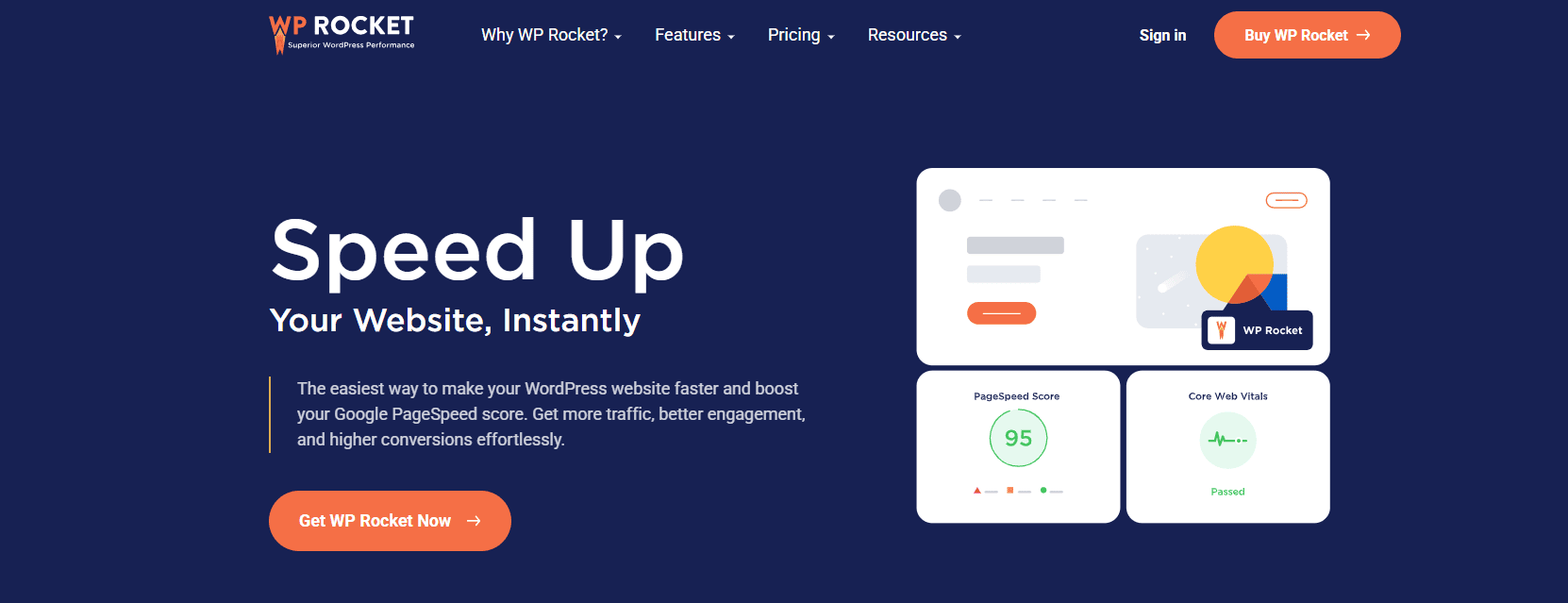
Well, WP Rocket is the fully-fledged paid performance optimization plugin you should try to achieve the highest performance scores. It has the power to make all metrics green.
I am using it on my site. After using it, I realized its main benefits include easy setup and significant improvements in loading times. Users appreciate WP Rocket for its user-friendly interface and a range of caching features, such as browser caching and compression, that enhance website speed and user experience.
One reason to choose WP Rocket is its ability to instantly improve website performance without needing technical skills.
However, it’s pricier compared to other caching plugins, which might be a drawback for some users who prefer free options. Despite this, WP Rocket remains a top choice for website owners looking to optimize their WordPress sites.
Pros:
- Beginner-friendly and easy to set up
- Excellent caching and performance optimization features
- Improves Core Web Vitals and page speed
- Includes lazy loading and database optimization
- Compatible with most themes and plugins
Cons:
- No free version available
- Higher pricing compared to some caching plugins
Pricing:
| Plan | Price | Website Limit |
|---|---|---|
| Single | $59/year | 1 website |
| Plus | $119/year | 3 websites |
| Multi | $299/year | 50 websites |
6. Broken Link Checker
| Plugin Details | Information |
|---|---|
| Version | 2.4.8 |
| Last Updated | 4 days ago |
| Active Installations | 500,000+ |
| Required WordPress Version | 5.2 or higher |
| Tested Up To | 7.0 |
| Required PHP Version | 7.4 or higher |

Another useful plugin for technical SEO audits is Broken Link Checker.
Imagine having thousands of links on your site… Who knows which might be dead today or tomorrow?
Here comes the Broken Link Checker plugin.
Broken links are dangerous because they can kill your SERP rankings (Google penalizes sites with broken links). So make sure to fix all dead and broken links on your sites if you are concerned about increasing search engine traffic.
One of the easiest ways to find and fix broken links is to use the top SEO plugin in the WordPress directory, “broken link checker”.
This plugin thoroughly monitors your site and checks your posts, comments, and other content for broken links and missing images, notifying you if any are found.
Here are some of the benefits of using this plugin:
- Monitors links in your posts, pages, comments, and custom fields.
- Detects links that don’t work, missing images, and redirects.
- Notifies you either via the Dashboard or by email.
- Makes broken links display differently in posts (optional).
- Prevents search engines from following broken links (optional).
- You can search and filter links by URL, anchor text, and so on.
- Links can be edited directly from the plugin’s page, without manually updating each post.
- Highly configurable as per your SEO needs.
However, one drawback is its potential impact on website performance due to continuous scanning. To maintain performance, make sure to use performance-oriented web hosting like Kinsta.
Pros:
- Free to use for small websites
- Easy to use with no installation required
- Detects both internal and external broken links
- Works directly from the browser
Cons:
- Limited features compared to premium SEO tools
- Large website scans can take more time
Pricing:
| Plan | Website Limit | Price |
|---|---|---|
| Basic | 1 Site | $3/month |
| Standard | 3 Sites | $5/month |
| Plus | 10 Sites | $10/month |
7. WP Review Pro
| Plugin Details | Information |
|---|---|
| Version | 3.4.11 |
| Last Updated | Recently Updated |
| Active Installations | Premium Plugin |
| Required WordPress Version | 5.0 or higher |
| Tested Up To | Latest WordPress Version |
| Required PHP Version | 7.0 or higher |

Are you into product review content? Well, you can’t miss this WP Review Pro plugin. This is another plugin we have been using on our site for a long time.
We tested many review plugins but finally settled on this one, created by My Theme Shop.
Investing $67 per year in this plugin helps you get better rich snippets for your targeted keywords. A rich snippet is a short summary of your page in Google search results, typically including star ratings, author photos, images, etc.
This plugin helps improve your click-through rate, which further increases your search traffic, so make sure to grab it from the link below.
Pros:
- Automates review request emails after purchases
- Lightweight and beginner-friendly setup
- Supports branding and white-label features in the Pro version
Cons:
- New plugin with limited user reviews and installations
- Advanced features require the paid version
Pricing:
| Plan | License Type | Price |
|---|---|---|
| Membership | Unlimited Sites | $199 |
| Single Product | Unlimited Sites | $67 (Sale Price) |
8. Google Analytics by MonsterInsights
| Plugin Details | Information |
|---|---|
| Version | 10.2.0 |
| Last Updated | 7 days ago |
| Active Installations | 2+ million |
| Required WordPress Version | 5.6.0 or higher |
| Tested Up To | 7.0.0 |
| Required PHP Version | 7.2 or higher |

We have integrated GA into our site using a manual approach (coding). But if you are not a coder, this plugin is for you.
We all know how important it is to install Google Analytics for our websites. But it’s always a pain to go to Google Analytics to check your traffic metrics. This problem is solved by the MonsterInsights plugin, which gives you instant access to your Google Analytics data from your WordPress dashboard.
Simply install the plugin, connect it to your Google Analytics account, and boom, you can start tracking and checking your website traffic metrics whenever you want, instantly from your dashboard.
With this incredible WordPress SEO plugin, you don’t need to wait till the next day to find out about traffic spikes or potential problems. You can get real-time stats along with the demographics.
Pros:
- Beginner-friendly analytics dashboard for WordPress
- Easy Google Analytics integration without coding
- Detailed reports and real-time analytics
Cons:
- Many advanced features are only available in paid plans
- Can feel expensive for small website owners
Pricing:
| Plan | Site Limit | Price |
|---|---|---|
| Plus | 1 Site | $99.50/year |
| Pro | 5 Sites | $199.50/year |
| Elite | 5 Sites | $299.50/year |
Final Words
I feel great about sharing my list of SEO plugins that I use on my WordPress site. Most of the plugins you’ve seen today are related to On-Page SEO & Technical SEO.
Most people think that they don’t need an SEO plugin. Well, they are right, and they really do not require an SEO plugin if they know how to perform common SEO tasks like optimizing meta tags, setting up a sitemap, setting up schema, optimizing content for keywords, optimizing images, and more.
As I mentioned earlier, if you have an SEO suite (I use Rank Math), you’ve already met 90% of your SEO plugin needs. Apart from that, the performance optimization plugins I’ve mentioned in this list are essential and cannot be avoided under any circumstances.
My only suggestion before using any top SEO WordPress plugin is to know it well in advance. How the plugin functions and who developed it, as there are lots of plugin developers out there who use bad practices to develop plugins and insert malicious code. So, be aware of this fact before using any SEO plugin on WordPress sites.
How many of you are using the above-mentioned WordPress plugins? Do you have any more recommendations on new SEO plugins? Please share your thoughts in the comments.
FAQs
How do SEO plugins help improve website rankings?
SEO plugins help improve website rankings by offering tools and features that optimize various aspects of your site for search engines. These plugins typically assist in tasks such as optimizing meta tags, generating XML sitemaps, improving content readability, analyzing keywords, providing suggestions for internal linking, and ensuring proper HTML markup. By implementing these optimizations, SEO plugins help make your website more visible to search engines, ultimately leading to improved rankings in search results.
Can I use multiple SEO suite plugins on my WordPress site?
It’s not recommended due to potential conflicts between plugins. Choose one comprehensive SEO plugin instead.
Which is better: free or premium SEO plugins?
It depends on your needs and budget. Premium plugins offer advanced features and support, while free plugins cover basic SEO functionalities.
What is the best SEO plugin for beginners?
Yoast SEO is widely recommended for its user-friendly interface and helpful optimization tips, making it ideal for beginners.
Do SEO plugins automatically optimize my content?
SEO plugins provide suggestions for optimization but require manual input to implement changes according to your content goals and audience.


![11 Best WordPress Coupon Code Plugins In 2026 [Free + Paid]](https://bloggerspassion.com/wp-content/uploads/2025/07/wordpress-coupon-plugins-300x162.png)


This article has created a bit of a confusion for me in terms of the plugins mentioned. And I see this as a good sign that there are so many things to choose from. But I am currently using one of these plugins and I hope that will be useful.