

Are you still blogging the old way, using only a laptop or PC?
Here’s a fact: over 60% of all web traffic now comes from mobile devices. And bloggers are no different. Most bloggers now use their smartphones to write drafts, edit photos, shoot videos, and even publish posts on the go.
But not every smartphone is built for blogging. You need a phone with a great display for writing, a powerful camera for content, and enough battery that can last a day.
That’s exactly what this guide covers. We’ve handpicked 15 of the best smartphones for blogging in 2026 based on display, camera, battery life, and overall performance.
Table of Contents
15 Best Smartphones for Blogging in 2026: Editor’s Choice
| Smartphone | Display | Processor | Camera | Battery | Best For |
|---|---|---|---|---|---|
| Apple iPhone 17 Pro Max | 6.9″ OLED, 120Hz | A19 Pro | 48MP Triple (8x zoom) | 5088 mAh | Create content like a pro |
| Samsung Galaxy S26 Ultra | 6.9″ AMOLED, 120Hz | Snapdragon 8 Elite Gen 5 | 200MP Quad | 5000 mAh | Great camera with smart AI |
| Google Pixel 10 | 6.3″ OLED, 120Hz | Tensor G5 | 50MP Dual | 4800 mAh | Photos made better with AI |
| OnePlus 15 | 6.78″ AMOLED, 165Hz | Snapdragon 8 Elite Gen 5 | 50MP Triple | 7300 mAh | Battery that lasts all day |
| iPhone 17 | 6.3″ OLED, 120Hz | A19 | 48MP Dual | 3692 mAh | Easy blogging on the go |
| Samsung Galaxy A56 | 6.7″ AMOLED, 120Hz | Exynos 1580 | 50MP Triple | 5000 mAh | Good phone at a lower price |
| Samsung Galaxy Z Fold 6 | 7.6″ Foldable AMOLED | Snapdragon 8 Gen 2 | 50MP Triple | 4400 mAh | Do many things at once |
| Xiaomi 13T Pro | 6.67″ AMOLED, 144Hz | Dimensity 9200+ | 50MP Triple | 5000 mAh | Updates for many years |
| Motorola Razr+ | 6.9″ Foldable AMOLED | Snapdragon 8s Gen 3 | 50MP Dual | 4000 mAh | Small phone that folds |
| Google Pixel 10a | 6.3″ OLED, 120Hz | Tensor G4 | 48MP Dual | 5100 mAh | Best affordable Pixel phone |
| Vivo X200 Pro | 6.78″ AMOLED, 120Hz | Dimensity 9400 | 200MP Triple | 6000 mAh | Top phone for photos |
| Sony Xperia 1 V | 6.5″ 4K OLED, 120Hz | Snapdragon 8 Gen 2 | 48MP Triple | 5000 mAh | Perfect for making videos |
| OnePlus 13 | 6.82″ AMOLED, 120Hz | Snapdragon 8 Elite | 50MP Triple | 6000 mAh | Premium phone for less money |
| Nothing Phone (3a) | 6.77″ AMOLED, 120Hz | Snapdragon 7s Gen 3 | 50MP Triple | 5000 mAh | Stylish design, low price |
| Xiaomi Poco X6 | 6.67″ AMOLED, 120Hz | Snapdragon 7s Gen 2 | 64MP Triple | 5100 mAh | Cheapest option available |

1. Apple iPhone 17 Pro Max
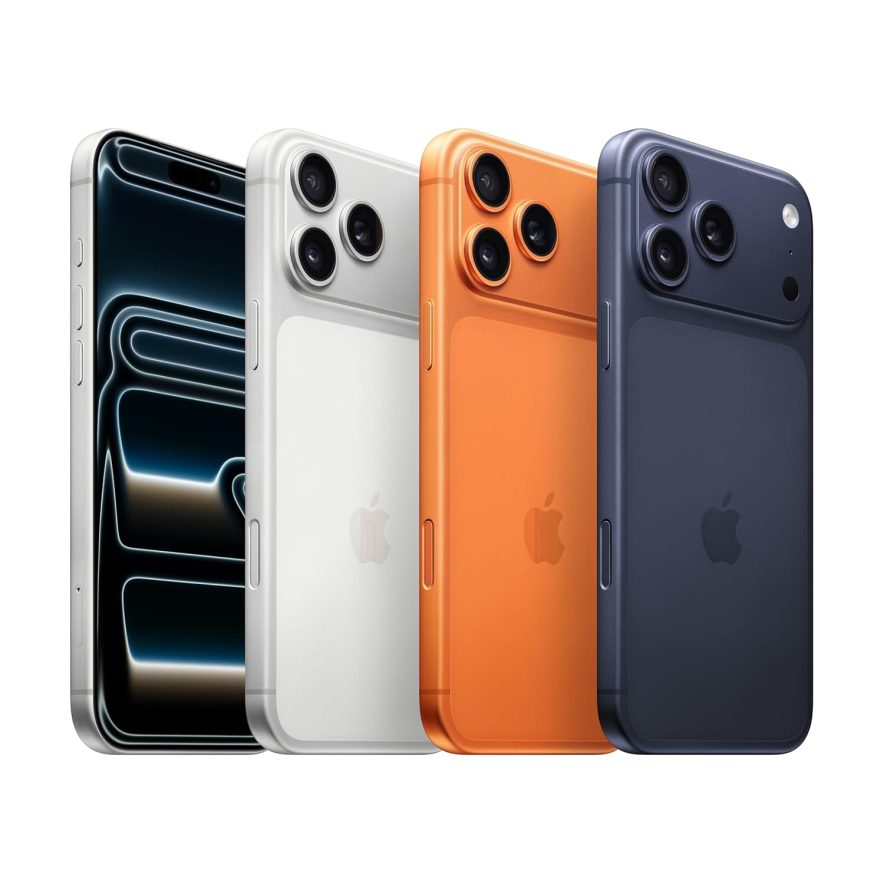
If you’re a blogger who wants the absolute best performance, camera, and battery life, the iPhone 17 Pro Max is the phone to get.
Apple completely redesigned this one from the inside out. It features a heat-forged aluminum unibody with a vapor chamber cooling system. That means it stays cool even during heavy tasks like 4K video editing or live streaming.
The triple 48MP camera system now includes 8x optical-quality zoom, so you can capture sharp, detailed shots from a distance. And the battery life? It’s the longest ever on any iPhone.
Specifications
- Display: 6.9-inch Super Retina XDR OLED, ProMotion 120Hz
- Processor: A19 Pro chip (3 nm)
- Screen Resolution: 2868×1320-pixel resolution at 460 ppi
- Storage Capacity: 256GB/512GB/2TB
- Battery: 5088 mAh
- Dimensions: 163.4 x 78.1 x 8.8 mm
- Weight: Approximately 233 grams
Reasons To Buy
- All-new aluminum unibody design with vapor chamber for up to 40% better performance
- Triple 48MP camera system with 8x optical-quality zoom for stunning content
- Best-ever iPhone battery life with up to 50% charge in just 20 minutes
- Apple Intelligence is built in for smarter writing, photo editing, and content creation
- Ceramic Shield 2 with 3x better scratch resistance
Reasons Not To Buy
- Expensive
- Heavier than its predecessor at 233 grams
2. Samsung Galaxy S26 Ultra
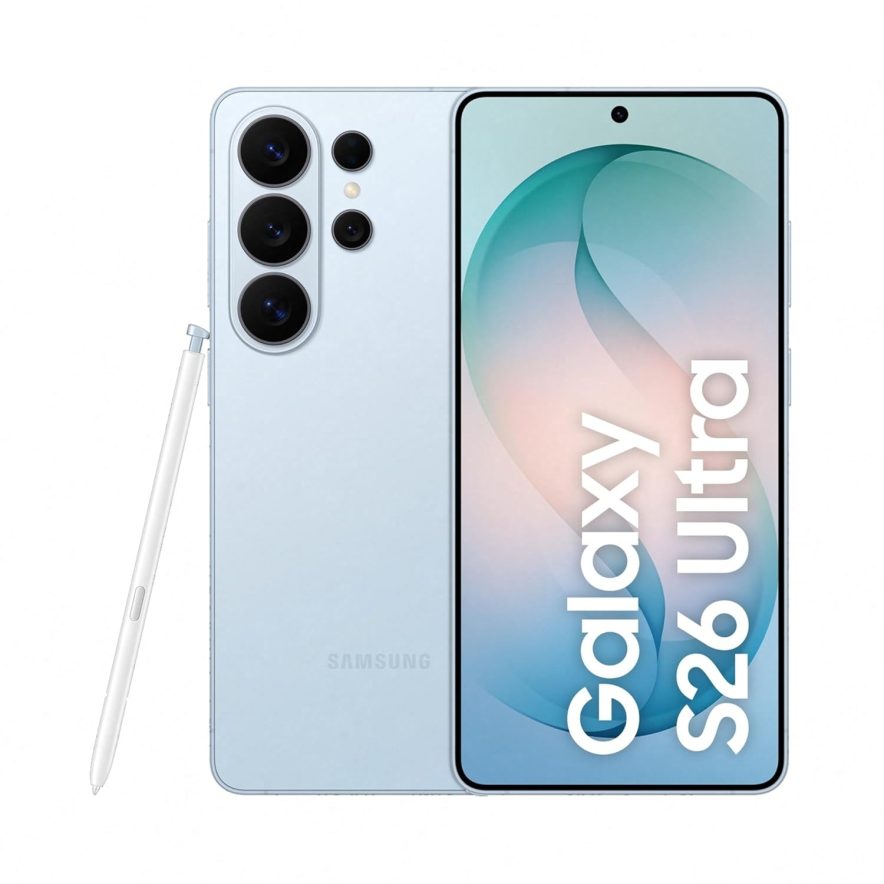
Samsung Galaxy S26 Ultra is a powerhouse for bloggers and content creators. It features the world’s first built-in Privacy Display on a smartphone, so no one can spy on your screen from the side.
The 200MP camera now features a wider f/1.4 aperture, resulting in even sharper photos in low light. It also packs a 5000 mAh battery with 60W fast charging, which is the fastest ever on a Galaxy S Ultra.
Specifications
- Display: 6.9-inch Dynamic LTPO AMOLED 2X, 120Hz
- Processor: Qualcomm Snapdragon 8 Elite Gen 5 for Galaxy (3 nm)
- Screen Resolution: 1440 x 3120 pixels (~498 ppi density)
- Storage Capacity: 256GB/512GB/1TB
- Battery: 5000 mAh
- Dimensions: 163.6 x 78.1 x 7.9 mm
- Weight: 214 grams
Reasons to Buy:
- 200MP main camera with f/1.4 aperture for 47% brighter low-light shots
- Built-in Privacy Display keeps your screen hidden from side views
- 60W charging
- Gorilla Armor 2 on front & back for strong durability
- Galaxy AI tools like Photo Assist & Smart Compose for faster content creation
Reasons Not to Buy:
- Big and heavy smartphone (weighs 214 grams)
- Expensive
3. Google Pixel 10
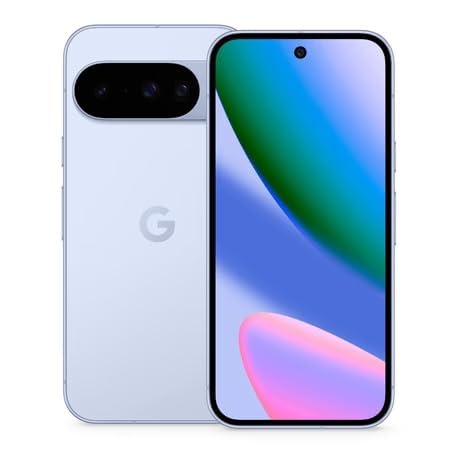
If you want the smartest camera on any Android phone, the Pixel 10 is a top pick for bloggers.
Powered by Google’s new Tensor G5 chip, it handles everything from photo editing to AI-powered tasks with ease. The camera has also been improved, and Google’s smart photo processing still gives you some of the best pictures you can get on any phone.
Specifications
- Display: 6.3-inch OLED display, 120Hz
- Processor: Google Tensor G5 (4 nm)
- Screen Resolution: 1080 x 2424 pixels (~422 ppi density)
- Storage Capacity: 128GB/256GB
- Battery: 4800 mAh
- Dimensions: 152.8 x 72.7 x 8.6 mm
- Weight: 204 grams
Reasons To Buy
- Best-in-class photography with AI-powered editing
- Tensor G5 chip: 34% faster CPU, 60% stronger AI (TPU) performance
- 7 years of OS + security updates
- Clean stock Android with zero bloatware
- AI tools like Camera Coach for better photo composition
Reasons Not To Buy
- Expensive
- Only 128GB base storage with no microSD expansion
4. OnePlus 15
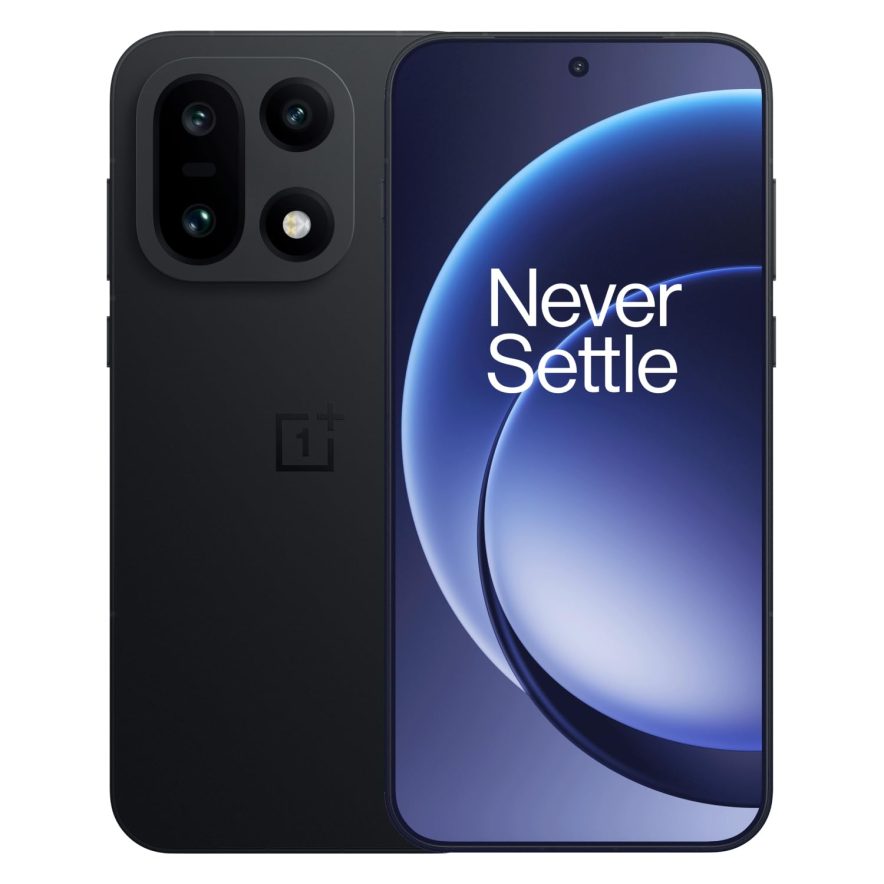
If you’re a blogger looking for a phone that lasts up to 2 days on a single charge, the OnePlus 15 is a great option.
It comes with a huge 7,300 mAh battery, the largest ever in a flagship phone. With the Snapdragon 8 Elite Gen 5 processor, it handles video editing, multitasking, and content creation very smoothly.
The triple 50MP camera has also been improved with a new DetailMax Engine, giving you more natural-looking photos.
Specifications
- Display: 6.78-inch AMOLED, 165Hz, WQHD+
- Processor: Qualcomm Snapdragon 8 Elite Gen 5 (3 nm)
- Screen Resolution: 1272 x 2772 pixels (~450 ppi density)
- Storage Capacity: 256GB/512GB
- Battery: 7300 mAh
- Dimensions: 161.7 x 75.3 x 8.1 mm
- Weight: 211 grams
Reasons to Buy:
- Massive 7,300 mAh battery that easily lasts two full days
- 80W wired + 50W wireless charging (charges to 50% in about 20 minutes)
- 165Hz display, as it has one of the highest refresh rates on any phone
- IP66/IP68/IP69 water and dust resistance
- Triple 50MP camera with 3.5x optical zoom
Reasons Not to Buy:
- Only 3 years of OS updates (shorter than Samsung and Google)
- Alert Slider is missing
5. iPhone 17
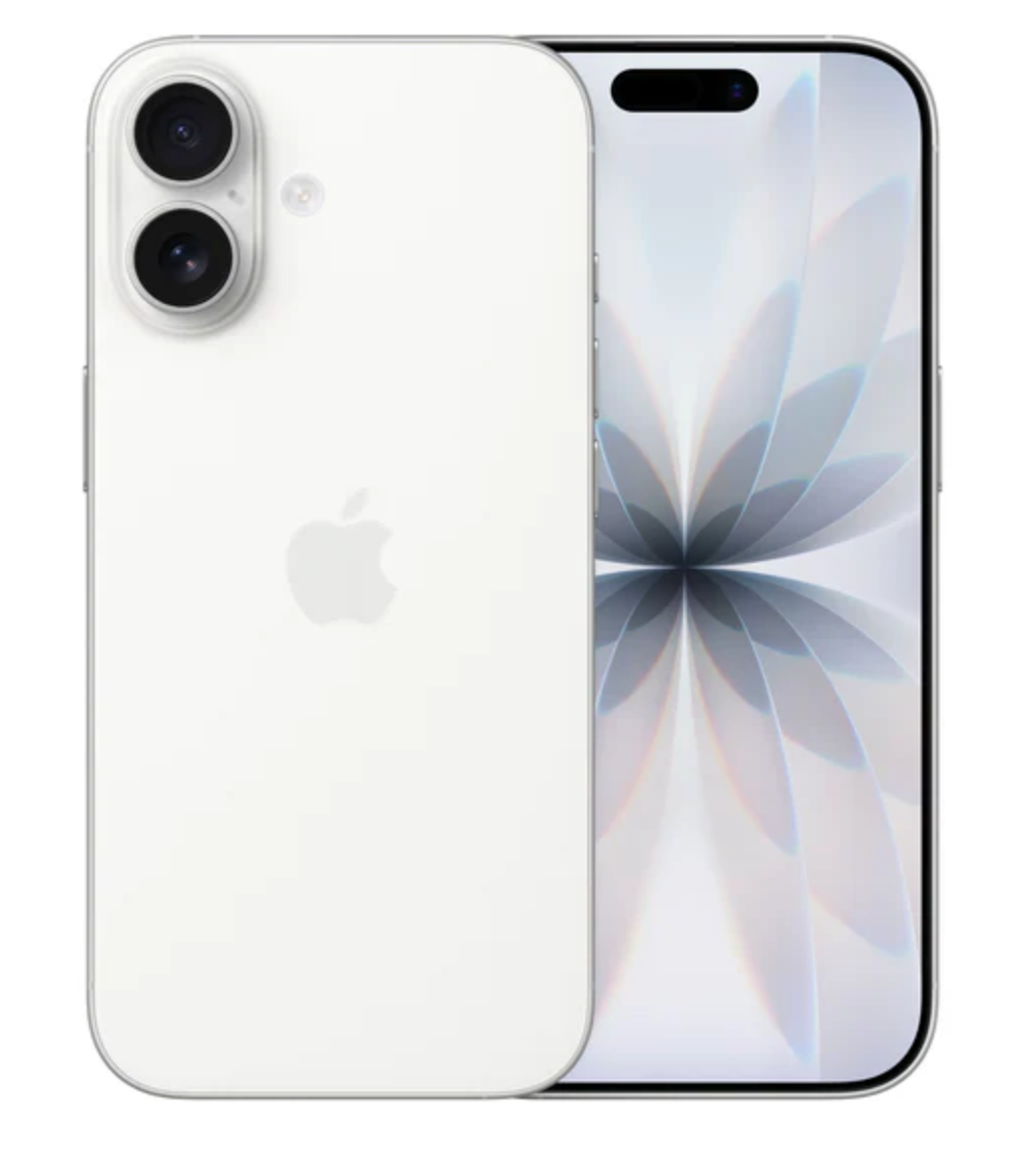
The iPhone 17 is a great option for bloggers who want top features without paying for the Pro model.
For the first time, it comes with a 120Hz display, Always-On screen, and a new 48MP dual camera. That means you get clear photos, smoother scrolling, and a better typing feel.
The A19 chip also gives you all-day battery life, with up to 30 hours of video playback.
Whether you’re a seasoned blogger or just starting out, the iPhone 17 offers all the features and performance you need to create epic content.
Specifications
- Display: 6.3-inch Super Retina XDR OLED, ProMotion 120Hz
- Processor: Apple A19 (3 nm)
- Screen Resolution: 2622 x 1206 pixels (~460 ppi density)
- Storage Capacity: 256GB/512GB
- Battery: 3692 mAh
- Dimensions: 147.7 x 71.5 x 8 mm
- Weight: 177 grams
Reasons to Buy:
- ProMotion 120Hz display now on the standard iPhone for the first time
- 48MP Dual Fusion camera system with ultra-wide support
- Lightweight at just 177 grams, which is great for on-the-go blogging
- Ceramic Shield 2 with 3x better scratch resistance
- Up to 50% charge in just 20 minutes with a 40W adapter
Reasons Not to Buy:
- Only 8GB RAM (vs 12GB on Pro models)
- No telephoto lens, so it has limited zoom capabilities
6. Samsung Galaxy A56 5G
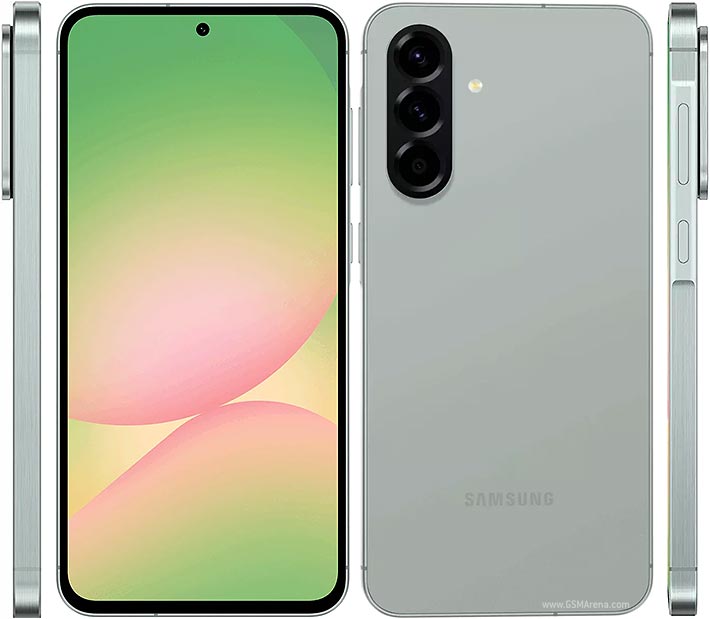
If you’re a blogger on a budget but still want premium-like features, the Samsung Galaxy A56 5G is a great choice.
It has a large 6.7-inch Super AMOLED display with a 120Hz refresh rate, so scrolling, typing, and editing feel smooth. The 50MP main camera captures clear photos for your blog and social media. Plus, Samsung offers 6 years of Android updates, so it will stay useful for a long time.
What makes it special for bloggers? Samsung’s AI tools like Object Eraser and Smart Compose help you edit photos and write content faster, right on your phone.
Specifications
- Display: 6.7-inch FHD+ Super AMOLED, 120Hz
- Processor: Samsung Exynos 1580 (4 nm)
- Screen Resolution: 1080 x 2340 pixels (~385 ppi density)
- Storage Capacity: 128GB/256GB
- Battery: 5000 mAh
- Dimensions: 162.2 x 77.5 x 7.4 mm
- Weight: 198 grams
Reasons to Buy:
- Excellent value for money with flagship-level features at a mid-range price
- 6 years of OS updates and 6 years of security patches
- IP67 water and dust resistance
- Gorilla Glass Victus+ on both front and back for durability
- Supports 45W fast charging
Reasons Not to Buy:
- No microSD card slot for storage expansion
- The front camera is only 12MP, which is average for selfie-focused creators
7. Samsung Galaxy Z Fold 6

Samsung Galaxy Z Fold 6 is one of the best blogging phones for content creators on the go.
It has a unique, large foldable screen that provides an excellent display for writing, editing, and previewing your content. Its powerful processor offers smooth performance, making multitasking easy and helping you handle various blogging tasks effortlessly.
It is equipped with a powerful 50MP primary camera, which delivers excellent low-light performance and high-quality photography.
Specifications
- Display: 7.6” Foldable Dynamic AMOLED display
- Processor: Qualcomm Snapdragon 8 Gen 2
- Screen Resolution: Main Display: 2176 x 1812 pixels | Cover Display: 2316 x 904 pixels
- Storage Capacity: 256GB/512GB/1TB
- Battery: 4400 mAh
- Dimensions: Unfolded: 153.5mm x 132.6mm x 5.6mm | Folded: 153.5mm x 68.1mm x 12.1mm
- Weight: 239 grams
Reasons to Buy:
- Large, foldable display which is unique from most smartphones
- Multitasking capabilities – thanks to its powerful processor
- Up to 1 TB storage options, great for bloggers who need more storage space
Reasons Not to Buy:
- Expensive
- Limited app optimization for the foldable screen
8. Xiaomi 13T Pro

If you’re looking for a smartphone that lasts long for blogging purposes, the Xiaomi 13T Pro is a great choice. This smartphone also offers 4 years of major Android updates and 5 years of security patches.
Its 6.67-inch AMOLED display offers a large and impressive screen for viewing and editing content. Also, its 5000 mAh battery ensures you can keep blogging and vlogging for a long time.
Specifications
- Display: 6.67-inch AMOLED display
- Processor: Mediatek Dimensity 9200+ (4 nm)
- Screen Resolution: 1220 x 2712 pixels, 20:9 ratio (~446 ppi density)
- Storage Capacity: 256GB/512GB/1TB
- Battery: 5000 mAh
- Dimensions: 6.39 x 2.98 x 0.33 in
- Weight: 206 grams
Reasons to Buy:
- Excellent design, and it comes with IP68-rated water resistance and dust protection
- Comes with a great 144Hz display with Dolby Vision
- Stunning image and video quality from all cameras
Reasons Not to Buy:
- The 20MP front-facing camera is average
- Noticeable shutter lag in the camera
9. Motorola Razr+

If you’re a blogger looking for a foldable smartphone with a large 6.9-inch display for quick content creation and a high-quality camera for stunning visuals, the Motorola Razr+ could be an excellent choice.
With its sleek design and foldable form factor, the Razr+ offers a unique mobile experience for bloggers on the go. The best part is that despite its larger display and foldable design, it weighs less than 190 grams. This means you can focus on content creation for hours without strain.
Specifications
- Display: 6.9-inch Foldable LTPO AMOLED
- Processor: Qualcomm SM8635 Snapdragon 8s Gen 3 (4 nm)
- Screen Resolution: 1080 x 2640 pixels (~413 ppi density)
- Storage Capacity: 128 GB/256 GB UFS 3.1 storage
- Battery: 4000 mAh
- Dimensions: Unfolded: 171.4 x 74 x 7.1 mm | Folded: 88.1 x 74 x 15.3 mm
- Weight: 189 grams
Reasons to Buy:
- It has a clean and full-featured interface, which makes blogging or vlogging easier
- Offers a unique design that folds into a compact form, making it easy to carry and use on the go
- Equipped with a high-quality camera system to take stunning photos and videos for blogging and vlogging purposes
- The phone’s battery can last for a full day of use
Reasons Not to Buy:
- With foldable phones, there may be concerns about durability in the long run
- You may not be able to use some apps, as they may not be fully optimized for the foldable screen
10. Google Pixel 10a
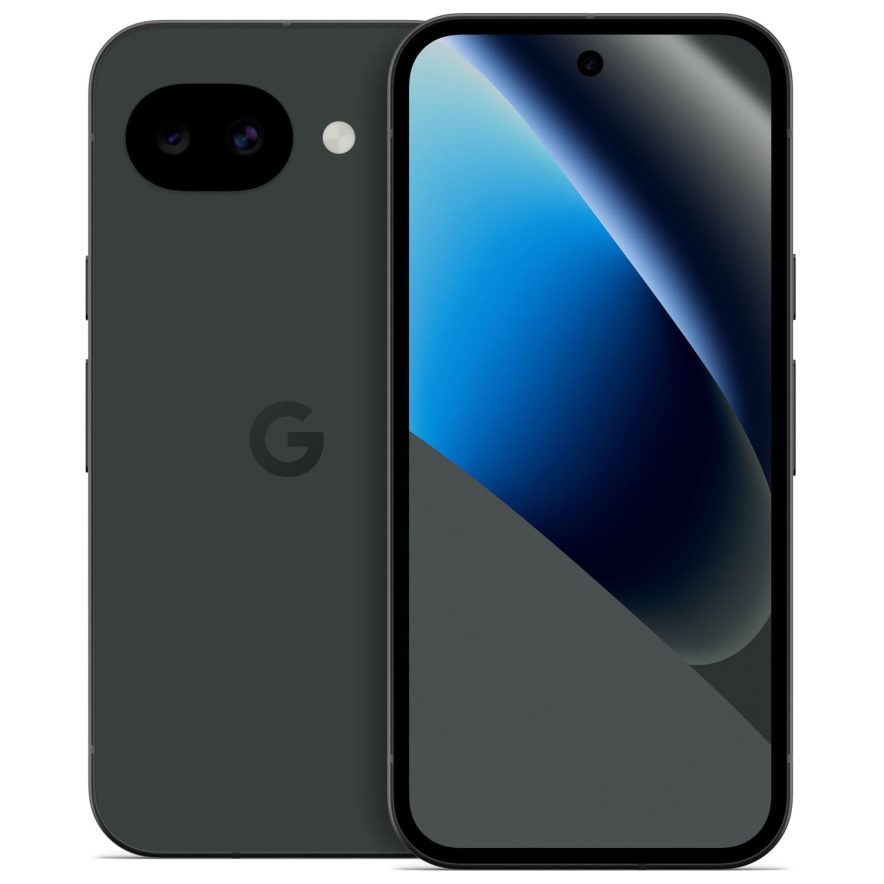
If you want a clean, simple Android experience at a budget-friendly price, the Pixel 10a is a great pick.
It offers the same AI-powered camera features as Google’s flagship phones, like Auto Best Take and Camera Coach. The 6.3-inch OLED display is also brighter than before and protected with Gorilla Glass 7i.
The best part? Google gives you 7 years of OS and security updates. A phone you buy today stays current until 2033.
Specifications
- Display: 6.3-inch P-OLED display, 120Hz
- Processor: Google Tensor G4 (4 nm)
- Screen Resolution: 1080 x 2424 pixels, 20:9 ratio (~422 ppi density)
- Storage Capacity: 128GB/256GB
- Battery: 5100 mAh
- Dimensions: 153.9 x 73 x 9 mm
- Weight: 183 grams
Reasons to Buy:
- 7 years of OS and security updates with the best-in-class software support
- AI-powered camera features like Auto Best Take and Camera Coach
- 3000 nits peak brightness with flagship-level display quality
- IP68 water and dust resistance
- Gorilla Glass 7i for better scratch and drop protection
- Budget-friendly
Reasons Not to Buy:
- Uses last-gen Tensor G4 chip instead of the newer Tensor G5
- Only 8 GB RAM
- Camera hardware is NOT changed from Pixel 9a (48MP main + 13MP ultrawide)
11. Vivo X200 Pro
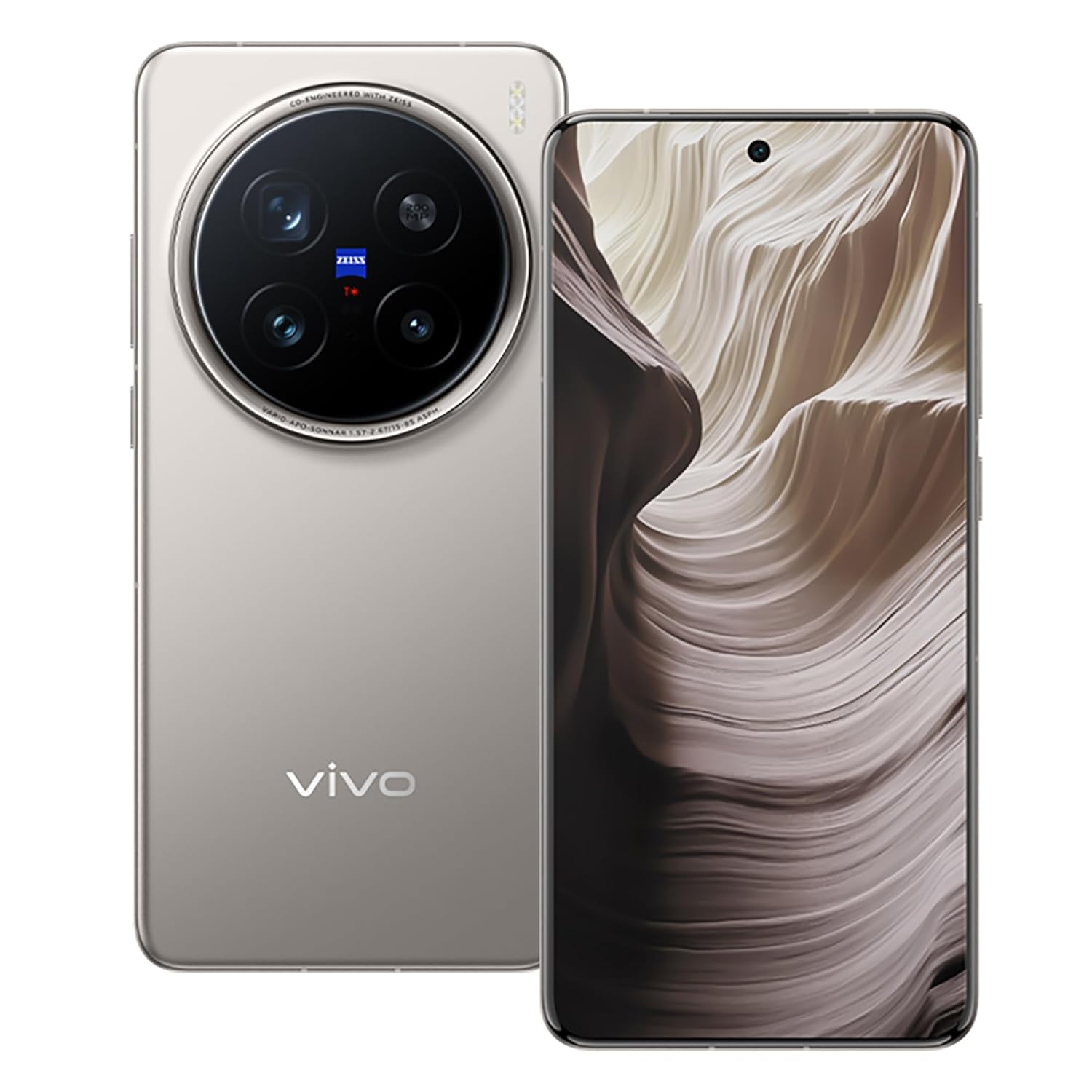
If photography and videography are your main focus, the Vivo X200 Pro is a great choice. It’s known as one of the best camera phones right now.
The highlight is its 200MP telephoto camera with Zeiss optics, which captures amazing detail even when you zoom in. Along with a 50MP main camera and a 50MP ultra-wide lens, it handles everything from landscapes to close-up shots with ease.
It also comes with a large 6000 mAh battery and 90W fast charging, so you can shoot, edit, and post without worrying about battery life.
Specifications
- Display: 6.78-inch LTPO AMOLED, 120Hz
- Processor: MediaTek Dimensity 9400 (4 nm)
- Screen Resolution: 1260 x 2800 pixels (~453 ppi density)
- Storage Capacity: 256GB/512GB
- Battery: 6000 mAh
- Dimensions: 162.4 x 75.1 x 8.2 mm
- Weight: 223 grams
Reasons to Buy:
- One of the best 2026 camera systems
- 200MP telephoto with 3.7x optical zoom for better close-up shots
- 6000 mAh battery with 90W wired + 30W wireless charging
- IP68 + IP69 rated for strong water and dust resistance
- Dimensity 9400 processor for smooth 4K editing & multitasking
Reasons Not to Buy:
- It is on the heavier side at 223 grams
- Only 3 years of OS updates (shorter than Samsung and Google)
12. SONY XPERIA 1 V

The Sony Xperia 1 V features a stunning 6.5-inch 4K OLED display and a powerful Snapdragon 8 Gen 2 processor, delivering exceptional performance for blogging and multimedia purposes.
Unlike many of the recent smartphones listed here, this phone retains traditional features, such as a 3.5mm headphone jack, microSD card support, and a physical camera shutter button. This phone also supports a 240Hz touch response and a 120Hz refresh rate, making it perfect for complex tasks like video editing.
Specifications
- Display: 6.5” OLED display
- Processor: Qualcomm SM8550-AB Snapdragon 8 Gen 2 (4 nm)
- Screen Resolution: 1644 x 3840 pixels, 21:9 ratio (~643 ppi density)
- Storage Capacity: 256GB/512GB
- Battery: 5000 mAh
- Dimensions: 6.50 x 2.80 x 0.33 in
- Weight: 187 g
Reasons to Buy:
- Great camera for capturing high-quality content
- 4K HDR native 120fps video recording on all rear lenses
- Comes with a big 6.5-inch display, which offers a great viewing experience for editing and sharing content
Reasons Not to Buy:
- The cameras can’t focus on really close things, as there are no close-up shooting capabilities in the phone
- Overheats under heavy usage
13. OnePlus 13
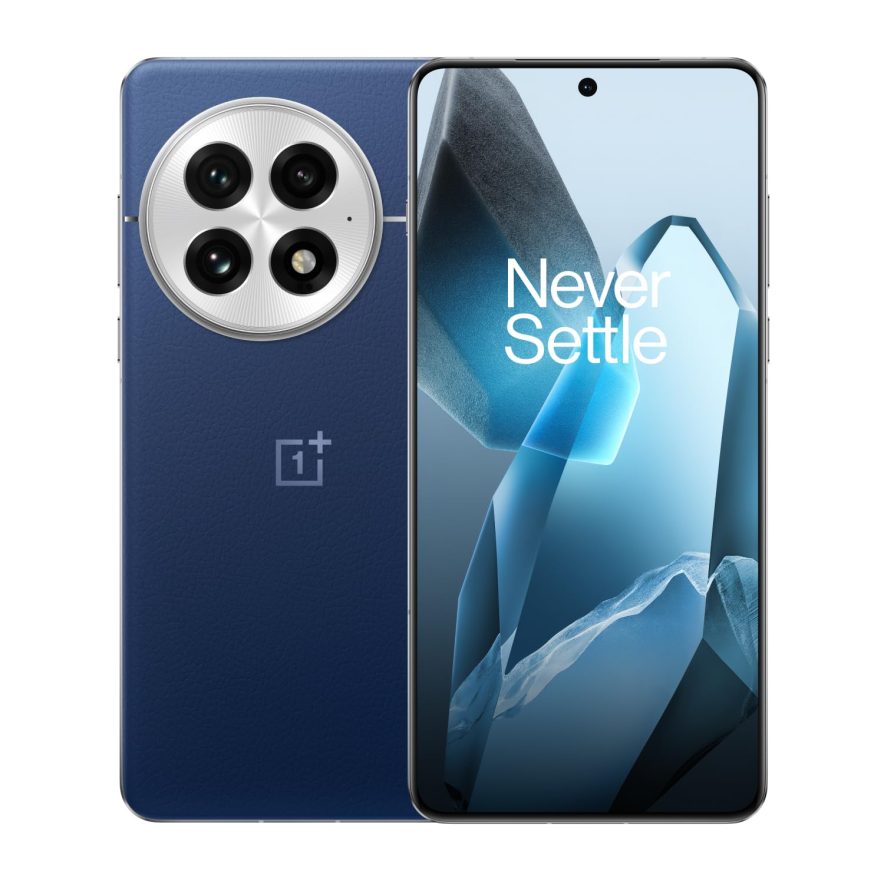
The OnePlus 13 is a flagship-level phone that costs less than similar Samsung and Apple models. It’s a great choice for bloggers who want top performance without spending too much.
It has a large 6.82-inch QHD+ AMOLED display with a smooth 120Hz refresh rate, making everything feel fast and easy to use.
The 6000 mAh battery easily lasts a full day, even with heavy use, and the 100W fast charging can take it from 0 to 100% in under 40 minutes.
Specifications
- Display: 6.82-inch LTPO AMOLED, QHD+, 120Hz
- Processor: Qualcomm Snapdragon 8 Elite (3 nm)
- Screen Resolution: 1440 x 3168 pixels (~510 ppi density)
- Storage Capacity: 256GB/512GB
- Battery: 6000 mAh
- Dimensions: 162.9 x 76.5 x 8.5 mm
- Weight: 213 grams
Reasons to Buy:
- 6000 mAh silicon-carbon battery for full-day usage
- 100W SUPERVOOC wired + 50W wireless charging
- 50MP triple camera system
- IP68 + IP69 rated for water and dust resistance
- Clean OxygenOS with minimal bloatware
Reasons Not to Buy:
- Limited software customization in OxygenOS
- Shorter software support – 4 years OS + 5 years security – less than Samsung/Pixel’s 7 years
- Feels heavy at 213 grams
14. Nothing Phone (3a)

Are you looking for an affordable smartphone that stands out from the crowd? Then you should check out the Nothing Phone (3a), as it offers excellent performance for blogging and vlogging while providing a unique look.
Its Snapdragon 7s Gen 3 chipset delivers smooth performance, enabling you to easily handle complex tasks such as video editing and rendering.
Specifications
- Display: 6.77” AMOLED display
- Processor: Qualcomm SM7635 Snapdragon 7s Gen 3 (4 nm)
- Screen Resolution: 1080 x 2392 pixels (~387 ppi density)
- Storage Capacity: 128GB/256GB/512GB
- Battery: 5000 mAh
- Dimensions: 6.44 x 3.05 x 0.33 in
- Weight: 201 g
Reasons to Buy:
- Dolby Vision display with higher resolution
- Unique and appealing design
- 50 MP wide, 50 MP telephoto, 8 MP ultra-wide
- 6.77″ 120 Hz AMOLED display with vibrant 10‑bit colors, HDR10+, up to 3000 nits peak, great for media and gaming
- Good performance & battery life
- Offers unique Glyph light strips on the back of the phone for a new way to communicate
- Excellent battery life with 5000 mAh battery + 50 W fast charging — about 19 min to 50%, full in ~56 min
- Faster charging times
Reasons Not to Buy:
- It does not support High Frame Rate
- Only the main camera records 4K video
- No eSIM support
- No wireless charging
15. Xiaomi Poco X6

If you’re looking for an affordable smartphone that can handle the demands of blogging and vlogging, the Xiaomi Poco X6 is a solid choice.
It comes equipped with a powerful Snapdragon 7s Gen 2 advanced 4nm processor for high performance and efficiency.
With Poco X6, you can capture stunning visuals with the triple camera setup. It also features a high-resolution primary sensor for sharp details, an ultra-wide camera for capturing longer shots, and a macro camera for close-up images.
Specifications
- Display: 6.67-inch AMOLED display, 120Hz refresh rate
- Processor: Qualcomm Snapdragon 7s Gen 2
- Screen Resolution: 1220 x 2712 pixels, 20:9 ratio (~446 ppi density)
- Storage Capacity: 128GB/256GB/512GB
- Battery: 5100mAh, 67W fast charging
- Dimensions: 6.35 x 2.93 x 0.31 in
- Weight: 181g
Reasons to Buy:
- Stunning video quality, as it comes with an audio-camera setup with a 64 MP main camera sensor
- Offers a huge 5000+ mAh battery with 33W fast charging, so you get enough usage time for blogging
- Its second-generation Snapdragon chipset delivers smooth multitasking
Reasons Not to Buy:
- No wireless charging
- Quality issues, as it’s a plastic build.
Top apps for smartphone blogging, along with dos and don’ts

1. WordPress
WordPress is the world’s #1 CMS (Content Management System), used by millions of people worldwide.

Are you using WordPress for blogging? If yes, you should definitely install the WordPress app, which is available on both iOS and Android devices for blogging. The best thing about using the WordPress app for blogging is that it gives you access to everything, including;
- Writing posts
- Checking your website stats
- Approving or removing comments
- Approving or removing pingbacks
That means you can pretty much do every blogging-related task using the WordPress app.
Are you using an iPhone for blogging? Get the WordPress app from here
Are you using an Android smartphone for blogging? Get the WordPress app from here
2. Blogger
Blogger is one of the widely used blogging platforms that lets you create a blog entirely for free. If you’re wondering how to create a blog for free on Google, Blogger is an excellent starting point. Most beginners who lack sufficient funds start their blogs using the Blogger platform.

If you’re also one of the users of Blogger platform, make sure to get Blogger app, which lets you all the essential things such as;
- Creating blog posts
- Editing posts and pages
- Adding labels
- Adding images, videos etc from a phone
- Switch account or blog if you have more than one, and so on
Unfortunately, there is no Blogger app in the iPhone App Store, as they currently have an app only for Android for blogging.
Are you using an Android smartphone for blogging? Download this app from here
3. Wix
Wix is another popular blogging platform. Unlike other blogging platforms, it’s a cloud-based online platform that gives you a drag-and-drop builder to create a website within minutes.
![15 Best Smartphones for Blogging in 2026 [Hand-picked List]](https://bloggerspassion.com/wp-content/uploads/2021/05/Wix.webp)
It also offers you a blogging app that you can use to get started with blogging on the go.
Are you using an iPhone for blogging? Download this app from here
Are you using an Android smartphone for blogging? Download this app from here
4. Weebly
The Weebly platform is another easy-to-use blogging platform that gives you access to an intuitive drag-and-drop builder where you can build a site from scratch within a few minutes without having to learn any coding.

Are you using an iPhone for blogging? Download this app from here
Are you using an Android smartphone for blogging? Download this app from here
Pros and cons

Pros:
- You can blog on the go (you can blog or write even when you’re standing in a queue)
- You can be more productive (when you’re not working, instead of playing, you can blog)
- You can also get access to your website any time you want
Cons:
- Usually messy
- You can’t do all blogging related tasks through smart phone
- You can’t edit your core website files or log into FTP if you’re using a self-hosted platform such as WordPress
- You can’t type faster or make quick changes to your blog contents
- You can’t create content and research for it at the same time unlike desktop blogging
- The screen, the keyboard, the functionality – all are limited (to put it simply, you can write a 1000 word post within an hour using laptop, but you can’t do the same with your smart phone, right?)
Do’s List:

1. Edit posts
Editing posts on the go? Absolutely. It’s one of the few things mobile blogging apps are perfect for. Mistakes happen, and when they do, quick fixes from your phone keep your blog clean and your readers happy. Using a mobile blogging app, such as WordPress, allows us to make these changes even when we’re away from our computer.
2. Moderate comments
Moderating comments? Perfect job for your phone. Whether your blog is strict or chill with comments, moderation is a must, and it’s one of the easiest tasks to do from your phone while waiting in line, riding the train, or preparing lunch.
3. Conduct research
Can’t write a whole post on your phone? No problem, you can just start with research.
You can use your phone to;
- Brainstorm topic ideas
- Analyze your competitors’ content
- Track blog performance with analytics apps
- Save content inspirations from social media or news
- Reply to reader emails or DMs
Don’ts List:

1. Write posts
Writing full blog posts on your phone? Sounds productive, but it’s REALLY challenging. Even with the best mobile keyboards, it’s still slow and frustrating. You might think it’s a smart way to use commute time, but trust me, the experience isn’t worth it.
Read: How To Create a Blog and Make Money Online In 2026: An Expert’s Guide for Beginners
You’re far better off writing on an offline laptop and then transferring the file to your smartphone via a USB connection. Then you can copy the article and paste it into WordPress. That might involve a few more steps, but it’s far more agreeable than writing the thing from scratch on a smartphone.
2. Edit HTML
Editing HTML on your phone? Not the best idea. One incorrect code or tag, and you could compromise your entire layout. Sure, quick fixes are okay, but large coding edits? Too risky. Smartphones just aren’t built for precise coding. Even small mistakes are hard to catch, and harder to fix. Best to save the serious HTML work for your laptop.
3. Make any non-post, non-comment tweaks
Just because you can tweak your blog from your phone doesn’t mean you should. Smartphone browsers can access your WordPress dashboard, sure, but making design or layout changes on the go is risky.
Blog design, like HTML (it even involves HTML), is a tricky process. There are times and places for everything. Chances are, your road trip is probably not the best time to be making design tweaks to the blog. Nor is it time to add new items to the navigation bar, or clear up some more ad space. There’s just too great a potential to mess up something. It’ll be doubly hard to fix it.
Conclusion
As you can see above, we shared 15 of the best phones for blogging and video blogging. You can take amazing pictures, shoot excellent videos, start creating content, schedule your social media posts, and a ton of other things with the phones above.
People are now using their smartphones more than laptops. The mobile industry is also growing rapidly, so if you’re blogging and want to make the most out of your time, get into smartphone blogging.
Did we miss any of your favorite blogging apps, or dos and don’ts to keep in mind when using smartphones for blogging? Share your thoughts in the comments.
FAQs
Which smartphone is best for blogging?
Some of the best smartphones for blogging include the iPhone 17 Pro Max, the Samsung Galaxy S26 Ultra, or the Google Pixel 10.
Which phone is best for vlogging?
iPhone 17 Pro Max is an excellent choice for vlogging, as it comes with a triple 48MP camera system with 8x zoom, the A19 Pro chip, and massive storage options up to 2TB.
Can I make a blog with a mobile phone?
Yes, almost all smartphones offer the necessary tools to create and manage a blog, including writing, editing, and publishing content.
What phone do most content creators use?
The majority of content creators choose iPhones or high-end Android devices (such as the Samsung Galaxy S26 Ultra) due to their cameras, powerful processors, and features.
Which mobile do YouTubers use?
Most YouTubers often use iPhones for vlogging. Some YouTubers also use dedicated vlogging cameras (such as Sony Alpha) for better video quality.


![13 Best Free Blogging Sites In 2026 [Ranked And Reviewed]](https://bloggerspassion.com/wp-content/uploads/2012/08/free-blog-sites-list.webp)


Perfect choice for apple iphone 7. Thanks for your sharing.
yeah, I agree with you but you forget to make mention of some smartphone apps one can instal for a better blogging experience. Thanks for sharing.
Hi!
For most of the times, I use my mobile phone for writing posts and even editing the blog widgets! I don’t have my PC with me always. As I am running a technology news blog so the speed matters most. I have to write a post and publish it as soon as possible. So, instead of Turning ON PC, I prefer my mobile ?.
Thanks
Thanks, Joe for the useful post. As I am a new blogger in the market and learning how to comment edit and post through smartphones. Kindly share some more good ideas on smartphones niche.
Well said Joe, I agree with you but you have not mentioned any app for Posting, which app you talking about for commenting and editing in post anytime on mobile?
Nice post, and very true. I usually don’t like posting from my phone either, although the platform I use now allows me to write posts from the Evernote app, so I do that from mobile. That being said, I always check my site regularly to make sure everything is as it should be!
yeah, I agree with you but you forget to make mention of some smartphone apps one can instal for a better blogging experience. Thanks for sharing.
Both sections are important for bloggers. Give little bit more info, otherwise it’s just perfect
Good advice. Just use your mobile for light maintenance and research, anything more is asking for trouble.
Good post Joe, I use my BlackBerry to make full posts, I love typing on it, but my favorite keyboard was the one on my old 8900.