Note: This article is supported by funding from WordPress.com. The insights are based on our own research & not influenced by them.
Let’s be real: Kinsta is good.
It’s one of the most popular managed WordPress hosting platforms because it’s fast, secure, and built for people who don’t want to babysit servers at 2 AM while their client’s site is melting down.
But here’s the twist…
Kinsta isn’t the perfect fit for everyone.
That’s why more and more people search for “Kinsta alternatives” when they want the same premium experience… but with a different balance of pricing, flexibility, and scaling options.
In this guide, we’ll compare the best alternatives for managed WordPress hosting, with a focus on:
- Performance (speed, reliability, real-world results)
- Pricing (entry cost + scaling cost)
- Scalability (traffic growth, multiple sites, client management)
- Use cases (best for agencies, developers, SMBs, and budget-focused users)
![kinsta alternatives [suitable for all]](https://bloggerspassion.com/wp-content/uploads/2026/01/kinsta-alternatives-suitable-for-all-884x471.png)
Table of Contents
- Quick Comparison – Kinsta vs Top Alternatives
- How These Alternatives Hosts Compare at a Glance:
- 1.) WordPress.com – Best For Long Term Value
- 2.) WP Engine – Best Enterprise-Grade Alternative
- 3.) Cloudways – Best for Flexibility & Cloud Control
- 4.) WPX Hosting – Best for Support & Simplicity
- 5.) Hostinger – Best Budget-Friendly Alternative
- Performance Benchmarks:
- So why do people look for Kinsta alternatives?
- Final Words: Which Alternative Should You Pick?
- FAQs:
Quick Comparison – Kinsta vs Top Alternatives
Before we dive deep into each hosting provider, let’s take a high-level look at how they stack up.
This gives you a snapshot of which host might fit your specific needs
| Hosting Provider | Starting Price | Best For | Major Limitation |
| WordPress.com | $2.75/mo | Long term value & simplicity | Less developer control |
| WP Engine | $23/mo | Large businesses, enterprise | Expensive for small projects |
| Cloudways | $11/mo | Developers & multi-cloud users | Not fully managed hosting |
| WPX | $14.99/mo | Fast support & simplicity | Limited advanced tools |
| Hostinger | $1.99/mo | Budget-friendly sites | Fewer advanced features |
How These Alternatives Hosts Compare at a Glance:
Here are the key traits to know:
- Performance:
According to testing by BloggersPassion, WPX Hosting delivered the fastest average load time (~1.2s) among tested hosts, while Hostinger led the entry-level segment at ~1.78s page load time. - Traffic handling:
WordPress.com handles burst traffic well without traffic-based billing, which is a big win for unpredictably popular content. - Pricing transparency:
WordPress.com offers one of the lowest entry prices in the managed WordPress hosting space, which is over 10x cheaper than Kinsta’s base plan.
Cloudways gives you “pay-as-you-grow” flexibility, which can be extremely cost-efficient for tech-savvy users. - Support & Tools:
Kinsta consistently ranks high for support and workflow tools, often exceeding what competitors offer with staging, debugging, and developer-focused dashboards. There is hardly any other alternative who comes close to Kinsta in this segment.
Three Takeaways:
If speed is your obsession, WPX and Hostinger offer some of the best practical load-time results in real tests.
If predictable pricing without surprise overages is a priority, WordPress.com might be the simplest hosting experience.
If you’re running a portfolio of client sites, WP Engine brings enterprise-level features and major scalability.
1.) WordPress.com – Best For Long Term Value
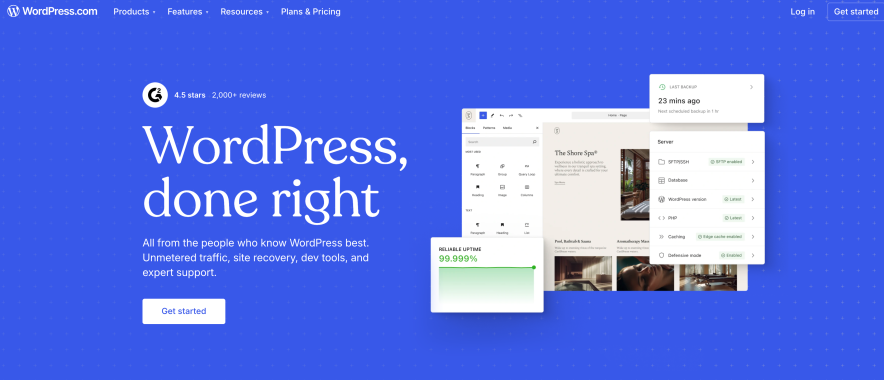
Yes, WordPress.com hosting is a legit recommendation, and not just because it’s affordable.
If you want a managed WordPress platform that’s simple, stable, and doesn’t punish you every time your traffic spikes, WordPress.com can be a smart long-term pick.
Why WordPress.com Hosting Competes with Kinsta
WordPress.com stands out because it offers a very different kind of “managed hosting” experience:
- It’s built for people who want WordPress without the technical hassle
- It’s typically much cheaper than Kinsta
- It can be easier to budget for long-term, especially for content-heavy sites
In the BloggersPassion comparison, WordPress.com’s entry plan is mentioned as over 10× cheaper than Kinsta’s starter plan, which is a massive difference if you’re scaling multiple sites.
Pros
- Excellent long-term value: Great if you want stable managed hosting without premium pricing
- More budget-friendly than Kinsta: Especially useful for freelancers, bloggers, and small businesses
- Simpler “managed WordPress” experience: Less technical overhead for site owners who just want things to work
Cons
- Less flexibility and control: Compared to Kinsta, Cloudways, or other developer-first hosts
- May not be the best fit for users who want deep server-level customization
Best For
- Bloggers and content creators who want predictable costs
- Small businesses that want stability and simplicity
- People who want a “long-term hosting home” without enterprise pricing
2.) WP Engine – Best Enterprise-Grade Alternative
If Kinsta is the premium “set it and forget it” hosting choice, WP Engine is right there in the same VIP section.
It’s a strong option for agencies and businesses that want serious WordPress performance, solid security, and reliable support.
Why WP Engine is a Strong Alternative
WP Engine competes with Kinsta because it offers:
- Premium managed WordPress hosting
- Strong security features and platform-level optimizations
- Hosting built for high-traffic sites and mission-critical projects
This makes WP Engine a great choice when you’re managing client sites where uptime isn’t just important… it’s your reputation.
Pros
- Enterprise-grade features (great for scaling teams and large websites)
- Excellent support (especially valuable for agencies)
Cons
- Expensive for small sites: If you’re running a small blog or a basic business site, it can feel like paying for a Ferrari to drive to the grocery store.
Best For
- Large businesses
- High-traffic websites
- Enterprises and agencies managing premium client projects
3.) Cloudways – Best for Flexibility & Cloud Control
If you’re the kind of person who likes having options, Cloudways is your playground.
Instead of locking you into one infrastructure approach, Cloudways lets you host WordPress on multiple cloud providers like:
- AWS
- Google Cloud
- DigitalOcean
So you get flexibility that managed hosts like Kinsta don’t always offer.
Why Cloudways Competes with Kinsta
Cloudways is a strong alternative because it gives you:
- Cloud performance + scalability
- More control over your hosting environment
- The ability to scale resources as needed
According to BloggersPassion performance testing, Cloudways showed an average load time of around ~1.68s, which is very competitive for cloud hosting.
Pros
- Pay-as-you-go pricing: You can scale without jumping into huge pricing tiers
- High flexibility: Choose your cloud provider, server size, and scaling strategy
Cons
- Not fully “hands-off” managed: It’s managed-ish, but not the same “done for you” experience as Kinsta
Best For
- Developers
- Tech-savvy agencies
- Projects that need scalable cloud hosting with more control
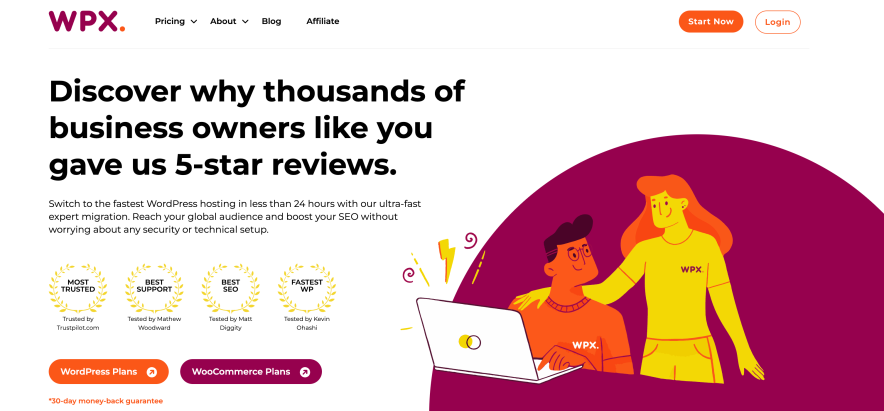
4.) WPX Hosting – Best for Support & Simplicity
If you want hosting that feels like:
“Fast, simple, and someone actually helps me when things break”
then WPX Hosting deserves your attention.
WPX is known for speed and support, and it often shows up in “fastest hosting” discussions.
Why WPX Is a Kinsta Alternative
WPX competes with Kinsta mainly because it offers:
- Very strong real-world speed
- Reliable support experience
- Simple hosting setup without overcomplication
In BloggersPassion’s speed benchmarks, WPX delivered the fastest average load time (~1.2 seconds) and also reported ~99.999% uptime, which is impressive.
Pros
- Fast support response times: Perfect when you’re running client sites and need quick fixes
- Simple pricing and setup: No confusing dashboards or complicated workflows
Cons
- Fewer advanced developer tools: Great for simplicity, not the best for deep customization
Best For
- Non-technical site owners
- Agencies that want speed + reliable support
- Anyone who values simplicity over advanced controls
5.) Hostinger – Best Budget-Friendly Alternative

If you want a hosting service that doesn’t punch your wallet in the face, Hostinger is one of the best picks.
It’s especially popular among:
- bloggers
- startups
- small business owners
- people who want “fast enough + affordable”
Why Hostinger Is Popular Among Cost-Conscious Users
Hostinger works well because it offers:
- Affordable WordPress hosting plans
- Beginner-friendly setup
- Strong performance for the price
In BloggersPassion performance benchmarks, Hostinger recorded an average load time of around ~1.78s, making it one of the fastest in the affordable hosting segment.
Pros
- Low entry price: Great for launching sites without a huge upfront commitment
- Good performance for the cost: You’re getting speed without premium pricing
Cons
- Fewer advanced agency features: If you’re managing dozens of client sites, you may outgrow it
Best For
- Bloggers
- Startups
- Small business websites
- Budget-friendly WordPress hosting users
Performance Benchmarks:
| Hosting Provider | Avg Page Load Time | Uptime (Last 30 Days) |
| WPX Hosting | ~1.2s | ~100% |
| Cloudways | ~1.68s | ~99.97% |
| Hostinger | ~1.78s | ~99.975% |
| WP Engine | ~1.4s | ~100% |
| WordPress.com | ~3.6s | ~100% |
So why do people look for Kinsta alternatives?
Most people don’t leave Kinsta because it’s “bad.”
They leave because their needs change, and the math starts to feel… painful.
Here are the most common reasons:
1) Pricing concerns at scale
Kinsta can get expensive quickly once you’re managing multiple sites or growing traffic.
If you’re an agency, that can turn into:
“Wait… I’m paying how much per month for hosting again?”
2) Traffic overage limits
A lot of managed hosts (including Kinsta) have visit-based plans.
That’s fine… until a client’s site goes viral or your campaign performs better than expected, and suddenly your invoice looks like it leveled up without your permission.
3) Limited flexibility or stack control
Kinsta is built to be a streamlined managed WordPress platform.
That’s great for simplicity.
But if you’re a developer or advanced user who wants more control, custom setups, or cloud flexibility, you may start wanting something more adaptable.
4) Agency and multi-site management needs
If you manage multiple WordPress sites, you don’t just want “fast hosting.”
You want:
- smoother workflows
- easier collaboration
- staging + cloning that doesn’t feel like a side quest
- predictable costs across client accounts
And depending on how you run your business, a different host may simply fit better.
Final Words: Which Alternative Should You Pick?
Alright, now for the part everyone secretly wants.
Not the long comparisons.
Not the feature lists.
Just… “Okay bro, tell me what to choose.”
Below are the best alternatives by use case, based on what typically matters most to agencies, developers, freelancers, and growing businesses.
1.) Best Kinsta Alternative for Agencies
If you’re running an agency, your hosting needs are basically:
- fast performance (because of clients)
- easy staging (because of changes)
- strong support (because of emergencies)
- scalability (because more clients = more chaos)
Best picks:
- Kinsta (still excellent if budget isn’t a constraint)
- WP Engine (enterprise-grade reliability for client-heavy workloads)
- WPX Hosting (great speed + support, and simpler to manage)
My honest agency take: If you manage multiple client sites, you want hosting that feels like a silent partner… not an extra project.
2.) Best for Developers & Advanced Users
Developers usually don’t want “pretty dashboards.” They want control, flexibility, and scalable infrastructure.
Best pick: Cloudways
Why?
- You can choose cloud providers like AWS, Google Cloud, or DigitalOcean
- You get more control compared to traditional managed hosting
Also, Cloudways performed well in speed testing with an average load time of around ~1.68s in BloggersPassion benchmarks.
Best picks:
- Cloudways (best overall for flexibility)
- WP Engine (great if you want premium managed hosting with strong dev workflows)
3.) Best for Budget-Conscious Users
If your budget is tight (or you just don’t enjoy paying premium prices), you still have great options.
Best pick: Hostinger
Hostinger is one of the strongest “value for money” options and hit around ~1.78s load time in BloggersPassion testing.
Also worth considering: WordPress.com
If you want a managed WordPress experience with long-term value, WordPress.com is often over 10× cheaper than Kinsta’s starter plan, based on BloggersPassion’s WordPress.com vs Kinsta comparison.
Best picks:
- Hostinger (best affordable performance)
- WordPress.com (best long-term value + simplicity)
4.) Best for High-Traffic & Enterprise Sites
If your site gets serious traffic or your business depends on uptime, you want something rock-solid.
Best picks:
- WP Engine (enterprise-grade hosting)
- Kinsta (premium managed WordPress for high-traffic sites)
This category is less about saving money and more about:
- stability
- security
- support quality
- predictable performance under load
Basically: you’re paying for peace of mind.
5.) Best for Beginners & SMBs
If you’re a beginner, you don’t want 25 settings, 7 dashboards, and 4 “advanced caching layers” you don’t understand.
You want:
- easy setup
- simple management
- good support
- affordable pricing
Best picks:
- Hostinger (easy + budget-friendly)
- WordPress.com (simple managed WordPress experience)
FAQs:
Is there a cheaper alternative to Kinsta?
Yes. If your main goal is saving money, these are the strongest cheaper alternatives:
– Hostinger (best budget-friendly option for most people)
– WordPress.com (best long-term value and simplicity)
Which Kinsta alternative is best for agencies?
For agencies managing multiple client sites, the best alternatives are usually:
– WP Engine (enterprise-grade hosting for high-value client sites)
– WPX Hosting (fast performance + simple setup + support-focused)
– Cloudways (if your agency has developers and wants cloud flexibility)
If your agency values raw speed, WPX Hosting stood out with an average load time of about ~1.2 seconds in BloggersPassion benchmarks.
Can I migrate from Kinsta easily?
Yes, most of the top alternatives make migration fairly smooth.
In general, you have 3 options:
– Free migration offered by the new host (best option if available)
– Manual migration using a plugin
– Hire a developer for a clean, zero-downtime move


![wordpress.com vs kinsta [which offers better money value]](https://bloggerspassion.com/wp-content/uploads/2026/01/wordpress.com-vs-kinsta-which-offers-better-money-value.webp)