If you’re looking for the best AI builders (aka vibe coding tools) to build apps and websites without coding, you’re in the right place.
Vibe coding tools are becoming extremely popular, as they’re making coding easier and helping developers to build and deploy apps faster.
They can also help beginners to test, create and turn their ideas into functional apps within minutes.
In this post, we’ll cover;
- What is vibe coding and its benefits
- 11 best vibe coding platforms to build apps
- Pros, cons, pricing, and their use cases
Table of Contents
What is Vibe Coding?
Vibe coding is an AI-based software development technique that uses plain text to generate code instantly.
For example, you can use a vibe coding tool like Base44 and give it a simple command like “create an app for website keyword tracking,” and it will generate a functional code to build an app from scratch.
Vibe coding is perfect for beginners who are new to AI coding. It can also be helpful for experienced developers who want to test their coding, optimize complex code, and experiment with new coding ideas.
Benefits of Using Vibe Coding Tools
Some of the biggest reasons vibe coding tools are becoming so popular in 2026 include;
- Extremely useful for non-developers or those new to coding, as most vibe coding tools turn ideas into apps quickly.
- Save more time in building complex apps or prototypes.
- They can help with better prompts and ideas to build useful apps from scratch.
- They can be helpful in product idea validation, as you can deploy apps really fast.
Best Vibe Coding Tools to Use in 2026 [No-Code App Builders]
Here’s a quick table showing 11 AI-powered coding platforms that let you build apps, websites, and prototypes faster.
| Tool | Key Features | Plans |
|---|---|---|
| Hostinger Horizons | Free hosting, AI app builder, and built-in security features | Paid |
| Bolt.new | Website hosting, AI builder, build public and private projects | Free + Paid |
| Lovable | AI builder, unlimited collaborators, SSO, and custom integrations | Free + Paid |
| Cursor | Code with AI, edit in natural language, and multi-line edits | Free + Paid |
| Replit | Visual editor, in-built database, and user authentication | Free + Paid |
| Windsurf | Linter integration, Super complete and unlimited command | Free + Paid |
| Tempo Labs | Visual editor, design systems, and hundreds of templates | Free + Paid |
| V0 (by Vercel) | AI editor, Sync with GitHub, and access to the API | Free + Paid |
| Claude Code | Edit files, run commands, and build complex apps | Free + Paid |
| GitHub Copilot | Generate code, code edits, and Copilot chat | Free + Paid |
| Base44 | AI builder, lots of integrations, and in-app code edits | Free + Paid |
1. Hostinger Horizons
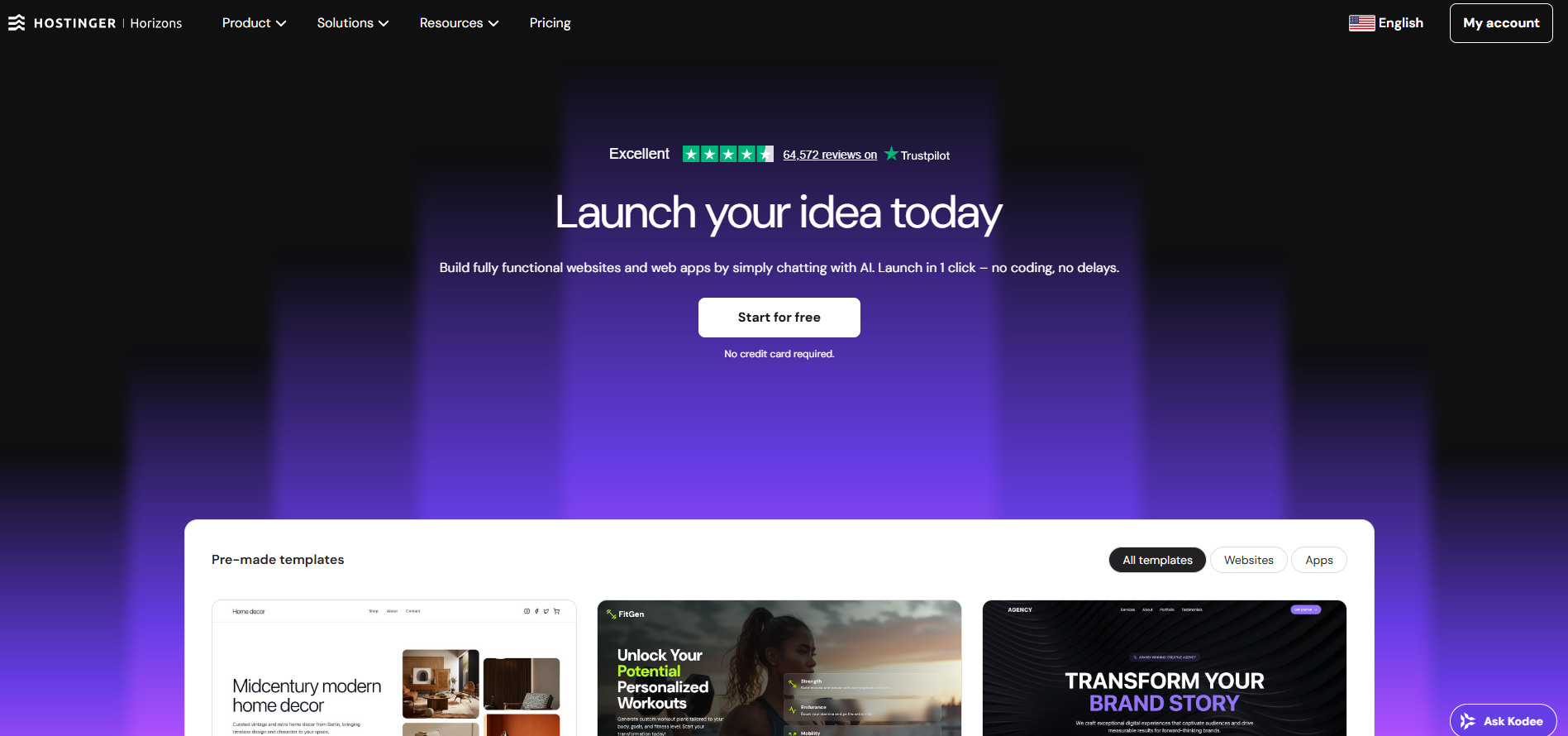
Hostinger Horizons is an easy-to-use Vibe coding platform that handles everything from app creation to hosting to domain registration and more.
It’s affordable and can create fully functional web apps from text prompts quickly without writing code. It also offers web hosting and a free domain for 1 year, making it an excellent choice for coding enthusiasts.
Key Features
- Online store integration
- Content editing mode
- Supabase integration
- Auto error fixer
- Code editor
- Accept payments
- Free domain
- 5 mailboxes per website – free for 1 year
- Daily backups
Pricing
Hostinger Horizons is available in four pricing packages.
| Plan | Price (Monthly) | AI Credits | Websites |
|---|---|---|---|
| Explorer | $6.99/mo | 30 credits/mo | 1 website |
| Starter (Most Popular) | $13.99/mo | 70 credits/mo | Up to 25 websites |
| Hobbyist | $39.99/mo | 200 credits/mo | Up to 50 websites |
| Hustler | $79.99/mo | 400 credits/mo | Not specified |
Every plan includes powerful features such as online store integration, payment acceptance, content editing mode, SEO-optimized projects, AI tool discoverability, and hosting with a 1-year free domain.
You can use the following special link to get 10% extra off on their plans.
Start Building Your App With Hostinger Horizons (10% Instant Discount)
Pros and cons
Pros:
- It offers excellent features like free daily backups, free domain, eCommerce store integration, etc.
- Offers everything in one place: hosting, domain, business email & Hostinger infrastructure
- Extremely easy setup, even for beginners
- Offers eCommerce integration to sell physical and digital products
- Code editor to fix issues and add custom code
- Project clone feature
Cons:
- Limited advanced customization
Best suited for
Hostinger Horizons is best suited for beginners, coding enthusiasts, and non-developers who want to build, edit, and customize functional apps from scratch.
You can read our in-depth review of Hostinger Horizons for more information.
What makes Hostinger Horizons a great vibe coding tool?
Creating apps is super easy with Hostinger Horizons.
We created a free domain checker tool using Hostinger Horizons without any coding skills. We provided some simple prompts, and the tool handled everything for us.
To get started, use its AI app builder to enter a prompt.
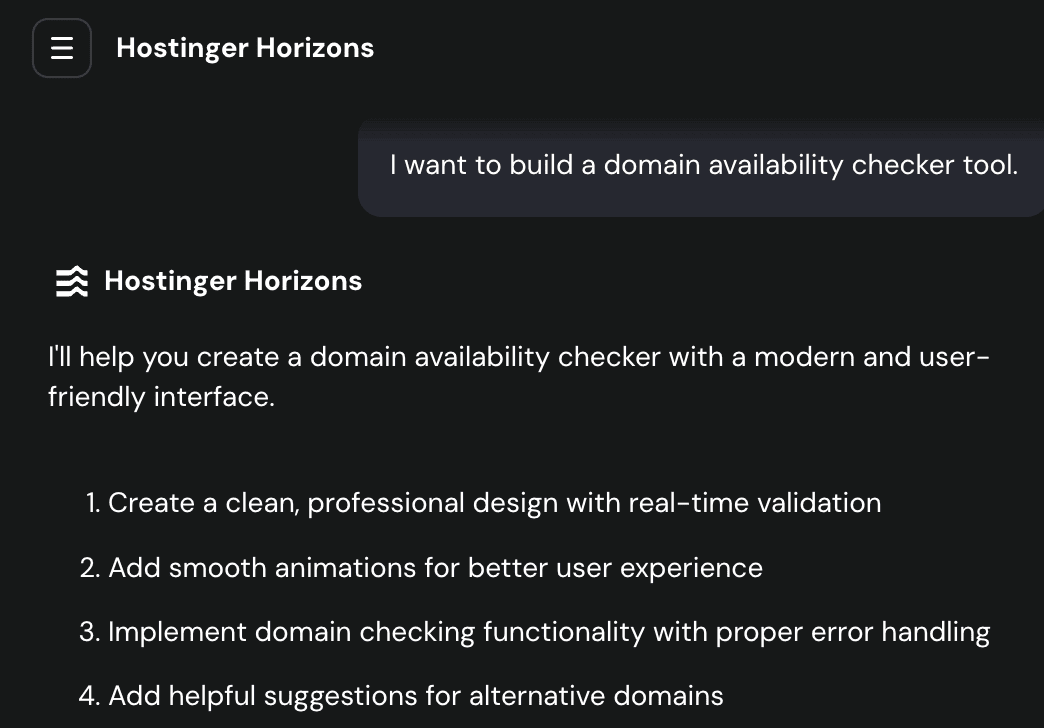
The tool automatically generated code to build a clean and simple interface for the domain availability tool.
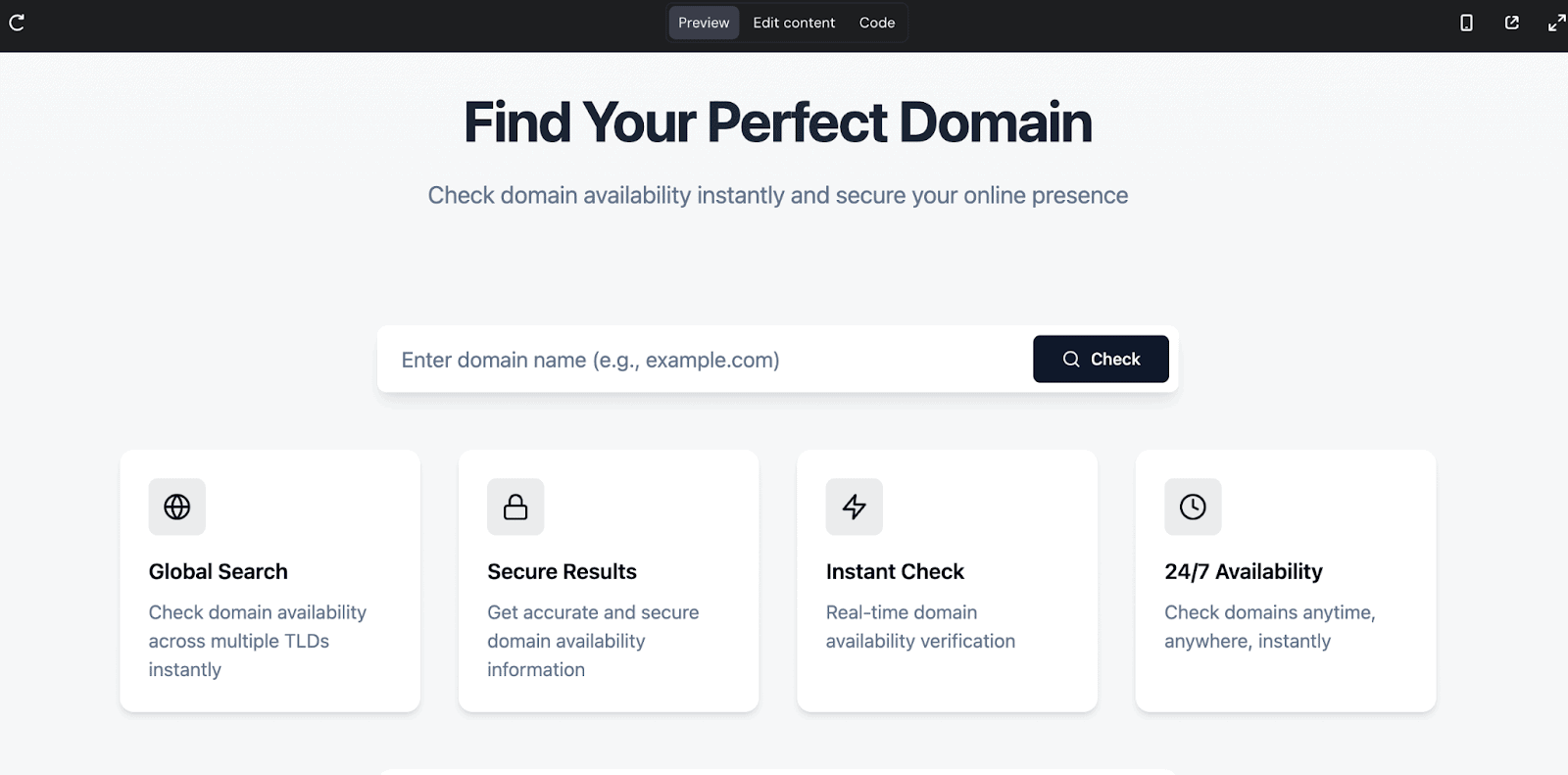
The best part? You can edit content live.
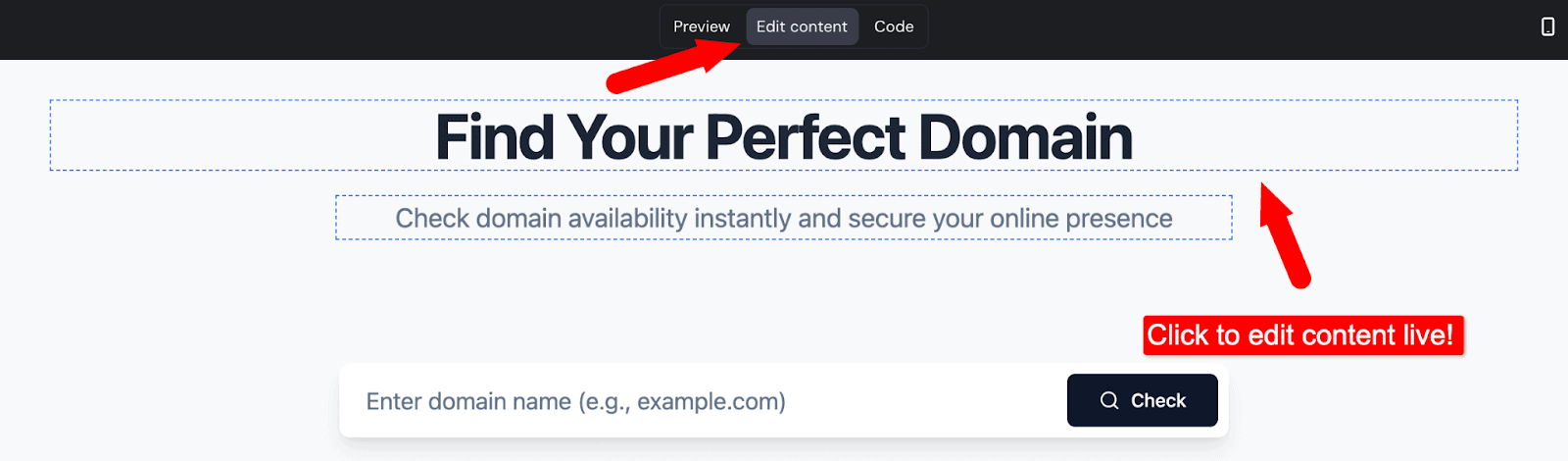
You can also test the live demo of our tool from here.
Here’s a detailed video from the Hostinger team on how to build and customize your first web app using Hostinger Horizons.
My Verdict
Hostinger Horizons is the perfect vibe coding tool for anyone who wants to create an app without coding skills. You can use its AI chat feature to build an app, add features, and deploy the app within a few minutes.
However, for bigger web applications and advanced customizations, Hostinger Horizons is not a great choice. Also, it has some restrictive message/prompt limits.
2. Bolt.new
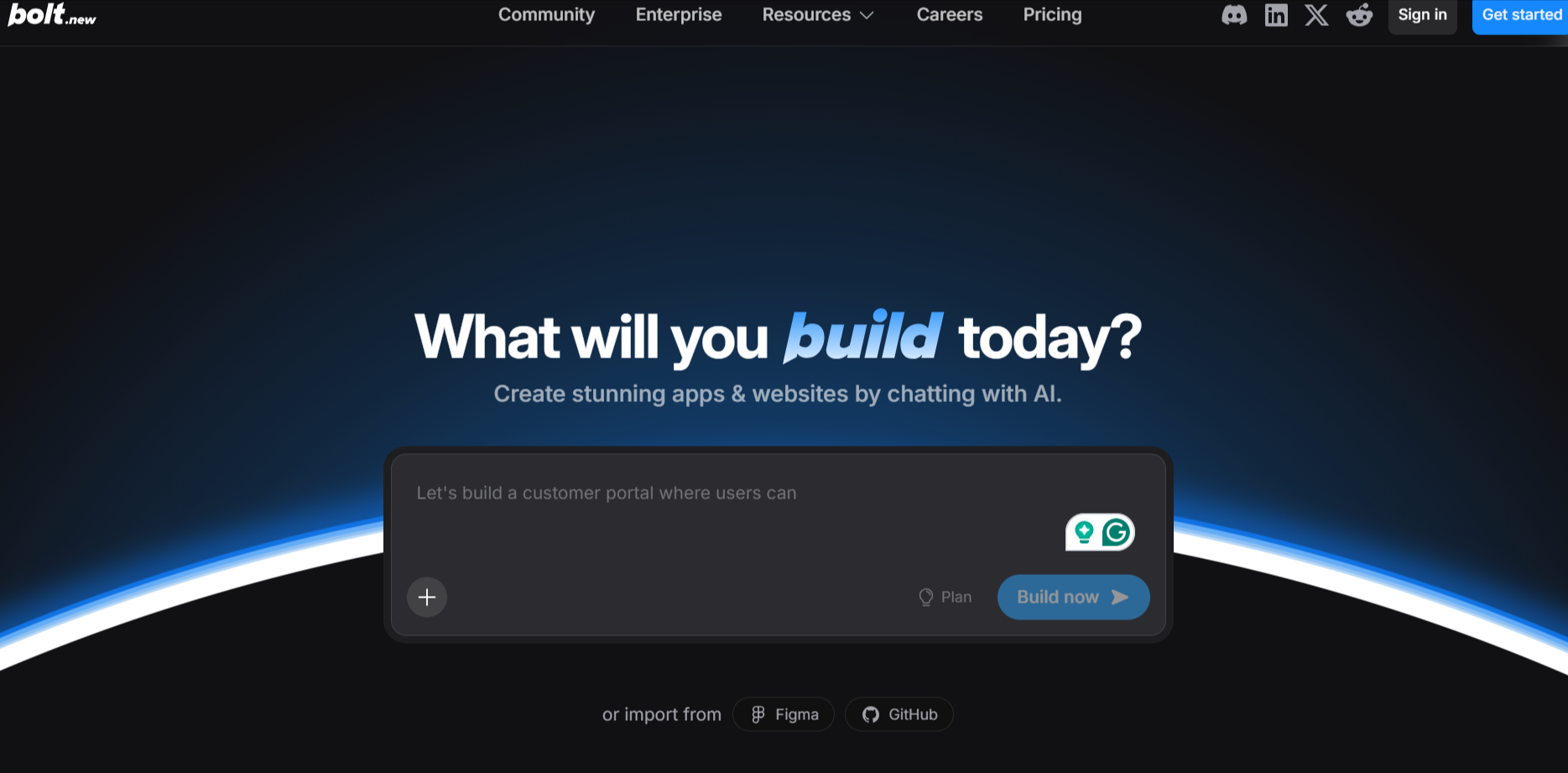
If you want to build apps for both mobile and desktop devices without writing code, the Bolt platform is for you. Using this platform, you can easily create websites, apps, and prototypes.
It offers both free and paid plans, letting beginners start at no cost while giving advanced users access to more features, higher quotas, and custom domains.
With team and enterprise options, Bolt.new supports collaboration, centralized billing, and advanced admin controls for organizations.
Key Features
- Website hosting
- SEO boosting
- Custom domain support
- SSO and audit logs
Pricing
Bolt offers three pricing packages;
| Plan | Price (Monthly) |
|---|---|
| Free | $0 |
| Pro | $25 |
| Teams (Popular) | $30 per member |
| Enterprise | Custom |
Pros and cons
Pros:
- It is one of the best AI for vibe coding, as it offers generous web requests. Even on the free plan, you get 333,000 web requests included, which is more than enough for small projects.
- The ability to import code from Figma and GitHub
- Offers website hosting and a free plan for beginners.
Cons:
- Consumes a large number of tokens for complex tasks and is not suitable for large-scale applications or databases.
Looking for AI tools? Here’s a handpicked list of AI tools for small businesses.
Best suited for
Suitable for beginners and AI coding enthusiasts who want to build private or public apps with an easy-to-use AI app builder.
What makes Bolt a great Vibe coding tool?
Bolt makes it easy to build simple apps from just text prompts.
Let’s say you want to build a pet name picker app. Just enter a simple prompt like the following;
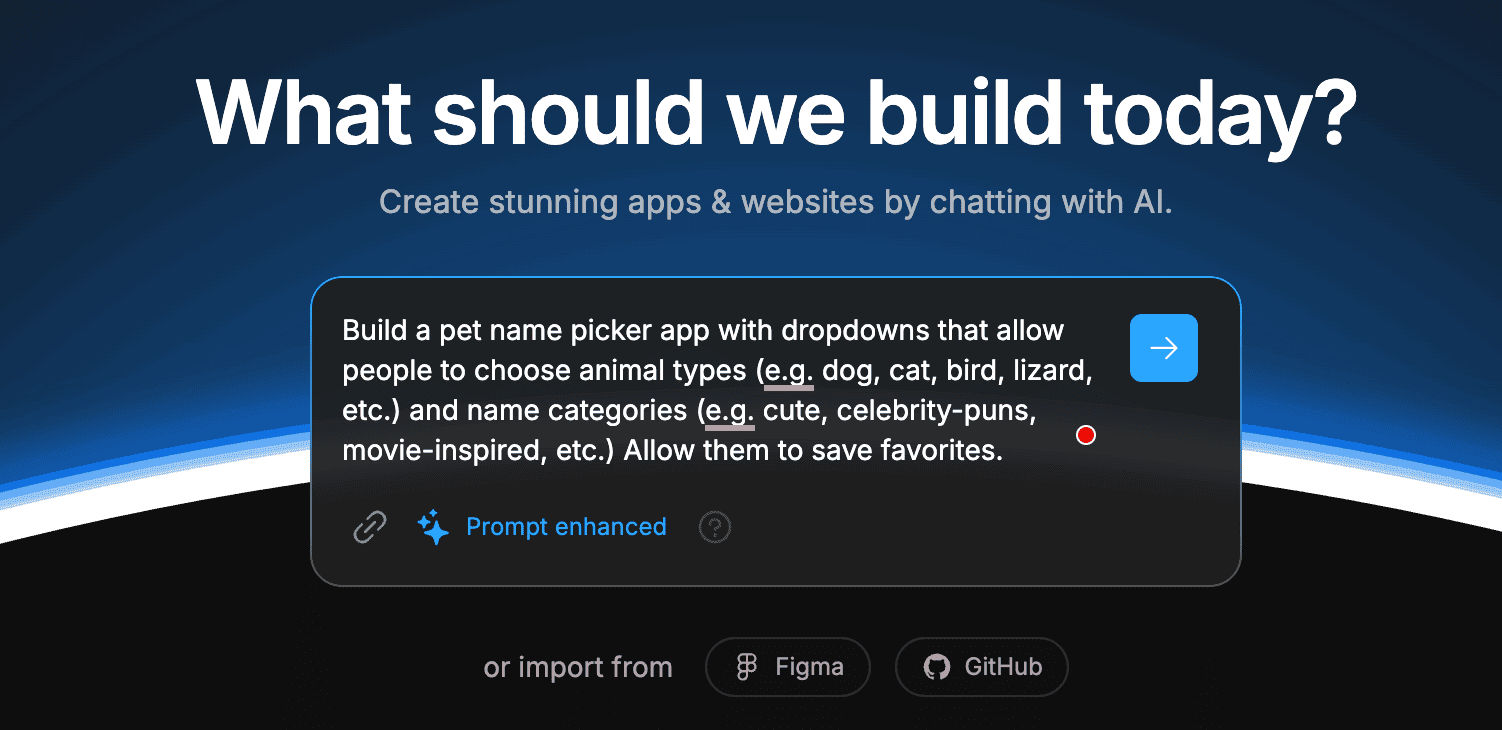
Wait a few minutes, and the Bolt platform will create an app for you automatically.
You can also use its “Enhance Prompt” feature with the AI chatbox to improve the overall prompt.
Here’s the output of the app;
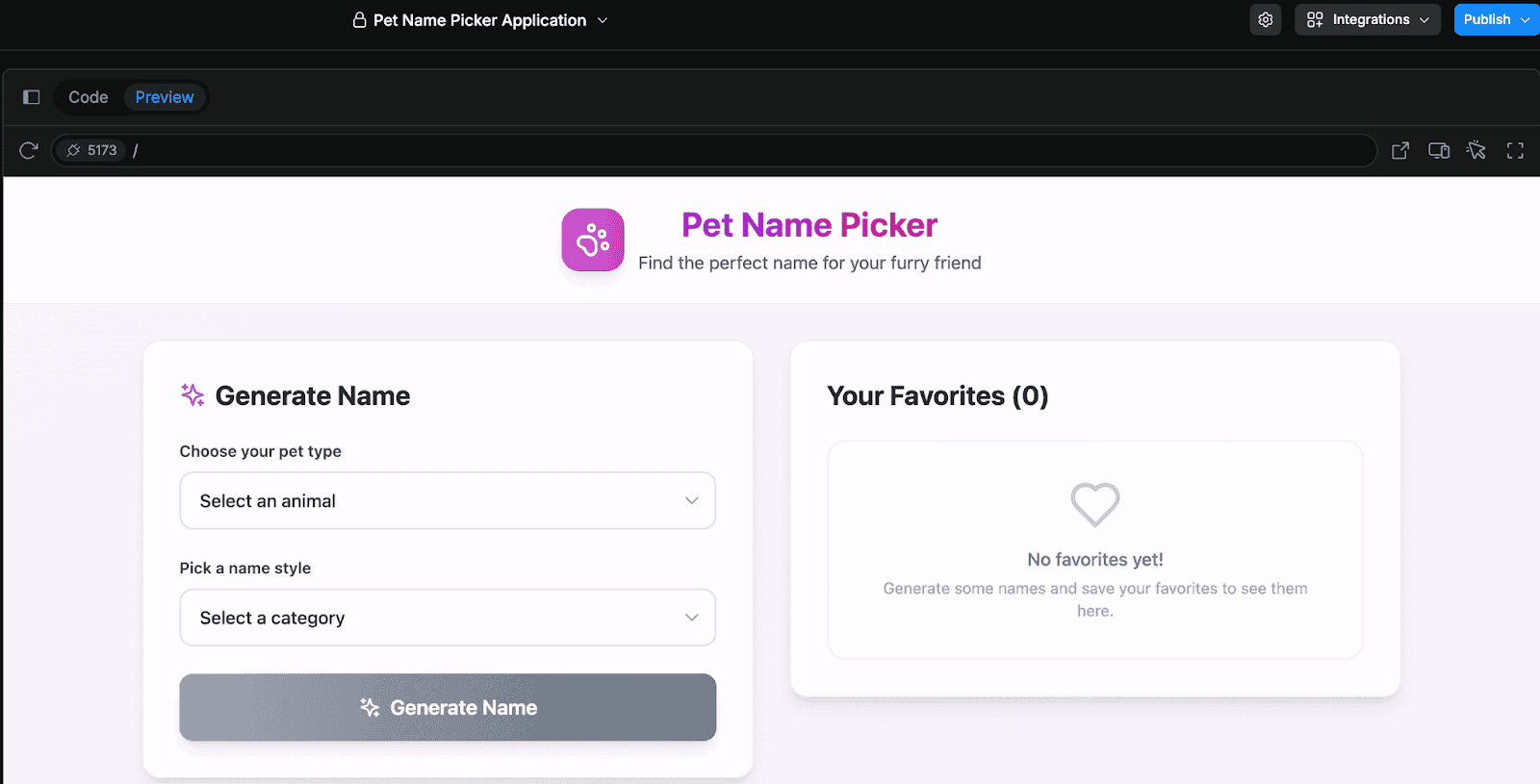
That’s it, you just built your first Bolt web app by just giving a simple text prompt!
Here’s an informative video tutorial from the Bolt team on using 10 of the best builds you can create with Bolt.
My Verdict
For beginners and non-coders, the Bolt platform gives everything you need to create functional web apps. Its interface is easy to use, and it offers a knowledge base and tutorials to use their platform effectively.
3. Lovable
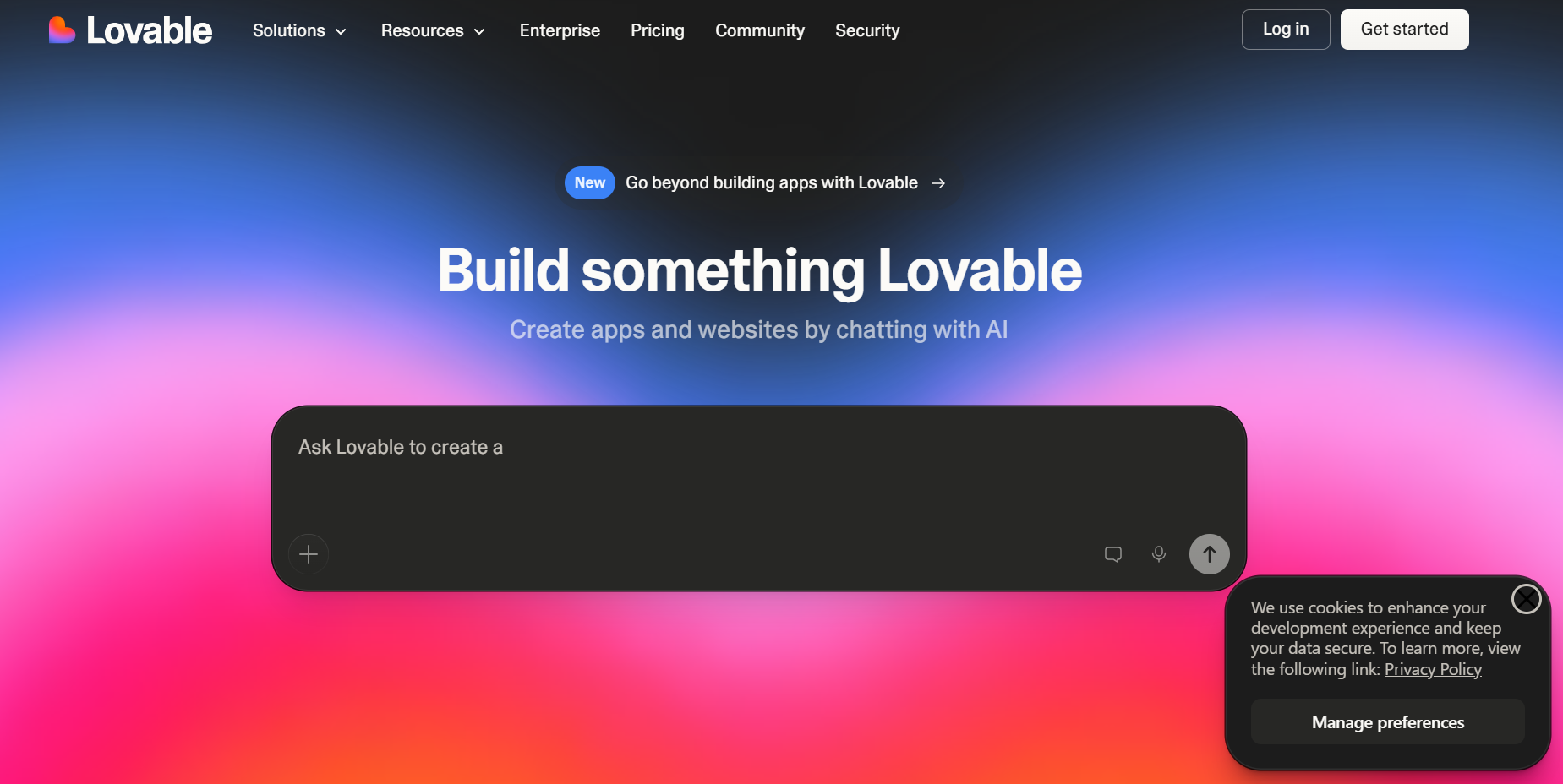
Lovable is a simple, no-coding AI app builder that helps you build prototypes, apps, and websites with coding knowledge.
Its intuitive interface lets users quickly design and launch projects, while AI-assisted tools streamline workflows and enhance creativity.
With real-time collaboration, role management, and support for multiple projects, Lovable makes it easy for teams and businesses to bring ideas to life efficiently.
Key Features
- Unlimited collaborates
- Build public projects
- Custom domains
Pricing
Lovable comes in three pricing plans;
| Plan | Price (Monthly) |
|---|---|
| Free | $0 |
| Pro | $25 |
| Business | $50 |
| Enterprise | Custom |
Pros and cons
Pros:
- Offers a free plan for beginners
- Provides a visual AI app builder that turns text into code
- GitHub and Figma integrations
Cons:
- Limited monthly credits are primarily helpful for building simple apps
Best suited for
Beginners and AI coding enthusiasts looking for a simple platform to build apps without coding.
What makes Lovable a great Vibe coding tool?
Lovable makes it easy to turn text prompts into coding.
Give it some prompt (the more specific your prompt is, the better it is).
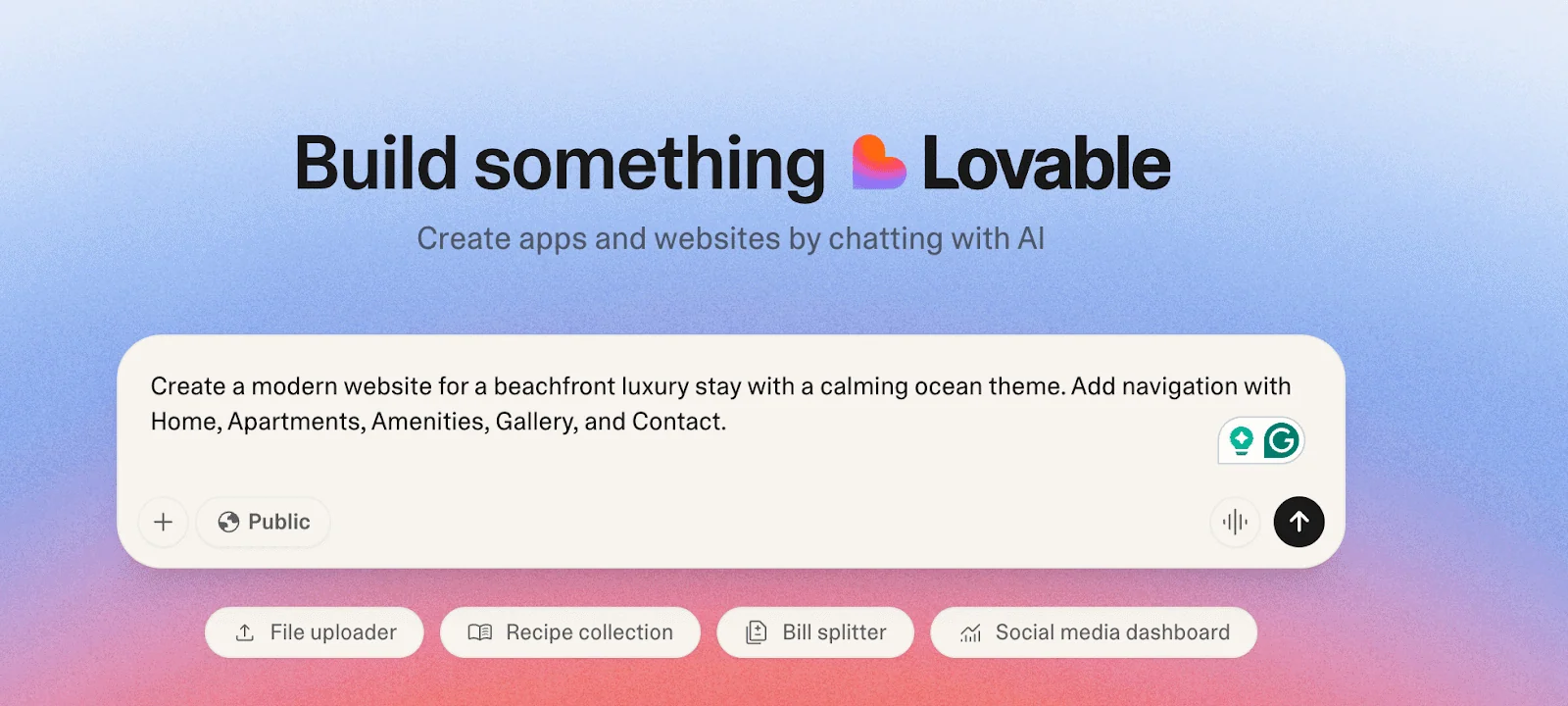
And the platform will create the website for you instantly.

My Verdict
If you’re looking for a vibe coding tool to create apps and websites by simply chatting with AI, try Lovable. It’s beginner-friendly but has restrictive monthly credits.
4. Cursor
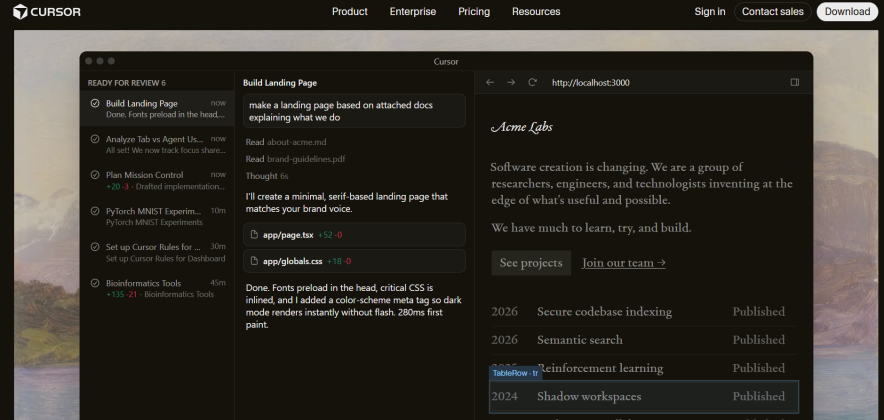
Cursor is an IDE (Integrated Development Environment) that supports multiple programming languages. It offers an AI editor and can help build web apps, mobile apps, and more. Its intelligent code suggestions and natural language editing help developers write and refactor code faster, reducing repetitive tasks and errors.
With real-time collaboration, multi-line edits, and support for complex workflows, Cursor enables teams to efficiently build, test, and deploy sophisticated applications.
Key Features
- Tab feature that suggests edits across lines
- Smart rewrites
- Multi-line edits
Pricing
Cursor is available in four pricing packages.
| Plan | Price (Monthly) |
|---|---|
| Hobby | Free |
| Pro | $20 |
| Pro+ | $60 |
| Ultra | $200 |
Pros and cons
Pros:
- Automatically writes and runs terminal commands
- Identifies lint errors and automatically applies fixes
- Offers a free plan with “Tab” completions
Cons:
- Doesn’t offer an online visual editor, as you’ll need to download its software.
Best suited for
Beginners and developers looking for AI assistance in code generation, debugging, and coding.
Want to create professional videos easily? Try these AI video generators.
What makes Cursor a great Vibe coding tool?
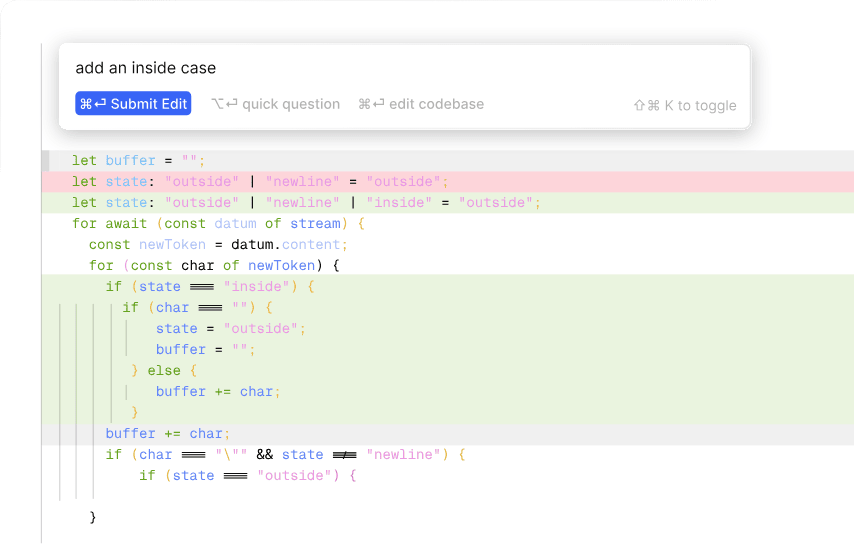
Cursor offers Inline Edits so you can edit and write the code with the help of AI.
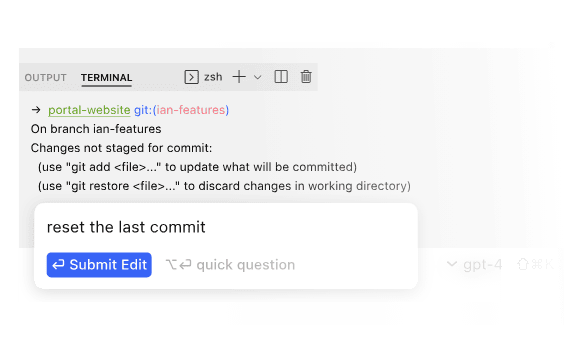
It also lets you write commands in plain English, which is a great feature for beginners and non-coders.
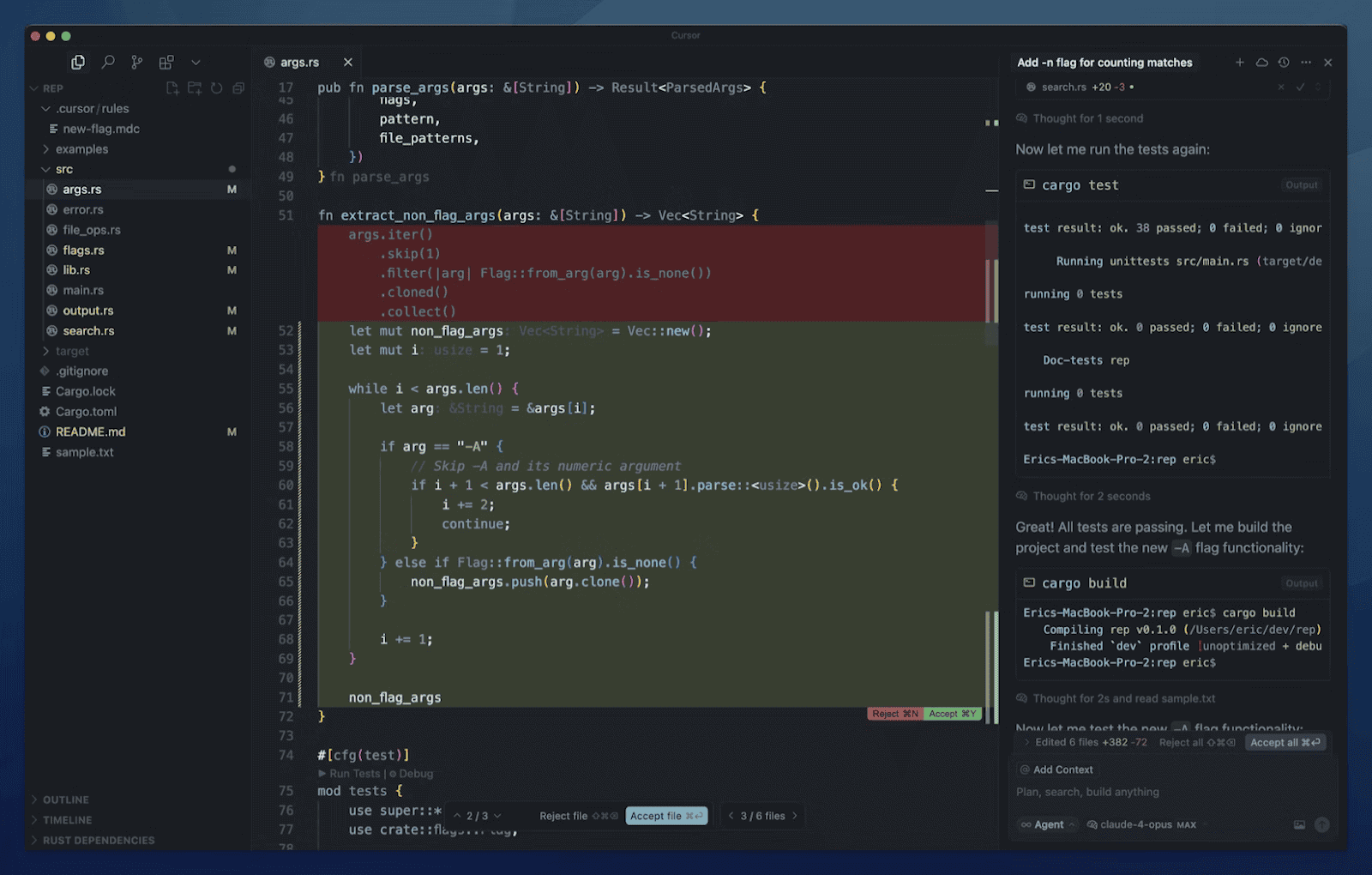
Its AI editor helps you turn your simple text prompts into code for you;
My Verdict
Cursor can be a great addition to those who already know how to code and create apps. However, beginners find it difficult to build apps using it compared to no-code tools.
5. Replit
Replit is a versatile online coding platform designed for creators of all skill levels, from beginners to professional developers.
Its standout feature is the ability to run and test code instantly in the browser, eliminating the need for local setups.
With built-in databases, collaborative workspaces, and support for dozens of programming languages, Replit makes it easy to prototype web apps, mobile apps, and full-stack projects.
Key Features
- Import from Figma
- SSO for secure access
- Role-based access control
Pricing
Replit is available in three pricing plans.
| Plan | Price (Monthly) |
|---|---|
| Starter | Free |
| Replit Core | $20 |
| Replit Pro | $100 |
| Enterprise | Custom |
Pros and cons
Pros:
- Offers a visual editor for customization and app building
- Offers multi-language support
- User-friendly interface with visual editor which make it one of the best tools for vibe coding
Cons:
- Performance limitations and limited customizations for large projects
Best suited for
Suitable for AI enthusiasts, code learners, and programmers who want to code and deploy apps quickly.
What makes Replit a great Vibe coding tool?
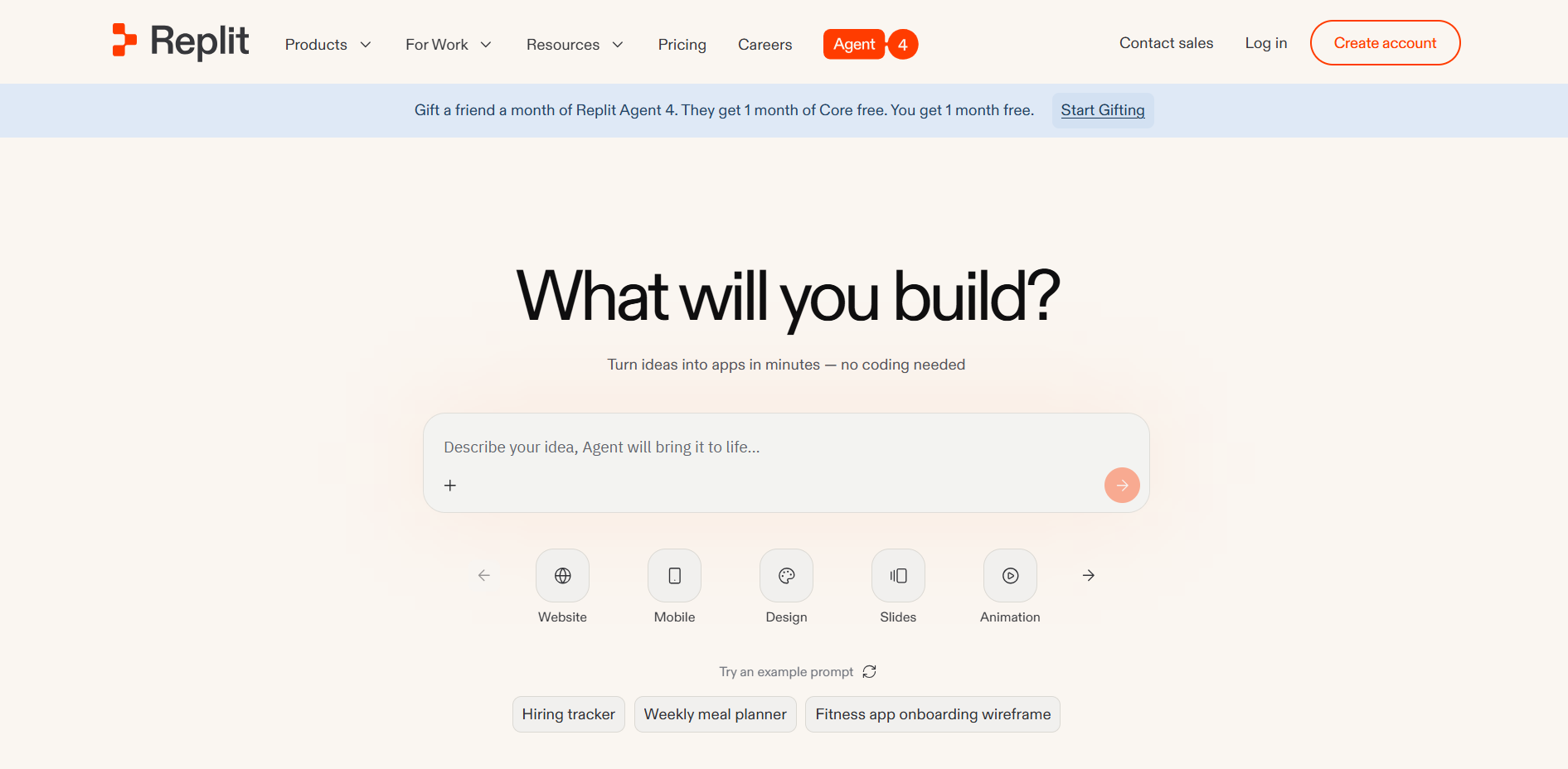
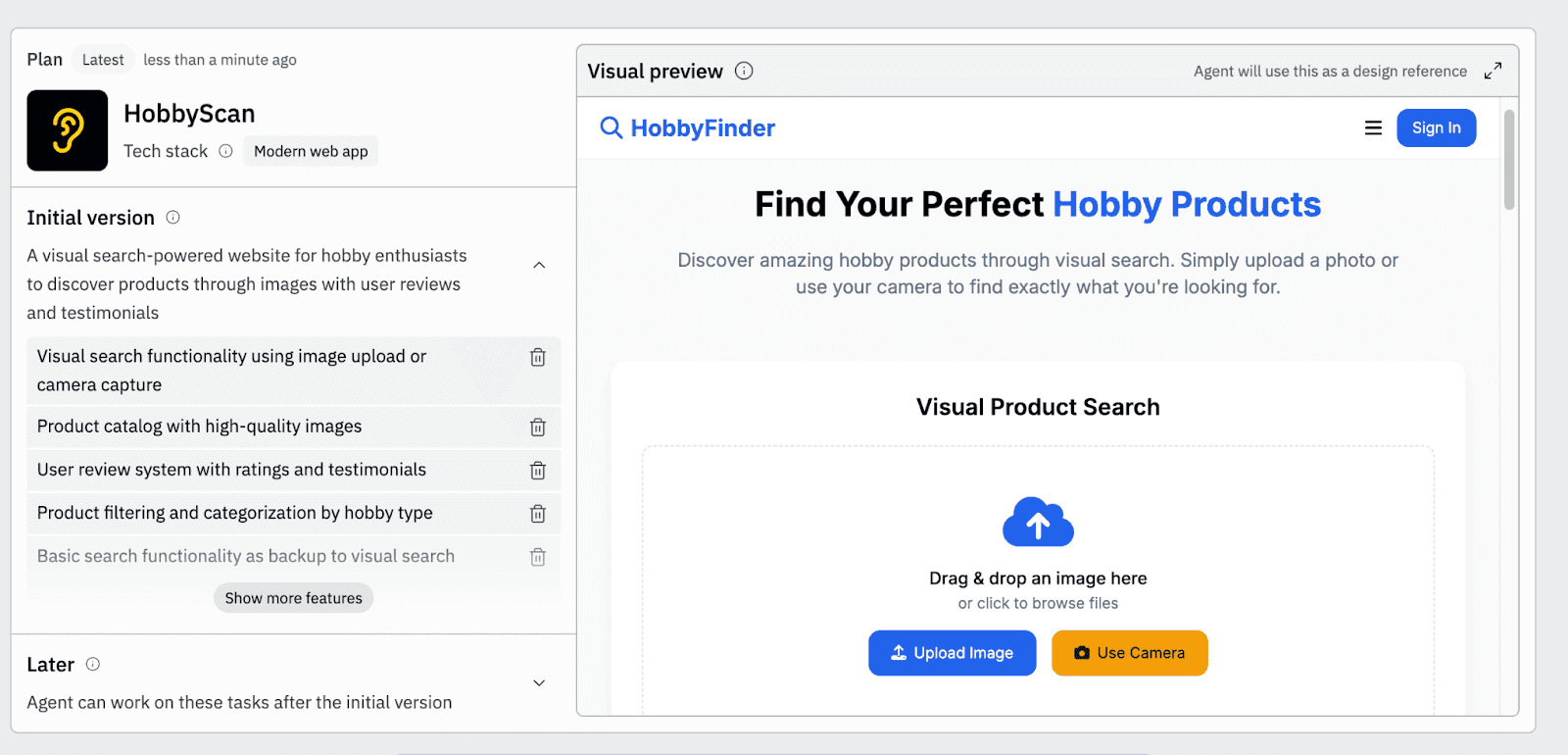
Replit offers instant setup and quickly turns ideas into apps.
Simply give it a command in its editor.

The platform will instantly create a comprehensive plan and website for you.
My Verdict
Repliti is a beginner-friendly coding tool that’s helpful for building apps, websites, and testing projects quickly. However, it’s not suitable for complex tasks.
6. Windsurf
Windsurf is one of the most popular AI tools for coding, which is used by over 1 million people globally. It offers live previews and easy code deployment to build apps.
Its intuitive interface allows developers to visualize changes in real-time, making debugging and iterative development faster than traditional workflows.
With integrations for multiple programming frameworks and a robust command system, Windsurf streamlines the process of turning ideas into functional applications.
Key Features
- Live previews
- Error handling
- Lint fixing
- Terminal command
Pricing
Windsurf is available in four pricing plans.
| Plan | Price (Monthly) |
|---|---|
| Free | $0 |
| Pro | $20 |
| Max | $200 |
Pros and cons
Pros:
- The ability to drag and drop images
- Turbo mode to automatically execute commands
- Auto-complete to speed up code generation
Cons:
- There’s a learning curve, as it requires learning features like Cascade.
Best suited for
Windsurf is best suited for developers and experienced coders with coding knowledge.
What makes Windsurf a great Vibe coding tool?
Windsurf helps you write with Cascade, which makes coding faster and much easier;
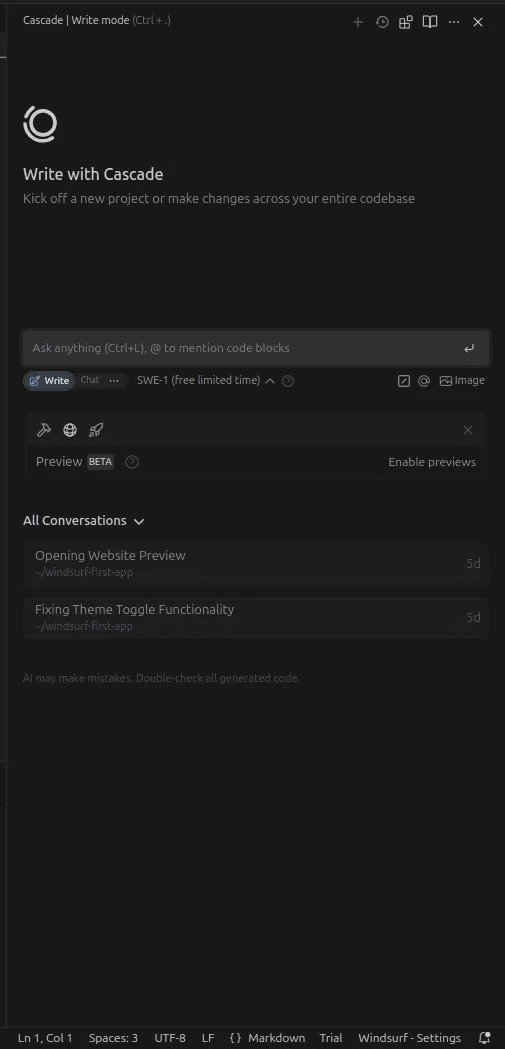
You can use its Write mode to simple text instructions while code generation.

Here’s an excellent video tutorial on using Windsurf for beginners;
My Verdict
Windsurf is a powerful AI builder that makes coding easy with features like Cascade, live previews, etc. However, it’s not suited for beginners looking for no-code app builders.
7. Tempo Labs
Tempo Labs is a great visual editor for building React apps, making it easier to create and customize various apps without heavy coding.
Its drag-and-drop interface and pre-built design systems let developers and designers rapidly prototype and iterate on UI components.
With hundreds of templates, seamless component management, and integrated AI tools, Tempo Labs speeds up the creation of web and mobile applications.
Key Features
- Real-time code generation
- AI data mapping
- 1-click deployments
Pricing
Tempo Labs is available in three pricing plans.
| Plan | Price (Monthly) |
|---|---|
| Free | $0 |
| Pro | $30 |
| Agent+ | $4,500 |
Pros and cons
Pros:
- Offers a user-friendly visual editor
- Real-time collaboration features
- Helps with the design and code
Cons:
- It consumes lots of tokens, which can make app building expensive.
Best suited for
Useful for startups and developers who want AI-powered workflows and a visual builder to create and customize apps.
What makes Tempo Labs a great Vibe coding tool?
Tempo Labs offers an intuitive AI app builder that turns prompts into functional apps.
Let’s say you want to build a weather widget with animated icons.
Simply enter that prompt, and the tool will do the rest.
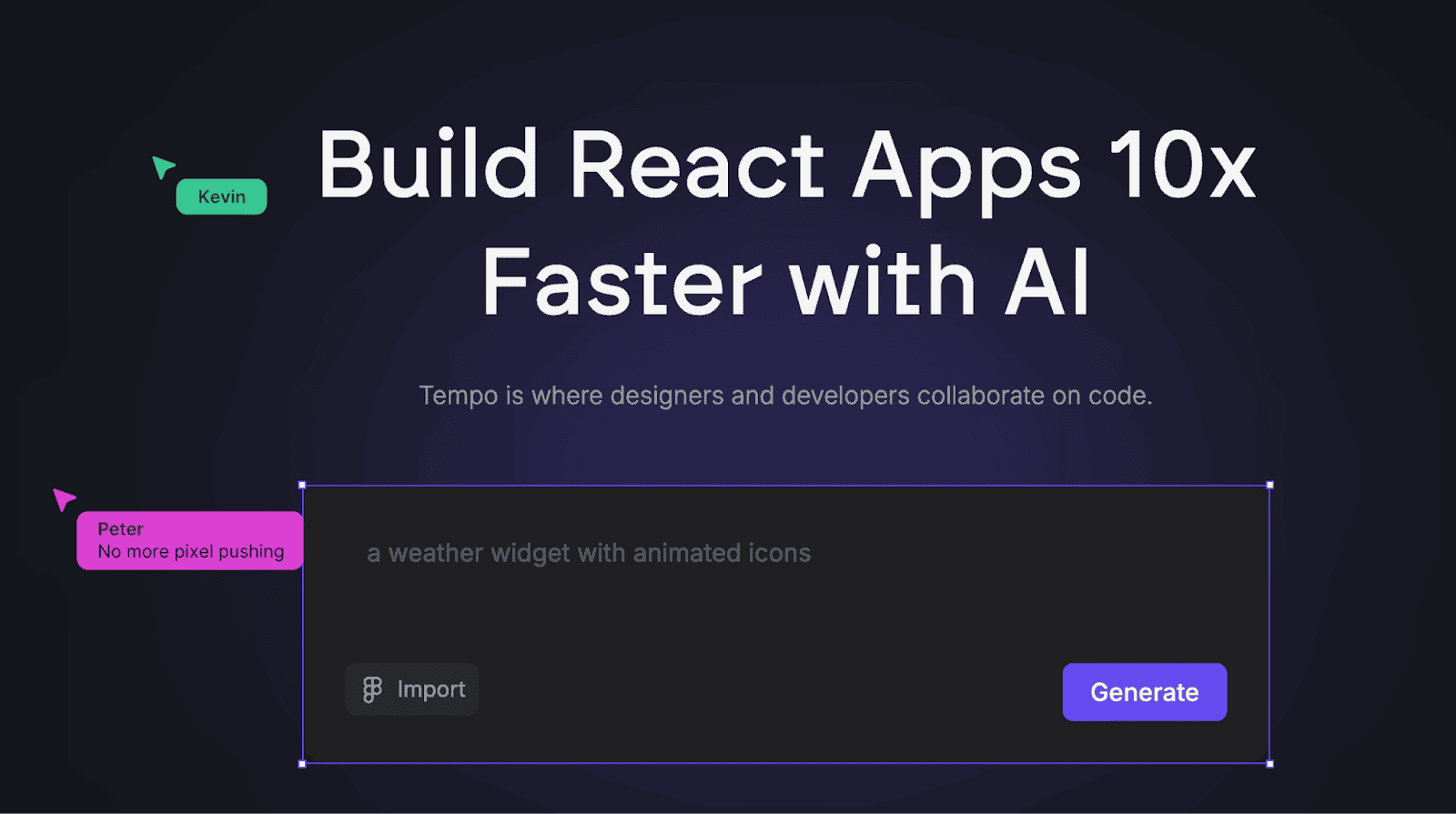
Within a minute, it will create the widget for you;
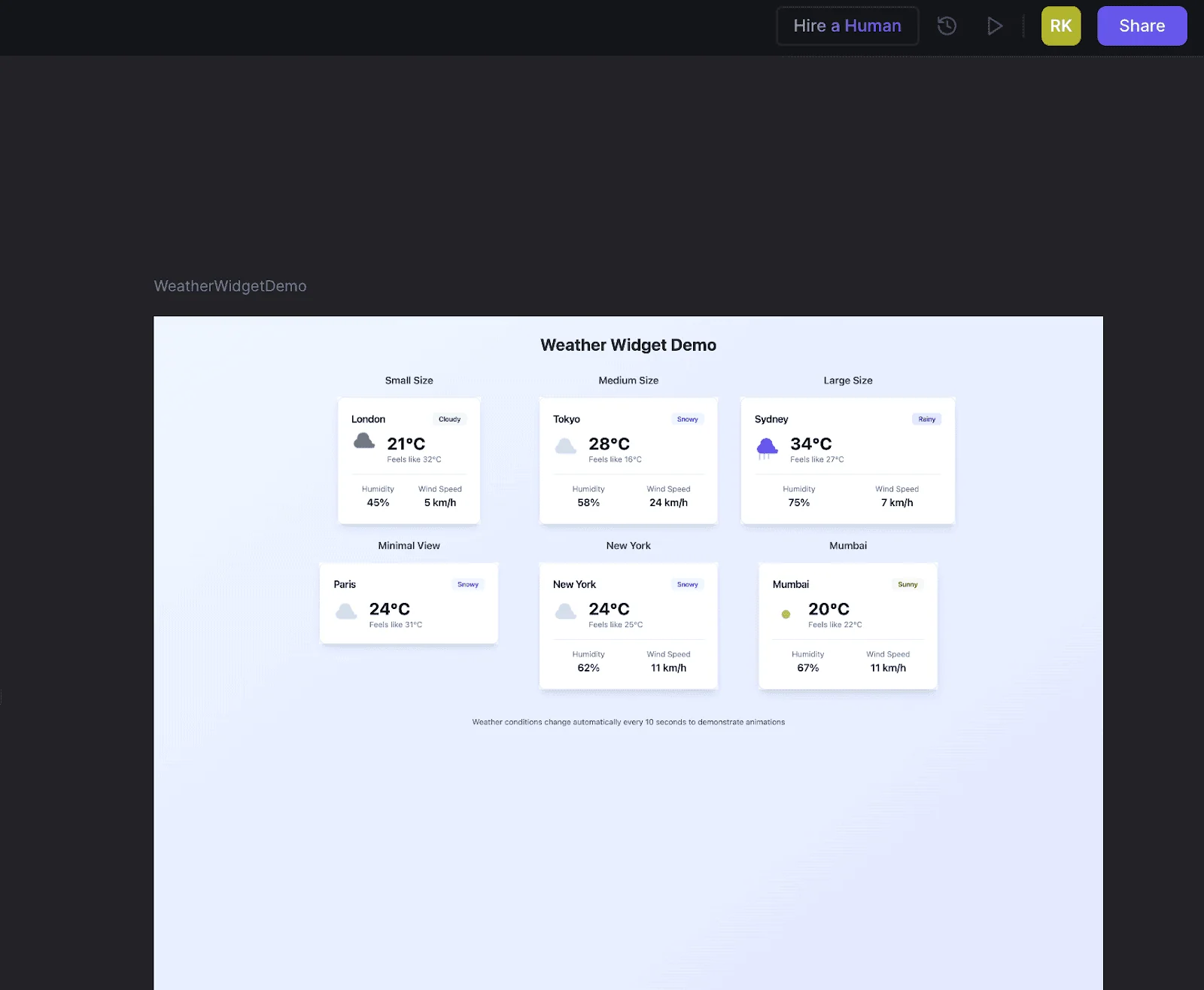
My Verdict
Tempo Labs offers an AI-powered visual builder that helps you easily build apps. However, there are occasional issues with app building, as the outputs may need manual code changes or tweaking.
8. V0
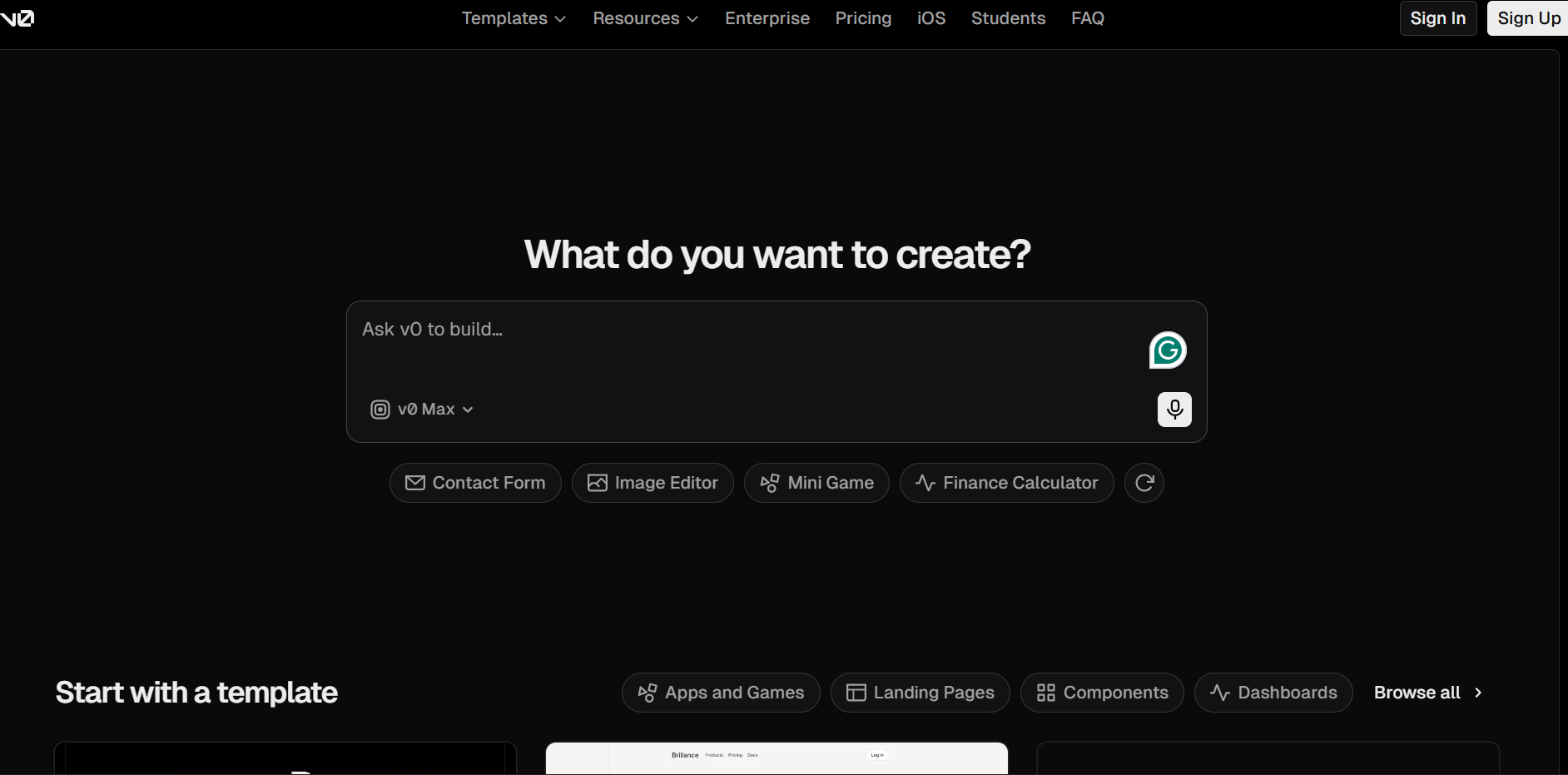
If you’re a non-technical user and looking to build apps and websites faster with an AI code editor, V0 is an excellent platform. It directly works with GitHub and Figma to create beautiful UI components.
Its AI-powered editor simplifies coding by generating components and logic from natural language prompts, making development accessible to beginners.
Key Features
- Sync with GitHub
- Import from Figma
- Visual AI app builder
Pricing
V0 offers three pricing options.
| Plan | Price (Monthly) |
|---|---|
| Free | $0 |
| Team (Popular) | $30 per user |
| Business | $100 per user |
| Enterprise | Custom |
Pros and cons
Pros:
- It has an active community
- The ability to edit and build apps visually
- Offers a free plan
Cons:
- Limited customizations if you want to build complex apps or big projects.
Best suited for
V0 is suitable for marketers and non-developers who want to create apps or websites with minimal coding skills quickly.
What makes V0 a great Vibe coding tool?
You can start creating apps with just one text prompt.
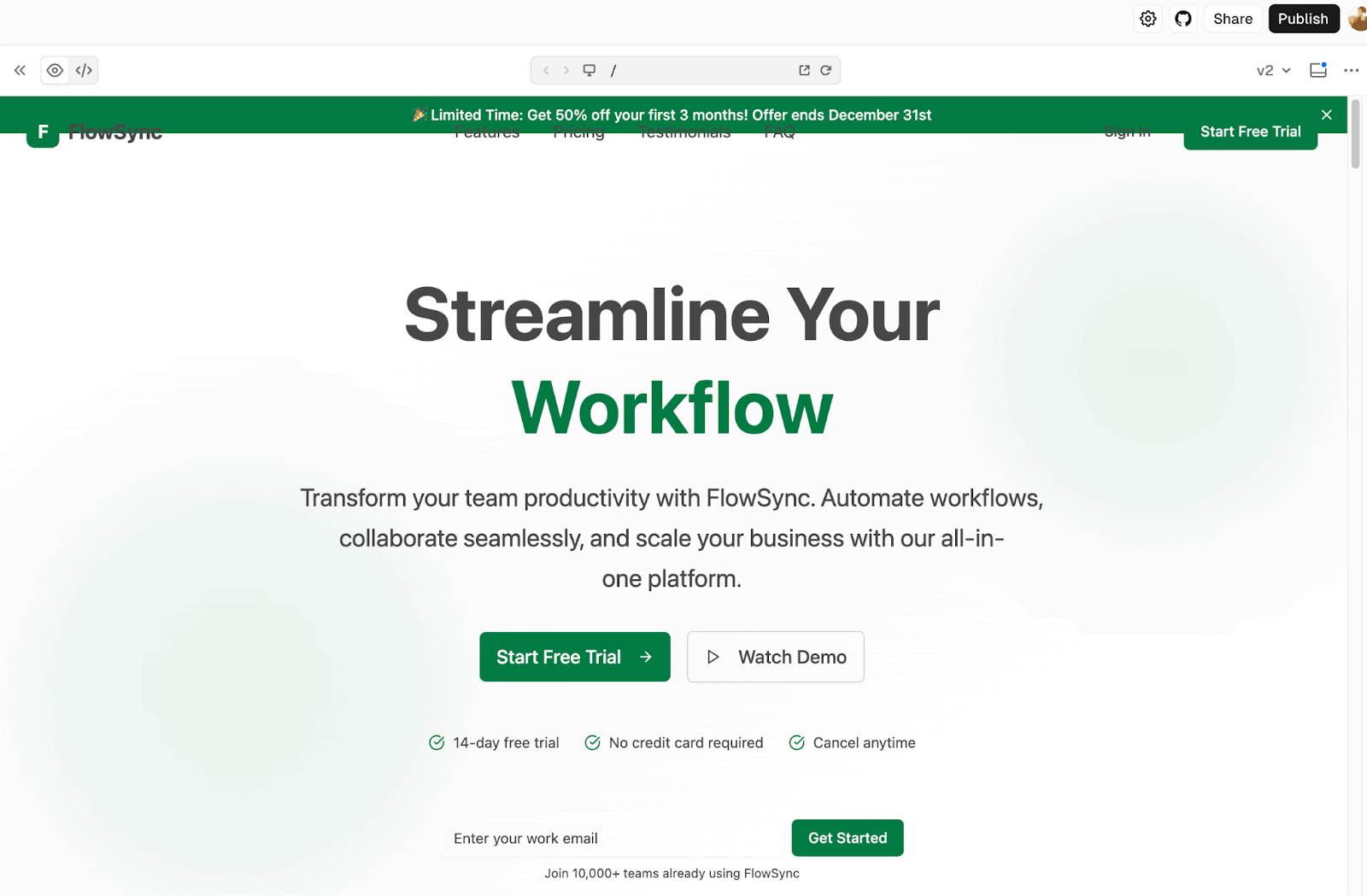
Let’s say you want to build a high-converting landing page. Simply give it a single prompt and V0 will further turn that simple prompt into a detailed step-by-step plan, ready to build.
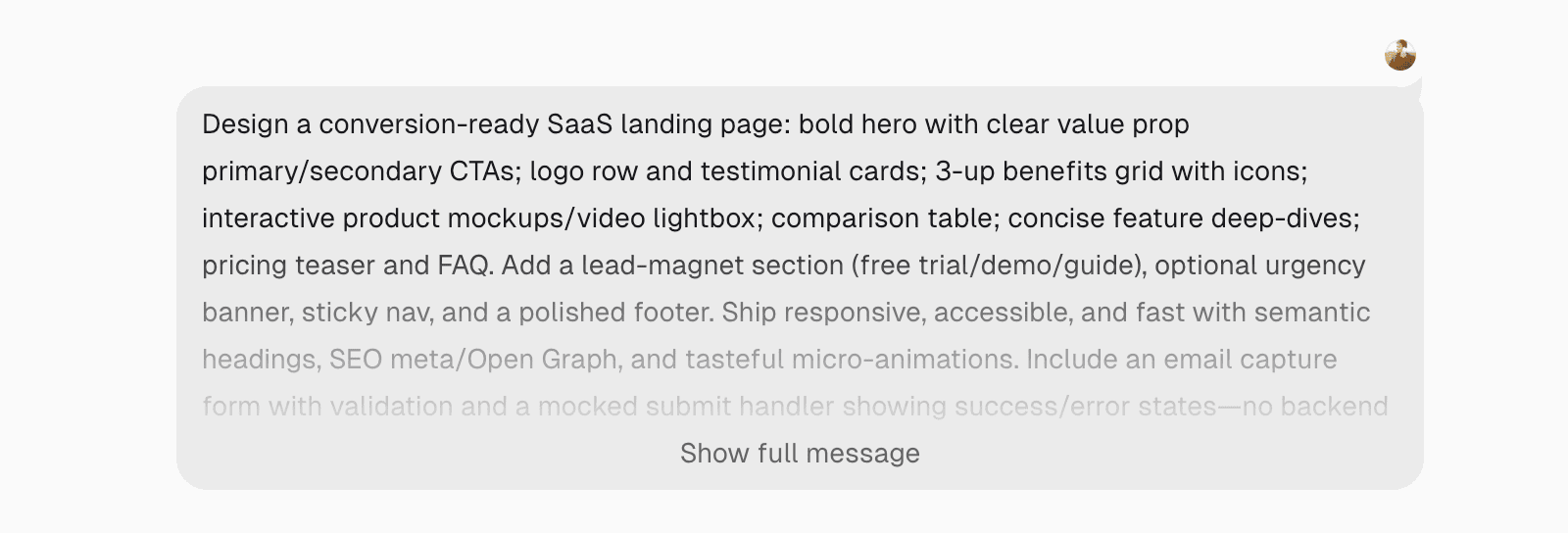
Within a few minutes, V0 will build a SaaS landing page for you.
Here’s a great tutorial from the Vercel team on building a full-stack app from scratch.
My Verdict
V0 is a helpful AI coding tool that quickly converts simple text prompts into landing pages, apps, and websites.
9. Claude Code
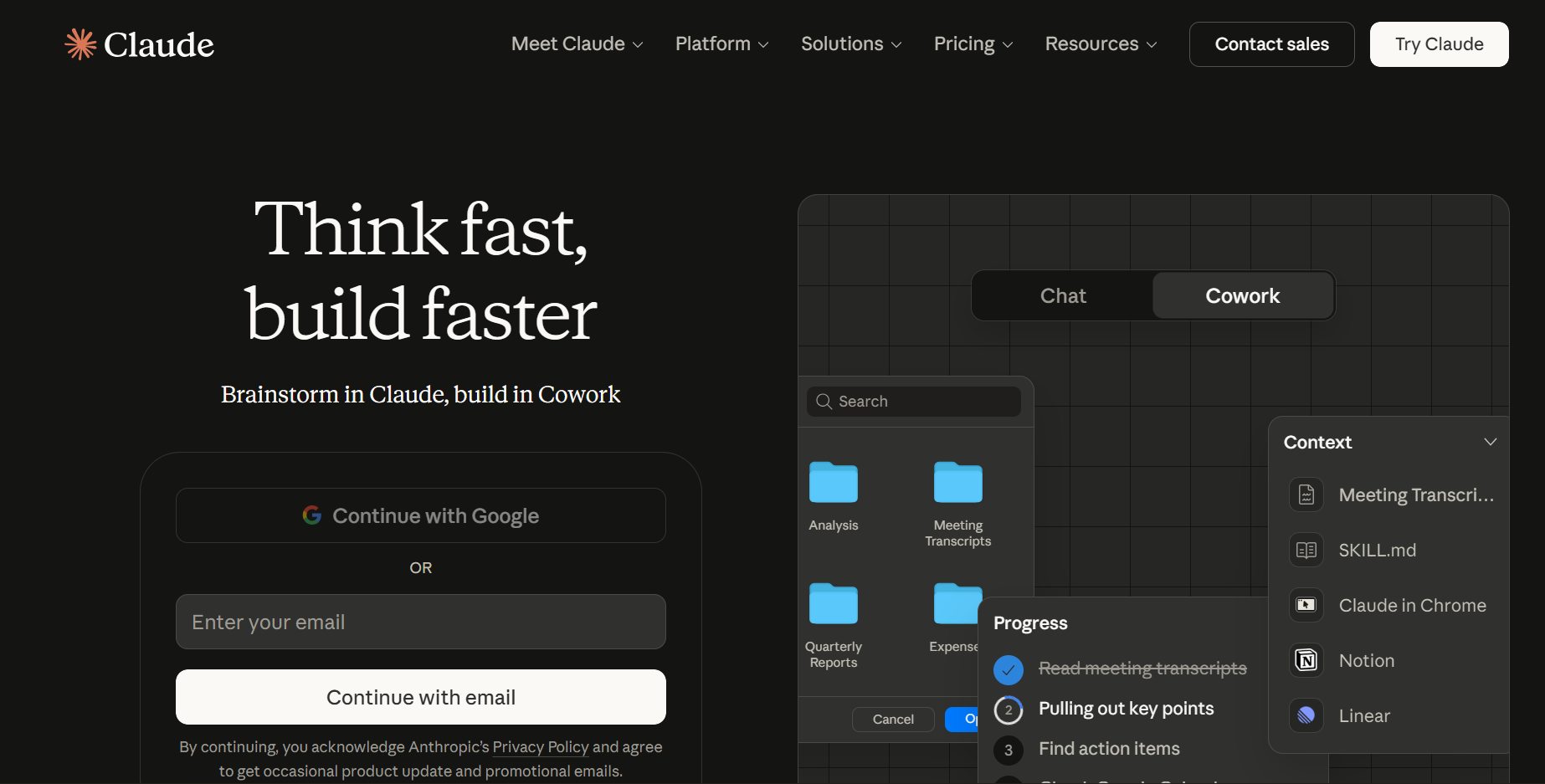
Claude Code is developed by Anthropic, which is an AI company that produces various coding models and AI systems.
The best part about Claude Code is that it can be integrated with VS Code and JetBrains to build complex and day-to-day apps.
It leverages advanced AI models to provide intelligent code completions, error detection, and automated refactoring, making development faster and more accurate.
Key Features
- Coding and developing
- Content creation and rewriting
- Build apps for learning and studying
- Build apps for design and creativity
- Build apps for business and lifestyle
Pricing
Claude Code is available in four pricing plans.
| Plan | Price (Monthly) |
|---|---|
| Free | $0 |
| Pro | $17‑$20 |
| Max | From $100 |
Pros and cons
Pros:
- The ability to find performance improvements in existing code
- Helps you optimize complex code
- Offers a free plan to create content and generate code for building apps
Cons:
- Not suitable for beginners, as you need some coding skills to build apps using Claude Code. Also, there’s a huge learning curve.
Best suited for:
Claude Code can be used as an all-in-one platform to generate code, create content, deploy dependency maps, and more. It’s suitable for coders, programming enthusiasts, and anyone interested in building complex apps.
What makes Claude Code a great vibe coding tool?
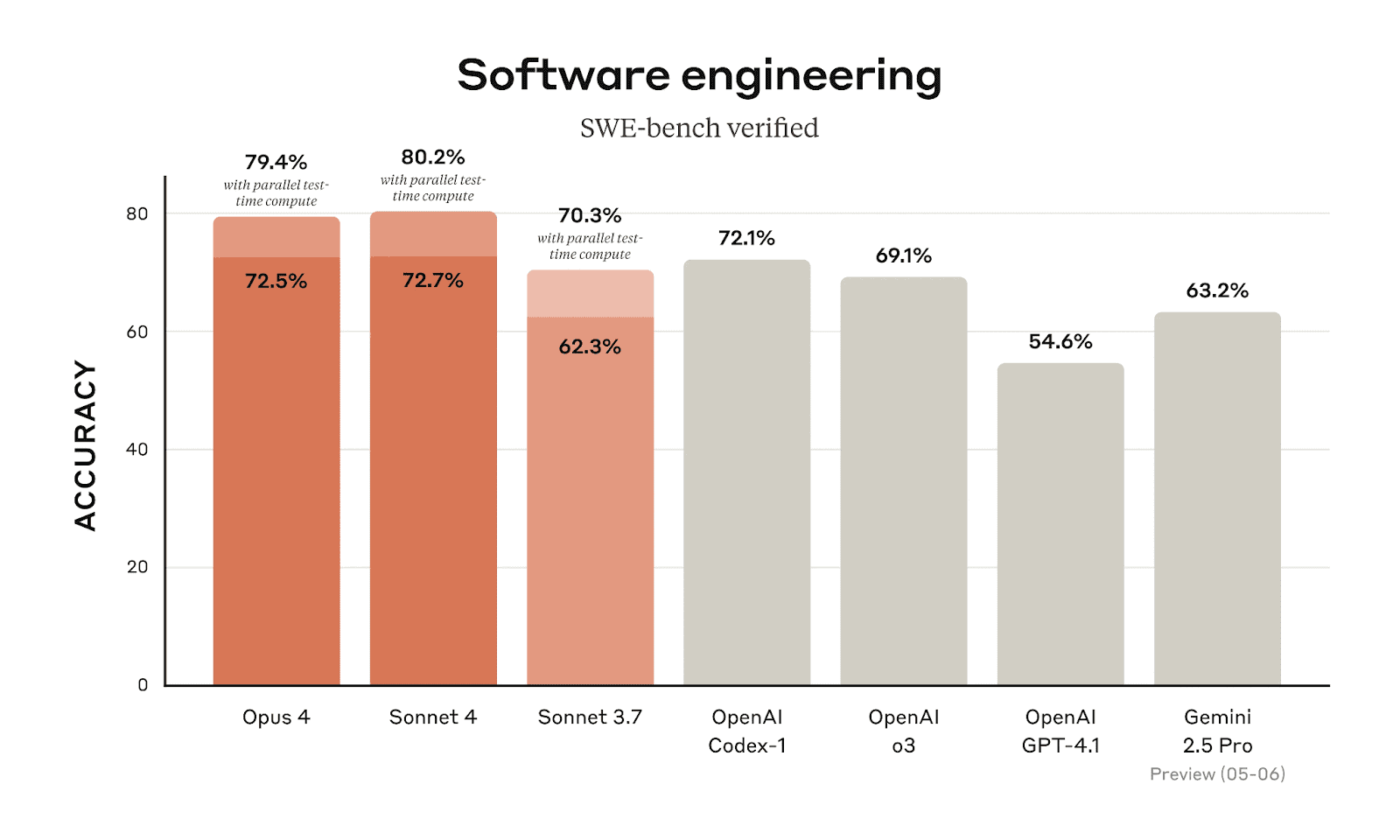
Claude Code is one of the best coding models in the world, as it leads the SWE-bench verification with almost 80%. It outperforms its peers, including OpenAI’s GPT and Google’s Gemini.
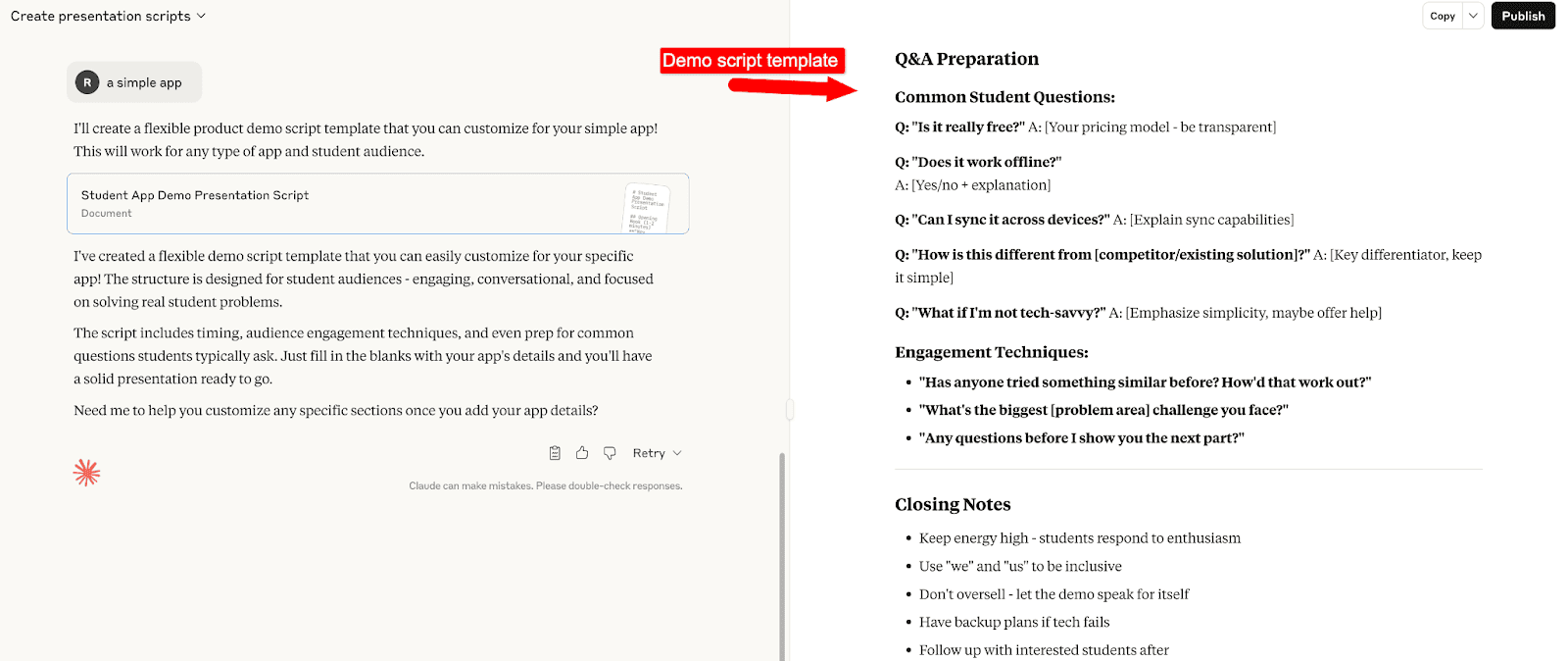
To get started, simply log in to your account and choose a category you want to work on. Let’s say you want to create presentation scripts.
You can use its AI chat to get started.
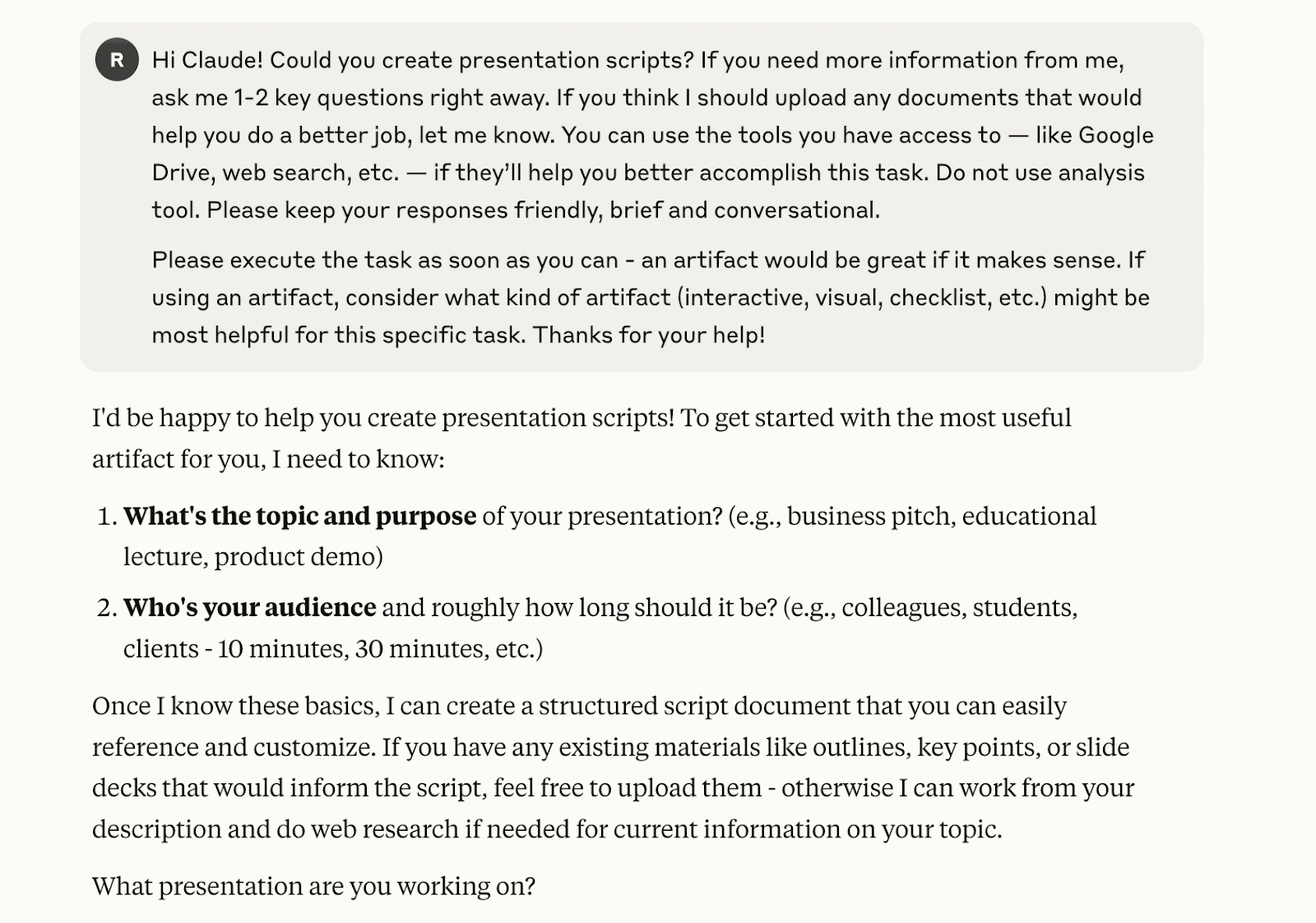
Keep answering or mentioning relevant prompts in its AI chatbox to continue.

That’s it, the tool will create a flexible product demo script template for you.
Here’s what it looks like;
To make full use of it, make sure to watch the following video tutorial on its best practices;
My Verdict
Claude Code is perfect for building large and complex coding apps, and it can handle multi-file reasoning. However, it’s not helpful for beginners and non-developers, as it has a steep learning curve. Also, it doesn’t offer real-time code completion, unlike other Vibe coding tools listed here.
10. GitHub Copilot
GitHub Copilot is one of the best AI code assistants, helping you with everything from code completions to chat assistance, app development, and more.
It integrates directly into popular IDEs like VS Code, providing context-aware suggestions and automatically generating code snippets as you type.
Key Features
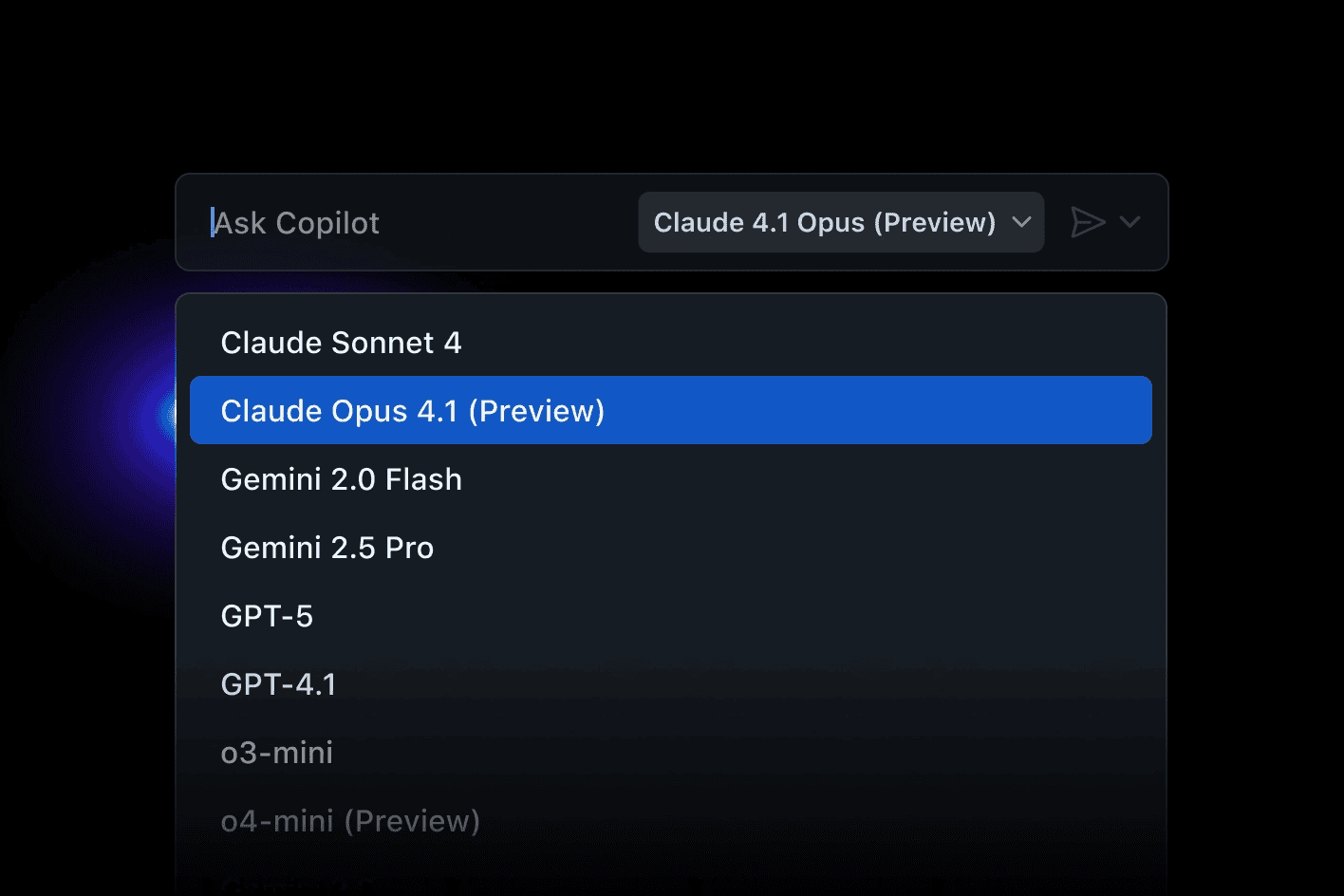
- Access to Claude Sonnet, GPT, Gemini, etc
- Unlimited code competitions
- Coding agent
Pricing
GitHub’s Copilot offers three pricing plans.
| Plan | Price (Monthly) |
|---|---|
| Free | $0 per user |
| Team | $4 per user |
| Enterprise | Starting at $21 per user |
Pros and cons
Pros:
- Offers a wide range of languages and framework support
- Generates boilerplate code
- Helps with code completions and high-level programs and apps
Cons:
- There’s a learning curve, especially for complex tasks
Best suited for
Suited for developers who want AI assistance in faster app building and simplifying code.
What makes GitHub Copilot a great code completion tool?
One of the best use cases of GitHub’s Copilot is code simplification, as it makes complex lines of code easier to understand.
You can also easily switch between models like OpenAI GPT-5, Anthropic Claude Opus 4.1, and Google Gemini 2.0 Flash.
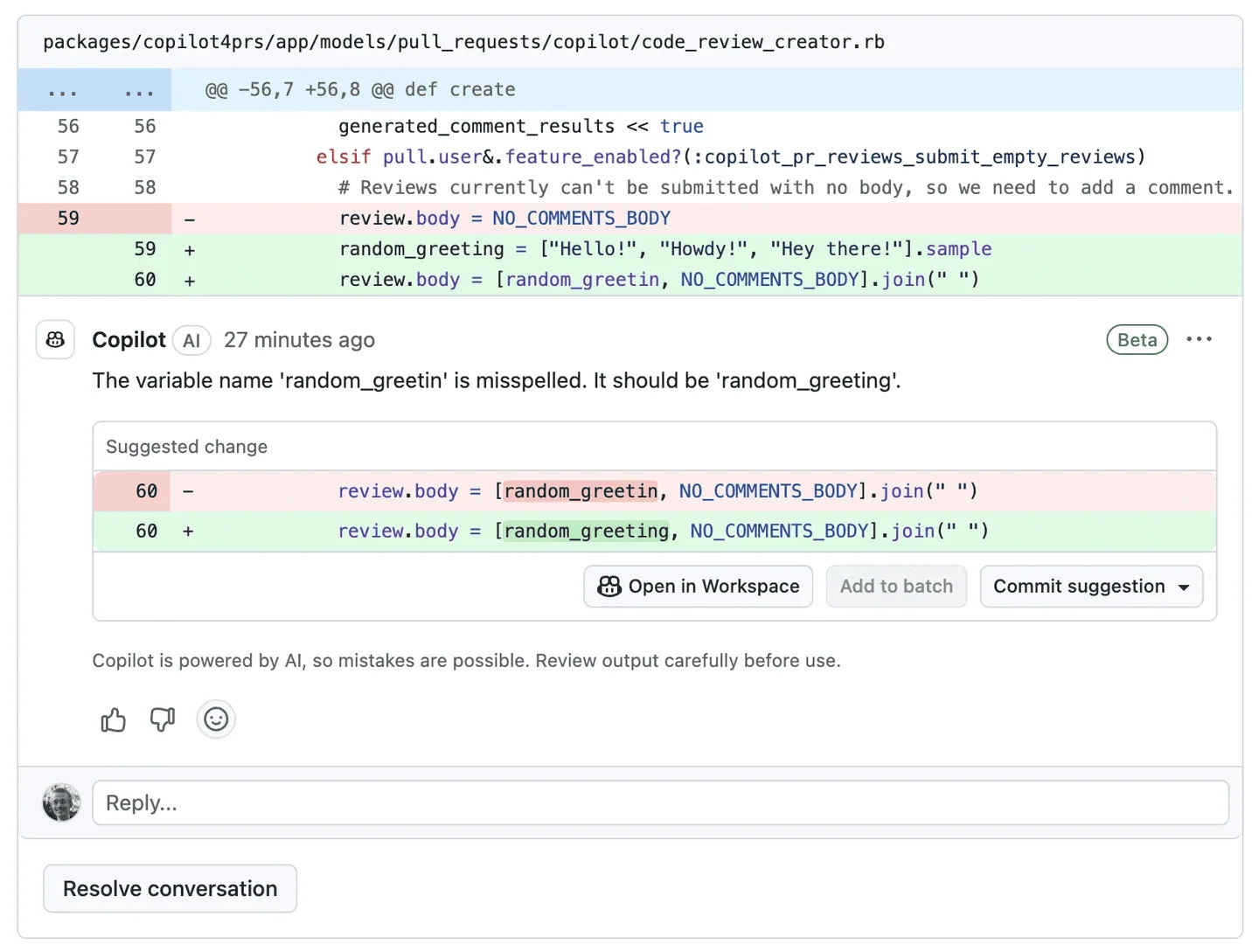
Its code review analyzes your entire code and helps you spot mistakes in the code and offers suggestions to fix them.
My Verdict: GitHub Copilot is a powerful coding assistant to simplify code, write complex projects, and fix bugs in apps. However, it’s not helpful for beginners who want to build apps without coding skills.
11. Base44
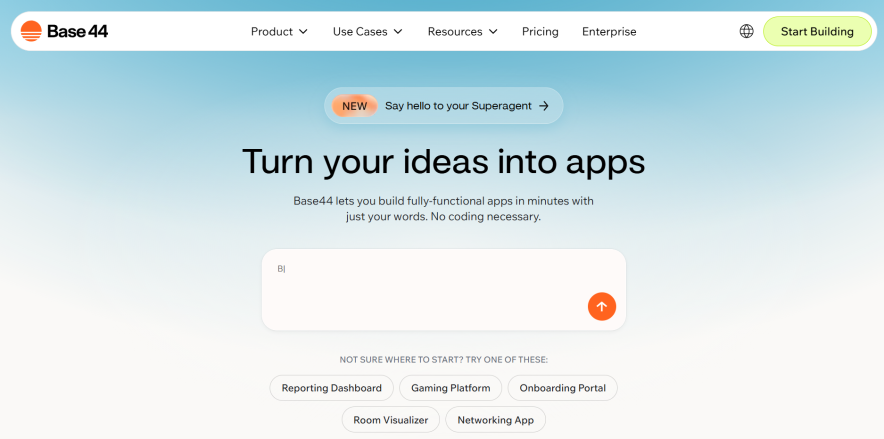
Want to turn your words into functional apps? Then, Base44 is an excellent vibe coding tool for you that helps you build fully working apps within minutes.
It uses AI to translate natural language prompts into interactive components, backend logic, and fully functional applications without manual coding.
With in-app code editing, database integration, and API connectivity, Base44 allows users to create scalable apps that are ready for deployment.
Key Features
- Offers a Builder chat for communication
- Discussion mode to discuss ideas
- Payment processing
- Email systems
- Auto-generated API points
- GitHub integration & code assistance
Pricing
Base44 is available in four pricing packages.
| Plan | Price (Monthly) |
|---|---|
| Free | $0 |
| Starter | $20 |
| Builder | $40 |
| Pro | $80 |
| Elite | $160 |
Pros and cons
Pros:
- It offers app management with a dashboard for bugs and testing
- Offers a responsive design that works on all devices
- It provides instant styling with real-time edits
- Provides version control to undo or restore past changes
Cons:
- It is best suited for creating simple apps, but not for complex or large-scale apps.
Best suited for:
This is one of the best vibe coding software for beginners and non-developers who want to build apps using AI and build functional apps.
What makes Base44 a great Vibe coding tool?
Base44 makes building functional apps for the real world extremely easy. You just have to give a useful prompt in their editor, and it will take care of the rest.
Let’s say you want to build a gaming app for beginners. Go to their editor and enter a relevant prompt like this;
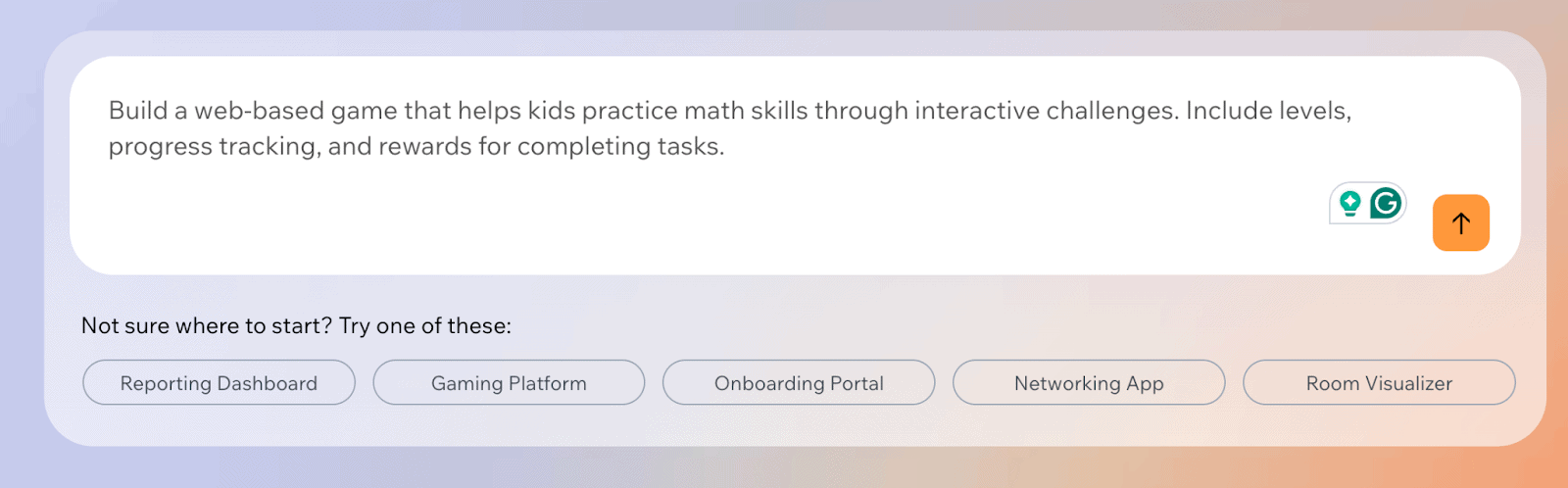
Once you run the prompt, Base44 will take a few minutes to turn your ideas into an app.
Here’s what it looks like once the app is ready;
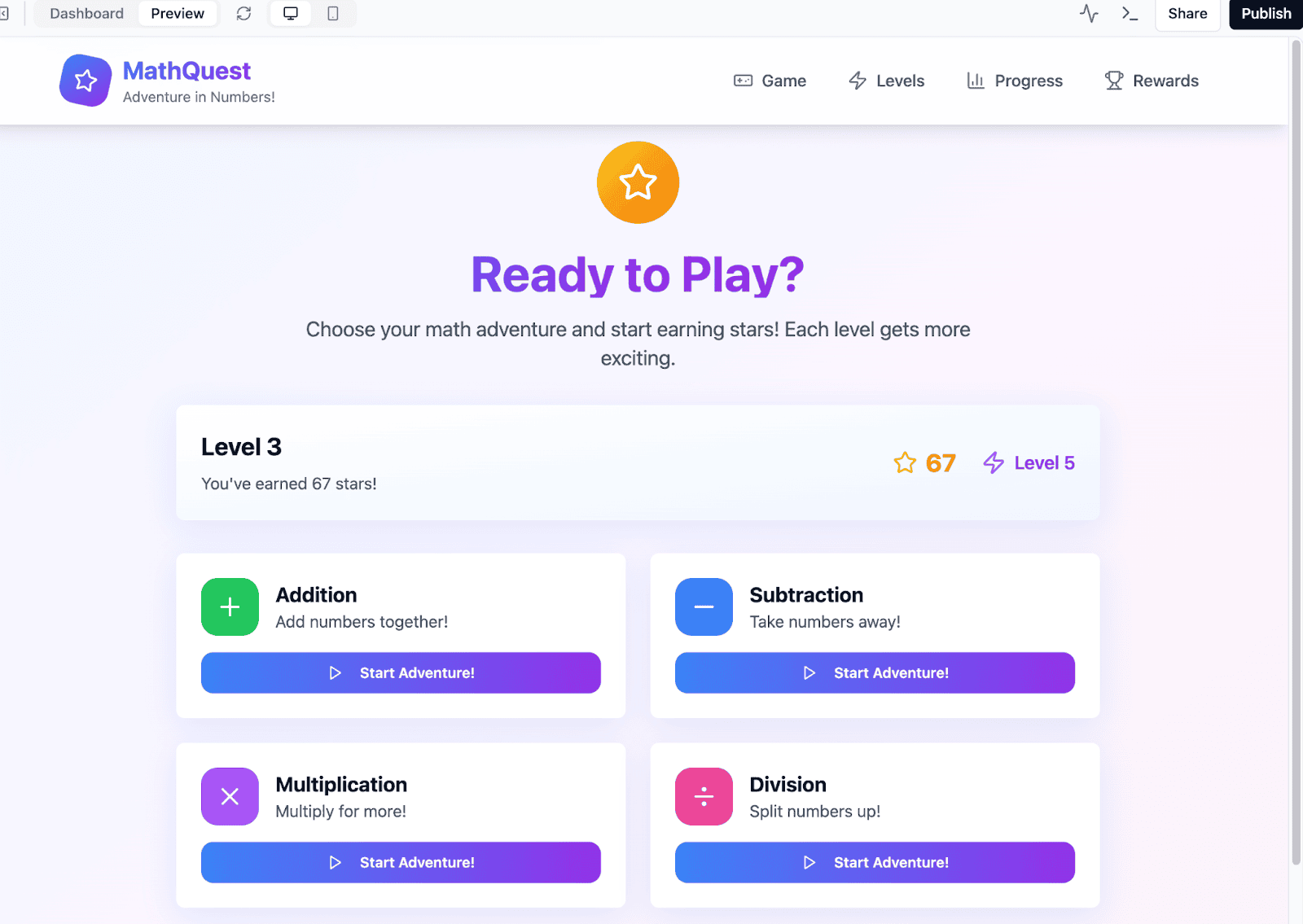
As you can see above, Base44 created the entire gaming app from scratch which also included things like;
- Gaming levels
- Gaming progress
- Gaming rewards
- Multiple math-related quizzes within the game
You can click on the top left corner to see the files used for the app. If you’re a developer who wants to make more changes and customize the gaming app however you want, you can access those files and make necessary coding changes.
Once you’re happy with the app created by Base44, you can simply click on the “Publish” button, and the app will go live instantly.
My verdict
Base44 platform offers excellent features to create simple and intuitive apps, making it a perfect coding tool for beginners. However, it provides limited visual control and is not helpful for complex apps for users.
Conclusion
Vibe coding tools are changing the way developers create and deploy apps. They’re also helping beginners and non-coding people to turn their ideas into fully functional apps quickly.
Our top recommended tools include;
- Hostinger Horizons is a one-stop solution for all-around app-building abilities, including hosting, domain, and powerful development tools in one place.
- Base44 for its simplicity and no-nonsense code generation abilities. It also offers a free plan.
So, what do you think about the vibe coding apps listed above? Have any more questions? Let us know in the comments.
FAQs
Here are some of the most common FAQs on Vibe Coding Tools.
Hostinger Horizons is one of the best coding tools, offering ready-to-use prompts, built-in eCommerce, and one-click deployment, making it a perfect choice for beginners.
Yes, there are many free Vibe coding tools you can try, including Bolt, Cursor, Replit, V0, etc.
The best vibe coding platforms in 2026 include Hostinger Horizons, Bolt, and Lovable – as they’re beginner-friendly and offer many built-in integrations.
No, Vibe coding can’t replace traditional coding anytime soon. Vibe coding is great for beginners and non-developers, but it can’t be suitable for enterprise-level applications.
Most Vibe coding apps use AI models like OpenAI’s GPT, Anthropic’s Claude, and Google’s Gemini to generate functional code.