


Table of Contents
- What Are Google Search Operators?
- Google Search Operators Cheat Sheet (Free Download)
- Complete List of Google Search Operators
- Most Useful Google Search Operators for SEO
- Most Used Google Search Operators in 2026 (Explained)
- 10 Ways to Use Google Search Operators for SEO
- 1. Find Indexing Issues on Your Site
- 2. Find Internal Linking Opportunities
- 3. Find Sites That Accept Guest Posts
- 4. Find Who’s Copying Your Content
- 5. Find Resource Pages for Link Building
- 6. See What Your Competitors Are Writing About
- 7. Find “Best Of” Lists That Don’t Mention You
- 8. Find Old Content That Needs Updating
- 9. Find People Who Review Competing Products
- 10. Find Pages Targeting the Same Keyword (Keyword Cannibalization)
- Final thoughts
- FAQs | Essential Google search operators
What Are Google Search Operators?
Google search operators are special commands you type into Google to get more specific results.
For example, the site: operator shows results only from a specific website:
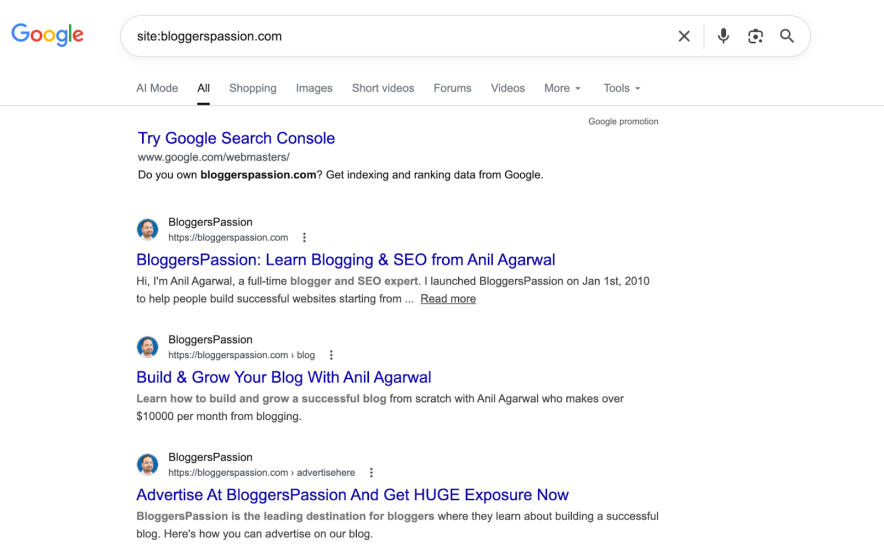
Instead of scrolling through thousands of irrelevant results, operators help you find exactly what you need in seconds.
In this guide, you’ll find a complete list of every Google search operator that works right now.
But I didn’t stop there.
I also included 10 practical ways to use these operators for SEO. Things like finding link building opportunities, identifying duplicate content, and uncovering competitor strategies.
Let’s get into it.
Google Search Operators Cheat Sheet (Free Download)
Want a quick reference you can bookmark or print?
I put together a free cheat sheet with every Google search operator covered in this guide. It includes the operator, what it does, and a real-world example for each.
Here’s how to grab it:
- Google Sheet: Open the link, click “File” → “Make a copy” to save it to your Drive.
- PDF: Click the link to download it instantly.


Now let’s look at the full list.
Complete List of Google Search Operators
I’ve grouped the search operators into three types:
- Working – works properly
- Unreliable – still works sometimes, but results aren’t always accurate
- Not working – Google has officially removed it
Important note: Don’t put a space between the operator and your search term.
- site:example.com (Works)
- site: example.com (Doesn’t work because of the space after the operator)
This applies to every operator. Get the spacing wrong, and Google will treat it like a normal search.
Working Operators
| Operator | What It Does | Example |
| ” “ | Shows exact match results for a word or phrase | “SEO tips” |
| OR | Shows results related to either term | SEO OR PPC |
| | | Works the same as OR | SEO | PPC |
| AND | Shows results related to both terms | SEO AND PPC |
| – | Excludes a word from results | content marketing -jobs |
| * | Wildcard that fills in any word | best * for SEO |
| ( ) | Groups terms or operators together | (WordPress OR Blogger) AND SEO |
| define: | Shows the definition of a word | define:SEO |
| filetype: | Finds specific file types (PDF, DOC, etc.) | filetype:pdf SEO guide |
| ext: | Same as filetype: | ext:pdf SEO guide |
| site: | Shows results from a specific website | site:bloggerspassion.com |
| related: | Finds websites similar to a given domain | related:bloggerspassion.com |
| intitle: | Finds pages with a specific word in the title | intitle:SEO tips |
| allintitle: | Finds pages with all specified words in the title | allintitle:SEO beginner guide |
| inurl: | Finds pages with a specific word in the URL | inurl:SEO |
| allinurl: | Finds pages with all specified words in the URL | allinurl:best SEO tools |
| intext: | Finds pages with a specific word in the body text | intext:link building |
| allintext: | Finds pages with all specified words in the body text | allintext:SEO tips beginners |
| source: | Finds results from a specific source in Google News | source:mashable SEO |
| before: | Shows results published before a specific date | SEO before:2023-01-01 |
| after: | Shows results published after a specific date | SEO after:2024-01-01 |
| AROUND(X) | Finds pages where two words appear within X words of each other | SEO AROUND(4) traffic |
| weather: | Shows weather for a location | weather:New York |
| stocks: | Shows stock information | stocks:GOOG |
| map: | Shows map of a location | map:London |
| movie: | Shows information about a movie | movie:avengers |
| in | Converts between units | 50 USD in EUR |
| $ | Searches for prices | best laptop $500 |
| @ | Searches within a specific social media platform | @reddit SEO tips |
Unreliable Operators
| Operator | What It Does | Example |
| #..# | Searches within a range of numbers | smartphone $200..$500 |
| inanchor: | Finds pages with specific anchor text in backlinks | inanchor:SEO |
| allinanchor: | Same as inanchor but for multiple words | allinanchor:SEO tools |
| loc: | Shows results from a specific location | loc:”Los Angeles” hotels |
| location: | Narrows results to a specific location | location:seattle pizza |
| daterange: | Searches within a date range (Julian format) | daterange:23001-23091 SEO |
Deprecated Operators (No Longer Work)
Google has officially dropped these operators: ~ (synonyms), + (exact word), link: (find backlinks), info: (page info), cache:, id: (same as info), phonebook: (phone numbers), # (Google+ hashtags), inpostauthor: (blog author), inposttitle: (blog title), blogurl: (blog URLs).
Most Useful Google Search Operators for SEO
If you only remember a few operators, start with these:
- site: – check indexing and analyze competitor content
- intitle: – find pages targeting a specific keyword
- inurl: – discover guest post pages and resource pages
- ” ” – find exact match phrases
- filetype: – locate PDFs, spreadsheets, and downloadable resources
- – – exclude unwanted results
Example: SEO intitle:”resources” inurl:links
This helps find link resource pages in the SEO niche.
Most Used Google Search Operators in 2026 (Explained)
Here I have explained the search operators in detail, explaining how each one functions and the various ways they can enhance your search experience:
1. site:
One of the most commonly used operators is “site:”, which allows you to search for all web pages on a particular website. This is useful if you want to find all pages on a website or mention a specific word or phrase.
For example, if you wanted to find all pages on BloggersPassion.com that mention “blogging tips”, you would enter “blogging tips” site:google.com into the Google search box.

2. intitle:
Another sound Google search operator is “intitle:”, which only shows you results that have the specified word in the title. This can help find specific articles or blog posts.
Suppose I want to find out the list of all pages that have the “how to start a blog in 2026” keyword mentioned at title level. This will also help me understand the competition level for the mentioned keyword. So, I will search for “intitle:”how to start a blog” in Google.

3. inurl:
This operator searches for a specific word or phrase in the URL of all web pages on a particular site.
For example, if you wanted to find pages that mention “SEO” on BloggersPassion’s website, you would enter inurl:seo site:bloggerspassion.com into the Google search box and it will display all the URLs that contain the word “SEO” at URL level.
Have a look;

4. filetype:
The “filetype:” operator lets you specify the type of file you are looking for, such as a PDF or an image. This allows you to select the type of file that you’re looking for, and it will only return results that match that file type.
For example, if you want to find a PDF on WordPress, you can search for “filetype:pdf WordPress” and it will return all the search results that offer a WordPress PDF file.

5. *
This asterisk (*) operator can be used to search pages that contain anything before your keyword.
For instance, (learn * programming) will return pages that contain “how to…”
Have a look;

See that? You’ll notice all the “How to” posts showing up when you enter the * operator before the keyword “how to”.
10 Ways to Use Google Search Operators for SEO
Quick note: Whenever you see our site bloggerspassion.com mentioned, replace it with your own website’s domain or competitor’s URL.
1. Find Indexing Issues on Your Site
Want to see how many of your pages are showing up in Google?
Type site:bloggerspassion.com into Google. The number of results tells you roughly how many pages Google knows about.
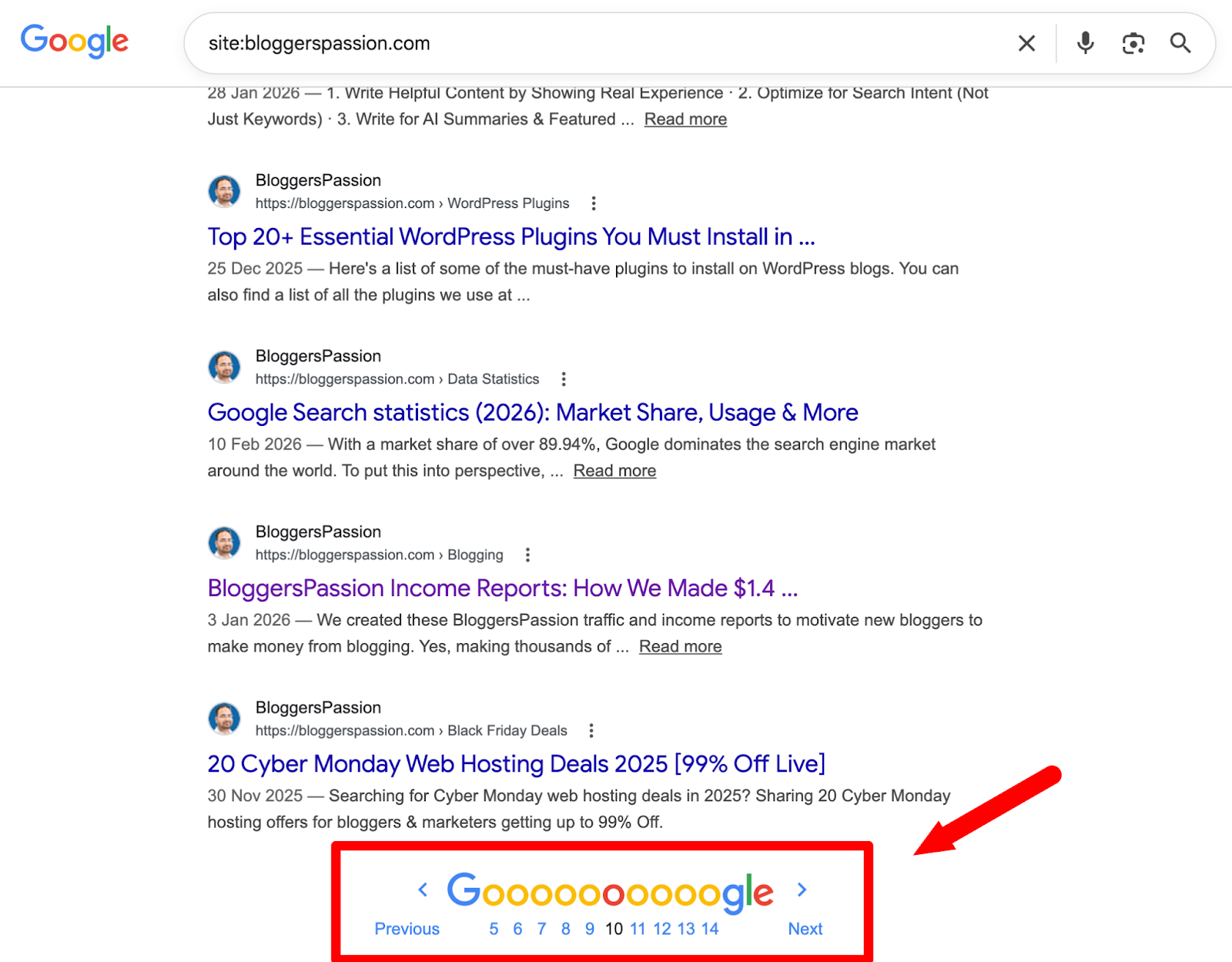
You can also check a single page. Just search for the exact URL:
site:bloggerspassion.com/how-does-google-make-money/
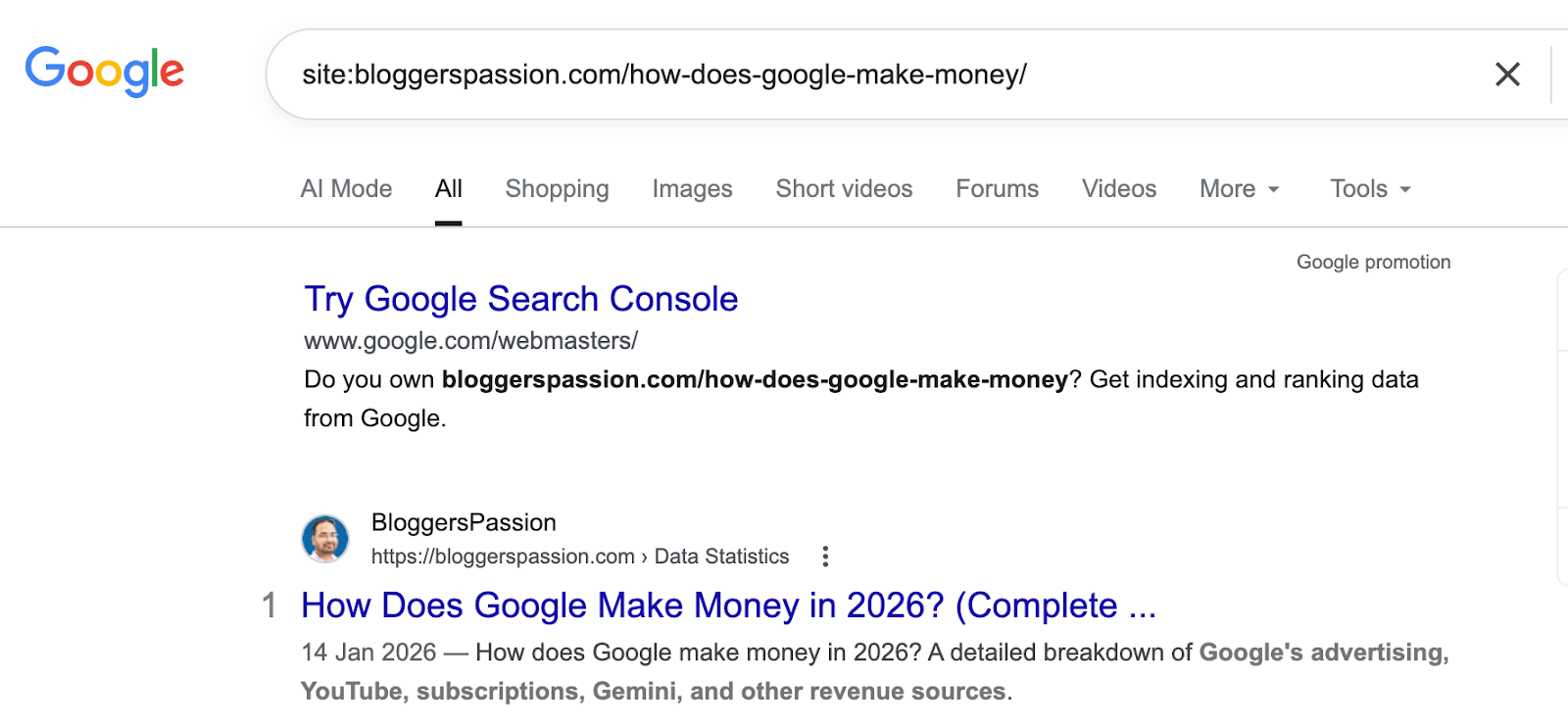
If it shows up, Google has found it. If not, it hasn’t been picked up yet.
You can even find files that shouldn’t be showing up in Google:
site:bloggerspassion.com filetype:pdf
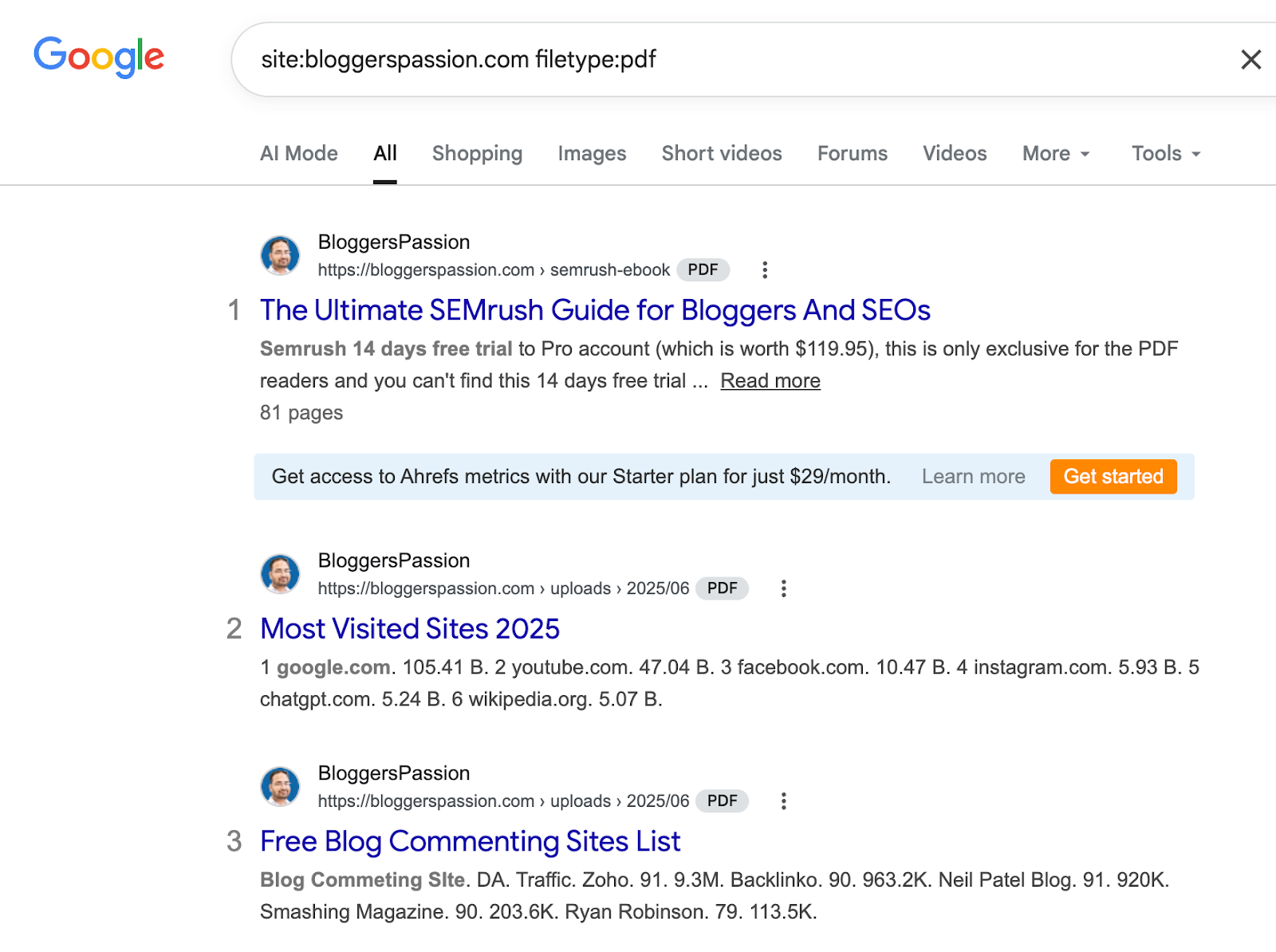
This shows every PDF on your site that Google is displaying in search results.
If you have PDFs that people are supposed to download after providing their email, you don’t want those showing up in Google search results for free. Add a noindex tag to hide them from search results.
2. Find Internal Linking Opportunities
Internal links connect one page on your site to another. They help Google understand what your site is about and can boost your rankings.
Here’s a simple way to find where to add them.
Let’s say you just published a post about “keyword research.” Search for:
site:bloggerspassion.com “keyword research”
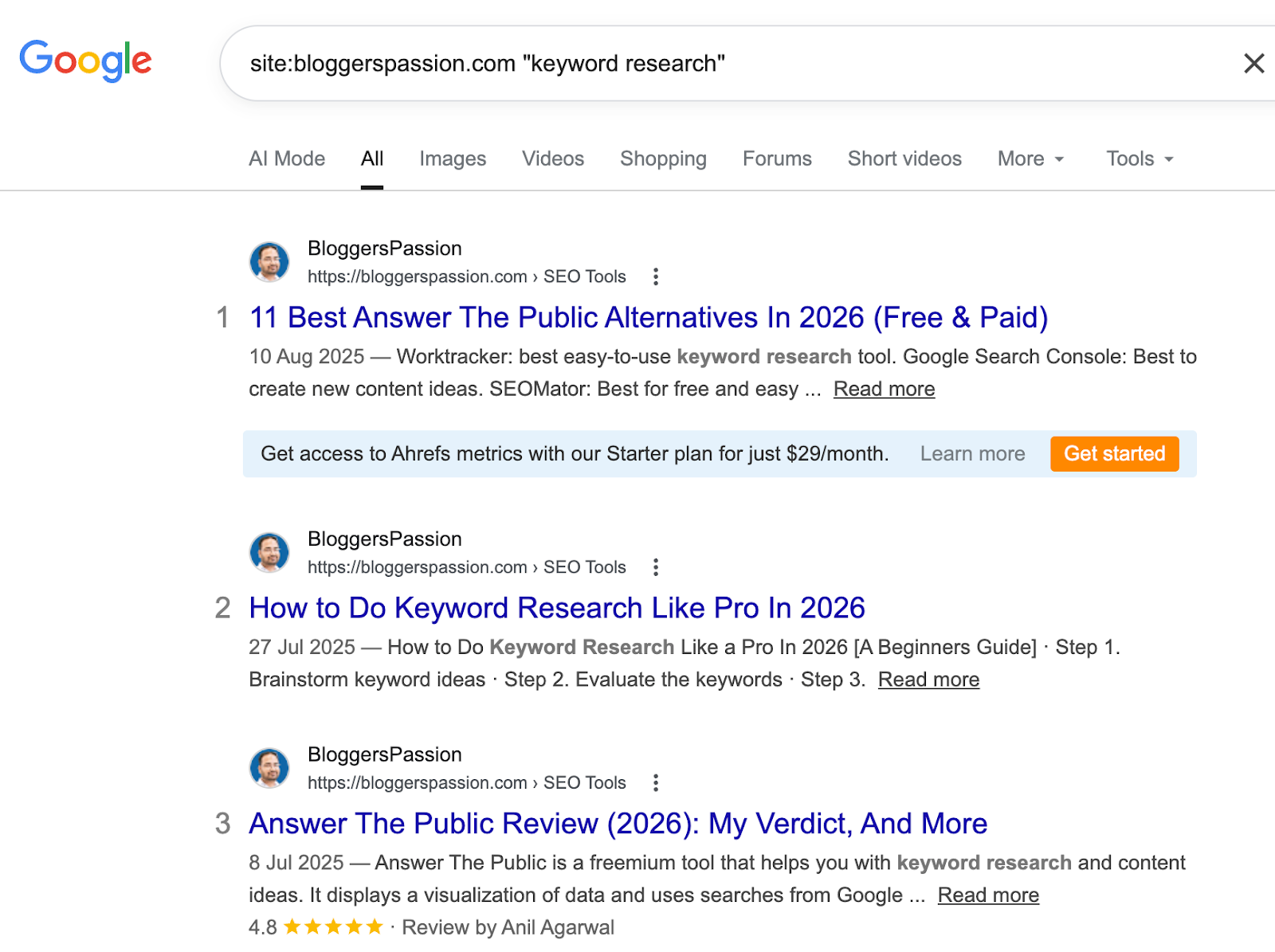
This shows every page on BloggersPassion that mentions “keyword research” somewhere. Each of those pages is a good spot to add a link to your new keyword research post.
I do this every time I publish something new. Takes about 5 minutes and usually turns up 10-15 places I can add links.
3. Find Sites That Accept Guest Posts
Guest posting is one of the best ways to build quality backlinks.
Most people find guest post opportunities like this:
SEO intitle:”write for us” inurl:write-for-us
This finds pages with “write for us” in the title and URL. These are usually dedicated submission pages.
But everyone uses this same search.
A better way: find someone in your niche who writes guest posts regularly, and see where they’ve been published.
SEO inurl:author/brian-dean
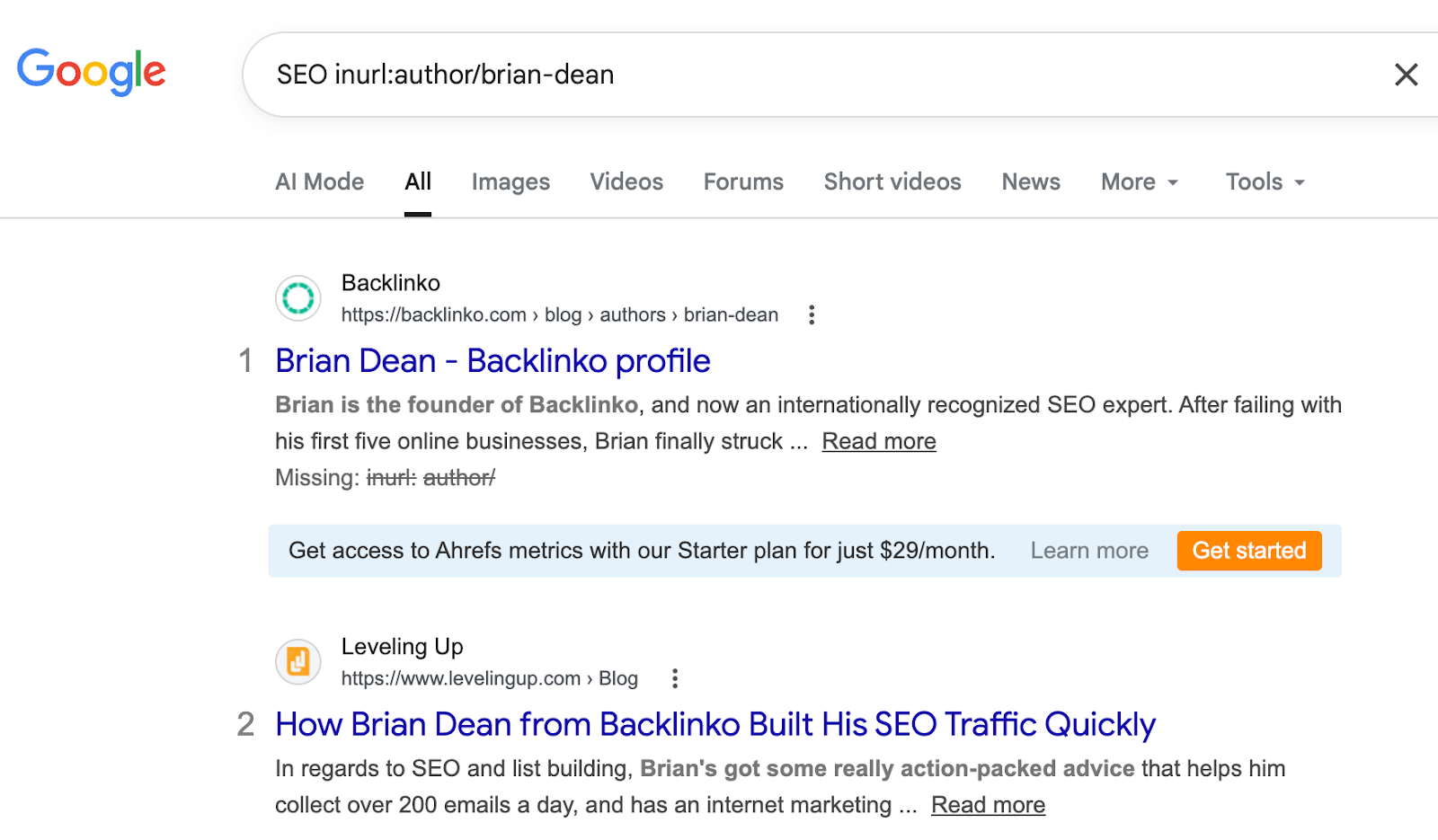
This shows every site where Brian Dean has an author page. These sites accept outside writers, but they don’t advertise it with a “write for us” page. Less competition for you.
You can also try different searches:
- SEO intitle:”become a contributor”
- SEO intitle:”submit a post”
- SEO intitle:”guest article”
4. Find Who’s Copying Your Content
Some websites copy blog posts without your permission. Search operators can help you catch them.
Pick a sentence from your blog post that’s unique to you. Put it in quotes and exclude your own site:
-site:bloggerspassion.com “In the last nine years, BloggersPassion generated over $1,400,000 (yes, 1.4 million dollars!)”
If any results show up, someone has copied your content. You can contact them and ask for credit with a link back to your original post.
5. Find Resource Pages for Link Building
Some websites create pages that list useful links and tools on a specific topic. If your content is a good fit, the site owner might add your link too.
Find these pages like this:
SEO intitle:resources inurl:resources
This shows pages with “resources” in both the title and URL. These are almost always pages that link out to helpful content.
You can try different versions:
blogging intitle:resources inurl:links
Not every result will be useful. Some pages only link to their own stuff. But you’ll usually find a few worth reaching out to.
6. See What Your Competitors Are Writing About
Want to know what topics a competitor covers on their blog?
Start with a broad search:
site:ahrefs.com/blog
This shows all blog posts on Ahrefs. Scroll through to see what topics they focus on.
Now get more specific. Want to see how many definition-style posts they have?
site:ahrefs.com intitle:(“what is” OR “what are”)
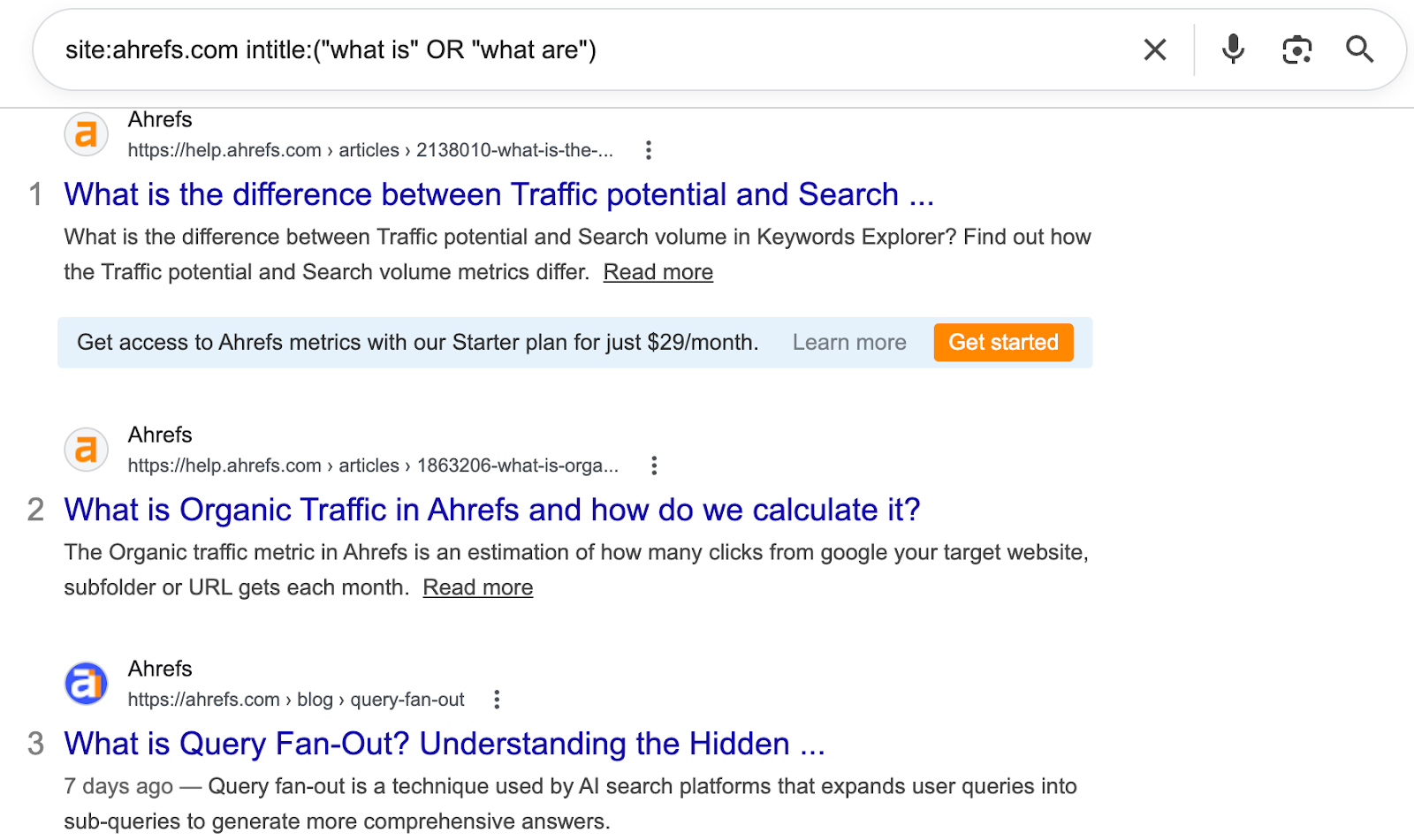
Want to see their how-to guides?
site:ahrefs.com intitle:”how to”
You can also find competitors you didn’t know about:
“keyword research” intitle:guide -site:ahrefs.com -site:semrush.com -site:moz.com
This removes the authoritative websites from the results. What’s left? Smaller blogs ranking for the same topics. These are often direct competitors you’ve never heard of.
7. Find “Best Of” Lists That Don’t Mention You
If you have a product, tool, or blog you want featured in roundup posts, this trick helps.
Here’s how to find “best of” lists that haven’t included you yet:
intitle:”best SEO tools” -bloggerspassion
This shows every “best SEO tools” article that doesn’t mention BloggersPassion. You can reach out to the author and ask to be included.
Want only recent posts? Add a date filter:
intitle:”best SEO tools” -bloggerspassion after:2026-01-01
Authors who have published recently are more likely to reply and update their posts.
8. Find Old Content That Needs Updating
Updated content tends to rank better. But when you have hundreds of posts, it’s hard to know which ones are outdated.
The before: operator helps:
site:bloggerspassion.com before:2023-01-01
This shows your pages that Google last picked up before 2023. These probably need a refresh.
You can narrow it down to a specific topic:
site:bloggerspassion.com “SEO” before:2023-01-01

Update the old information, add new examples, and republish with today’s date. I’ve seen posts jump from page 3 to page 1 on BloggersPassion just by doing this. You can read more from our case study on how long it takes to rank on Google.
9. Find People Who Review Competing Products
If someone wrote a review of a product similar to yours, there’s a good chance they’d review yours too.
Find those reviewers:
allintitle:review (Semrush OR Ahrefs)
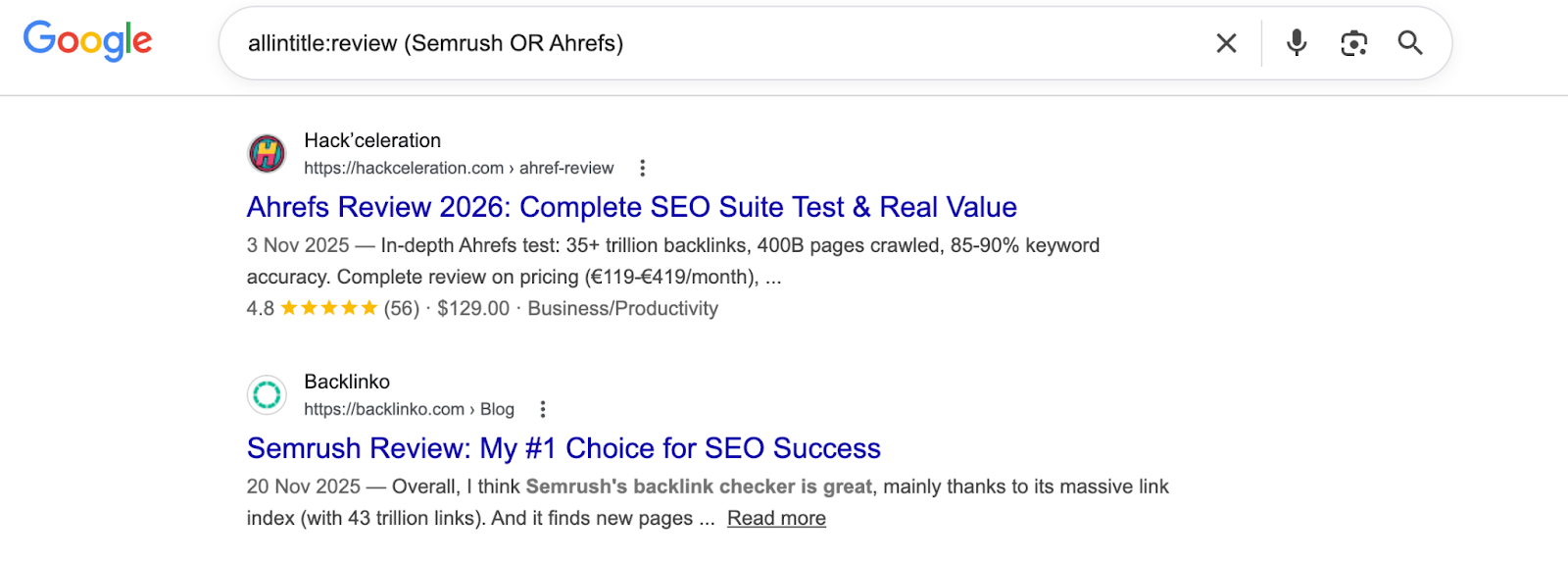
This shows pages with “review” and either “Semrush” or “Ahrefs” in the title. These are bloggers who already write reviews in your space.
Want only recent reviews?
allintitle:review (Semrush OR Ahrefs) after:2026-01-01
Reach out, offer free access to your product, and ask if they’d be willing to write a review. Since they already review similar products, your pitch makes perfect sense.
10. Find Pages Targeting the Same Keyword (Keyword Cannibalization)
Sometimes, two or more pages on your site target the same keyword.
When that happens, they compete with each other on Google instead of ranking high on a single page.
Find them like this:
site:bloggerspassion.com intitle:”google search operators”
If more than one page shows up with a similar title or topic, you might have keyword cannibalization.
If you find two pages targeting the same keyword, you have a few options.
- Merge them into one post.
- Redirect the weaker page to the stronger one.
- Or change the INTENT of one page to target a different keyword.
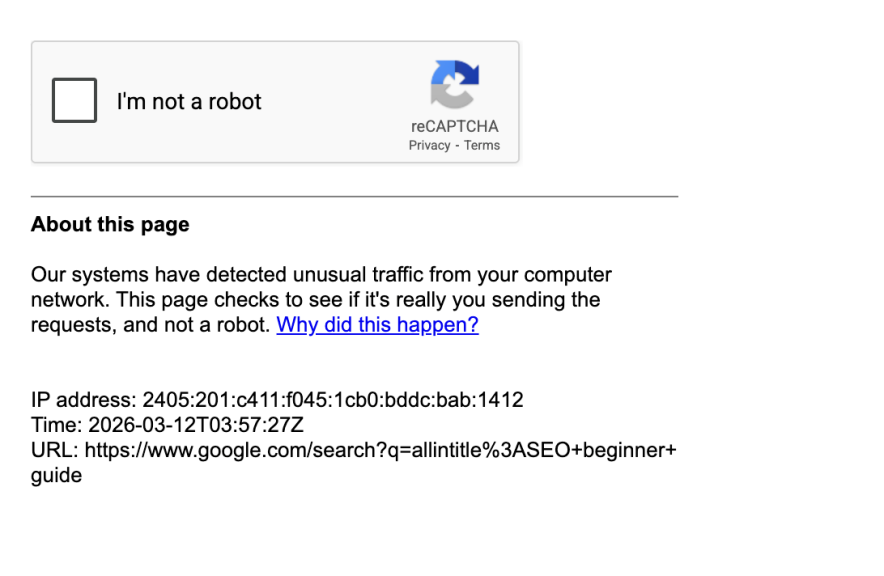
Quick heads up: If you run a lot of Google operator searches in a short time, Google might ask you to verify you’re not a robot. Don’t worry. It’s normal. Just complete the CAPTCHA and keep going.
Related Posts:
Final thoughts
Google search operators are one of those skills that take 10 minutes to learn but save you hours every week.
You don’t need to memorize all the search operators. Start with the basics like site:, intitle:, and ” “. Once you’re comfortable, try combining them for more specific results.
Bookmark the cheat sheet, try a few operators today, and you’ll be glad you learned them.
FAQs | Essential Google search operators
Here are some of the frequently asked questions about Google search operators.
Google search operators are special words or characters you add to your search to get more specific results.
The site: operator. You can use it to check indexing, find internal linking opportunities, spy on competitors, and much more. It’s the one you’ll use almost daily.
You can use the quotation marks (” “) search operator to find search results with an exact match.
It’s a Google search operator that lets you search for a specific word or phrase in a webpage’s URL.
Yes. You can type any operator directly into the Google search bar on your phone, and it works the same way as on a desktop.
Yes. You can stack as many operators as you want in a single search. For example, site:bloggerspassion.com intitle:”SEO” filetype:pdf uses three operators at once to find SEO-related PDFs on BloggersPassion.
Yes. While some operators have been removed over time, many remain useful for SEO research, competitor analysis, and link building.






Hello Anil,
Thanks for sharing such an amazing list of Google operators. Among these, intitle and allinurl are my favorites and most used google operators but good to know some new ones.