


Black Friday 2026 is Friday, 27 November, followed by Cyber Monday on 30 November.
In this post, I will let you know how you can automate your Black Friday tasks with simple workflows.
If you run an ecommerce store, you already know the specific pains of this peak season.
Customers flood your inbox with stock questions and endless “where’s my order?” emails.
Competitors start undercutting your prices, and your checkout page might break overnight under the sudden traffic load.
When you are figuring out how to prepare your store for black friday 2026, the answer is not hiring temporary staff.
This chaos does not need your attention; it needs a system.
You need reliable black friday automation to handle the repetitive tasks so you can focus on strategy.
For most store owners, n8n is the default pick to build these workflows.
It allows you to connect your existing apps and protect your store operations without writing complex architecture.
![black friday automations [for every store]](https://bloggerspassion.com/wp-content/uploads/2026/09/black-friday-automations-for-every-store.webp)
Why Black Friday Automation is Essential for Peak Season
Online shopping behavior has completely shifted over the last few years. Mobile accounted for about 69% of Black Friday purchases in 2024, and that number is trending toward 73%.
Customers are browsing, comparing, and buying 24 hours a day. Manual monitoring is simply no longer possible for a small team.
The holiday shopping rush is no longer confined to a single weekend. Most retailers start their promotions in early November, and some even preview their sales from October. You are preparing for a six-week season, not a day.
Surviving this extended period requires digital infrastructure that works while you sleep. By putting systems in place now, you protect your revenue, maintain your profit margins, and keep your customer support queue manageable.
Black Friday Preparation Checklist: 7 Workflows
1. Low-Stock Alerts:
Build time: About 20 minutes.
Running out of a best-selling product without noticing is a critical risk during peak sales events.
A standard low stock alert automation solves this by checking your inventory database every 15 minutes. Whether you need inventory alerts shopify or WooCommerce tracking, if an item drops below a defined threshold, the system sends an immediate notification.
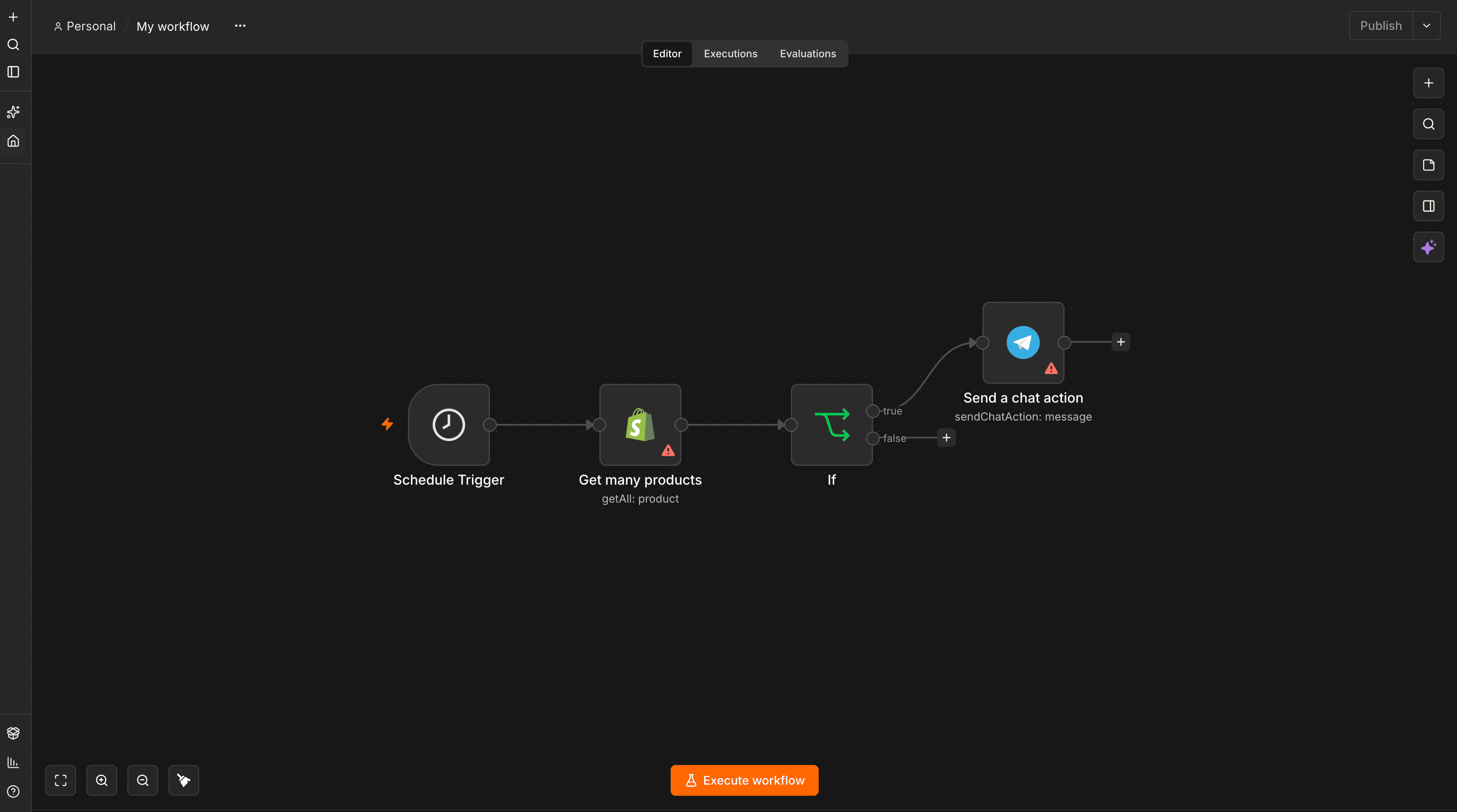
If the stock hits zero, the workflow automatically hides the product from your storefront to prevent overselling and customer frustration.
Pro tip: Most ecommerce platforms send inventory warnings via email, which easily get buried in a crowded inbox. Route these alerts to send a Telegram ping instead, ensuring your team sees them instantly and never misses a restock opportunity.
2. Abandoned Cart Recovery:
Build time: About 15 minutes
Most default cart recovery sequences wait a full 24 hours before sending a reminder. During a major holiday sale, that customer has likely already purchased from a competitor.
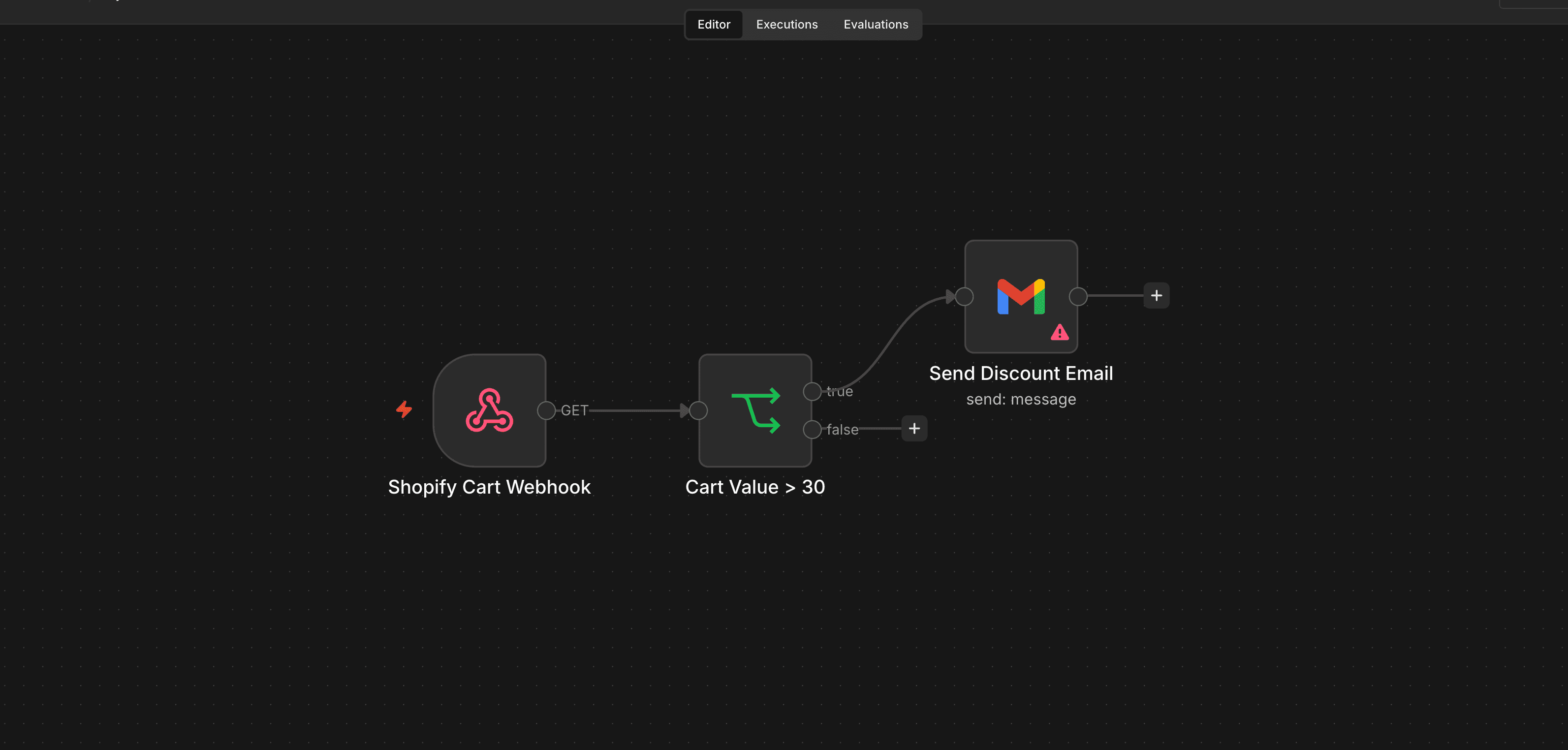
You need an abandoned cart automation that triggers via a webhook to send the first touchpoint just 20 minutes after the cart is left behind.
This catches the buyer while they are still in the active shopping mindset.
Pro tip: Do not treat all carts equally. Add a conditional branching step based on cart value so you are not offering aggressive, margin-eating discount codes on small $30 orders.
Reserve those incentives for high-value carts.
3. Competitor Price Monitoring
Build time: About 30 minutes.
Rivals often drop their prices without warning to capture holiday traffic.
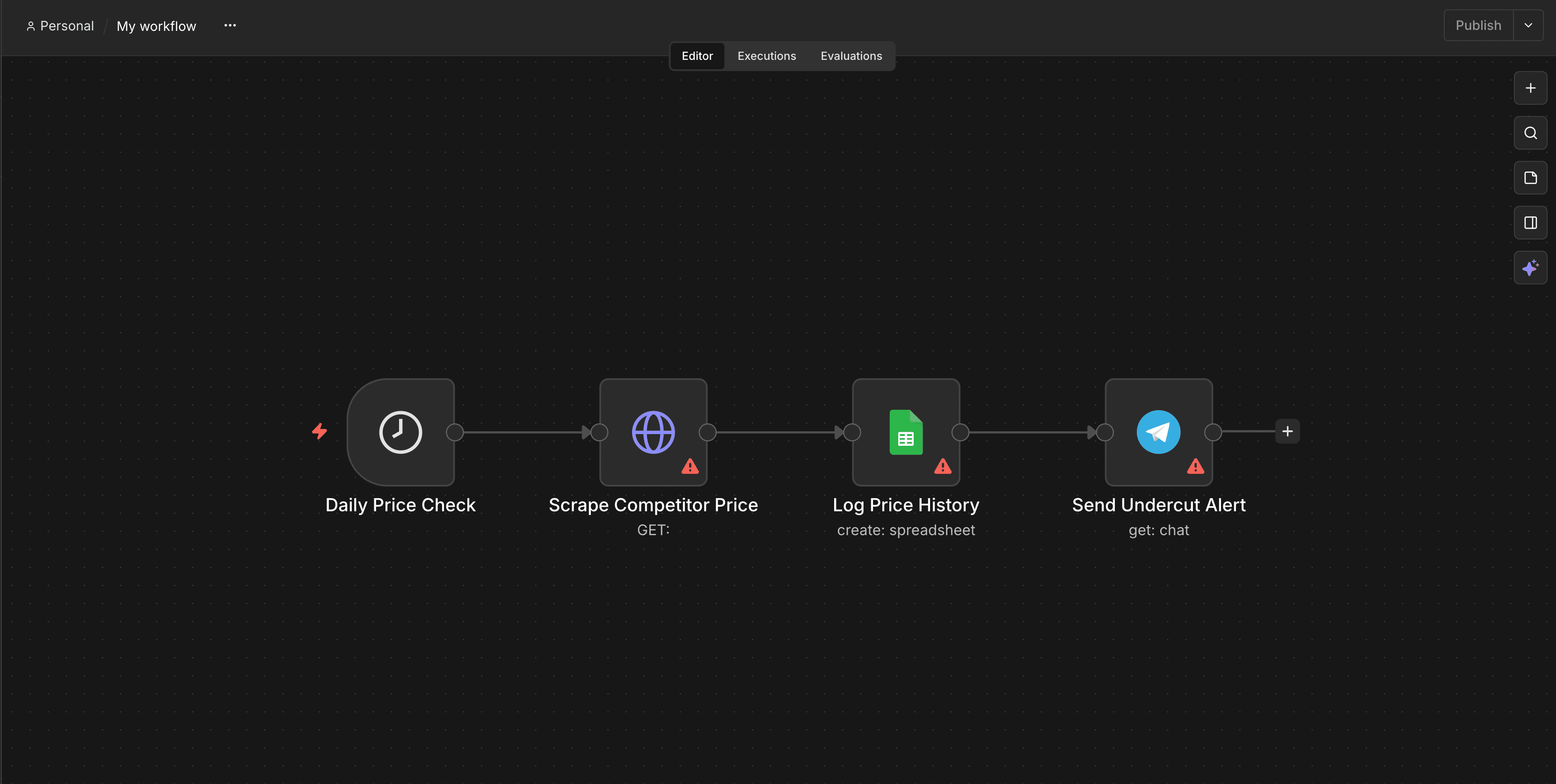
Instead of manually checking their websites every morning, build a competitor price monitoring tool that runs scheduled URL checks.
This workflow extracts the pricing data from specific competitor product pages, logs the history directly into a Google Sheet, and sends you a chat alert only when you are undercut.
Pro tip: Keep this ethical and stable. Only scan public pages, set a sane frequency like once or twice a day to avoid overloading their servers, and always check their terms of service regarding automated scraping.
4. Order Status Auto-Replies:
Build time: About 25 minutes.
During November, your support inbox will be flooded with customers asking for shipping updates. You can drastically reduce this burden by setting up an order status automation WhatsApp workflow.
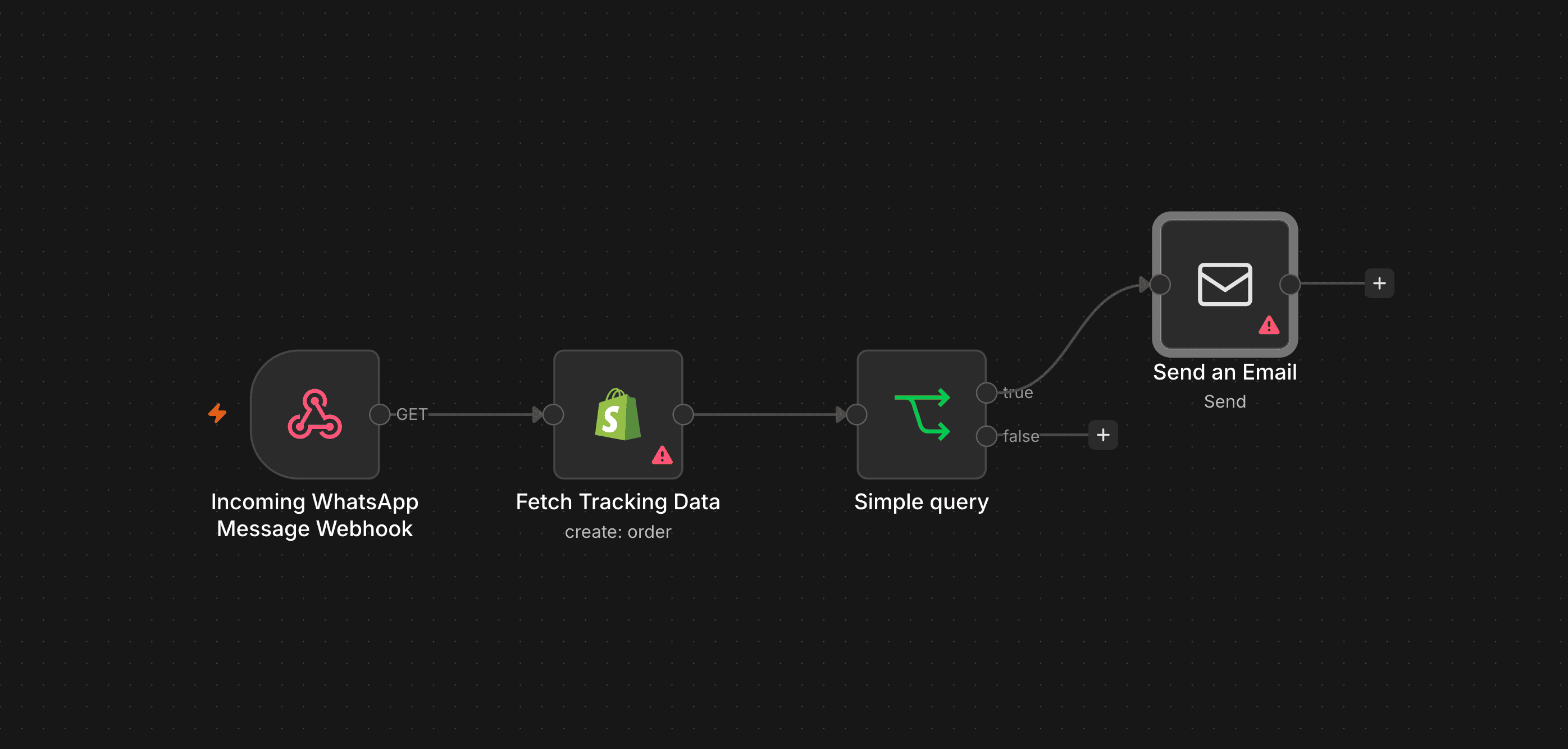
When a customer messages you, the system parses the order number from their text, pulls the latest tracking data from your fulfillment software, and instantly sends an automated reply.
The system should then escalate everything else to a human agent.
Pro tip: The golden rule of customer support is to automate the lookup, never the judgment. Let the system handle simple tracking retrieval, but leave complex issues to your staff.
5. Checkout and Uptime Monitoring:
Build time: About 10 minutes.
Your marketing efforts mean nothing if your checkout breaks overnight. Traffic spikes are great until they crash your site. You need to ensure your store is actually capable of processing transactions.
Set up a workflow that pings your homepage, a popular product page, and the cart every 5 minutes. It should check the HTTP status code and verify expected on-page content, like the presence of the “Add to Cart” button.
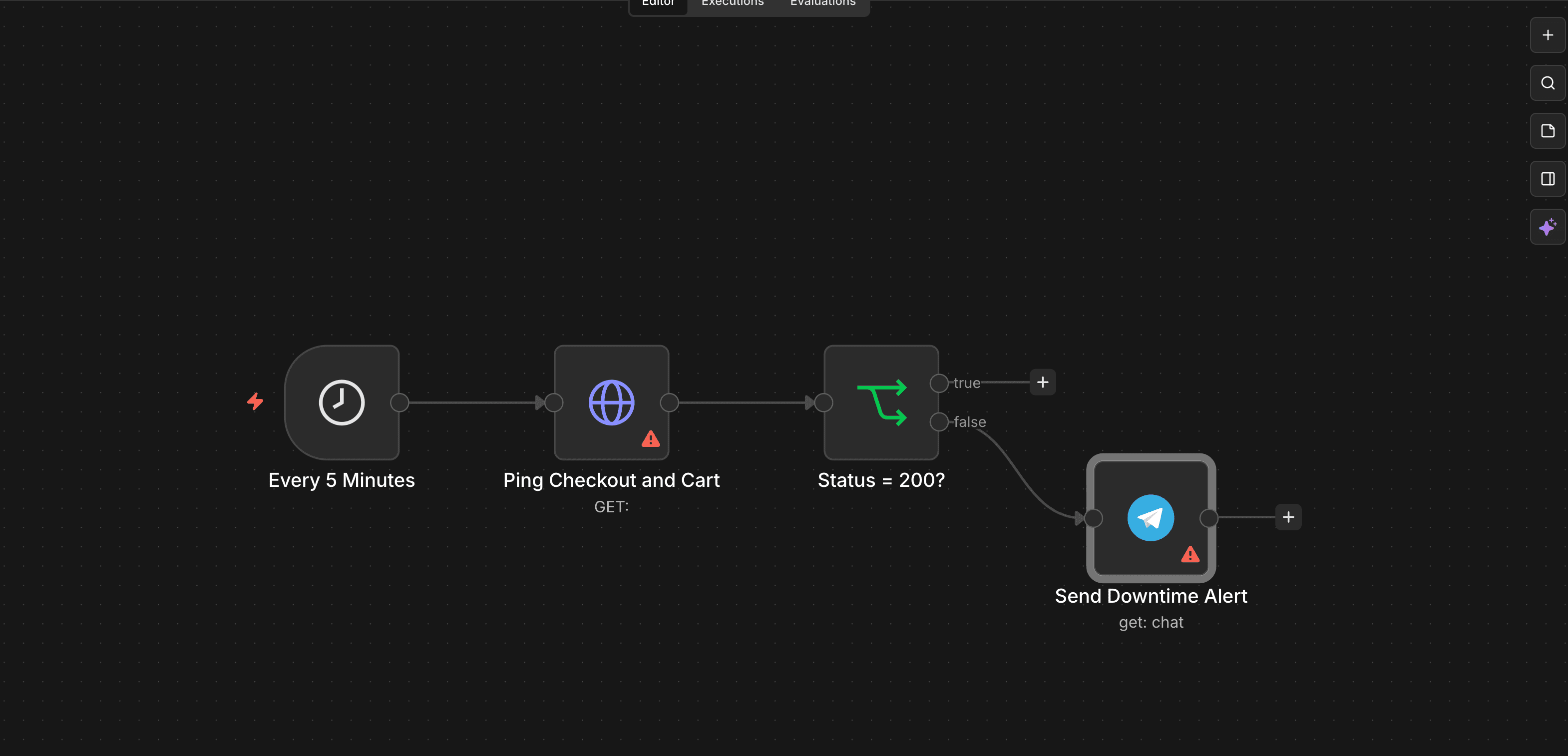
Pro tip: I recommend this one first. It takes about 10 minutes to build and serves as the cheapest insurance on this list against silent revenue leaks.
6. Daily Sales Digest:
Build time: About 15 minutes.
Constantly refreshing your store dashboard during Black Friday creates unnecessary anxiety. Instead, build a workflow that compiles your key metrics—revenue, total orders, average order value (AOV), and top 5 best-selling products—and sends them directly to your chat app at 7 am every morning.
During the peak weekend, increase the reporting frequency to every 4 hours.
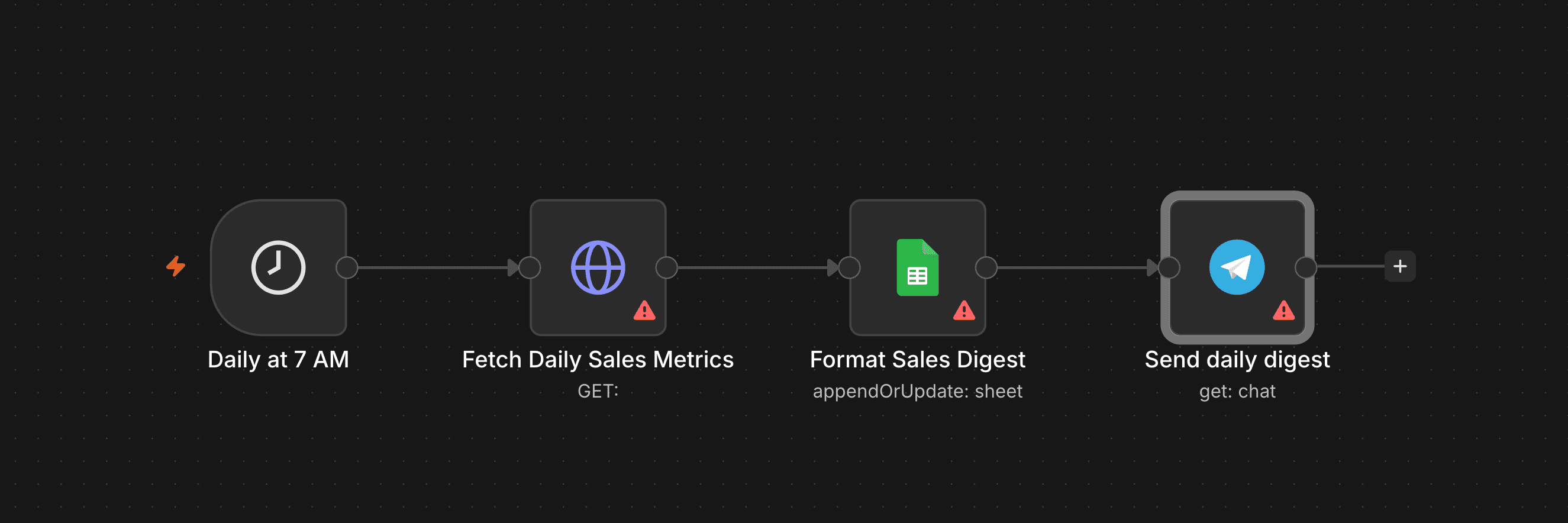
Pro tip: Include a week-on-week comparison in the automated message. Without that historical context, the raw number means nothing and will not help you make informed decisions.
7. Post-Purchase Review Requests
Build time: About 10 minutes.
Holiday sales bring an influx of new customers, making it the perfect time to gather social proof. Create a workflow that sends a review request exactly 7 days after the delivery is marked as complete.
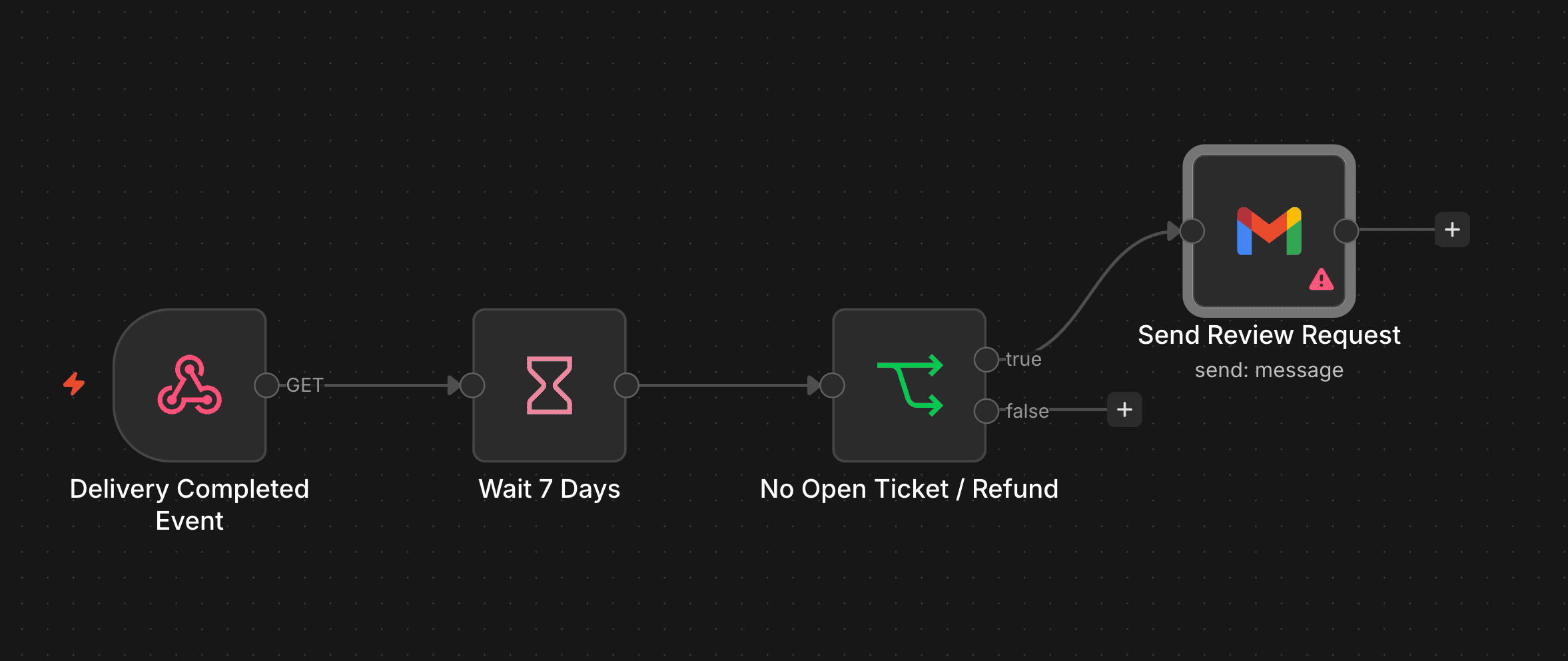
Pro tip: Customer experience during peak season can be rocky. You must add a filter to this workflow skipping anyone with an open support ticket, a recent refund, or a delayed shipment. Build this automation now, but schedule the actual sends for December when the logistical dust has settled.
Tool Comparison: Automate Customer Support for Ecommerce
When deciding how to automate online store operations, the software you choose matters.
Here is a breakdown of the best options for ecommerce owners.
For anything touching orders, inventory, or money, n8n is the right choice. We have used it in the above workflows.
It is deterministic and visual, giving you complete control over the logic. You can easily run a self hosted n8n for ecommerce setup on a self-hosted n8n VPS.
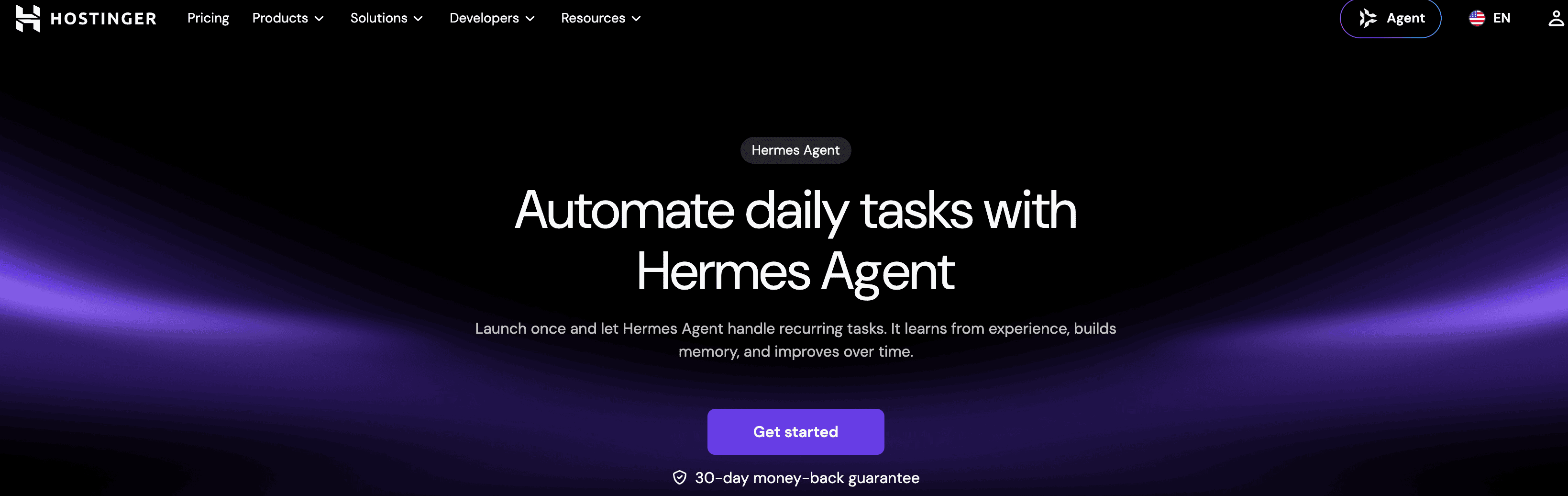
If you need an AI agent for ecommerce research, look at Hermes Agent. Launched by Nous Research in February 2026 under an MIT licence, this open-source autonomous agent features persistent memory and a built-in scheduler. It is right for open-ended market analysis.
Alternatively, OpenClaw is an open-source gateway that connects WhatsApp, Telegram, Slack, or Discord to an AI agent. It is one of the fastest-growing open-source projects since its late-2025 launch (MIT licence).
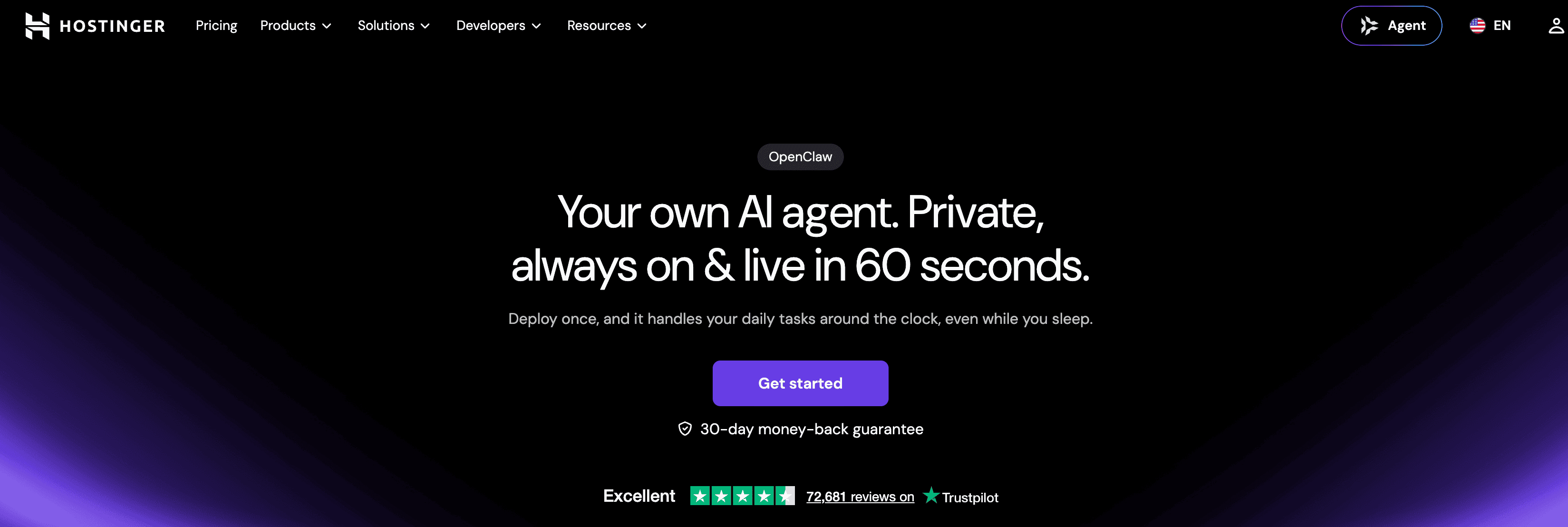
It is the right pick for readers who would rather message their store than open a complex dashboard. Just note the API cost caution, as heavy messaging usage can add up quickly.
I recommend the split: use n8n for workflows, Hermes for research, and OpenClaw as the weekend chat interface.
The Advantage of Flat-Rate Hosting
Most cloud automation tools bill per execution.
This pricing model means your busiest week becomes your most expensive one, penalizing you for high sales volume. Flat-rate hosting inverts that problem completely, ensuring your costs remain predictable.
This is where Hostinger AI automation apps provide immense value through reliable AI Applications on VPS hosting.
You get one managed subscription that can run n8n, Hermes Agent, OpenClaw, or Paperclip. Setup takes about 60 seconds, and it includes managed updates, backups, and security without any complex server configuration.
It also provides built-in AI credits and works directly with Hostinger AI Router, an existing ChatGPT Plus/Pro subscription, or your own key (OpenAI, Anthropic, xAI, Gemini).
If you want to explore the full capabilities of this infrastructure, check out this detailed guide on Hostinger AI managed VPS.
Pricing is flexible for n8n ecommerce setups: $5.99/mo (24-month), $7.99/mo (12-month), or $10.99/mo (monthly). All plans renew at $11.99/mo and come with a 30-day money-back guarantee, allowing you to switch apps anytime on the same plan.
Do not try to build everything today. Just pick one concrete first step: start with the uptime monitor and the low-stock alert.
Frequently Asked Questions (FAQs):
When should I start preparing my store for Black Friday 2026?
Black Friday 2026 is on 27 November, most retailers start their promotions in early November, with some previewing sales from October. It is a six-week season, so you should begin building and testing your automation workflows by mid-October.
Do I need coding skills to use n8n for ecommerce automation?
No. Tools like n8n are deterministic and visual, meaning you can configure workflows through an intuitive interface. You do not need to configure complex architecture to set up simple tasks like inventory alerts or auto-replies.
How much does ecommerce automation cost?
Many cloud automation tools charge per execution, which gets expensive during busy weeks. But using managed hosting like Hostinger AI automation apps costs $5.99/mo (on a 24-month plan, renewing at $11.99/mo). This flat-rate model keeps your costs entirely predictable regardless of how many sales you process.
Can I automate my entire customer support system?
You should automate the lookup, never the judgment. Workflows can easily parse order numbers and provide tracking details, but complex complaints or unique situations should always be escalated to a human team member.




Leave a Comment
Your email address will not be published. Required fields are marked *