


Are you looking to start a website but don’t have the budget for hosting right now? You’re not alone.
But let’s be totally honest: 90% of the “best free web hosting” lists out there are just pushing you toward spammy services that force ugly ads onto your site, slow your site the second you get any traffic, or suspend your account without warning. I don’t have the patience to deal with ads disrupting my workflow, and you shouldn’t have to deal with them ruining your new website either.
The truth is, free web hosting operates on a “freemium” model. They give you the absolute basics for free, hoping you’ll eventually get frustrated by the limitations and upgrade to a paid plan.
So, is free web hosting actually worth it?
Yes, but only if you are working on a small project. If you are serious about ranking on Google or building a business, free hosting will hold you back.
In this guide, we aren’t just giving you a list of random names. We’re going to break down the reality of the top free web hosting sites in 2026, showing you exactly what you get, what you don’t, and what the catch is for each one.
How We Evaluate Free Web Hosts (Our Methodology)
At BloggersPassion, we look at the data. When evaluating these free hosting platforms, we focus on the metrics that impact your day-to-day hosting experience:
- The “Forced Ads” Test: We prioritize hosts that do not force their own banner ads onto your live website. (Nothing screams “unprofessional” louder than a random ad covering your content).
- Real Uptime & Performance Data: A host is useless if your site is offline. We look at real-world uptime monitoring and server response times (TTFB) to see if these free servers can actually handle basic traffic.
- Storage & Bandwidth Reality Checks: 500MB of storage sounds like a lot until you upload a few high-res images. We analyze whether the provided limits are practical for modern websites.
- The Setup Experience: We look at the control panels (cPanel, DirectAdmin, etc.) to see if a beginner can actually get a site live without needing a developer.
Quick Comparison: Top 5 Free Web Hosting Sites
Here is a quick overview of the top players in the free hosting space right now.
| Free Web Hosting Sites | Best For | Storage | Free Period |
|---|---|---|---|
| Freehosting.com | Big Storage Space | 10 GB | Lifetime |
| InfinityFree.com | Unlimited Websites & Overall Winner | 5 GB | Lifetime |
| FreeHostia.com | Quality Customer Support | 250 MB | Lifetime |
| Cloudflare Pages | Developers & Free Static Sites | Unlimited | Lifetime |
| Wix | Hosting & Builder | Limited | Lifetime |
| 50Webs.com | Up to 10 Domains | 500 MB | Lifetime |
(Note: While these plans are free, several require you to purchase and connect your own domain name).
1. InfinityFree – Best Overall for Unlimited Subdomains
| Storage | 5 GB |
| Domain | Sub domain provided |
| Free Hosting Period | Lifetime |
| Ads | Yes |
InfinityFree is easily one of the most recognizable names when it comes to free hosting, mostly because they actually keep their promise: no forced ads on your live website.
Our Experience & Analysis:
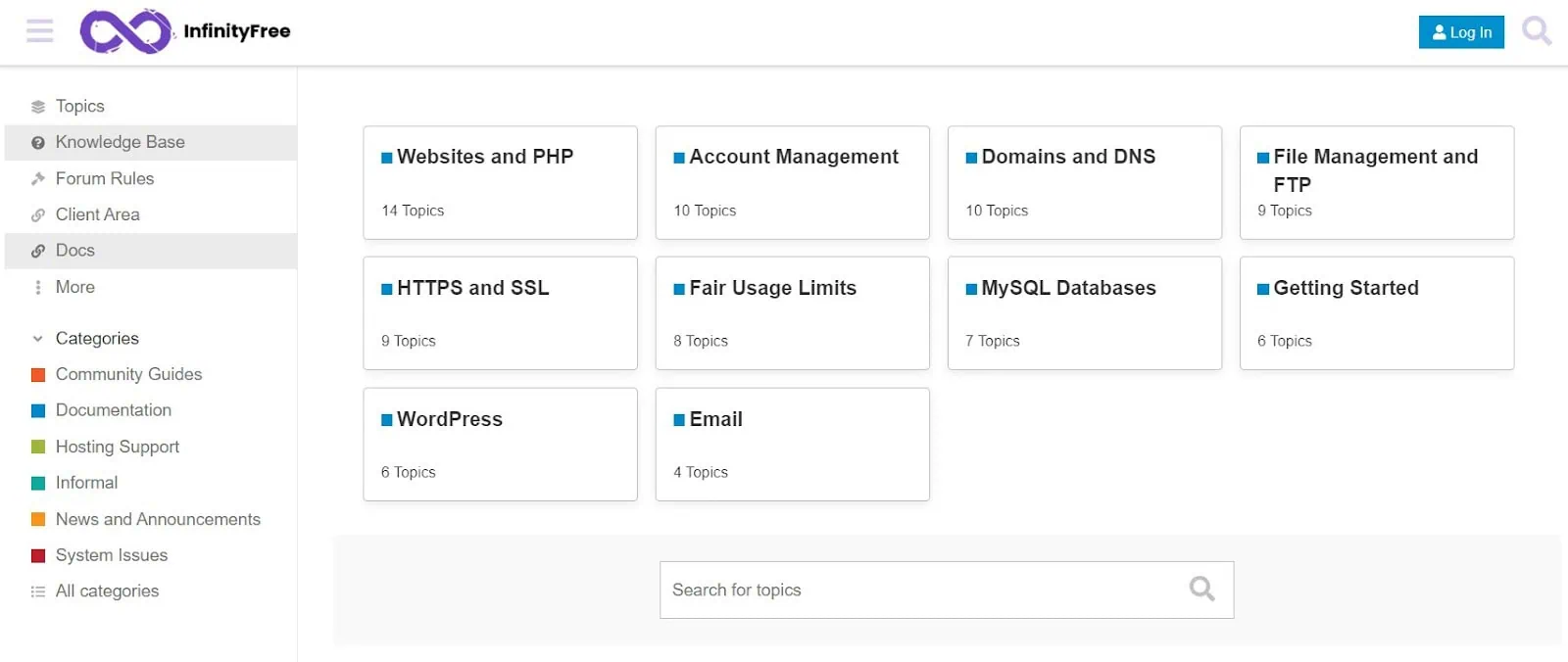
If you want to do up a quick test site, this is where you go. They give us access to a control panel (a VistaPanel/cPanel hybrid) that feels very familiar to the paid hosts I’ve used before. Installing WordPress takes about two minutes using the Softaculous app installer.
However, don’t let the “unlimited bandwidth” fool you. InfinityFree set a strict daily hit limit (around 30,000 to 50,000 hits). Every time an image or script loads on your page, that counts as a hit. If a single blog post gets a tiny bit of traction, your account gets suspended for 24 hours. So, it’s perfect for staging and testing, but terrible for actual traffic.
Key Features of the Free Plan:
- 5 GB of disk space
- “Unlimited” bandwidth (but capped daily HTTP requests)
- Free SSL certificates included
- Unlimited free subdomains (e.g., yourname.great-site.net)
Pros:
- Zero forced banner ads on your site.
- You don’t need to buy a domain name; their free subdomains work fine.
- Free SSL certificates (which many free hosts charge for).
Cons:
- Hard hit limits will cause your site to get suspended during traffic spikes.
- No email accounts provided.
- Zero live customer support (you have to rely on their community forum).
2. FreeHosting.com – Best for High Storage Needs
| Storage | 10 GB |
| Domain | Not Provided |
| Free Hosting Period | Lifetime |
| Ads | No |
Most free hosts give you a tiny fraction of a gigabyte. FreeHosting.com gives us 10 GB of disk space. That is a good storage, making it tempting if you want to upload a lot of media files or a heavy portfolio.
Our Experience & Analysis:
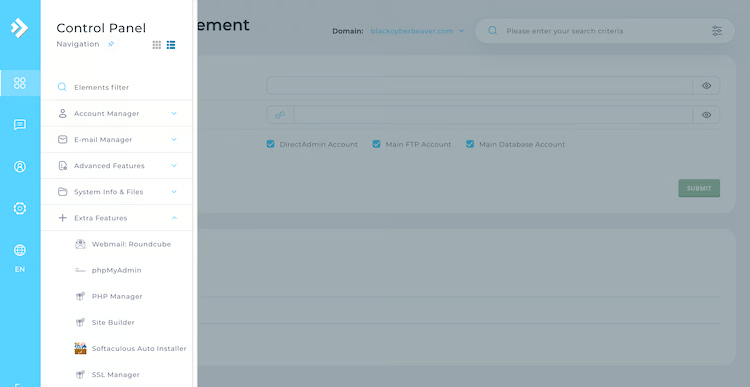
The backend uses DirectAdmin, which is clean and easy to navigate. But here is the major catch that frustrates a lot of beginners: they do not give you a free subdomain. To use FreeHosting.com, you must already own a registered domain name (like from Namecheap or GoDaddy) and point it to their servers.
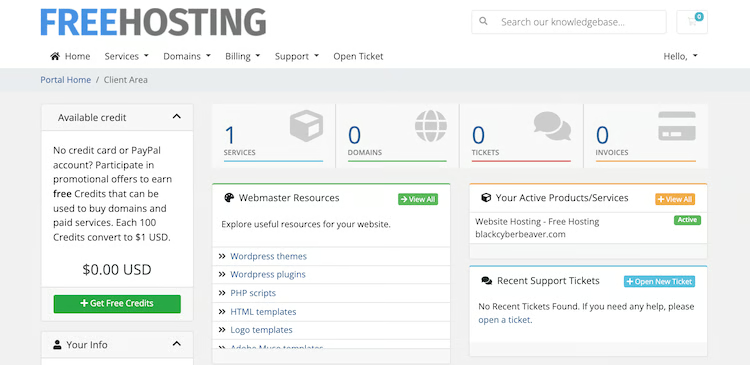
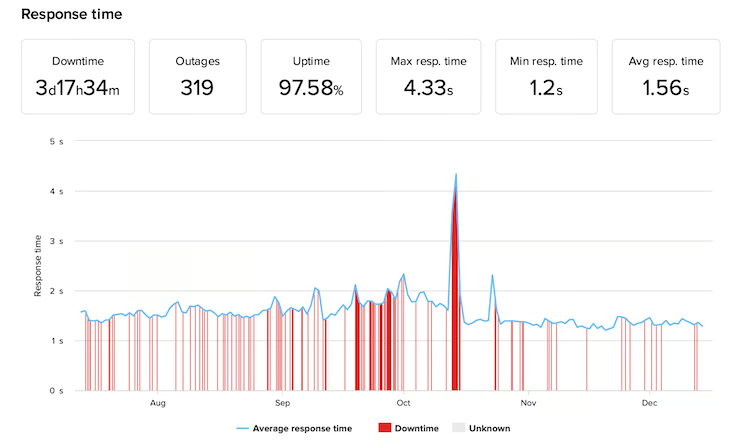
Performance-wise testing shows pretty poor uptime (averaging around 97.5% during long-term monitoring) and very slow server response times. It handles static HTML pages okay, but if you run a heavy WordPress theme, the server will struggle.
Key Features of the Free Plan:
- 10 GB of storage
- Unmetered bandwidth
- 1 Email account and 1 MySQL database
- DirectAdmin control panel
Pros:
- 10 GB is enough storage for almost any starter project.
- They actually give you a free professional email account (rare for free plans).
- No forced ads on your website.
Cons:
- You have to spend money buying your own domain name first.
- Uptime is highly unreliable.
- Free SSL is not included (you have to pay extra for it).
3. Freehostia – Best for Reliable Basic Hosting (With Email)
| Storage | 250 MB Only |
| Domain | Not Provided |
| Free Hosting Period | Lifetime |
| Ads | No |
Freehostia has been around for ages. They operate on a “cluster hosting” model, meaning your site’s load is distributed across multiple servers to keep things running smoothly. Their free tier is called the “Chocolate” plan.
Our Experience & Analysis:
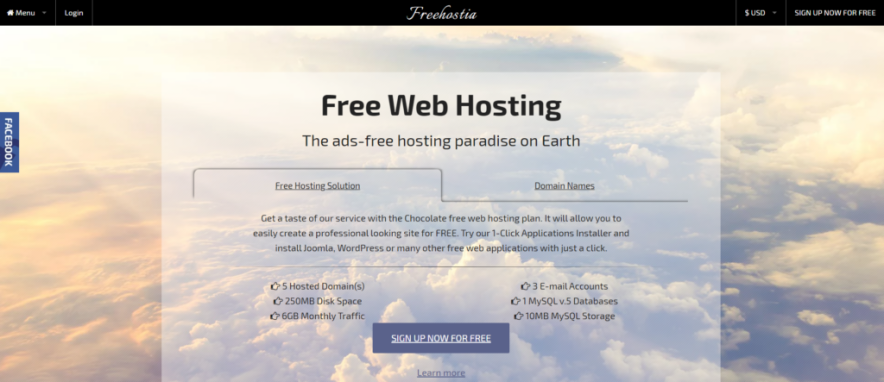
I really like Freehostia’s backend; it doesn’t feel as cheap or cluttered as other free platforms. The real standout here is that they provide 24/7 ticket support on a free plan, and they actually respond quickly.
The downside? The storage limit is laughably small. You get exactly 250 MB. To put that in perspective, a few high-quality smartphone photos and a basic WordPress install will completely max out your storage. It is strictly for minimal, text-heavy sites or pure HTML testing.
Key Features of the Free Plan:
- 250 MB storage
- 6 GB monthly bandwidth
- 3 Email accounts
- Pre-installed WordPress option
Pros:
- They give you 3 free email accounts.
- Ticket-based customer support is surprisingly responsive.
- No intrusive ads.
Cons:
- 250 MB storage is practically nothing in 2026.
- You have to buy and connect your own domain name.
- No free SSL certificate.
4. 50Webs – Best for Hosting Multiple Static Domains
| Storage | 500 MB |
| Domain | Not Provided |
| Free Hosting Period | Forever |
| Ads | No |
50Webs is a UK-based provider that has been operating since 2004. What makes them unique is that they allow you to host up to 10 different domains on a single free account.
Our Experience & Analysis:
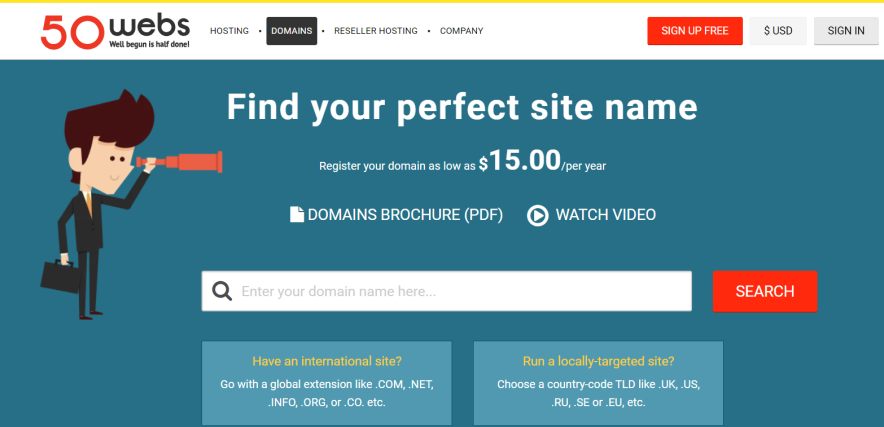
If you build static HTML websites and need a place to park a bunch of domains without paying monthly fees, 50Webs is a great choice. They don’t place banners or pop-ups on my site, keeping the frontend clean.
However, because the features are so basic, running modern CMS platforms like WordPress can feel clunky. You also have to bring your own domain names, as they don’t offer free subdomains.
Key Features of the Free Plan:
- 500 MB disk space
- 5 GB monthly traffic
- Host up to 10 domains
- 100 Email accounts (Yes, 100)
Pros:
- Ability to host up to 10 websites on one free account.
- Massive email allowance.
- No ads or banners.
Cons:
- No live chat support.
- Must purchase your own domains.
- Very outdated interface.
5. Wix Free Hosting – Best for Beginners
| Storage | 500 MB |
| Domain | Provided with wix address |
| Free Hosting Period | Forever |
| Ads | Yes |
Wix isn’t a traditional web host; it’s a drag-and-drop website builder that happens to host your site for free. If you don’t know what a server, cPanel, or FTP is, Wix is where you should start.
Our Experience & Analysis:
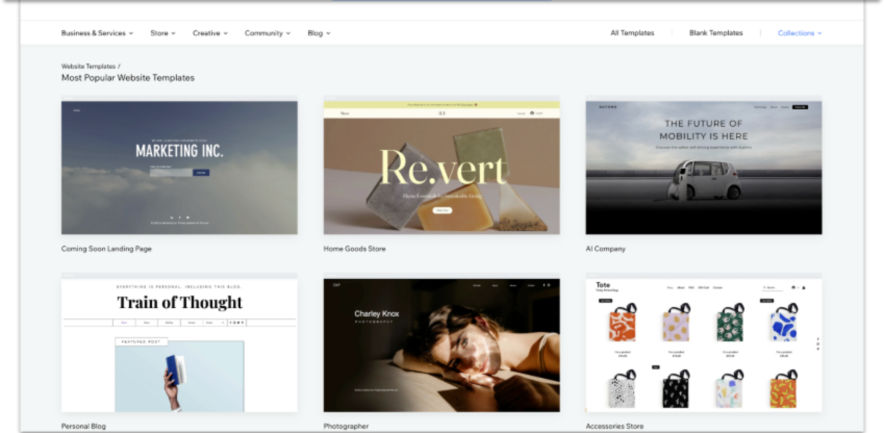
I’ve tested the Wix editor for a couple of days. Their design tools are smooth. You can have a beautiful, mobile-friendly website up in less than an hour without writing a single line of code. They handle all the security and backend maintenance for you.
But the restrictions on the free plan are painful. Wix slaps their own branding and ads at the top of your website. You also can’t use a custom domain—you are stuck with a URL that looks like [yourname.wixsite.com/mysite](https://yourname.wixsite.com/mysite). I think once you get used to Wix, then you can switch to the paid plans.
Among all free web hosts, Wix is the trusted one because it is a well known CMS like WordPress. You can create a professional site of any type here.
Key Features of the Free Plan:
- 500 MB storage
- 500 MB bandwidth
- Access to the drag-and-drop builder and templates
- Fully managed security
Pros:
- The easiest way to build a good-looking site quickly.
- Zero technical maintenance required.
- Beautiful, modern templates.
Cons:
- Forced Wix ads on your live website.
- You cannot use a custom domain name.
- You can’t migrate your site to another host later (you are locked into Wix).
The Smart Free Web Hosting Alternative: Hostinger (Affordable Web Hosting)
If you want to avoid the headaches of free web hosts like i mentioned in the introduction, then this alternative host is for you.
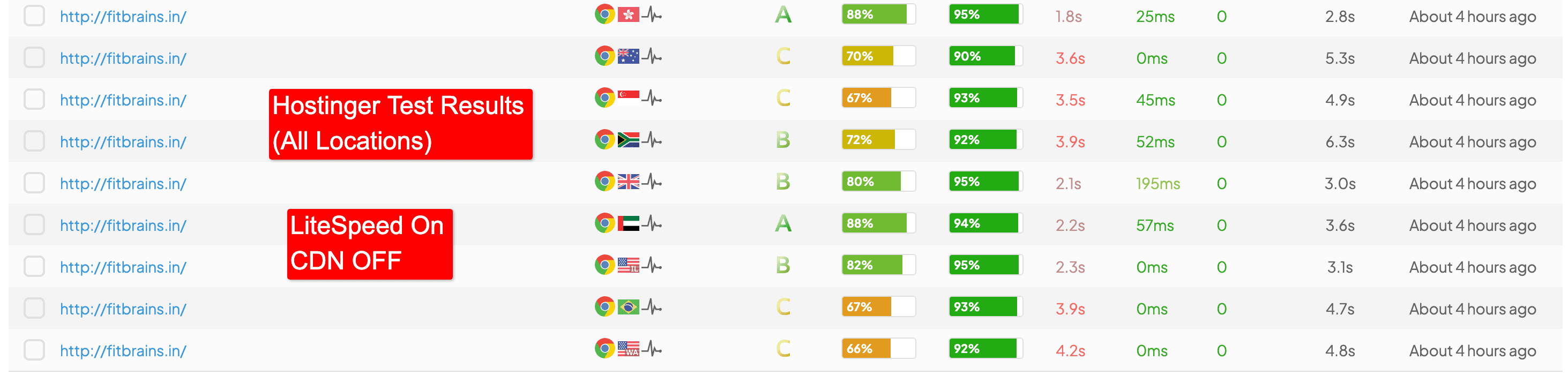
After actively testing and using Hostinger on live projects for over 5 years (2021–2026), I can say it is the best budget host for newcomers who want strong site performance.
Instead of paying $0 with free hosts and dealing with problems, you pay around $2.49 to $2.99 per month for their Premium Shared plan and get good reliability.
Why Hostinger Beats Free Hosting:
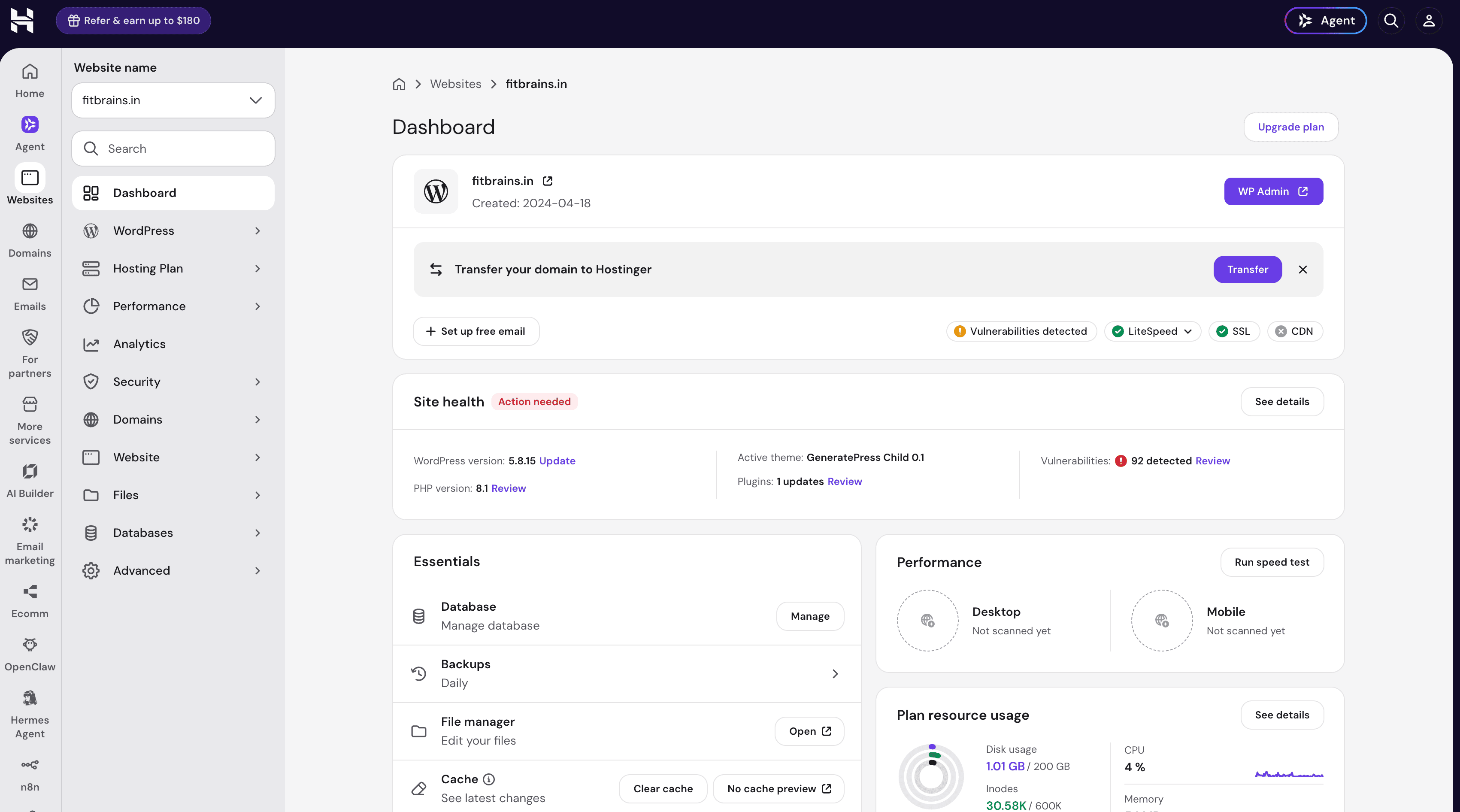
- Distraction-Free hPanel: Hostinger custom hPanel is clean and ad-free. Routine maintenance, like 1-click WordPress deployments or taking backups, takes seconds.
- Real Uptime & Speed: Over our last 12 months of live tracking, Hostinger servers consistently hit their 99.9% uptime guarantee. Plus, they use LiteSpeed web servers. When we enabled the free LiteSpeed Cache plugin, our test site loaded in a blazing 1.8 seconds.
- 24/7 Real Human Support: When your site breaks on a free host, you are on your own. With Hostinger, you get 24/7 live chat support. In my testing, their support agents (like Ignas) responded in under a minute and patient with technical DNS and security issues.
- Everything Included: You get a free domain name for the first year, free unlimited SSL certificates, and 100 professional email accounts.
Pros:
- Value for money (starts under $3/month).
- Free domain name and unlimited SSL included.
- LiteSpeed servers handle traffic spikes without suspending your account.
- Clean and ad-free digital workflow.
Cons:
- Customer support is strictly via Live Chat and Email (no phone support).
- Heavy backend developer scripts can still hit CPU limits on the shared plans.
Final Verdict
If you are a student learning HTML or a developer testing a quick prototype, go ahead and use InfinityFree or Cloudflare Pages. They will serve your temporary needs perfectly.
But if you are building a personal brand, Free hosting is a trap. The forced ads, slow speeds, and lack of support will cost you more in lost traffic and frustration than you save in hosting fees. Skip the free tier, invest the cost of a cup of coffee per month into beginner web hosting, and build your website on a ad-free foundation.
Frequently Asked Questions (FAQs)
What is the difference between free web hosting and cheap hosting?
The main difference is ownership and resources. Free web hosts force ads and restrict your storage on your site. Cheap hosting gives you full control, a free domain, and good customer support for a few $ a month.
Can I host an online store on free web hosting?
No. eCommerce sites require robust security (SSL), PCI compliance for payments, and fast server response times to prevent cart abandonment.
Are there free lifetime hosting options?
Yes, companies like InfinityFree and 50Webs offer “forever free” plans. However, these plans come with strict limitations on daily traffic and storage. If your website grows, you will inevitably be forced to upgrade to a paid plan.
Can I get a free domain with free hosting?
No. Most free host give you a subdomain (like site.provider.com). To get a .com, you usually have to buy it from a registrar like Namecheap for about $10 to $12 a year.
![List of 9 Best First Month Free Hosting Providers [No Credit Card Required] – Reviewed](https://bloggerspassion.com/wp-content/uploads/2019/10/Free-Hosting-300x157.jpg.webp)

![15 Best Web Hosting Deals & Offers of Nov 2026 for All Kinds of Budgets [Up to 90% OFF]](https://bloggerspassion.com/wp-content/uploads/2021/10/best-web-hosting-deals-300x157.jpg)

![6 Best Web Hosting For Beginners In 2026 [A Handpicked List]](https://bloggerspassion.com/wp-content/uploads/2019/12/best-web-hosting-for-wordpress-300x157.jpg.webp)


That's true. If you are serious about blogging, you should go for self hosted blog or website.