


If you’re trying to choose between GeneratePress and Divi, you’ve probably already read a few comparison articles.
And they all seem to follow the same formula.
One article says GeneratePress is faster.
Another says Divi has more templates.
Someone else compares pricing.
And then they declare a winner.
The problem?
Those comparisons only tell part of the story.
So instead of creating another generic comparison, I decided to approach this differently.
I didn’t focus on features and marketing claims. I wanted to find out which theme performs better when you’re running a real website.

Quick Verdict (For Busy Readers)
Don’t have time to read the full comparison?
Here’s the short version.
| Best For | Winner |
|---|---|
| Bloggers | GeneratePress |
| Affiliate Sites | GeneratePress |
| Agencies | Divi |
| Design Freedom | Divi |
| Long-Term Value | GeneratePress |
My Overall Recommendation
If you are building a content-focused website, GeneratePress is the better long-term choice. It offers a cleaner workflow, lower maintenance overhead, better migration flexibility, and a more efficient content publishing experience.
However, if your priority is visual design, client work, landing pages, or maximum creative freedom, Divi remains one of the most powerful website-building ecosystems available today.
Now let’s dive into the testing process and see exactly how both themes performed in real-world scenarios.
| Category | GeneratePress | Divi |
|---|---|---|
| Ease of Use | 9/10 | 8/10 |
| Build Speed | 8.5/10 | 9/10 |
| Publishing Workflow | 9.1/10 | 7.4/10 |
| Plugin Requirements | 8.1/10 | 8.4/10 |
| Long-Term Cost | 9/10 | 7.5/10 |
| Migration Flexibility | 9.3/10 | 6.1/10 |
| Design Freedom | 8/10 | 10/10 |
| Performance Potential | 9.5/10 | 8/10 |
| Content Website Suitability | 9.5/10 | 7.5/10 |
| Agency Suitability | 7.5/10 | 9.5/10 |
| Overall Score | 8.9/10 | 8.2/10 |
Try GeneratePress or Read Full Review
How We Tested GeneratePress and Divi
If you were starting a new website today and planned to grow it over the next 3 to 5 years, which theme would actually make your life easier?
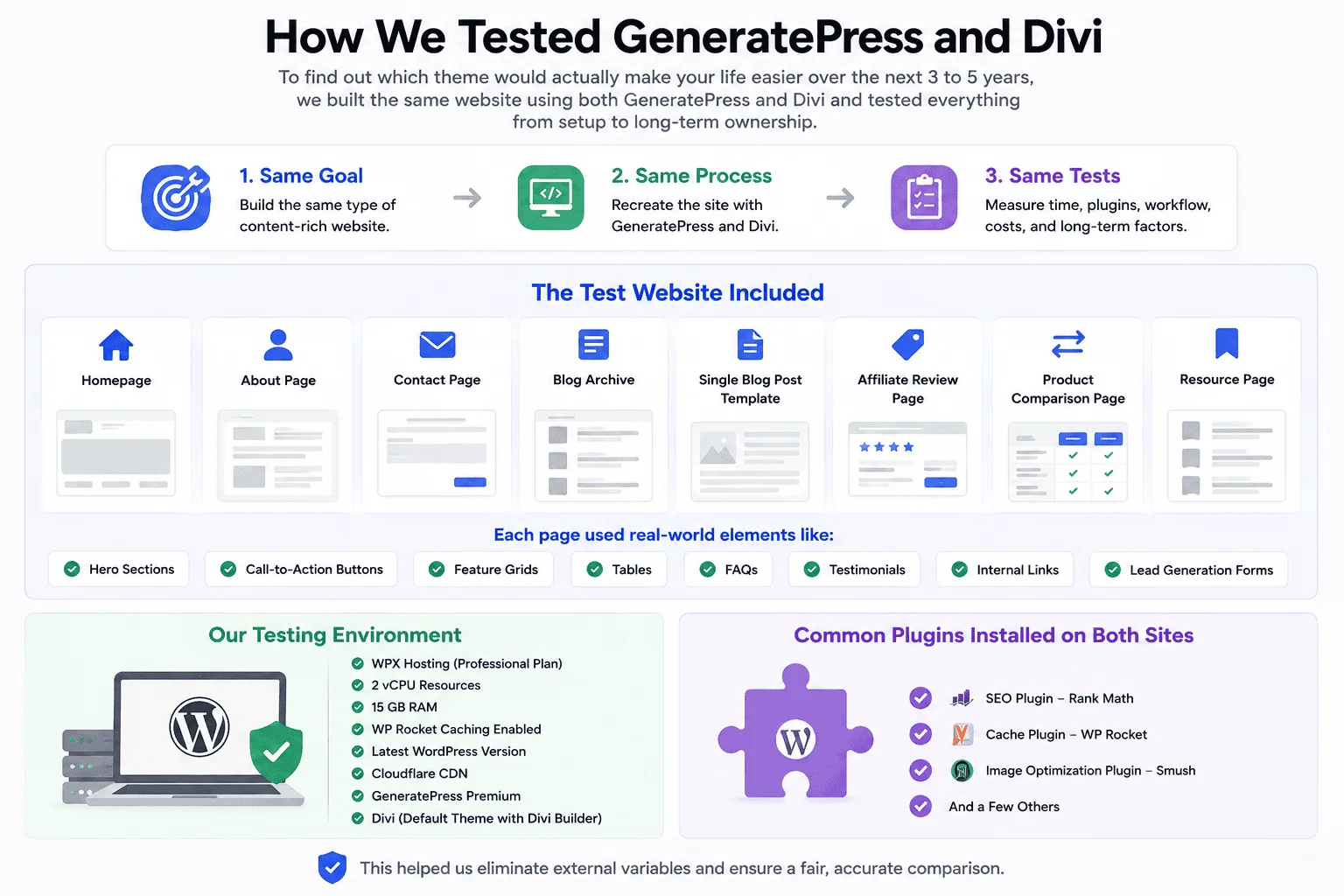
To find out, I built the same website using both GeneratePress and Divi and documented everything from setup time and publishing workflows to plugin requirements and long-term ownership costs.
Here’s exactly how the comparison was conducted.
The test website included:
- Homepage
- About page
- Contact page
- Blog archive page
- Single blog post template
- Affiliate review page
- Product comparison page
- Resource page
Each page was designed to include the type of elements that modern websites use, such as:
- Hero sections
- Call-to-action buttons
- Feature grids
- Tables
- FAQs
- Testimonials
- Internal links
- Lead generation forms
Our Testing Environment
Both websites were tested under identical conditions. This is how we play fair.
My Setup:
- WPX Hosting (Professional Plan)
- 2 vCPU resources
- 15 GB RAM
- Caching Enabled By WP Rocket
- Latest WordPress version
- Cloudflare CDN
- GeneratePress premium
- Divi Default theme with the website builder
Common Plugins Installed on Both Sites:
- SEO plugin – RankMath
- Cache plugin – WP Rocket
- Image optimization plugin – Smush
- And few rest
This helped eliminate external variables that could influence the results.
GeneratePress vs Divi: Which One Was Easier to Build a Website With?
The first challenge was simple.
Could we build the exact same website using GeneratePress and Divi without taking shortcuts?
Here’s what happened.
Building the Homepage
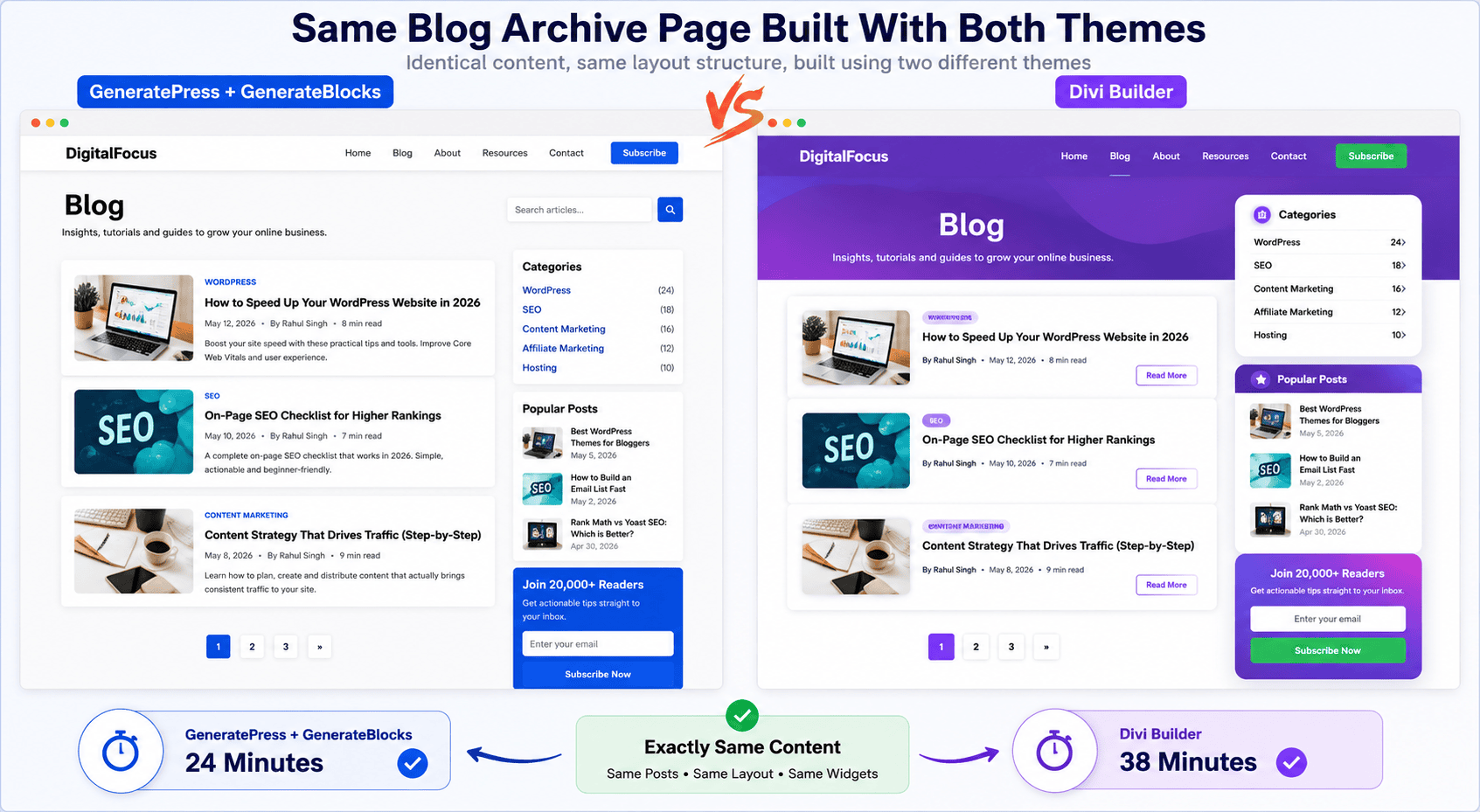
For this test, the homepage included:
- Hero section
- Call-to-action buttons
- Feature grid
- Testimonials
- FAQ section
- Email opt-in form
GeneratePress:
Using GeneratePress with GenerateBlocks, the homepage took approximately 42 minutes to complete.
To be honest, the workflow felt structured. Every section had to be built block by block which required more planning but also provided precise control over spacing and layout.
- Time required: 42 minutes
- Ease of customization: 8.5/10
One thing I liked about GeneratePress was how clean everything felt. There were very few distractions. Once a layout pattern was created then it was easy to reuse throughout the site.
Divi:
Building the same homepage with Divi took approximately 31 minutes.
Divi’s visual builder made it much faster to create sections and experiment with layouts. Instead of assembling blocks manually, most elements could be added and styled directly from the front end.
- Time required: 31 minutes
- Ease of customization: 9/10
For creating a homepage, Divi clearly felt faster. The drag-and-drop interface reduces a lot of repetitive work when we create multi-column layouts and styling elements.
Building the Blog Layout:
This included:
- Single post template
- Blog archive page
- Category pages
- Sidebar setup
- Author box placement
- Related content areas
GeneratePress:
This is where GeneratePress started to show its real value. The theme is built around content publishing so customizing blog templates felt very efficient.
By using the Elements module and layout controls, it seems easy to adjust sidebar positions and create custom post layouts.
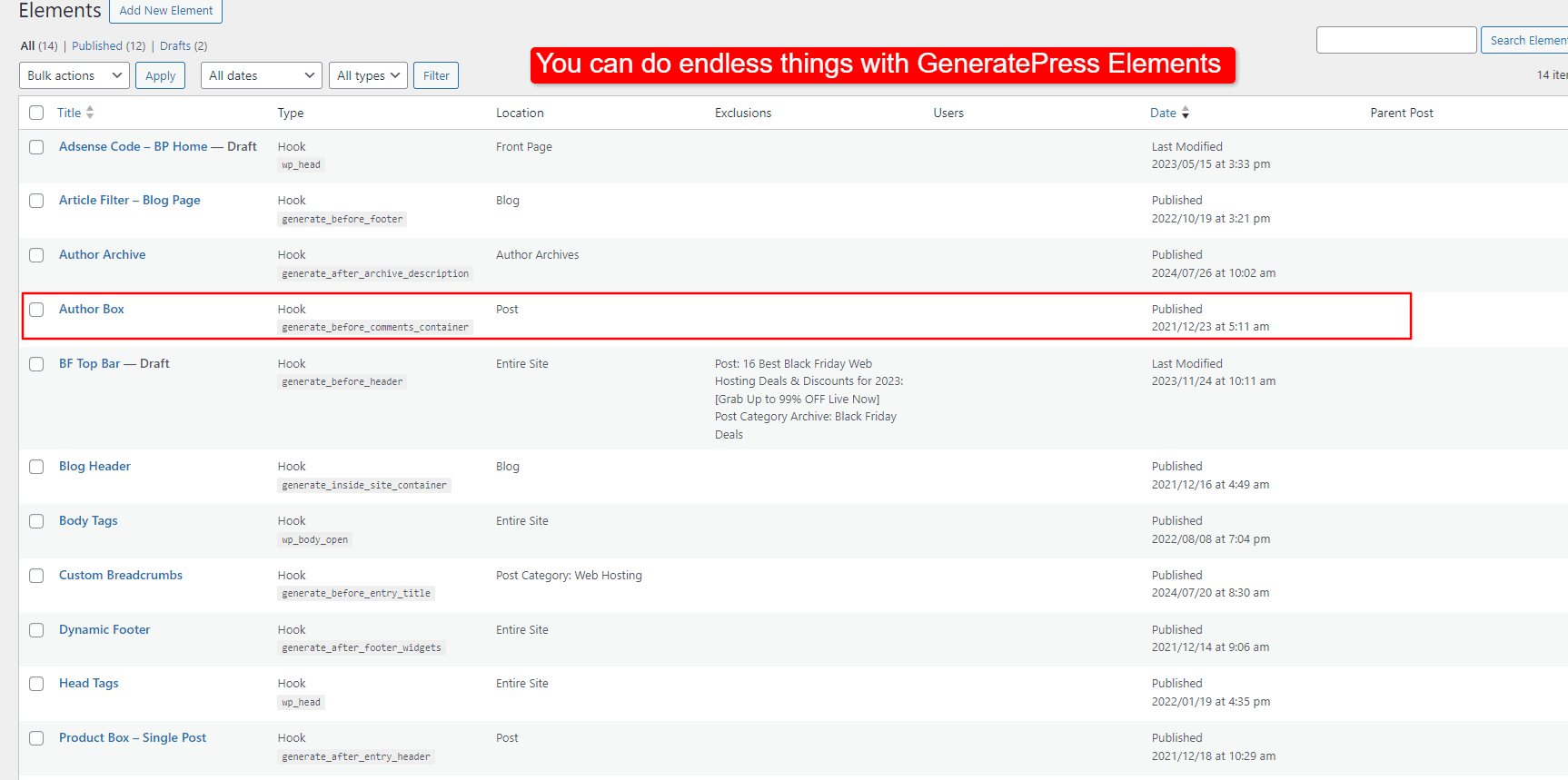
The entire blog structure took around 24 minutes to configure.
Divi:
Divi offers powerful template-building options through its Theme Builder. The flexibility is nice but the setup process felt more involved.
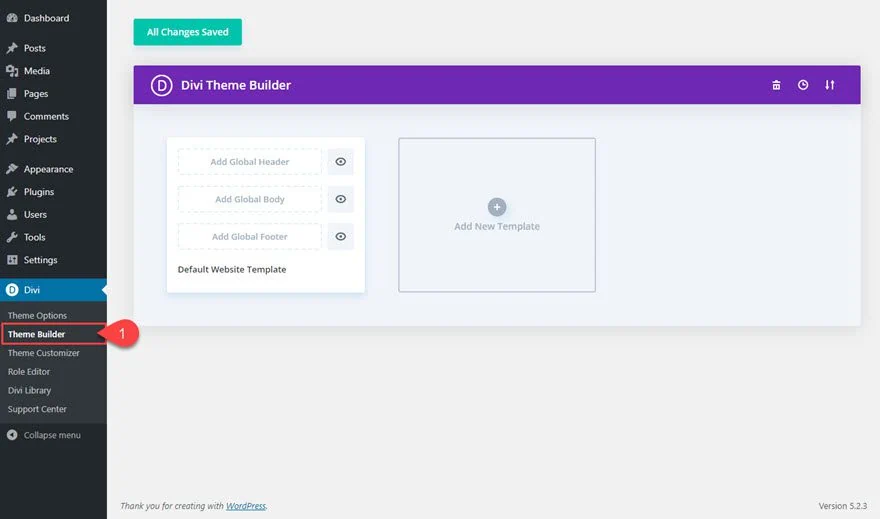
Even simple changes often required opening the visual builder, editing a template, saving changes, and previewing the results.
The final result looked great but the process took roughly 38 minutes.
Overall, GeneratePress felt more natural for content-focused websites. The settings were easier to locate and there were fewer moving parts involved.
Creating Mobile-Friendly Designs:
Responsiveness was a major part of this test because more than half of website visitors come from mobile devices.
GeneratePress:
GeneratePress inherited many responsive behaviors automatically. Most sections adjusted correctly without requiring additional work. I see, There are only few manual changes were needed for:
- Button spacing
- Column stacking
- Mobile padding
Divi:
Divi provides extensive responsive controls. Almost every setting can be adjusted separately for:
- Desktop
- Tablet
- Mobile
This level of control is excellent but it also means more decisions. In several cases, elements that looked perfect on the desktop required additional adjustments for smaller screens.
Overall, GeneratePress required fewer adjustments. Divi offered more control for multiple screen adjustments.
How Much Time Did Each Theme Take?
Here’s a summary of the build test.
| Task | GeneratePress | Divi |
|---|---|---|
| Homepage | 42 Minutes | 31 Minutes |
| Blog Layout | 24 Minutes | 38 Minutes |
| Mobile Optimization | 12 Minutes | 21 Minutes |
| Total Build Time | 78 Minutes | 90 Minutes |
At first glance, Divi appeared faster because of its visual builder. However, once blog templates and mobile adjustments were included, GeneratePress required less total time to complete the entire website.
Which Theme Felt Easier to Work With?
This is what I think after spending several hours building both versions of the website.
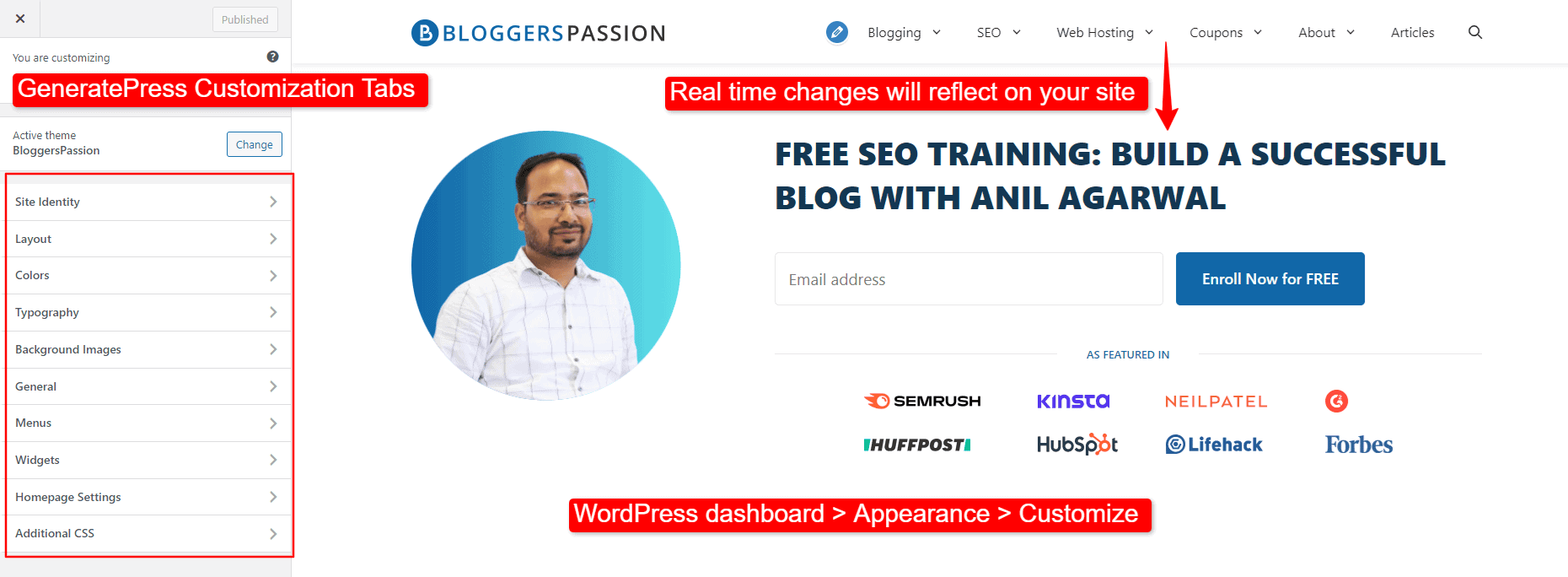
What I Liked About GeneratePress:
- Yes, there is a clean interface
- Getting used to with GP modules is much faster then i expected
- Logical settings structure
- Less troubleshooting
- It is easy to maintain consistency across pages
The experience felt similar to using WordPress the way it was originally intended.
What I Liked About Divi:
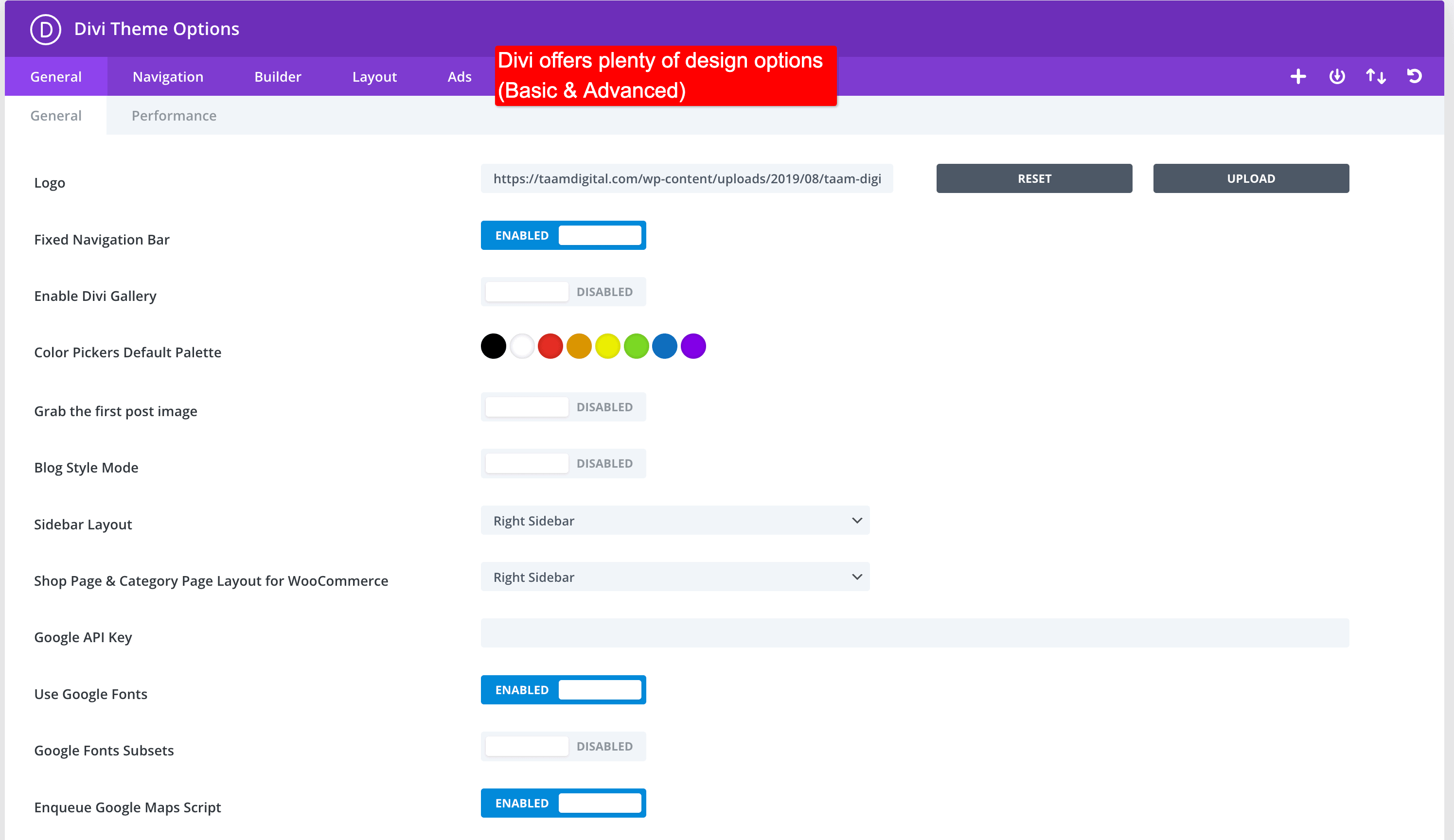
- Faster homepage creation
- Excellent visual editing experience
- Huge design flexibility
- Easier for creating unique layouts
If your focus is design, Divi gives you significantly more creative freedom.
Biggest Frustration With GeneratePress:
You know what? With GeneratePress, sometimes creating complex layouts required more planning. Beginners may initially feel limited until they become comfortable with blocks and containers.
Biggest Frustration With Divi:
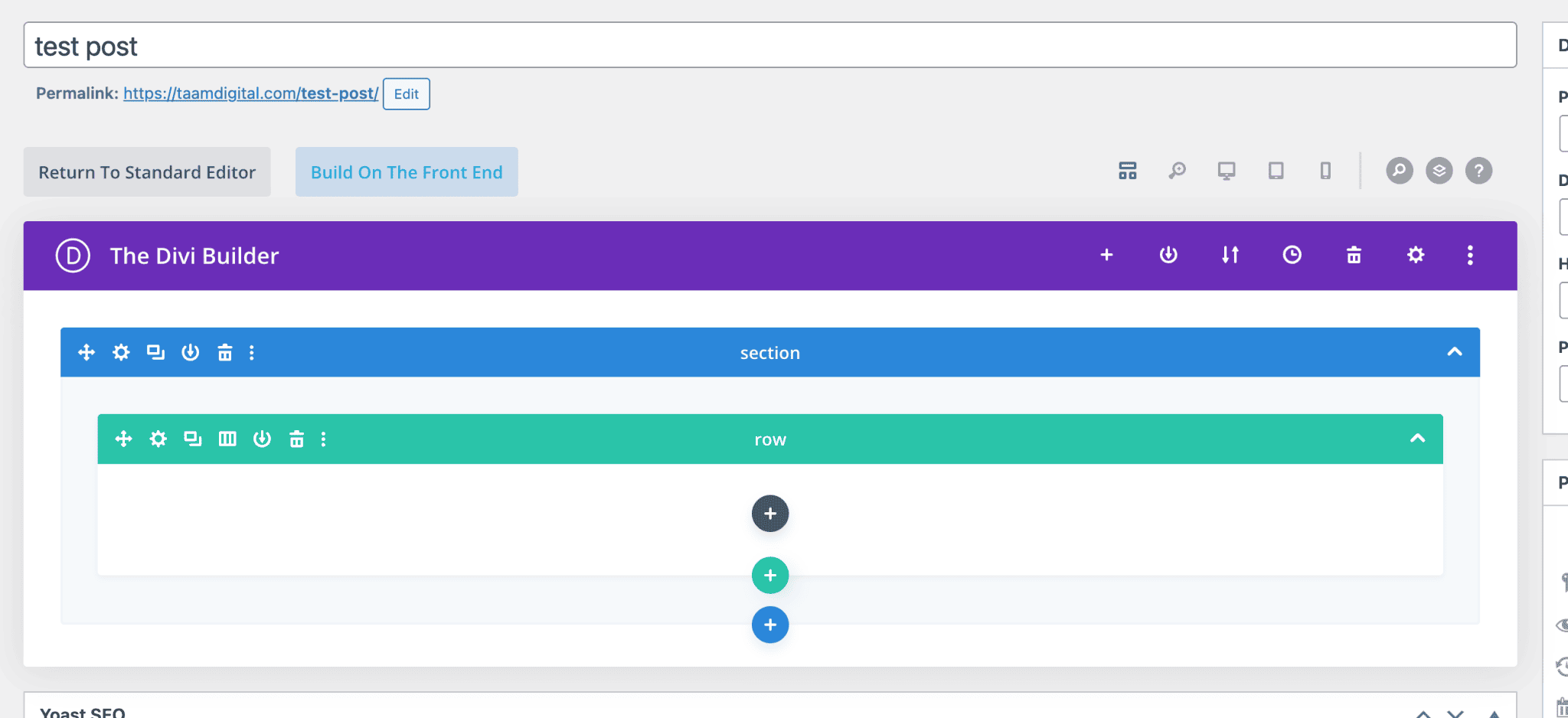
Trust me, the number of settings can be overwhelming. At times, I found myself digging through multiple panels just to locate a single styling option.
Learning Curve Comparison:
| Factor | GeneratePress | Divi |
|---|---|---|
| Beginner Friendliness | 9/10 | 7.5/10 |
| Design Flexibility | 8/10 | 10/10 |
| Content Website Workflow | 9.5/10 | 8/10 |
| Overall Simplicity | 9/10 | 7/10 |
Which One Helps You Publish Content Faster?
Which theme among Divi and GP helps you publish content faster on a consistent basis? This is what we are going to see in this section.
For this test, I created the type of article commonly found on affiliate marketing and product review websites.
The page included:
- Hero section
- Pros and cons box
- Comparison table
- Call-to-action section
- FAQ section
GeneratePress:
Using GeneratePress and GenerateBlocks, the process felt very streamlined. Everything happened inside the WordPress editor, so there was no need to switch between multiple interfaces.
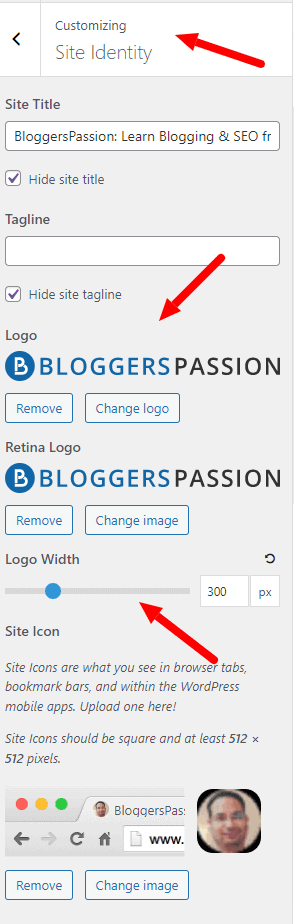
And yes, Reusable patterns made a huge difference. After creating the first section, it became easy to duplicate and modify the remaining sections.
Most of the time was spent creating the initial structure. Once the layout was in place, content production felt fast and predictable.
Divi:
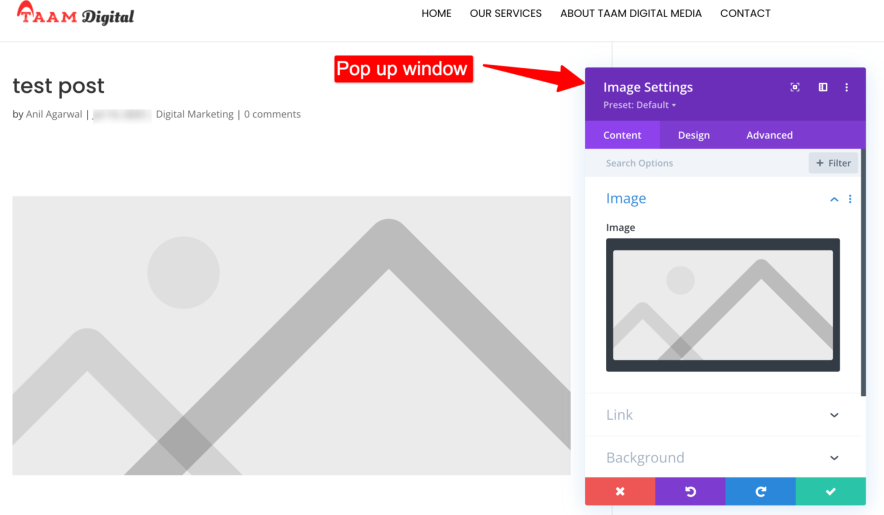
Divi’s visual builder is developed to design attractive sections easily. However, the process involved more design decisions.
I found myself adjusting spacing, fonts, margins, and styling more frequently than I did with GeneratePress. That flexibility is great for designers but can slow down publishing when you’re creating content regularly.
After working with both themes, one thing became obvious.
GeneratePress feels like a publishing platform. And, Divi feels like a design platform. That’s not a criticism of either theme. They’re simply optimized for different priorities.
GeneratePress stays close to the native WordPress experience. So the advantages you get is:
- Faster content editing
- Less interface switching
- Easier bulk updates
- More predictable workflow
Divi workflow is different and it offers a complete visual editing experience.
The advantages you get:
- Comparatively better visual control
- Easy page customization
- Design flexibility
- Advanced front end editing
If your content strategy depends heavily on landing pages and custom designs, Divi’s workflow can be powerful. For pure content publishing, it often feels like you’re carrying extra design tools you don’t always need.
Divi vs GeneratePress: Which Theme Needs More Extra Plugins?
How many extra plugins do you actually need to build a modern website with GeneratePress and Divi?
This is something we never check when purchasing any theme, right?
Let’s be realistic.
A website in 2026 needs much more than a homepage and blog posts. You’ll probably need the following functionality:
- Contact forms
- Email opt-in forms
- Popups
- Testimonials
- Comparison tables
- FAQ schema
- Table of contents (TOC)
- Related posts
- Breadcrumbs
- Call-to-action sections
- Social sharing buttons
GeneratePress follows a lightweight philosophy. It does a few things exceptionally well and relies on specialized plugins for additional functionality.
Divi takes a different approach. Many design-related features are already built into their ecosystem which reduces the need for certain third-party plugins.
Here’s what the setup looked like during testing.
| Feature | GeneratePress | Divi |
|---|---|---|
| Forms | WPForms Lite | Built-in Contact Form Module |
| Popups | Popup Maker | Divi Popup Extension / Built-in Layout Trigger |
| Tables | TablePress | TablePress |
| Testimonials | GenerateBlocks Pattern | Built-in Testimonial Module |
| FAQ Schema | Rank Math | Rank Math |
| TOC | Easy Table of Contents | Easy Table of Contents |
| Related Posts | Related Posts Plugin | Related Posts Plugin |
| Breadcrumbs | Rank Math | Rank Math |
At first glance, Divi appears to require fewer plugins. And in some situations, that’s true.
Features like testimonials, contact forms, and visual design elements are already included inside the Divi ecosystem.
GeneratePress depends more heavily on external plugins and blocks to achieve the same functionality.
Which Theme Creates Less Maintenance Work?
With GeneratePress, each plugin typically has one job.
For example:
- Rank Math handles SEO
- WPForms handles forms
- Popup Maker handles popups
The advantage is flexibility. If you don’t like a plugin, you can replace it without affecting the rest of your website.
The downside is obvious. You end up managing more plugins.
During our test setup, GeneratePress required approximately:
- 8 essential plugins
- 6 different vendors
Our Divi setup required approximately:
- 5 essential plugins
- 4 different vendors
But there’s another side to the story.
When more functionality comes from a single ecosystem, you’re more dependent on that ecosystem. If something breaks, changes, or becomes incompatible then a lot of areas of your website can be affected at once.
Overall, If your goal is minimizing the number of plugins you install, then Divi comes out ahead.
The built-in modules reduce the need for several third-party plugins and simplify website setup.
However, if you value flexibility and the ability to swap components without affecting the entire website then GeneratePress offers a more practical approach.
Which One Costs Less Over the Next 5 Years?
Most people compare theme pricing by looking at a single number.
GeneratePress costs this much. Divi costs that much.
Case closed.
Unfortunately, that’s not how website ownership works. What really matters is the total cost of running your website over the next several years.
That includes at least:
- Theme costs
- Plugin costs
- Renewals
- Maintenance
- Content production time
- Troubleshooting
- Design updates
In this section, I wanted to answer a question that most comparisons completely ignore:
Which theme will cost less to own over the next five years?
The results were more interesting than I expected.
Initial Costs:
Let’s start with the upfront investment.
To make the comparison realistic, I assumed the website owner wants a professional setup with all the functionality discussed earlier. I am talking about forms, tables, FAQs, and lead generation elements.
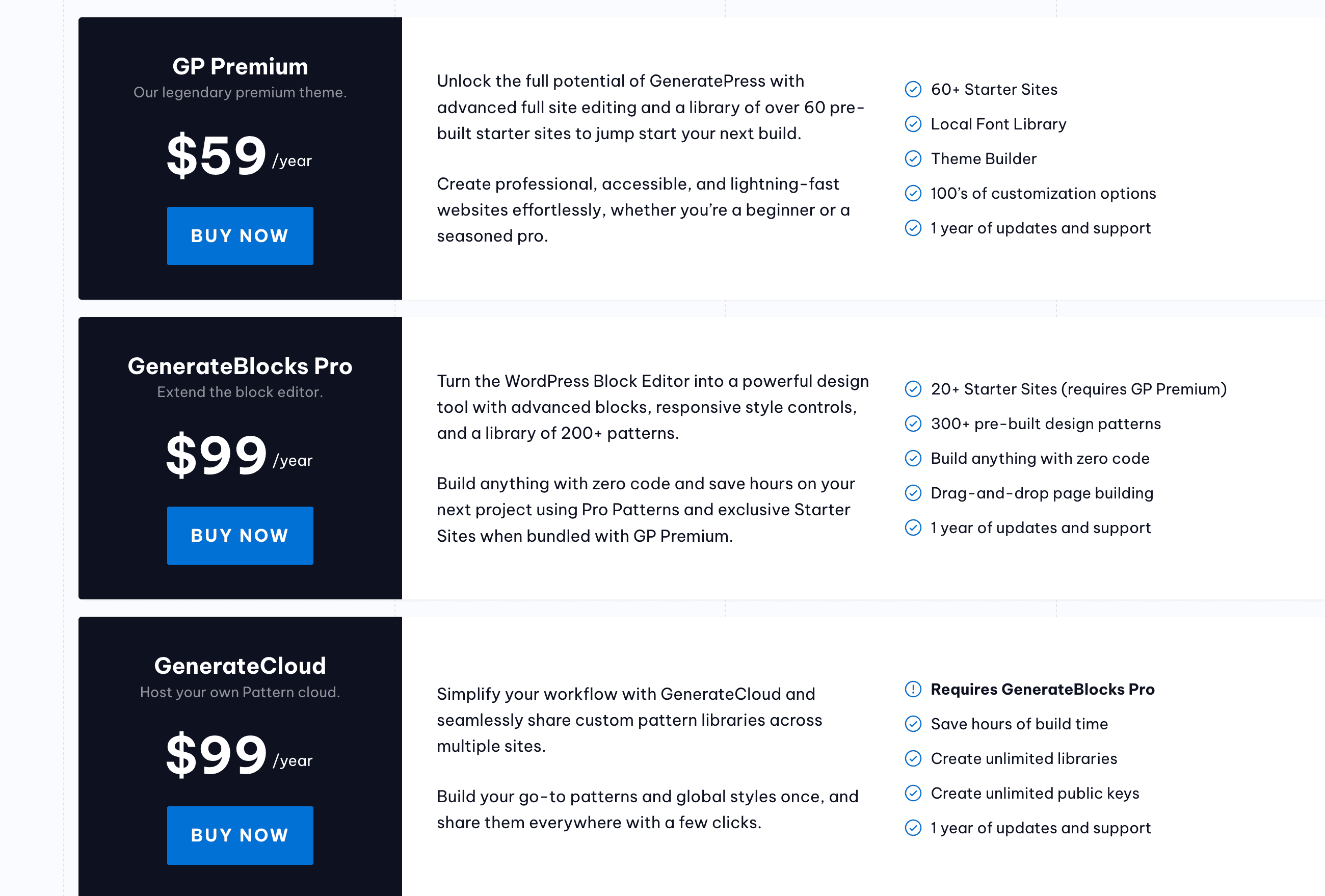
A GeneratePress setup usually includes:
- GeneratePress Premium
- GenerateBlocks Pro (optional but highly recommended)
- Other plugins
Estimated first-year cost:
| Item | Cost |
|---|---|
| GeneratePress Premium | $59 |
| GenerateBlocks Pro | $99 |
| Additional Premium Plugins | $50 |
| Total Initial Cost | $208 |
Divi includes more built-in functionality hence you can reduce the cost of some extra third party plugins.
| Item | Cost |
|---|---|
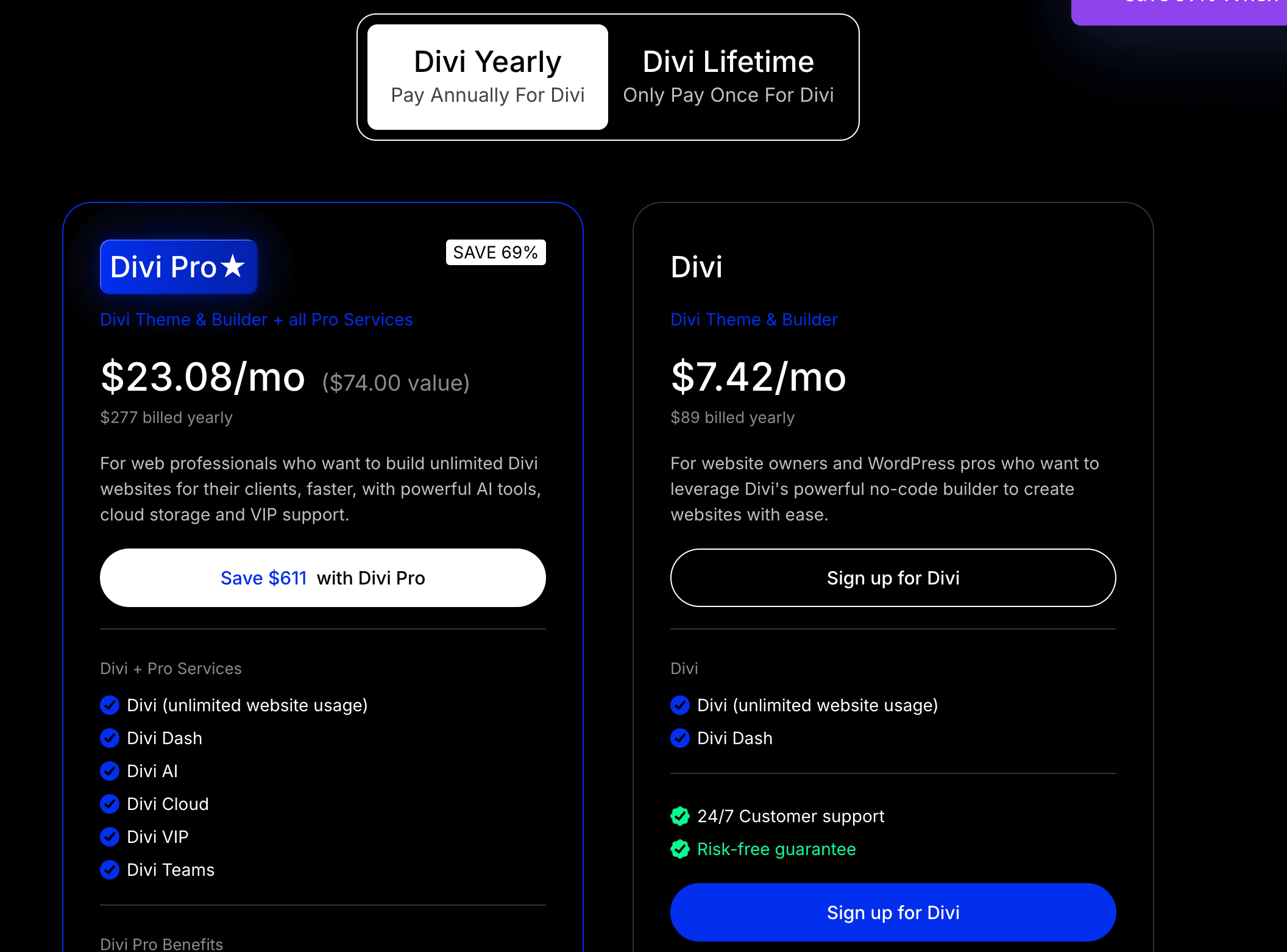
| Divi Subscription | $89 |
| Additional Premium Plugins | $40 |
| Total Initial Cost | $129 |
At first glance, Divi looks cheaper. And for many users, that’s true during the first year.
Annual Renewal Costs:
The first year is rarely the expensive part. The real costs start showing up after that.
The total annual renewal estimate of GeneratePress is: $208
- GeneratePress: $59
- GenerateBlocks: $99
- Premium plugins: $50
A Divi user will renew:
- Divi license: $89
- Additional premium plugins: $40
Total annual renewal estimate: $129
Again, Divi appears cheaper on paper.
What Happens If You Decide to Leave GeneratePress or Divi Later?
You may:
- Redesign your website
- Rebrand your business
- Switch page builders
- Hire a new developer
- Move to a completely different WordPress setup
How difficult will it be to move away from your current theme?
In the beginning, it’s easy to assume you’ll use the same theme forever. In reality, websites evolve.
A blogger may start with a simple content site and later want a custom design. The problem is that not all themes are equally easy to leave. Some themes keep your content relatively independent.
Others create stronger dependencies between your content and the design system.
The more dependent your content becomes on a theme-specific ecosystem, the more expensive future migrations can become.
That’s why I decided to test what happens when GeneratePress and Divi are removed from an existing website.
What Happened When We Removed GeneratePress?
The GeneratePress migration test was surprisingly uneventful. After activating a different WordPress theme, most content remained intact.
The blog posts, pages, images, headings, and core content structure were preserved.
This isn’t surprising because GeneratePress follows WordPress standards closely and relies heavily on the native block editor.
What Happened When We Removed Divi?
The Divi test produced very different results.
To be fair, Divi has improved significantly over the years, and newer versions are much cleaner than the shortcode-heavy versions many users remember.
However, Divi still relies heavily on its own design ecosystem.
Once Divi was removed, the content remained available, but many page layouts lost their structure.
Several custom sections needed manual reconstruction.
What We Loved About GeneratePress
GeneratePress impressed me in ways that don’t show up in marketing brochures.
1. It Stays Out of Your Way
One of the biggest strengths of GeneratePress is that it rarely gets in the way.
I wasn’t constantly adjusting settings and fixing layouts. The workflow of this theme felt clean and predictable.
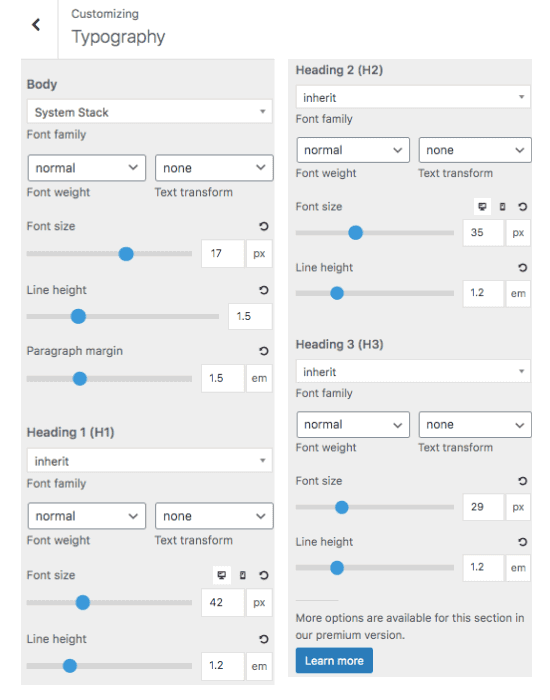
That may not sound exciting, but after publishing hundreds of articles, simplicity becomes a huge advantage.
2. It Works Naturally With WordPress
GeneratePress feels like an extension of WordPress rather than a replacement for it.
Everything from content editing to template customization follows familiar WordPress workflows.
As WordPress continues moving toward blocks and full-site editing, this alignment becomes increasingly valuable.
3. Content Publishing Is Faster
This was probably the biggest surprise from the entire study. The difference isn’t dramatic when you’re publishing one article.
But when you’re managing dozens or hundreds of posts, GeneratePress consistently saves time.
And over several years, those small savings matter a lot.
4. Lower Long-Term Risk
GeneratePress gave me confidence that I could redesign, migrate, or evolve the website in the future without creating unnecessary headaches.
That flexibility is difficult to appreciate until you’ve gone through a major website migration.
What We Loved About Divi
To be fair, Divi did several things exceptionally well.
In some categories, it clearly outperformed GeneratePress.
1. Homepage Creation Is Incredibly Fast
If your goal is building attractive pages quickly, Divi is genuinely impressive.
The Divi builder allows you to see changes instantly. It makes the design process feel much more intuitive.
For non-technical users, this can be a major advantage.
2. The Design Freedom Is Outstanding
GeneratePress prioritizes simplicity.
Divi prioritizes creativity.
If you enjoy experimenting with layouts, animations, effects, and advanced page designs, Divi gives you far more freedom out of the box.
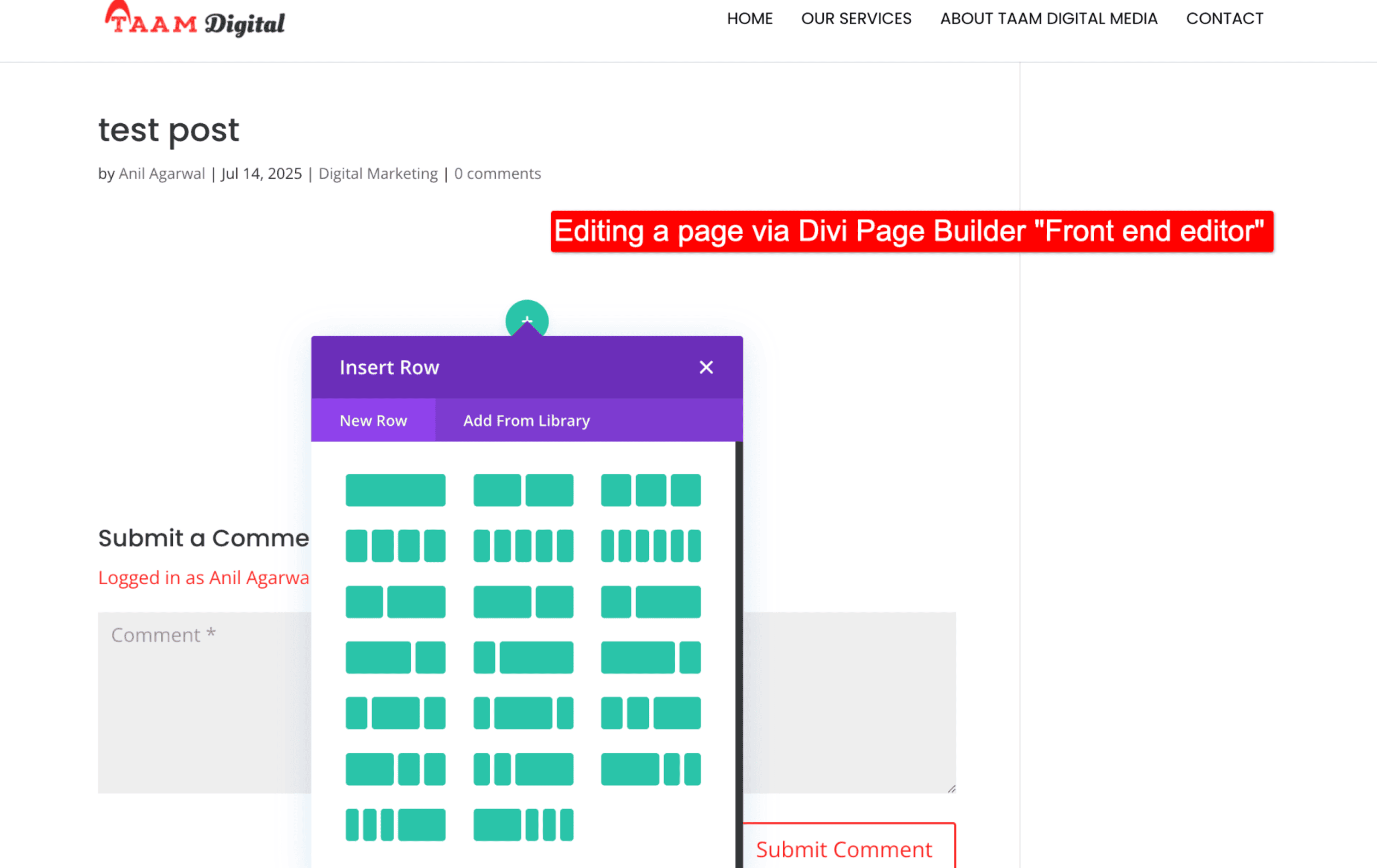
There were several moments during testing when I could create something visually impressive in Divi much faster than I could with GeneratePress.
3. Fewer Additional Tools Are Required
Divi’s ecosystem includes many features that would otherwise require separate plugins.
This simplifies the initial setup process and helps beginners get started faster.
4. It Feels Like a Complete Website Building Platform
Divi isn’t just a theme.
It’s closer to a website-building ecosystem.
For agencies, designers, and freelancers creating client websites, that’s a significant advantage.
What Frustrated Us Most
No theme is perfect. Both GeneratePress and Divi have weaknesses that potential buyers should know about.
The Biggest Frustration With GeneratePress
GeneratePress occasionally feels too minimal.
If you’re coming from a visual builder, the block-based approach can initially feel restrictive.
Building complex layouts often requires more planning and a better understanding of containers, grids, and spacing.
The flexibility is there. It’s just not always as obvious.
The Biggest Frustration With Divi
Divi’s biggest strength is also its biggest weakness.
There are so many design options that it’s easy to spend time tweaking things that don’t actually improve your website.
During testing, I frequently found myself adjusting fonts, margins, spacing, and design settings when I could have been publishing content instead.
That’s great if you’re a designer. It’s not always great if you’re a publisher.
The Long-Term Concern
If I’m being completely honest, the biggest concern I have with Divi is long-term flexibility. The deeper you invest in the ecosystem, the harder it becomes to leave later.
For some users, that won’t matter. For others, it could become an expensive problem down the road.
Which Theme Would We Personally Choose Today?
After completing all the tests, the answer became clear.
If I were building:
- A blog
- An affiliate website
- A niche site
- A content-focused business
- An SEO-driven website
I would choose GeneratePress.
I would choose it because it consistently performed better in the long run:
- Content publishing
- Workflow efficiency
- Maintenance
- Flexibility
- Future-proofing
The more content your website publishes, the more valuable those advantages become. That said, my recommendation changes completely if the goal changes.
If I were building:
- Client websites
- Marketing websites
- Design-heavy landing pages
- Creative portfolios
I would seriously consider Divi. The design flexibility here is the additional perk.
After all the testing, here’s the simplest way I can summarize it:
GeneratePress helps you run a website. Divi helps you design a website. Neither approach is wrong. The right choice depends on what type of website owner you are.
For most of my readers, GeneratePress is the theme I’d happily choose again tomorrow. And more importantly, it’s the theme I believe I’d be least likely to regret choosing five years from now.
Related WordPress Theme Reviews:
- Astra Theme Review: Features, Pros, Cons, Pricing & Alternatives Explained
- Elementor vs Divi Builder: Which is Best for You?
- Which are the Best Page Builders for WordPress? Let’s find out!
- GeneratePress vs Astra: Which is Better Theme?
- Elementor Review 2026: Everything You Need to Know
FAQs:
Is GeneratePress faster than Divi?
Yes, in most real-world scenarios, GeneratePress is generally faster than Divi.
GeneratePress is built with a lightweight approach and relies heavily on native WordPress functionality. This results in smaller page sizes, fewer resources, and cleaner code output.
Divi has improved significantly over the years and includes performance optimizations that weren’t available in earlier versions. However, because it includes a full visual builder and many built-in design features, it typically loads more assets than GeneratePress.
Can you use Divi with GeneratePress?
Yes, you can. Many website owners use the Divi Builder plugin alongside GeneratePress. This setup allows you to combine GeneratePress’s lightweight framework with Divi’s visual page-building capabilities.
Is GeneratePress worth it without GenerateBlocks?
Yes. GeneratePress works perfectly well on its own and is still one of the best lightweight WordPress themes available. That said, GenerateBlocks significantly expands what you can build without needing a separate page builder.
If you’re creating:
– Landing pages
– Sales pages
– Comparison pages
– Custom layouts
GenerateBlocks makes the experience much smoother.
Does Divi still use shortcodes?
Not in the same way it did years ago. Older versions of Divi used to leave shortcode clutter behind when users switched themes.
Which theme is better for SEO?
Both GeneratePress and Divi can rank well in Google when used correctly. Neither theme automatically improves rankings.
What is the best alternative to GeneratePress and Divi?
If you are mainly looking for the themes, then you can try Astra and Kadence. In place of Divi, you can try Elementor or Beaver Builder.
![GeneratePress Review 2026 [Pros, Cons, Theme Features, Pricing & Verdict] – Why I Use it For My Site Design](https://bloggerspassion.com/wp-content/uploads/2022/05/generatepress-review-2022-300x157.jpg)




![GeneratePress vs Astra [Why I Migrated to Astra From GeneratePress] – Honest Opinion (2026)](https://bloggerspassion.com/wp-content/uploads/2022/05/generatepress-vs-astra-300x157.jpg)


Leave a Comment
Your email address will not be published. Required fields are marked *