


Google processes 16.4 billion searches every single day.
But most people still search the same way: type a few words and scroll through lots of search results.
But… that just takes a lot of time to find the RIGHT information FAST.
Google actually has a ton of Google search tips and tricks that can instantly refine your results, show hidden information, and help you find exactly what you’re looking for.
Here are 15 Google search hacks that actually work in 2026.

Search Operator Tricks
These are special commands (also called Google search operators) you type directly into the Google search bar. They tell Google exactly what you want, instead of letting it guess.
1. Use the “Web” tab to skip AI Overviews
Google now shows AI-generated summaries at the top of many search results.
They’re useful sometimes, but if you want only to find real web pages, there’s a quick fix.
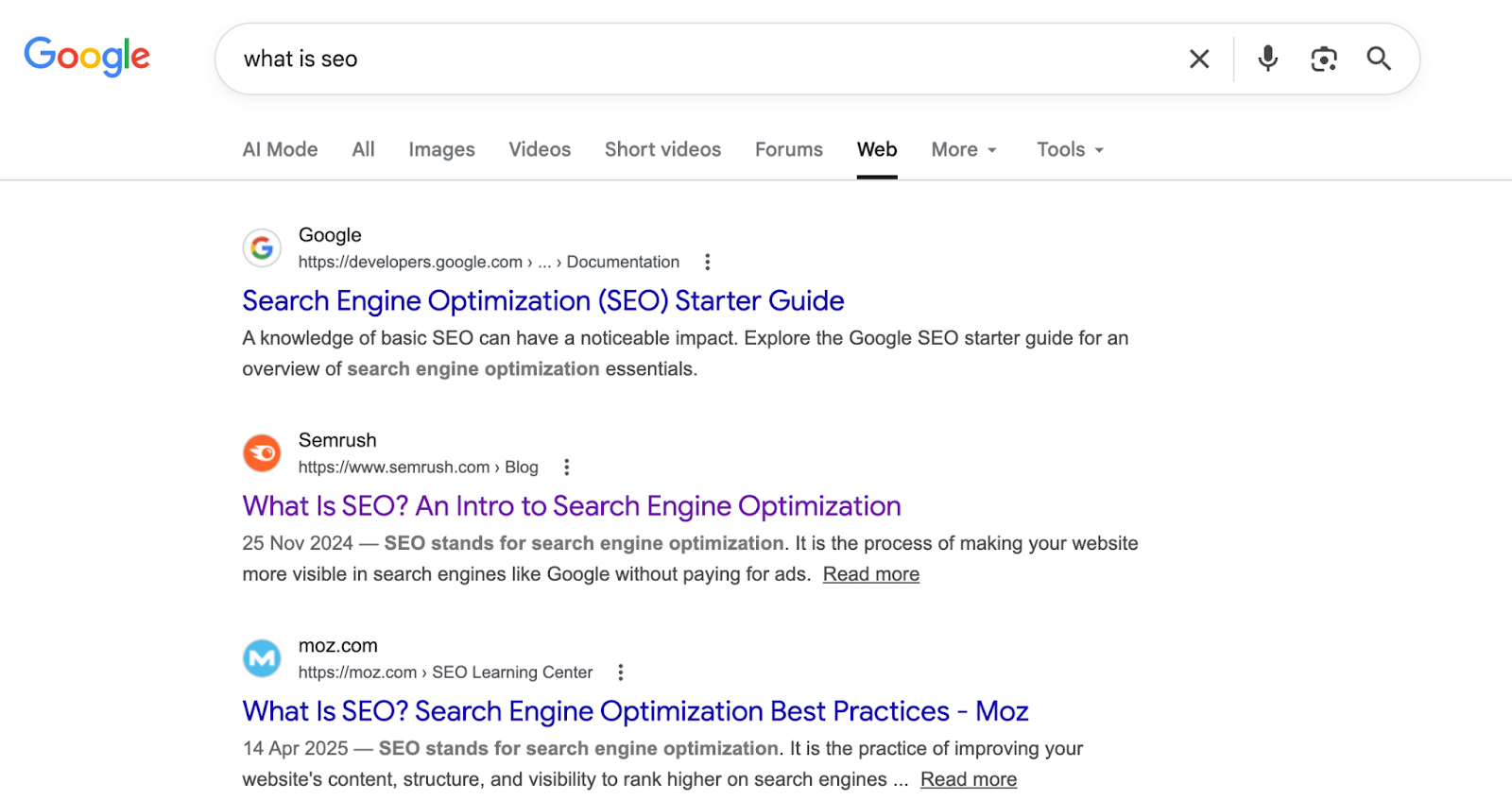
After you search a query, look for the “Web” tab in the row of filters just below the search bar. Click it. AI Overviews disappear, leaving you with only traditional blue link results.
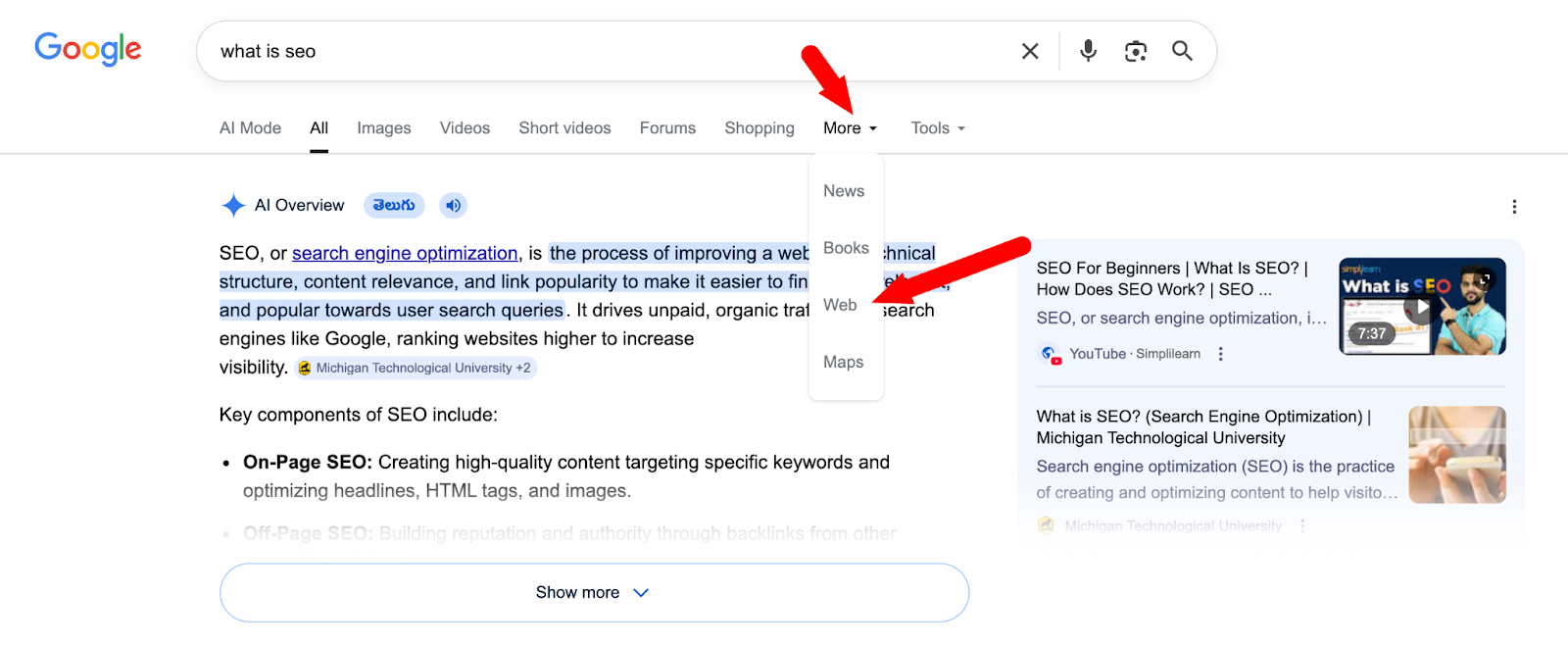
Most people don’t know this tab exists.
Here’s what it looks like (in the Web only search);
2. Exclude words with a minus sign
Sometimes a keyword shows results you don’t want. Google lets you remove those results with a simple minus sign (-).
Just add -word after your search to exclude it.
For example: Search apple -fruit if you want results about the Apple company, not the fruit.
Another example: Looking for Python tutorials but not the snake? Search python -snake.
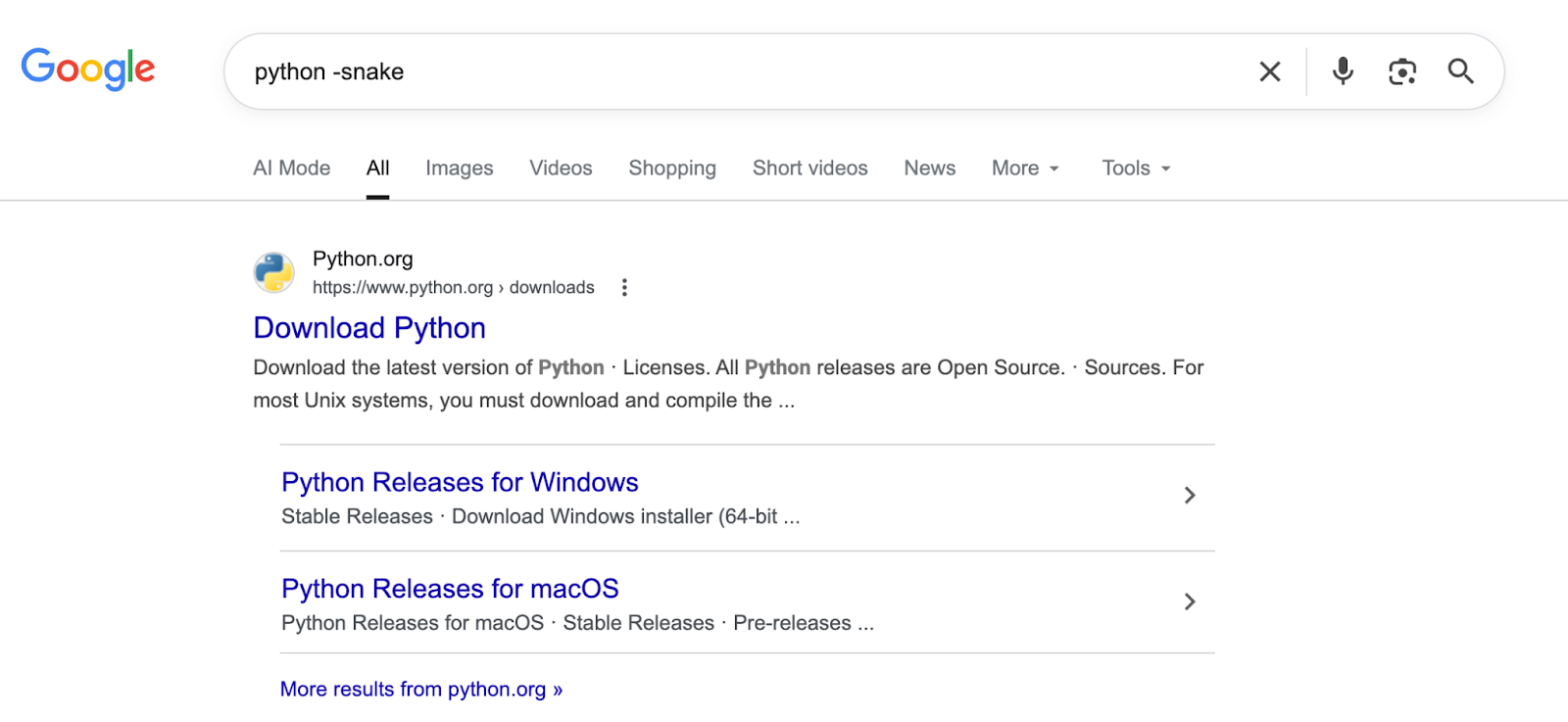
One small symbol helps Google filter out unwanted results and show more relevant pages.
3. Search within a specific site
Want to find every article on a particular website about one topic? Use the site: operator.
Type site:bloggerspassion.com keyword research into Google. You’ll get every BloggersPassion page that covers keyword research, even if the site’s own search bar is broken or missing.
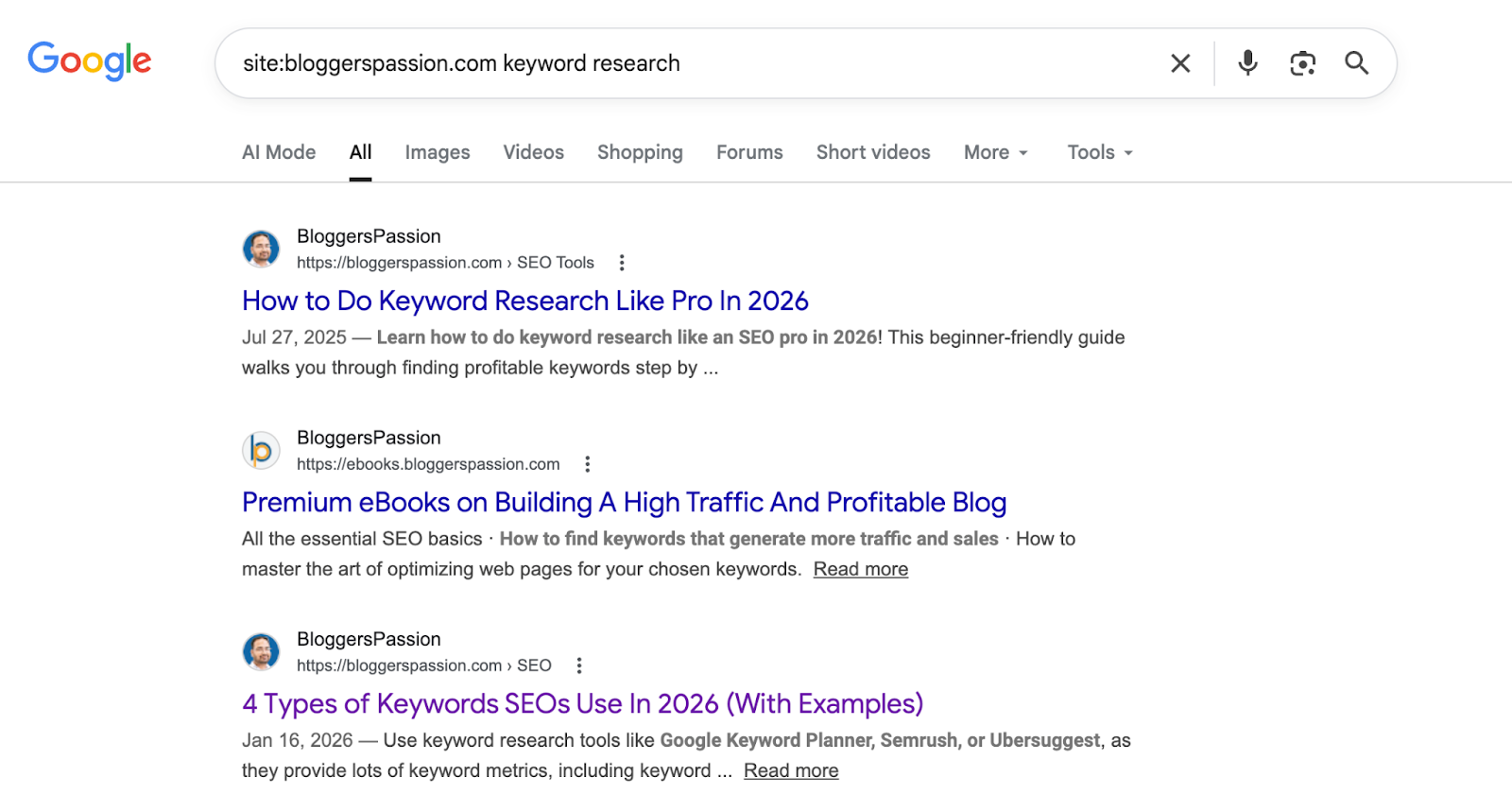
Works on any site in the world. Try site:nytimes.com climate or site:reddit.com best SEO tools for some surprisingly good results.
4. Filter results by publish date
Old content keeps showing up in Google results, and sometimes you need information from the last month, not 2019.
Here are two ways to do this:
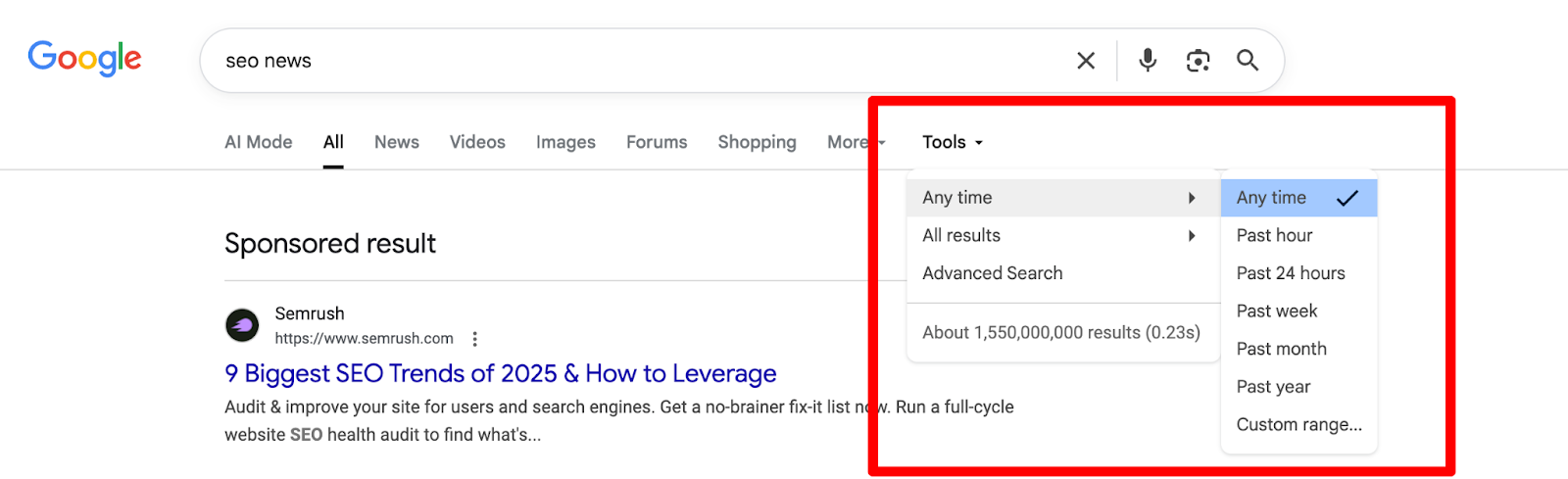
First, the easy way: run your search, click “Tools” just below the search bar, then click “Any time.” A dropdown lets you pick the past hour, day, week, month, or year.
Second, the operator way: add after:2026-01-01 to your query to see only results published after that date. Combine it with before: for a specific window.
Example: SEO tips after:2025-01-01 before:2026-01-01.
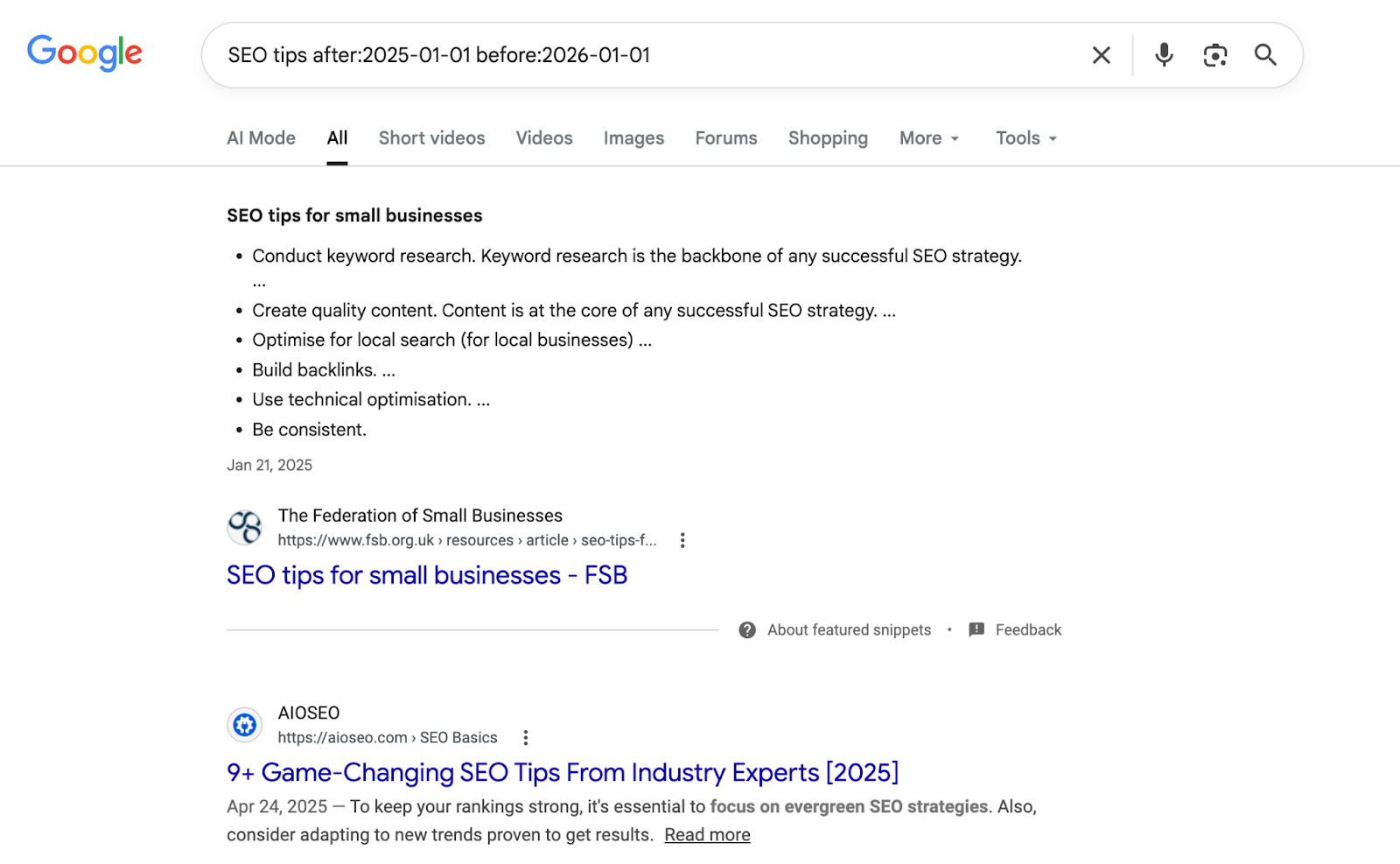
That’s how you can quickly find the latest information.
5. Search by file type
Need an SEO checklist in PDF format? Or a PowerPoint on content marketing? You can search specifically for file types using filetype:.
Type SEO audit checklist filetype:pdf and Google returns only PDF files matching that topic. Works for doc, ppt, xls, and more.
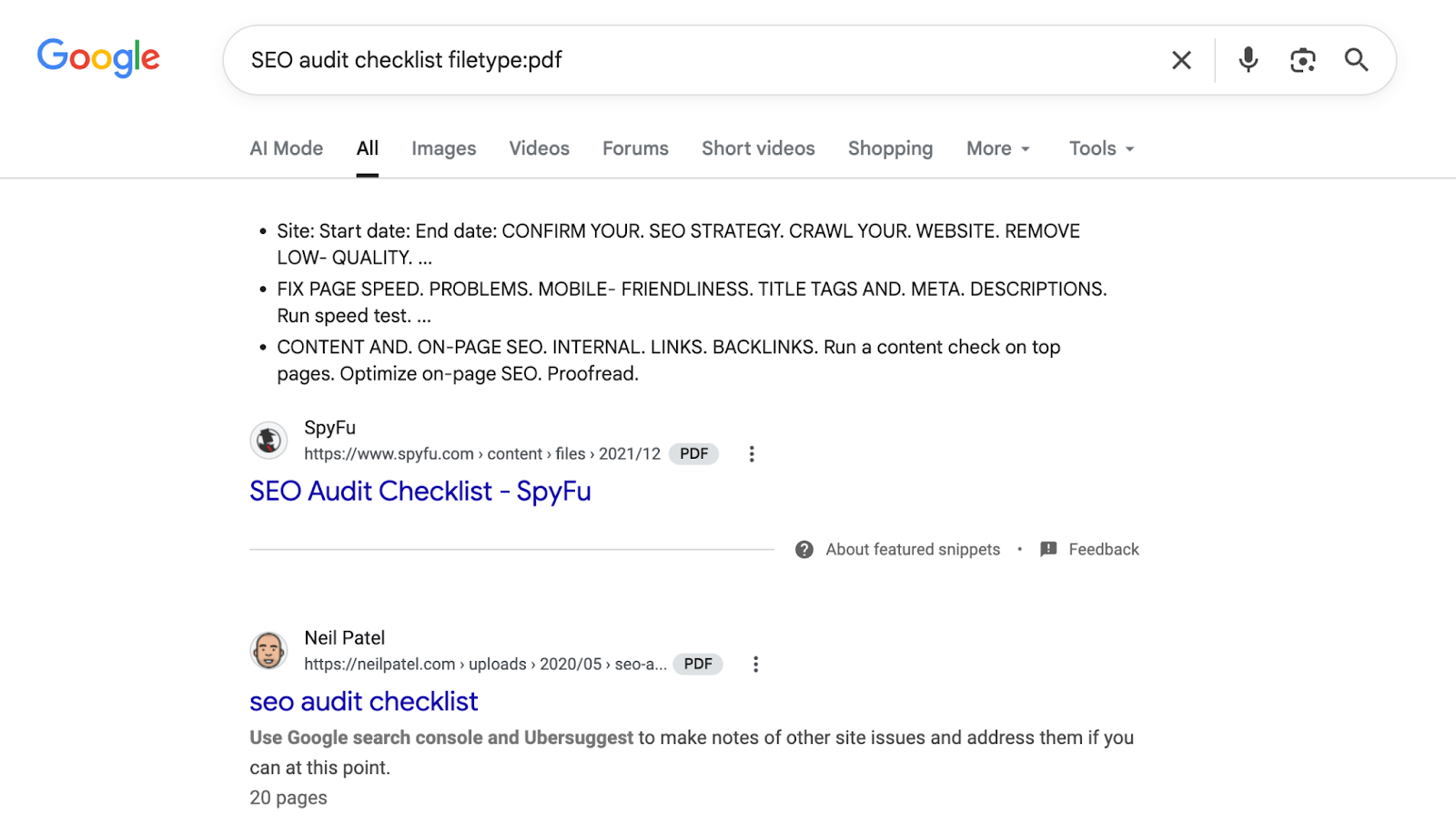
Students and researchers use this operator regularly to find reports and whitepapers that don’t appear in regular Google search results.
6. Exact match search using quotes
By default, Google tries to understand your search and show related results.
That means it may display pages even if they don’t contain your exact words.
Put your phrase in quotes to make Google show pages with that exact phrase.
Searching “best free SEO tools” tells Google to show results that contain that exact phrase in the same order. This gives you more accurate and relevant results instantly.
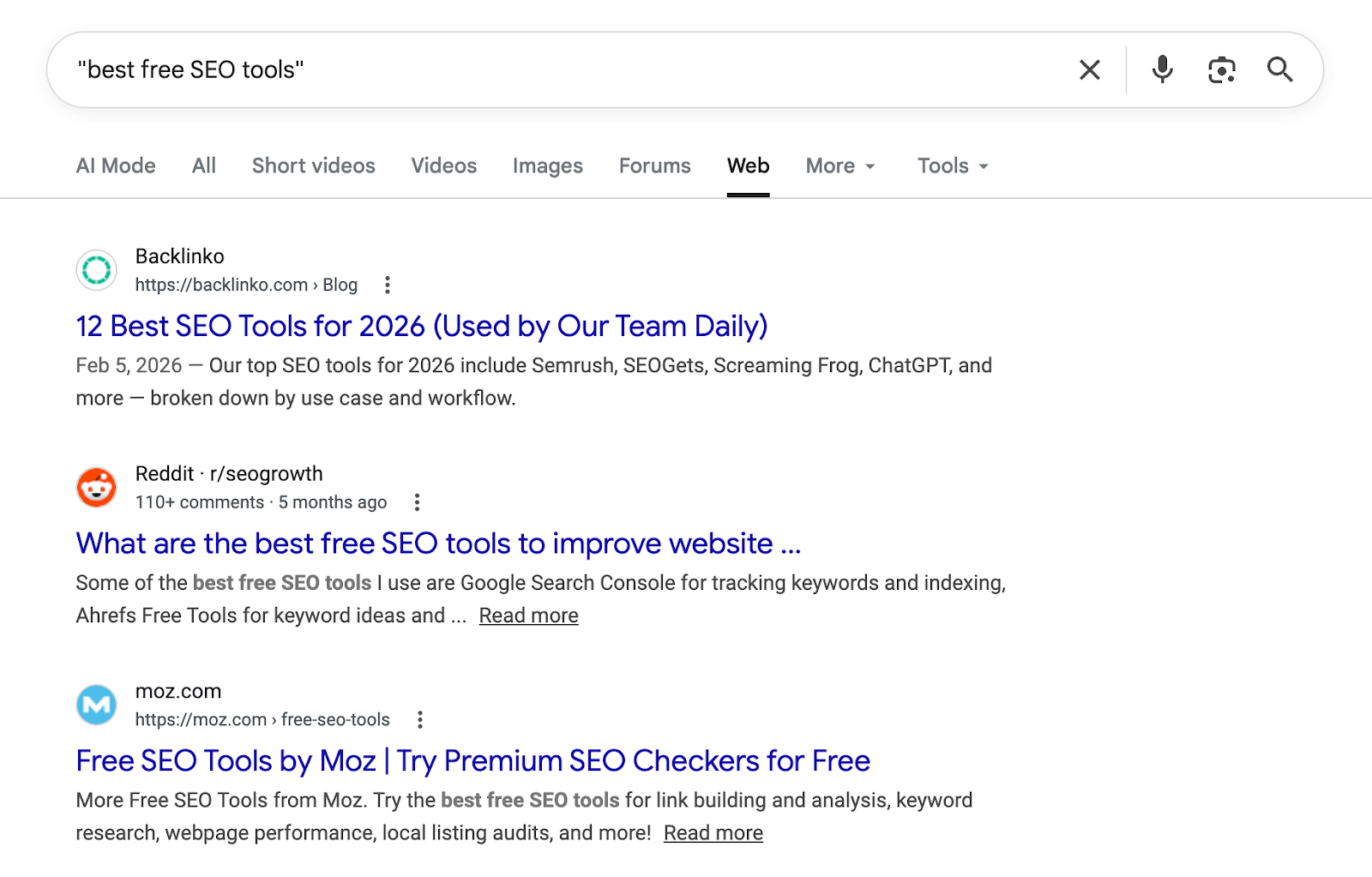
Use this when you’re looking for a specific quote, an error message, or a product name.
Google’s Built-In Tools
Google is not just a search engine, as it can work as a calculator, unit converter, dictionary, timer, and even a weather app. Here are some built-in tools you should know about.
7. Calculator and unit converter
Type any math equation directly into Google, and it solves it instantly.
578 * 23, (150 * 12) + 500, even complex expressions, the answer appears at the top before you click on any website.
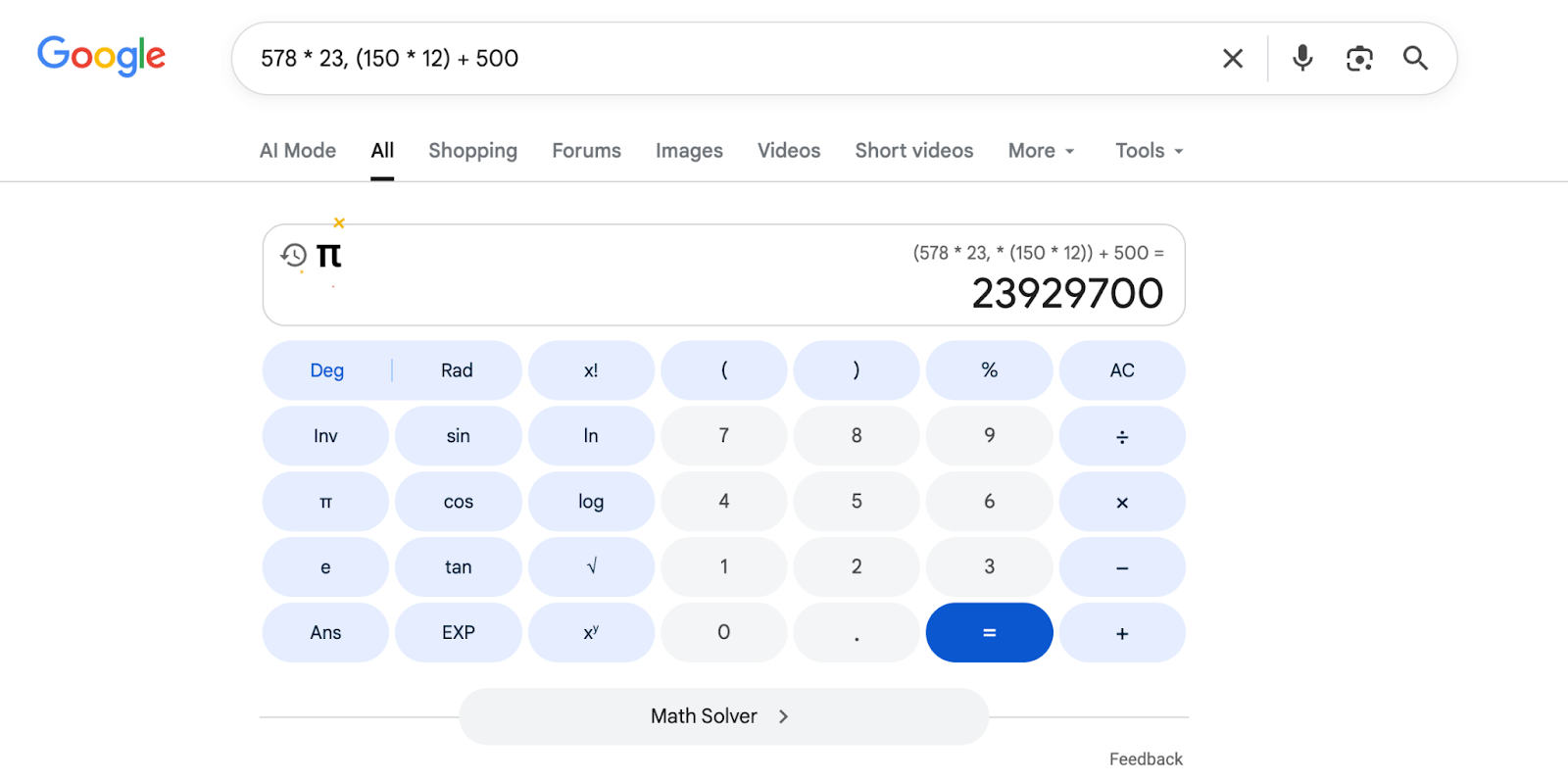
The converter works the same way. Type 100 USD to INR for currency, 100 km to miles for distance, or 180 lbs to kg for weight. Google gives you live exchange rates for currency conversions, so the number is always up to date.
8. Timer and stopwatch
Type set timer 10 minutes into Google and a countdown timer appears right on the results page. It rings when it hits zero.
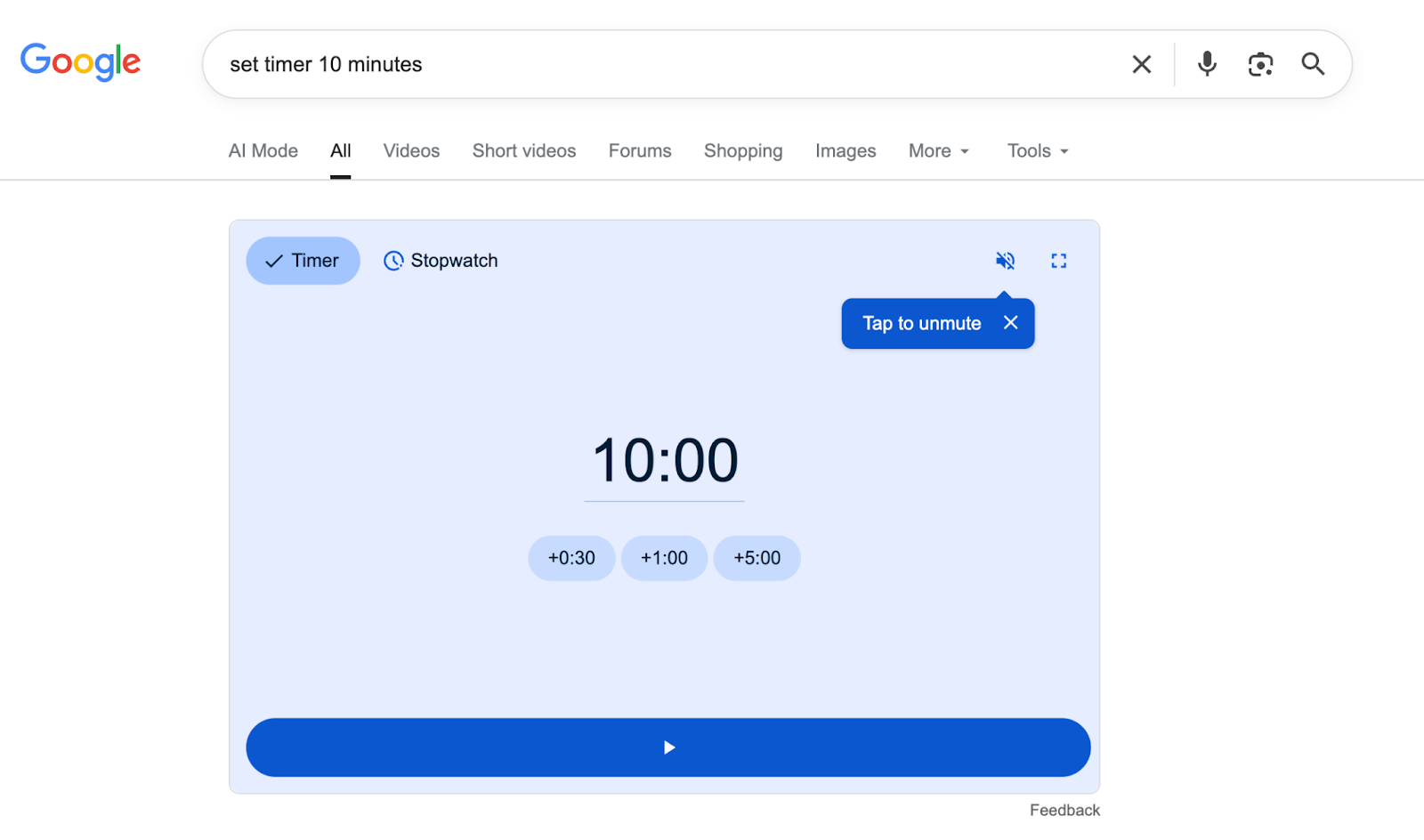
Need a stopwatch instead? Search stopwatch and Google gives you one with start, stop, and reset controls.
This is particularly useful when you’re cooking or working in focused sessions without wanting to download an app.
9. Define any word instantly
Type define: canonical and Google shows the full dictionary definition, pronunciation, or synonyms right on the page.
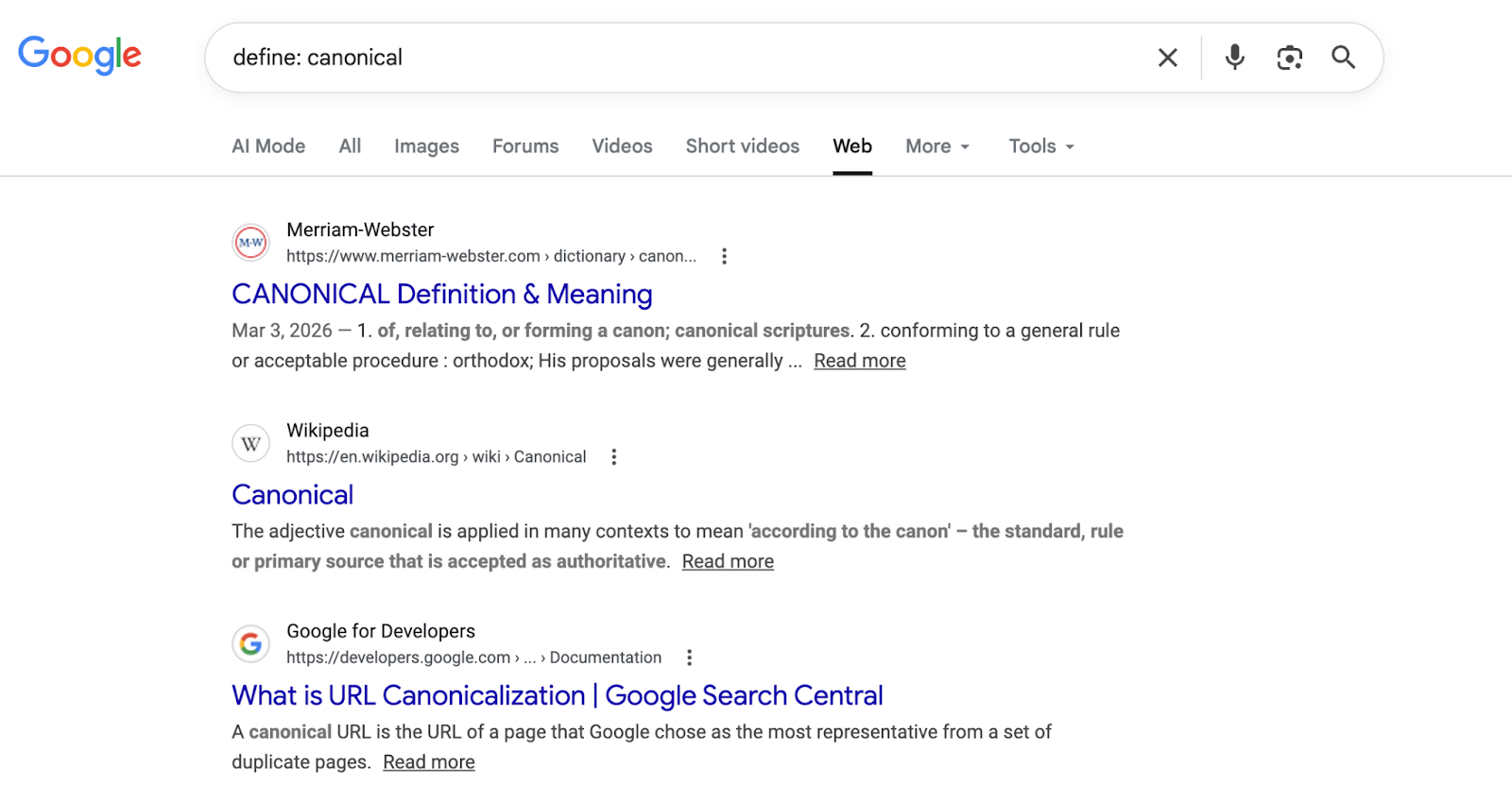
No need to open a dictionary site. Works for everyday words or even technical terms. If you’re writing content and hit an unfamiliar term, this is the fastest way to check it.
10. Get instant weather
Type weather followed by any city name: weather Texas, weather New York and Google shows the current temperature, humidity, wind speed, and a 7-day forecast.
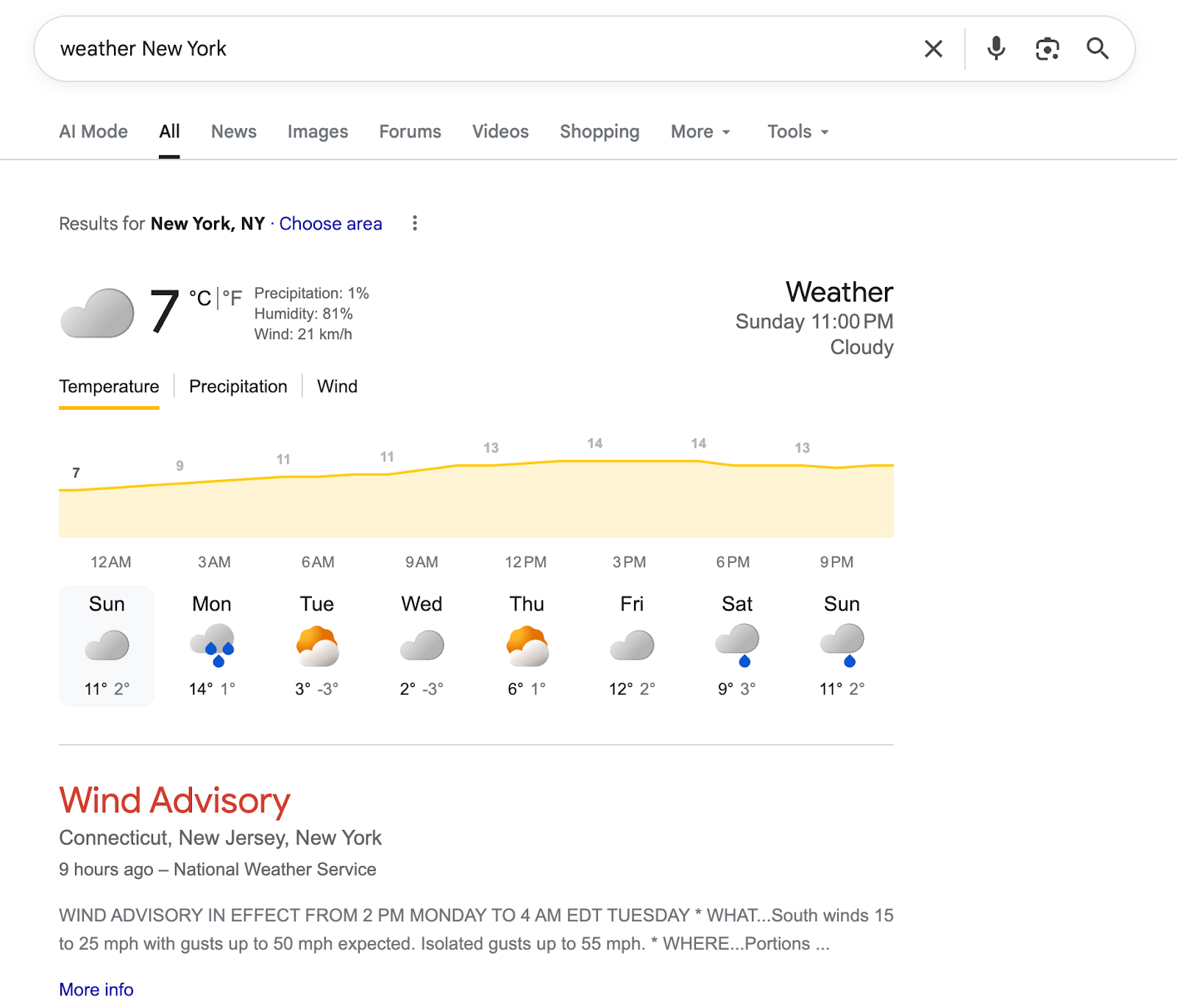
This operator works for any city in the world. Just type, and you have everything you need in two seconds.
Hidden Features Most People Miss
These features are NOT secret, but most people never use them. Each one can save you time and make advanced Google search easier.
11. Reverse image search with Google Lens
Found an image online and want to know where it’s from? Or found a product and want to find where to buy it?
Go to images.google.com, click the camera icon, and upload any image or paste its URL.
Google Lens scans it and shows you matching or similar images, the original source, and related pages.
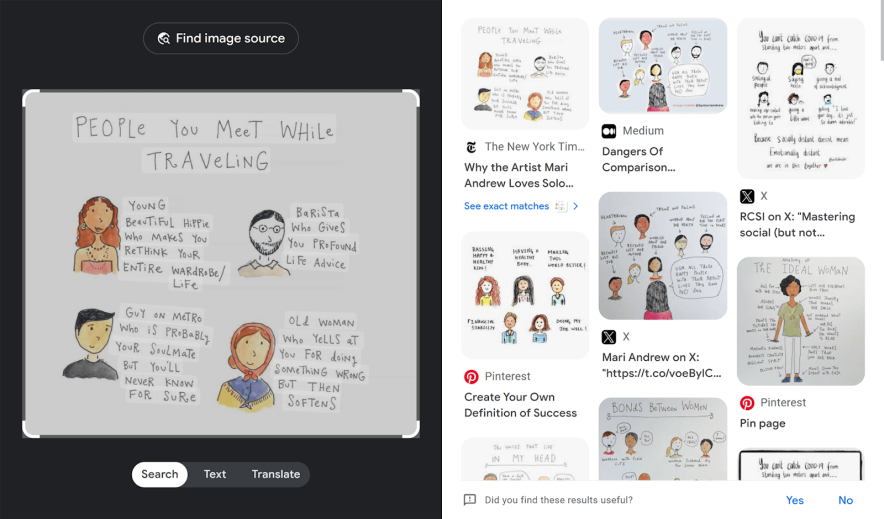
On mobile, open the Google app, tap the Lens icon in the search bar, and point your camera at anything: a product, a plant, a landmark. Google identifies it instantly.
12. Advanced Image Search for copyright-free images
Most bloggers grab images from Google Images without checking the license. That’s a fast way to get a copyright claim.
Here’s how to find images that are actually free to use:
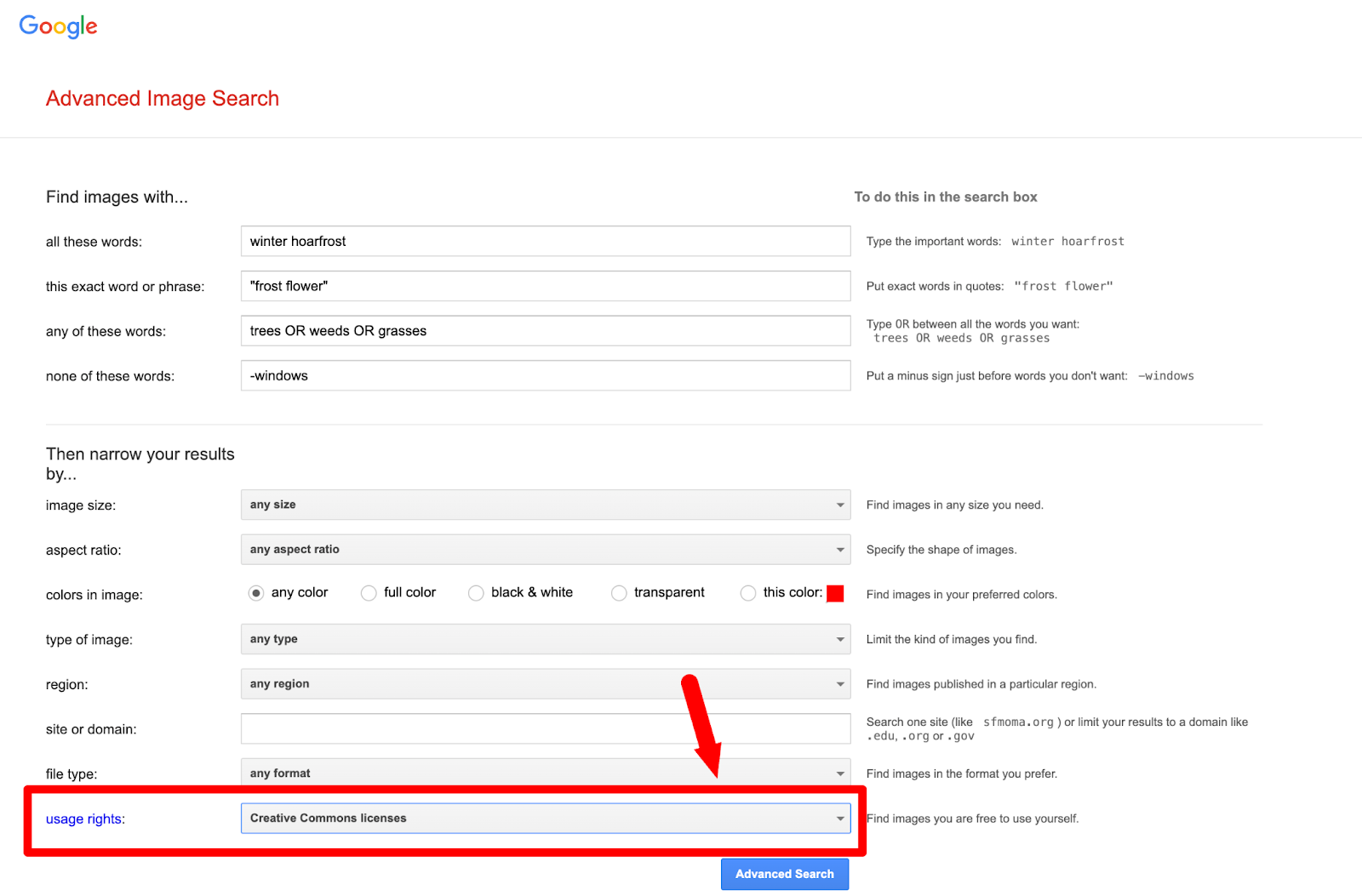
Go to google.com/advanced_image_search. Type your search term in the “all these words” box. Scroll down to “Usage rights” and select “Creative Commons licenses” from the dropdown. Click Advanced Search.
Every result you get is free for use.
13. Search page titles with intitle:
The intitle: operator finds pages where your keyword appears in the title, not just somewhere in the body.
Type intitle:keyword research tools and Google shows only pages where that phrase is in the headline. These are typically the most focused and authoritative pages on any topic.
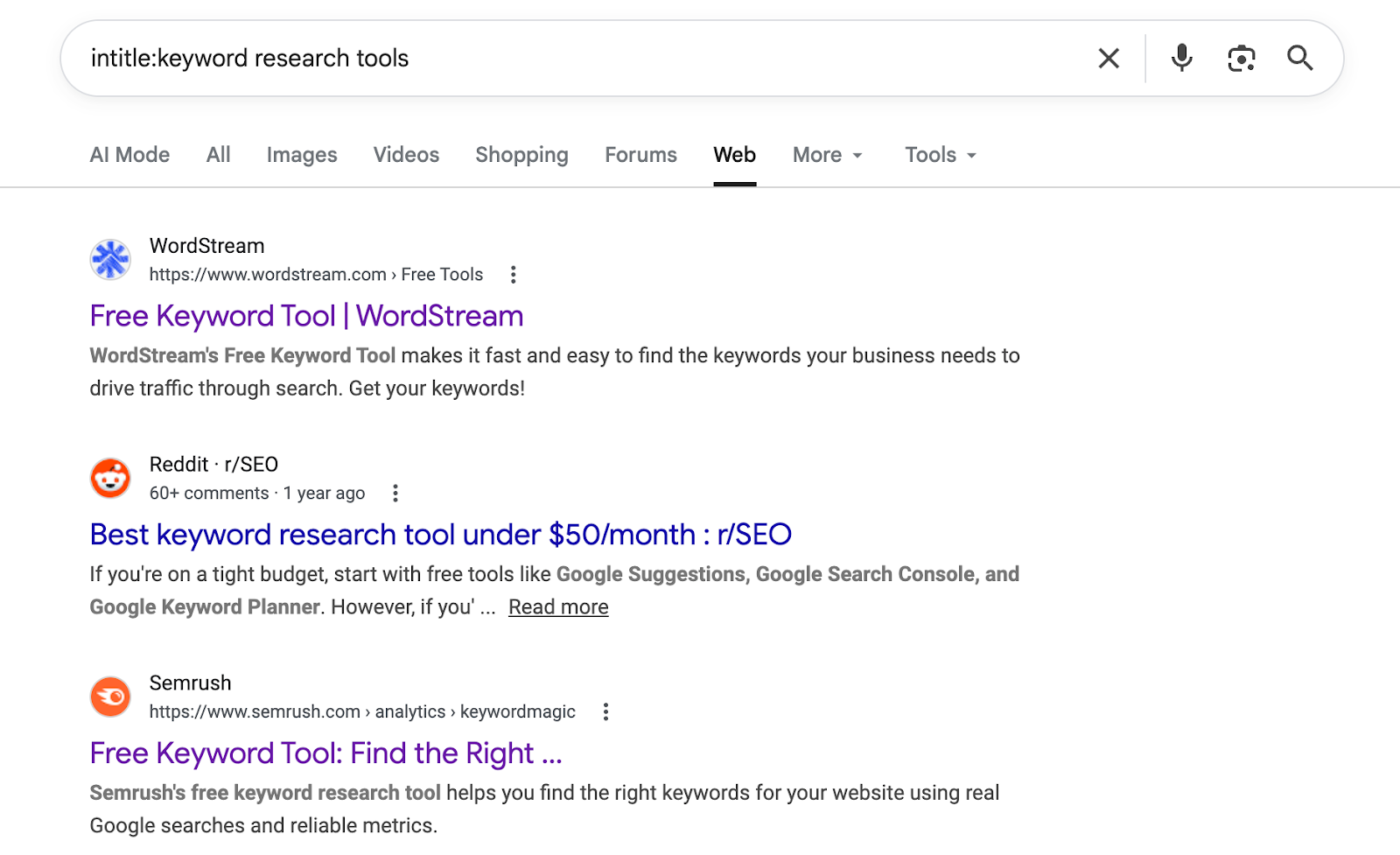
This is useful for competitive research. If you want to see who’s specifically targeting a keyword, this is the fastest way to find out.
14. Track any package directly in Google
Want to track a package quickly? No need to visit UPS, FedEx, or USPS websites separately.
Just paste your tracking number directly into the Google search bar and hit enter.
Google pulls the live status, last scan location, and estimated delivery date right on the results page. Works with all major carriers.
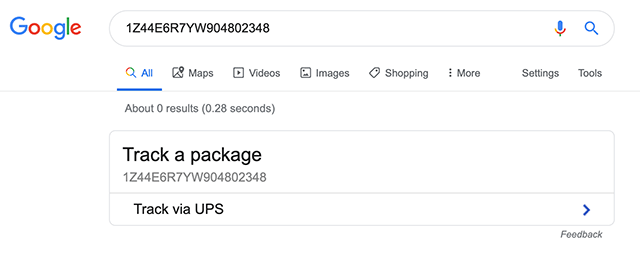
Next time you get a tracking number in an email, skip the carrier website. Google handles it in one step.
15. Track any flight in real time
Type any flight number directly into Google: AI302, UA100, EK202, and you get live departure and arrival times, current status, gate number, and more.
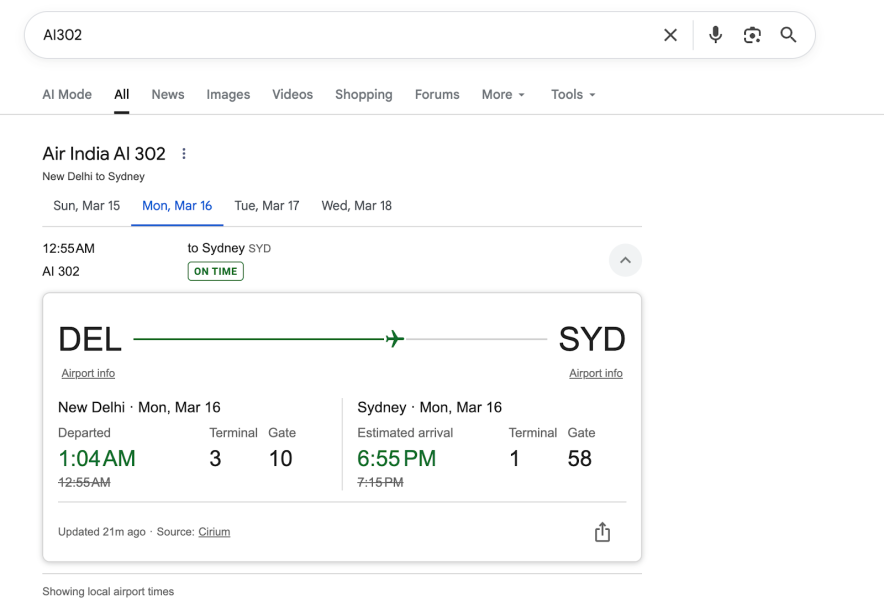
No need to install any app. No need to visit any airline website. Just the flight number and Google does the rest.
FAQs On Google Search Tips and Tricks 2026
→ site: domain name Search Term to search for the pages having a particular term within a website
→ quotes “tips and tricks” to find pages having an exact phrase
→ hyphen to exclude words (Mustang -cars)
Use the tabs (Web, Image, News, and More), Voice search, Advanced image search, do the math, search for multiple words using OR (tea OR green tea), Money and unit conversions, and Track your packages by entering any UPS, USPS, or FedEx tracking number directly into the Google search bar.
After running your search, click the “Web” tab in the filter row just below the search bar. This removes AI-generated summaries and shows only traditional organic results.
This is a button on the right side of the Google Search button that lets users see the first result directly when they query Google, bypassing the search results page.
The most useful ones are site: to search within a specific website, quotes for exact match searches and filetype: to find specific document types.
Yes. Every operator and built-in tool covered in this post works on mobile. Type operators directly into the search bar on your phone exactly the same way you would on a desktop.
Use specific keywords and search operators to find exactly what you’re looking for faster on Google.
Conclusion
You don’t need extra tools or browser extensions to search like a pro. Everything mentioned on this page can be used with Google.
Start with two or three tricks you’ll actually use.
Use Google search operators for research, built-in tools for quick answers, and hidden features for everyday tasks.
What are your favorite Google search tips and tricks? Did we miss any of your favorite tricks? Let us know in the comments.







![How to do Keyword Research Correctly in 2026 for GEO & SEO (A to Z Tutorial]](https://bloggerspassion.com/wp-content/uploads/2019/02/how-to-do-keyword-research-like-a-pro-300x157.jpg.webp)

Thank you so much for this list, i have been wanting to start writing quest post for other blogs for some time but don’t know how to go about it, how to contact them, how many post is too much or too few, and I also need names of some sites that allows others to post on their blog.
Finding your site today has made my wish come true.
Thank you so much.