

SEO has changed REALLY fast. AI answers, smarter algorithms, and zero-click results are now normal.
But one thing hasn’t changed: on-page SEO is still the foundation of getting your content discovered on Google.
If your page isn’t clear, structured, and easy to read, it simply won’t rank.
In this guide, you’ll learn what on-page optimization really means, why it still matters today, and the exact steps you can use to optimize your pages properly.
Let’s start with the basics.
What Is On-Page SEO?
On-page SEO is the process of optimizing a webpage so search engines and AI tools can understand its context and rank it.
It helps your content appear in search results, AI answers, and recommendations, bringing in the right visitors from search.
A few widely used on-page optimization elements are;
- Writing descriptive titles and headings so search engines understand your page’s topic
- Creating helpful and easy-to-read content that matches what users are searching for
- Optimizing images, internal links, and URLs for better crawlability
- Improving page speed and mobile experience for better rankings
On-Page SEO Vs Off-Page SEO
On-page SEO focuses on improvements you make inside your website so search engines and users understand your content better.
Off-page SEO focuses on actions taken outside your website to improve your site’s authority and trust.
Simple example:
- Improving content, headings, or page speed → On-page optimization
- Getting backlinks, brand mentions, or influencer marketing → Off-page optimization
| SEO Type | What It Focuses On | Examples |
|---|---|---|
| On-Page SEO | Optimizing individual web pages | Content quality, titles, headings, keywords |
| Off-Page SEO | Activities outside your website | Backlinks, guest posts, social media, PR |
Does On-Page SEO Still Matter in 2026?
Yes. It still matters in 2026 because it helps search engines and AI tools understand your content and get it discovered by more people.
Some of its benefits include;
- Boosts organic traffic by helping your pages rank higher in search results
- Helps search engines and AI tools understand what your page is about
- Improves user experience with faster pages and relevant content
- Increases click-through rates (CTR) with better titles and descriptions
- Drives higher conversions because visitors find what they want
- Gives you a competitive edge over sites that ignore optimization
How to Do On-Page Optimization: A 10-Step Checklist for Beginners
Here are some of the essential on-page SEO factors that help your content rank and get clicks in both Google results and AI-powered search in 2026.
- Show real experience – write from what you’ve actually done or tested
- Match search intent – answer exactly what the user is looking for
- Write for AI summaries – give simple and direct answers in the beginning itself
- Craft click-worthy titles – make users want to click in Google
- Improve meta descriptions – explain the benefit of clicking on the search result in under 140 characters
- Make content skimmable – use short paragraphs, bullets, and headings
- Use clean URLs – keep them short, clear, and keyword-focused
- Add internal links – connect related pages naturally
- Optimize for mobile – fast loading time, easy reading, simple UX
- Optimize images – use clear file names and meaningful ALT text
Let’s now break down each of these points in detail, with clear examples and practical tips for 2026.
1. Write Helpful Content by Showing Real Experience
In 2026, Google cares a lot about who is creating the content and why they should be trusted.
That’s where E-E-A-T comes in:
- Experience
- Expertise
- Authoritativeness
- Trustworthiness
But here’s the key part: Google now values real experience more than perfectly written theory.
- Instead of writing: “On-page SEO is important for rankings…”
- Write something like: “After updating our title tags and internal links, we saw better rankings within a few weeks.”
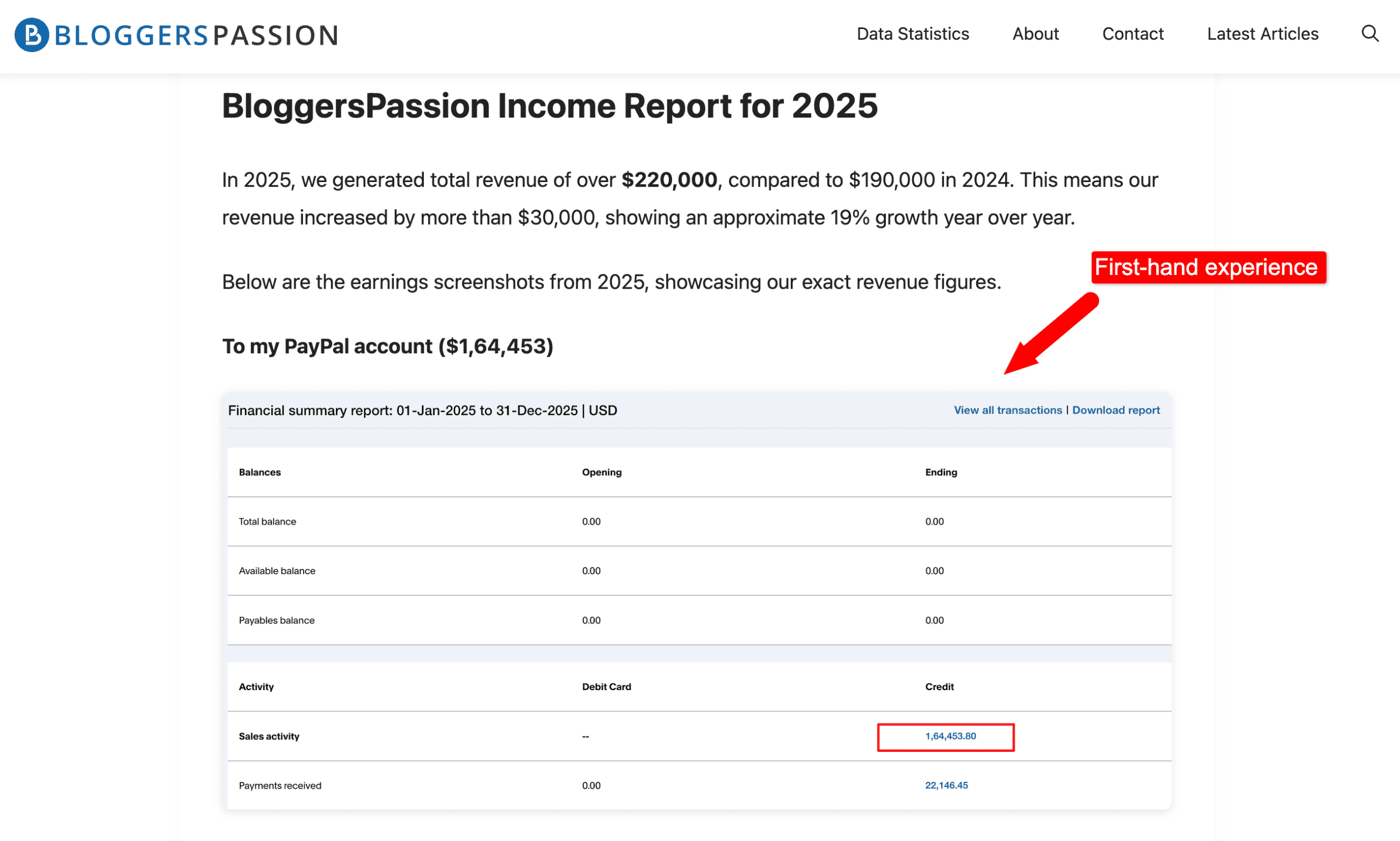
For example, on our blog BloggersPassion, we’ve seen posts perform better after adding real screenshots, actual traffic numbers, and honest takeaways – proof that first-hand experience helps both readers and rankings.
Small details matter in creating HELPFUL content:
- Personal examples
- Real results
- Lessons learned from mistakes
2. Optimize for Search Intent (Not Just Keywords)
In 2026, ranking on Google is less about which keywords you use and more about why someone is searching. Search intent matters A LOT.
When someone types a query into Google, they’re not looking for fluff, they’re looking for answers, solutions, or comparisons.
For example, if someone searches for “on-page SEO checklist,” they don’t want a looong and boring story about SEO history.
They want:
- A clear checklist
- Simple explanations
- Actionable steps they can use right now
So instead of creating content just to optimize for a keyword, ask yourself:
- What problem is the user trying to solve?
- Are they learning, comparing, or ready to act?
- What would make them say, “Yes, this is exactly what I needed”?
Here are several types of search intent that you should understand before creating or optimizing content:
- Informational
- Navigational
- Commercial
- Transactional
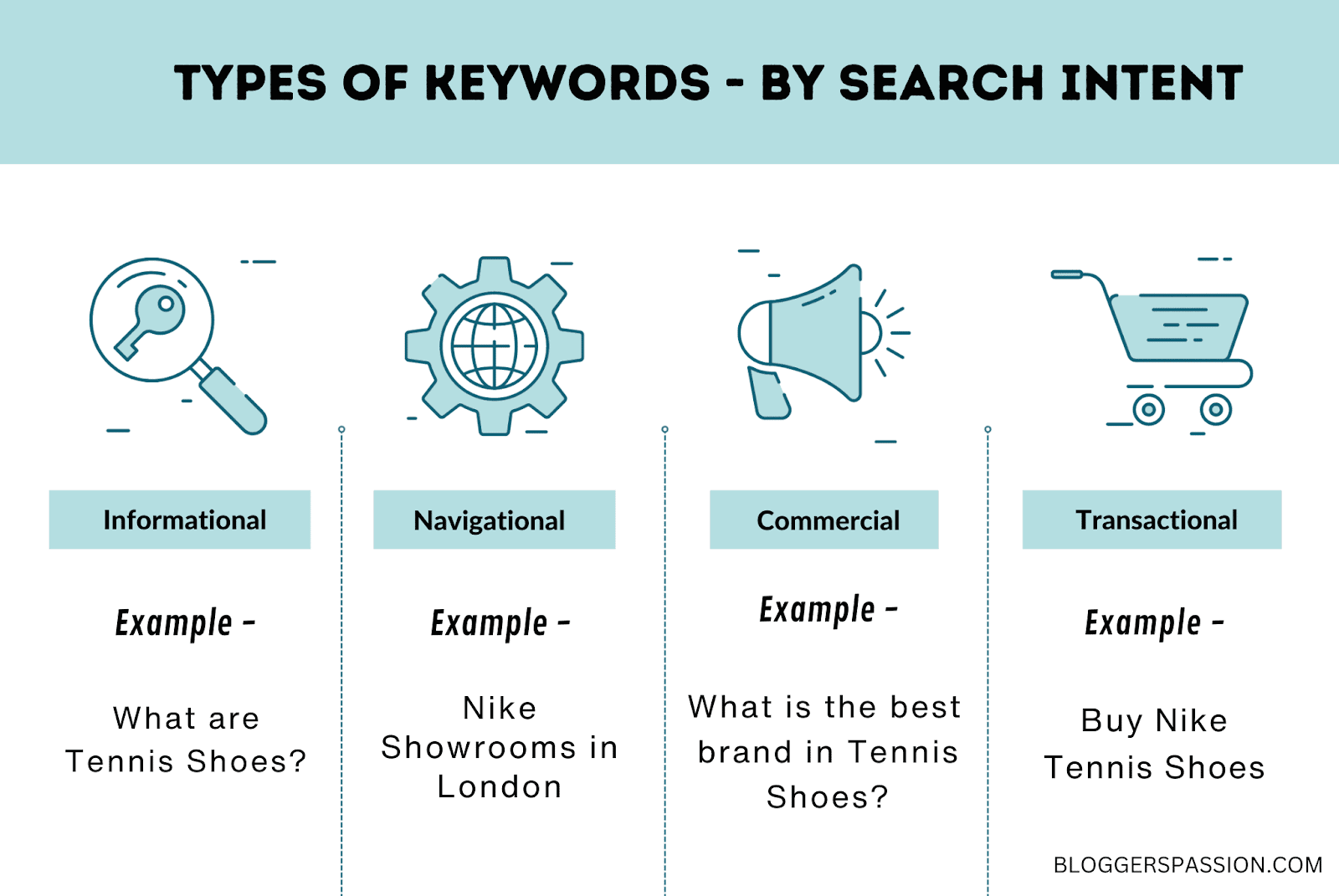
When your content matches the search intent, Google (and AI summaries) naturally understand it as helpful, and that’s when you’ll start ranking higher and attracting the right traffic.
3. Write for AI Summaries & Featured Snippets
In 2026, the majority of searches don’t even start with clicking on a website.
The reason? AI summaries and zero-click searches.
Have a look at how Google now answers questions like “Why is my belly fat not reducing even after exercise?”
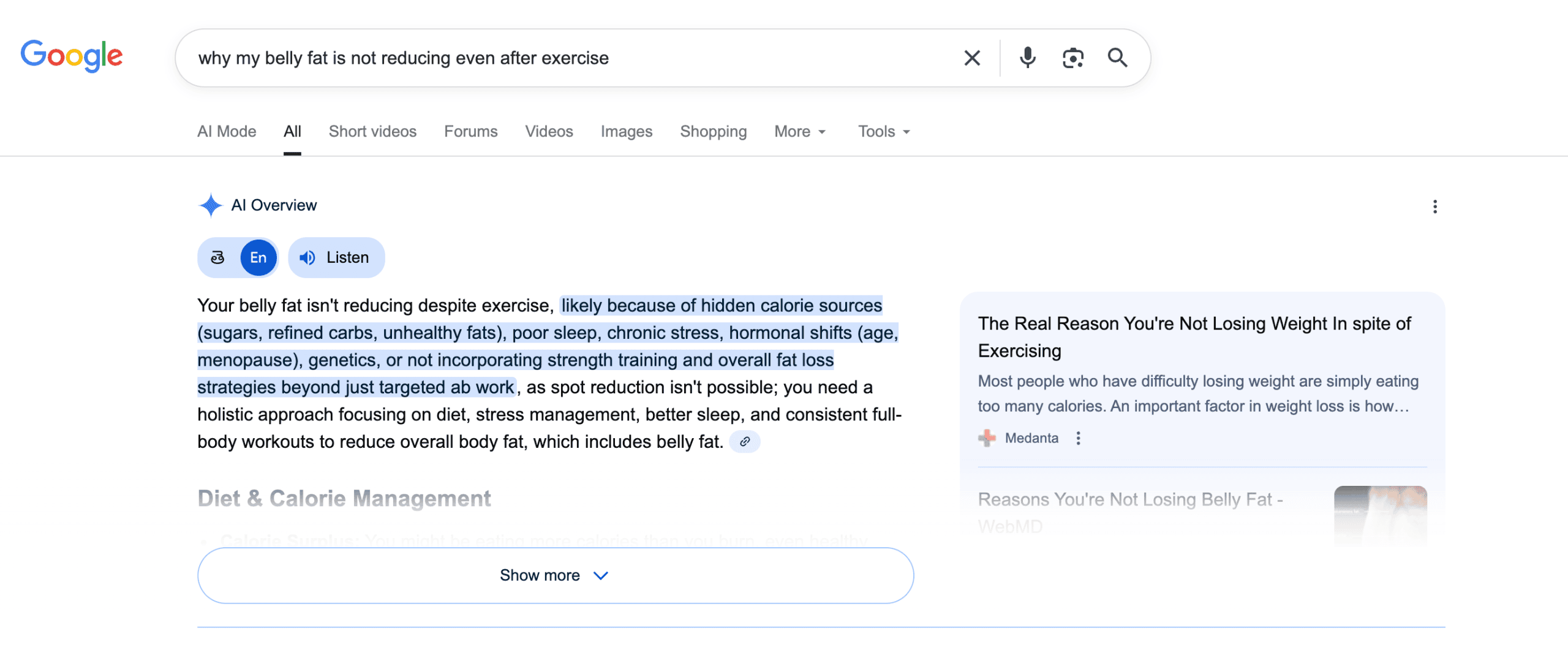
Instead of sending users to multiple websites, Google shows a short AI summary or a featured snippet right on the results page.
Pages that explain the topic clearly, use short paragraphs, list key reasons, and answer the question quickly are the ones Google pulls into these AI summaries and featured snippets.
If your content is clear and well-structured, Google can easily pick your text to show at the top of search results.
Here’s how to do it:
- Answer the main question clearly in the first few lines
- Use short paragraphs and simple language
- Add bullet points, lists, and step-by-step explanations
- Avoid unnecessary filler or storytelling before the answer (Quick Answers > Theory)
For example, if the question is “What is SEO?”, don’t hide the answer in the middle of the page.
Give a direct, one-paragraph explanation first, then go deeper.
AI prefers content that is:
- Easy to understand
- Well-organized
- Straight to the point
4. Write Click-Worthy Title Tags
Learn how to optimize your titles for both search engines and humans.
Your title tag is the first thing people see in search results. If it doesn’t catch attention, they won’t click even if you rank.
If you had to optimize only one on-page element, this should be it.

Here are some of the best practices for crafting title tags:
- Place your main keyword naturally near the beginning
- Use strong verbs and clear details to drive clicks. For example, “Buy Premium T-Shirts under $10 with Free Delivery” instead of “Buy Premium Tshirts”
- Keep titles within 55–60 characters so they don’t get cut off
- Write titles that clearly explain what the page offers
- Make sure each title tag is 100% unique to prevent duplicate content issues
5. Optimize Meta Descriptions for More Clicks
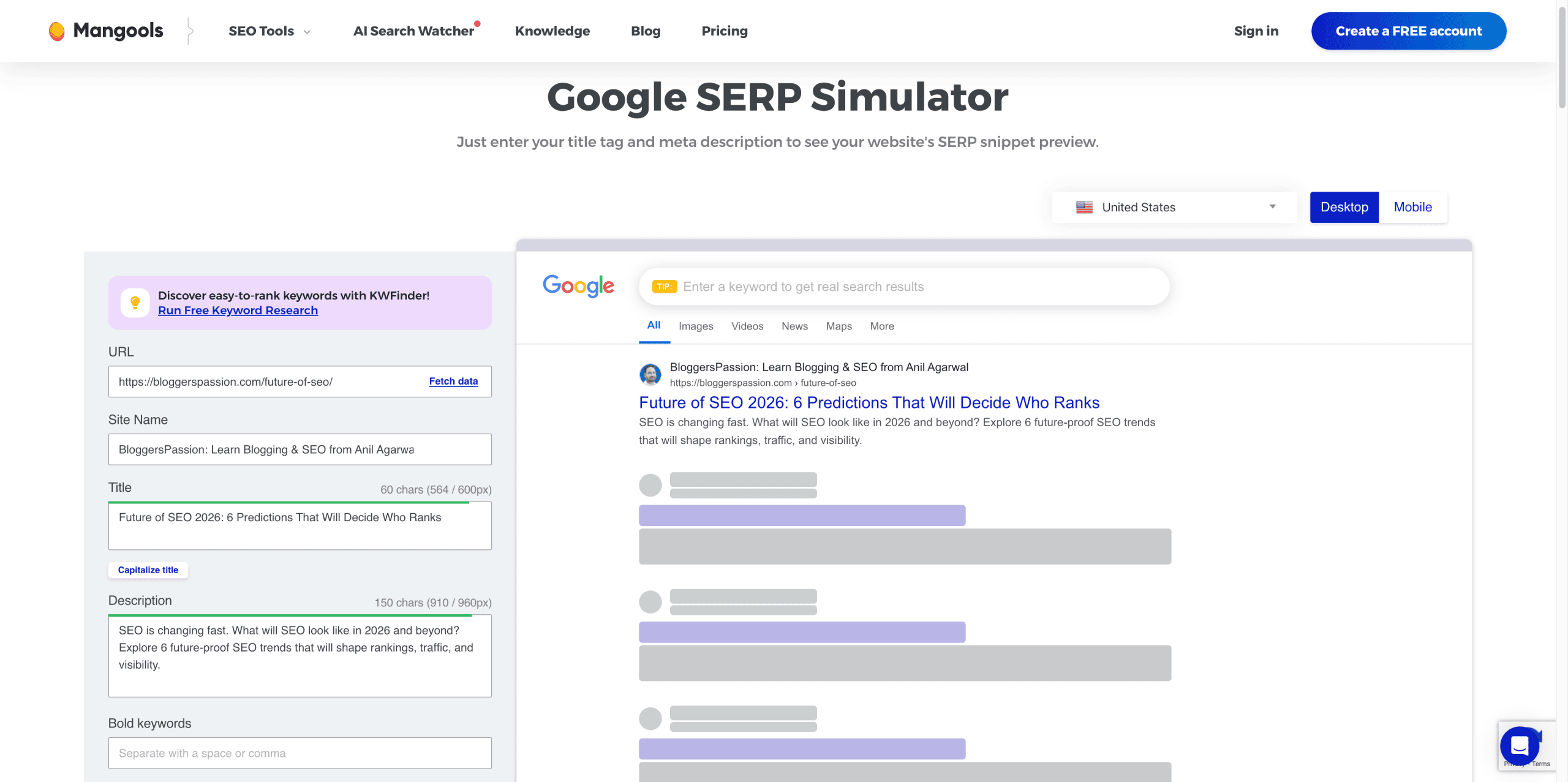
A meta description is a short summary that appears below your page title on Google.

Meta descriptions don’t directly improve rankings — but they strongly impact clicks.
Here are practical meta description tips that work;
- Clearly explain what the page is about
- Match the search intent of the user
- Keep it natural and easy to understand
- Stay within 120–150 characters
- Avoid generic or auto-generated descriptions
- Naturally, use your main keyword, as Google bolds it, helping your result stand out
A quick tip: Use SERP preview tools (Mangools has a free one) to see how your description appears in Google search results.
6. Structure Content for Skimming
Most people don’t read online content word by word.
They scan first, then decide what to read.
In 2026, Google and AI systems pay close attention to this user behavior.
If your content is hard to scan, users leave. If users leave quickly, you won’t rank.
To make your content skimmable:
- Use clear headings and subheadings
- Keep paragraphs short (2–3 lines max)
- Use simple words and short sentences
- Add examples where possible
- Break long sections with tables or lists
- Use lots of bullet points
- Highlight key ideas naturally
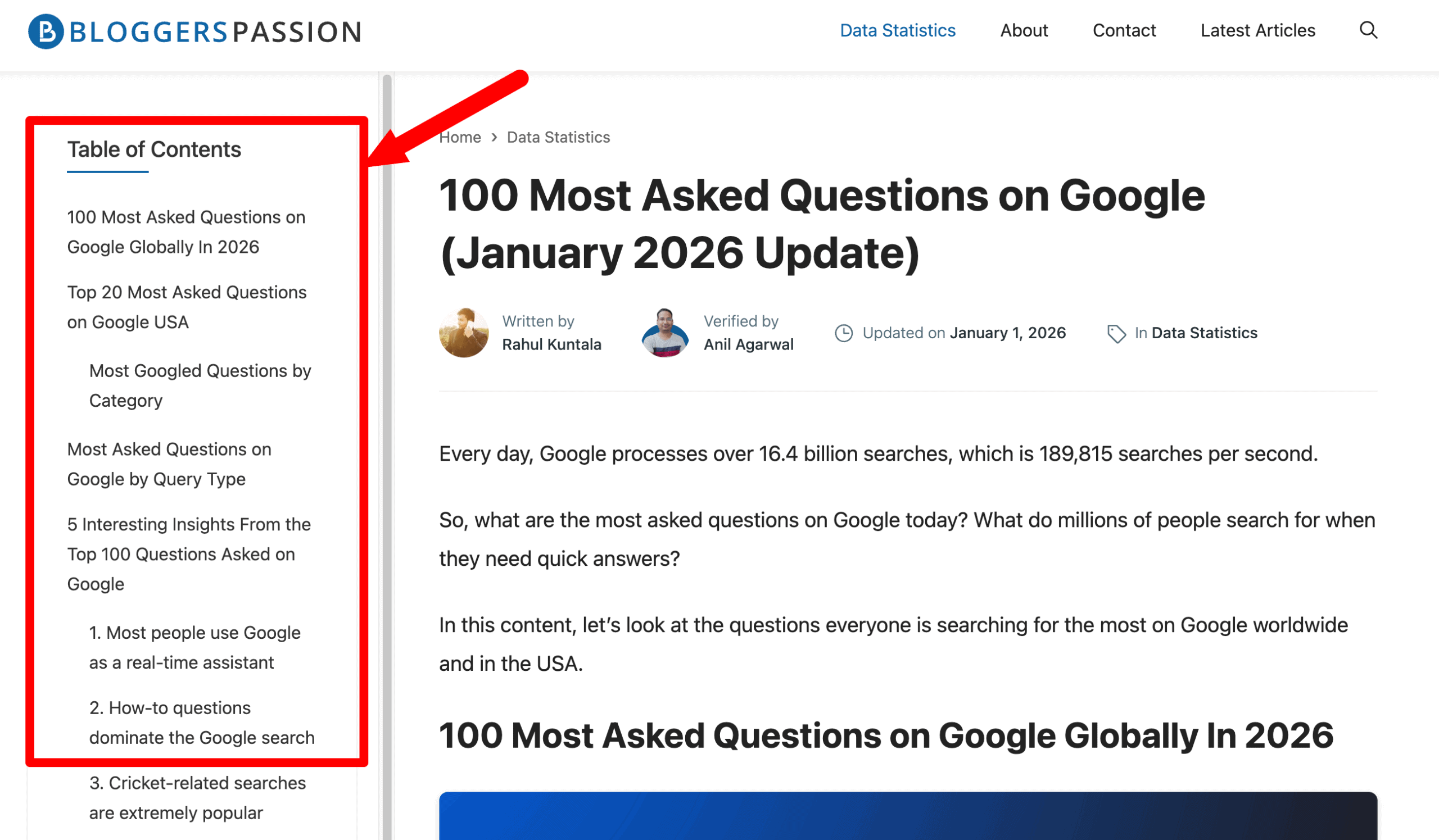
Quick tip: Use a Table of Contents plugin to help readers quickly skim and jump to the sections they care about.
7. Write Clear URL Slugs That Users and Search Engines Understand
Your URL should clearly tell users what the page is about, even before they click.
If someone looks at your URL and can’t guess the content, it’s not optimized.
Remove stop words & dynamic parameters, as shorter URLs perform better.
- Avoid: ?id=123&ref=abc
- Use: /seo-guide
Here are some of the best practices for URL optimization;
- Keep it simple & readable, so that one can understand the page just by reading the URL
- Use hyphens to separate words
- Include your target keyword
- Avoid special characters, numbers, or random symbols
8. Link Related Pages to Boost SEO and Engagement
Better internal linking = More visiblity
Internal linking means adding links to relevant pages within your website that help users navigate more relevant content on the topic.
When done right, internal links improve navigation, help people spend more time on your site, and help search engines understand which pages matter most.
Whenever you publish a new article, add links to it from older, related posts to increase visibility and traffic.
Example: You publish a new post: “URL Optimization Tips for SEO”
Go back to an older post, such as “SEO Checklist,” and add a line like: “For SEO-friendly URLs, check our detailed URL optimization guide.”
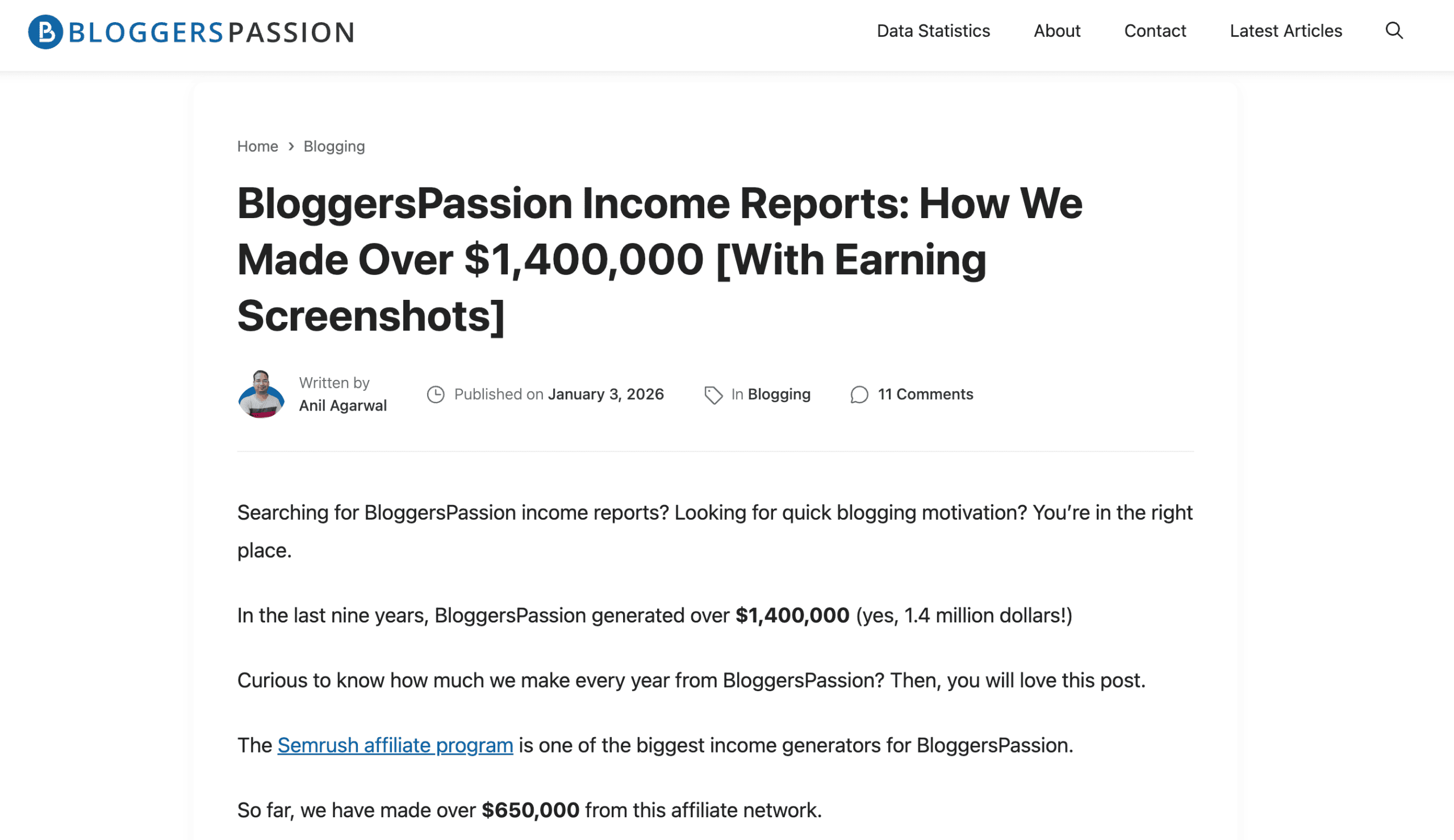
In the following example, our blog BloggersPassion uses the anchor text “semrush affiliate program” to link to a detailed guide on the same topic.
Best practices that matter while interlinking:
- Link only to pages that are HIGHLY relevant to the topic
- Use descriptive anchor text (avoid generic text like “click here”)
- Link important pages from high-traffic content
- Don’t overdo it. Add links where they make sense.
9. Optimize Mobile Experience for Speed, Readability, and UX
Google has already lowered the rankings of websites that are not mobile-friendly (Responsive design).
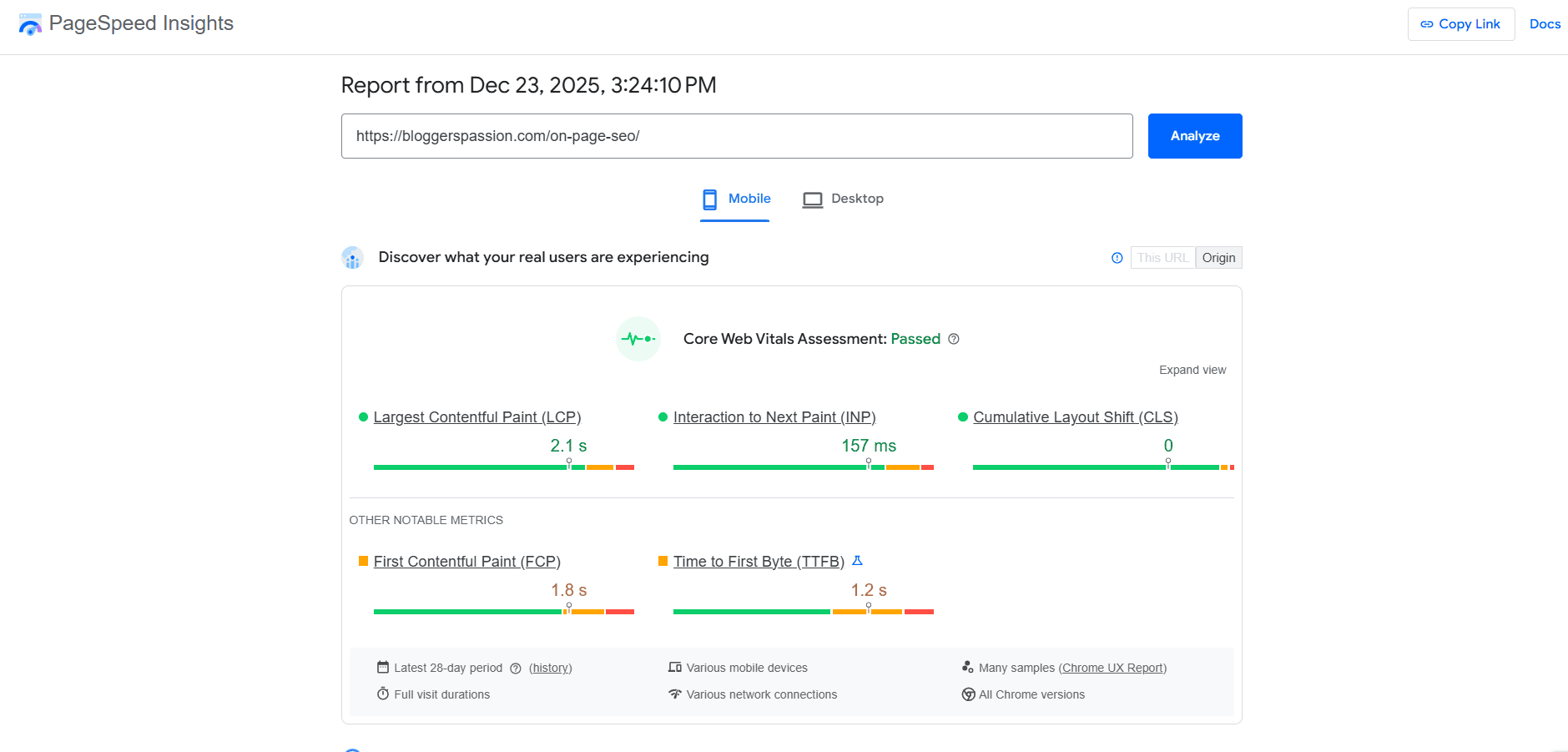
Mobile SEO optimization is mandatory. It is not just about screen size. It’s about how easy your site feels to use on a phone.
You can check the mobile-friendliness of your website’s home page or any internal page using the PageSpeed tool.
Best mobile experience practices that actually matter in 2026:
- Make pages load fast on mobile
- Use readable font sizes
- Keep paragraphs short and easy to scan
- Use clear headings so users can scroll and find answers fast
- Keep navigation simple and thumb-friendly
- Leave enough space between buttons and links
- Avoid popups, especially for mobile users
10. Use Descriptive Image Names and ALT Text
Images don’t just make your content look good, they also help with better search visibility.
Search engines can’t “see” images like we do. They rely on image names and ALT text to understand what an image is about.
Some of the best practices include;
- Use descriptive image file names (not
IMG123.pngbut image-optimization-guide.png) - Include the main keyword naturally in the image name
- Add clear ALT text that clearly explains the image
- Keep ALT text helpful
- Don’t repeat text already visible on the page
Bonus Tip: Answer Follow-Up Questions on the Same Page
Answer related follow-up questions on the same page to satisfy the user. This improves;
- content depth
- rankings and
- time spent on the page
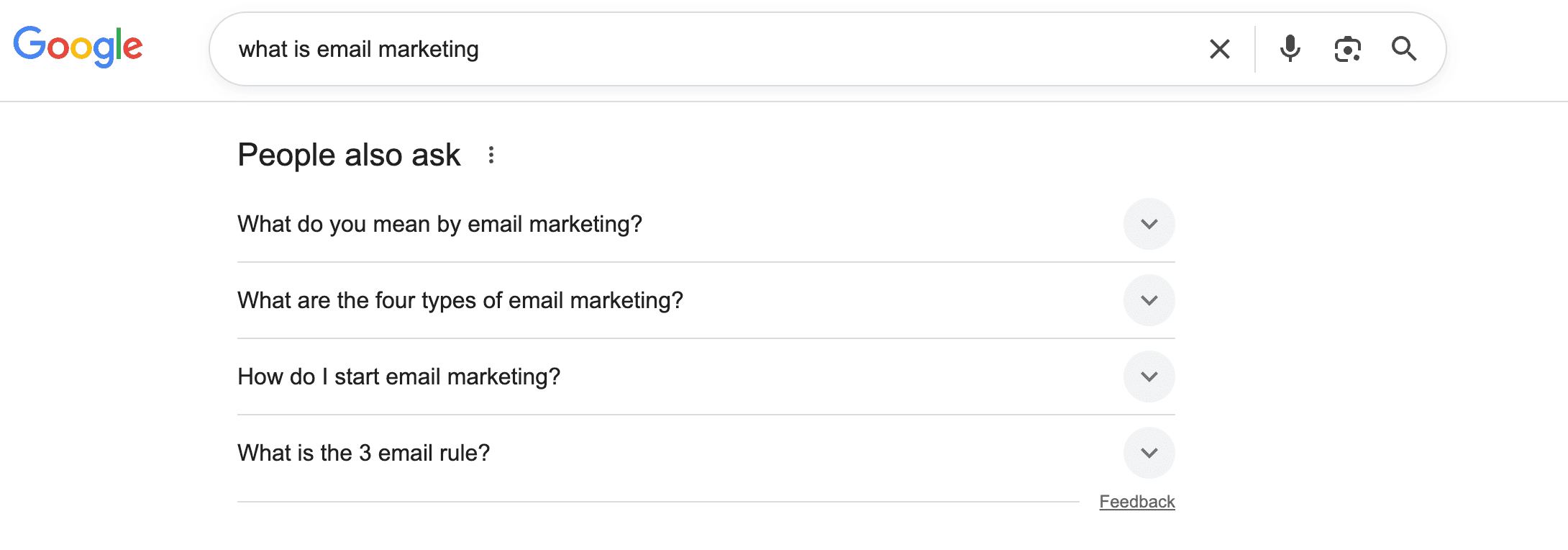
For example, if someone searches “what is email marketing”, also answer follow-up questions like “how does email marketing work,” “email marketing examples,” and “is email marketing effective.”
If your page answers only the first question, users leave your website and search again.
But if you:
- Add FAQs
- Cover related subtopics
- Answer common queries on the same page
Users stay longer, and Google sees your page as more helpful, ranking it above your competitors.
This also helps your content appear in:
- Voice search results
- “People Also Ask” boxes
- AI summaries
Quick tip: Use “People Also Ask” in Google to find real follow-up questions and answer them on the same page.
How to Know if Your On-Page SEO is Working?
Measuring your on-page optimization success is as important as doing it. The good news? You don’t need paid tools.
Here’s how to check using free tools.
1. Track Keyword Rankings
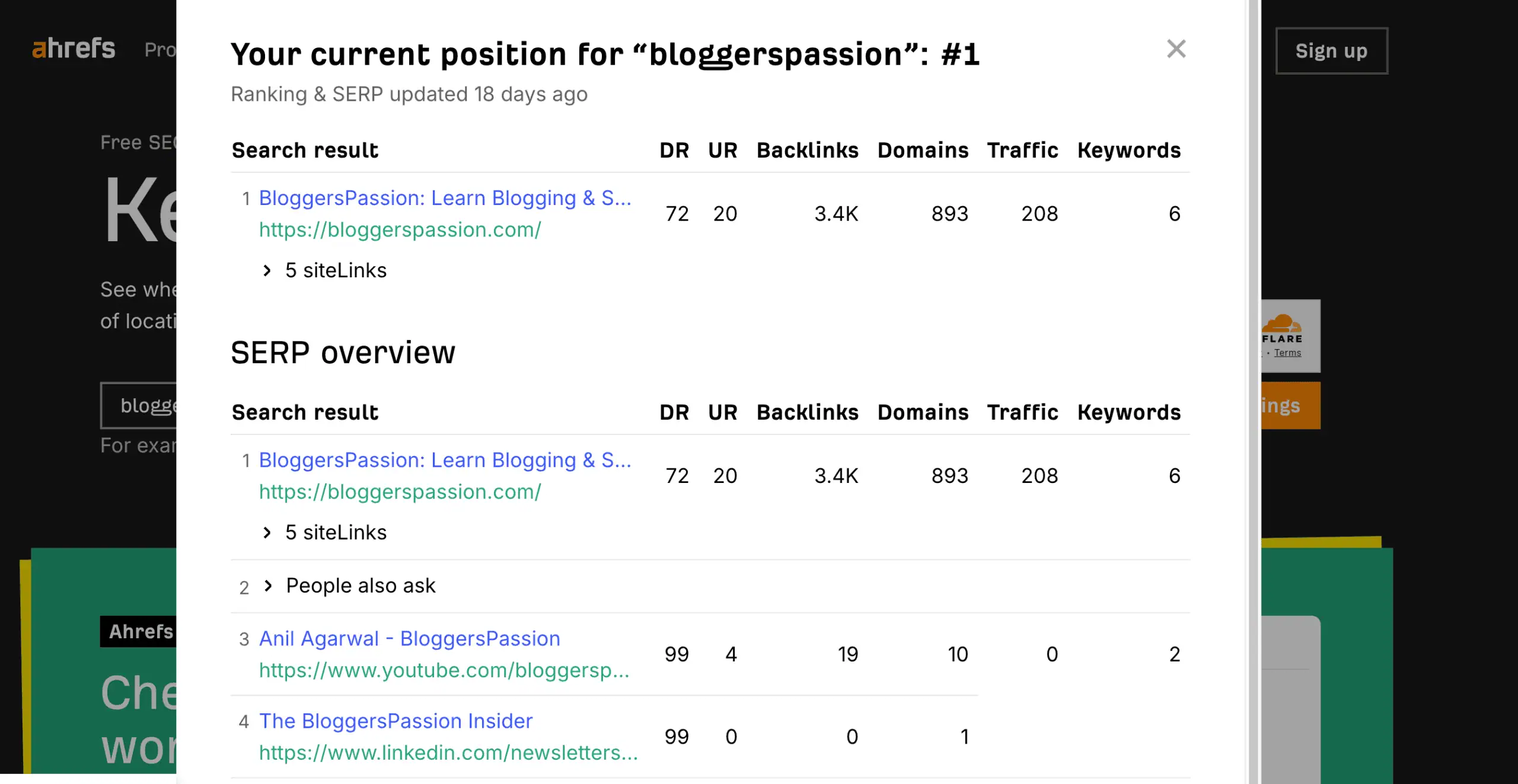
If your SEO is working, your pages should slowly go up in Google search results. Tracking your current keyword rankings is the BEST way to know if your efforts are paying off.
Free tool: Ahrefs Keyword Rank Checker Tool
Just search your main keyword and see where your page shows up.
2. Track Impressions & Clicks
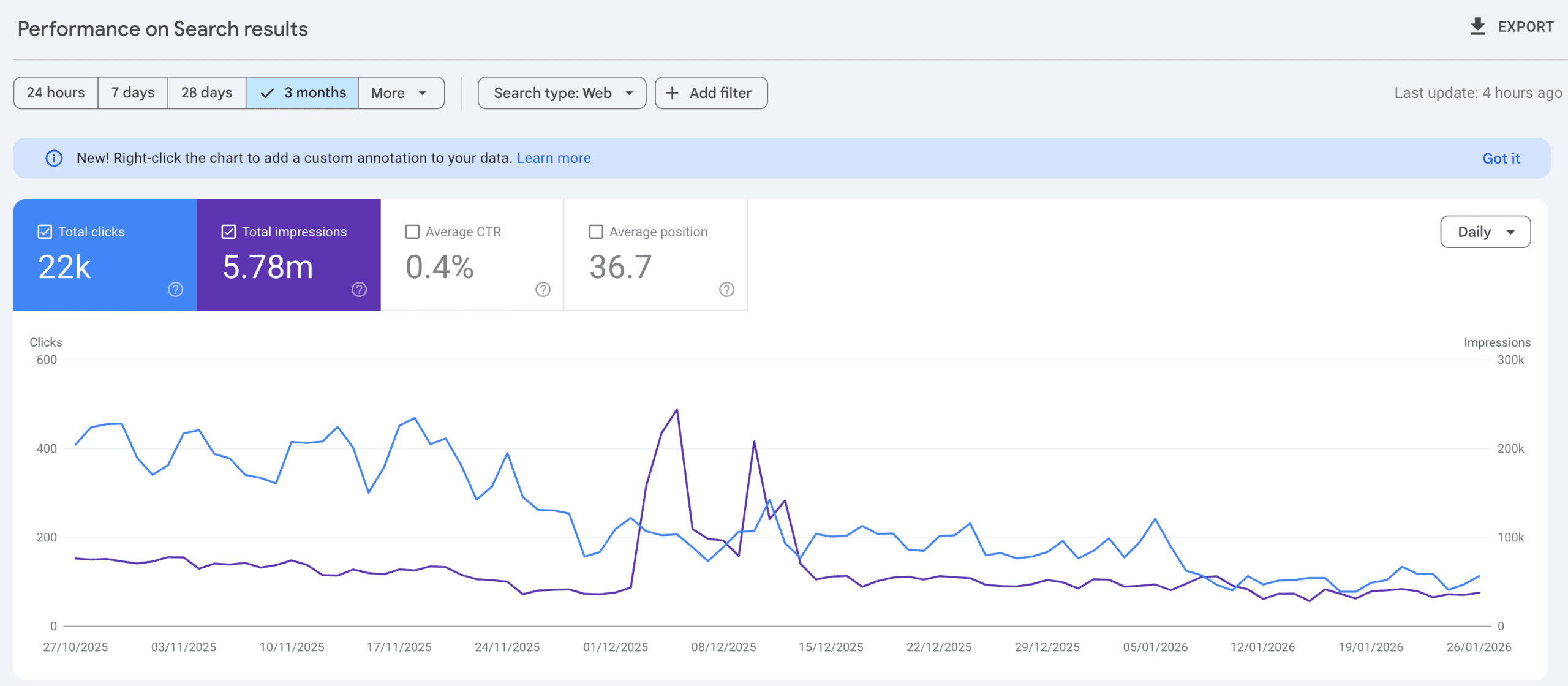
- More impressions = Google is showing your page
- More clicks = Your title + description are working
Free tool: Google Search Console
Go to Performance → Search results
3. See if Organic Traffic Is Growing
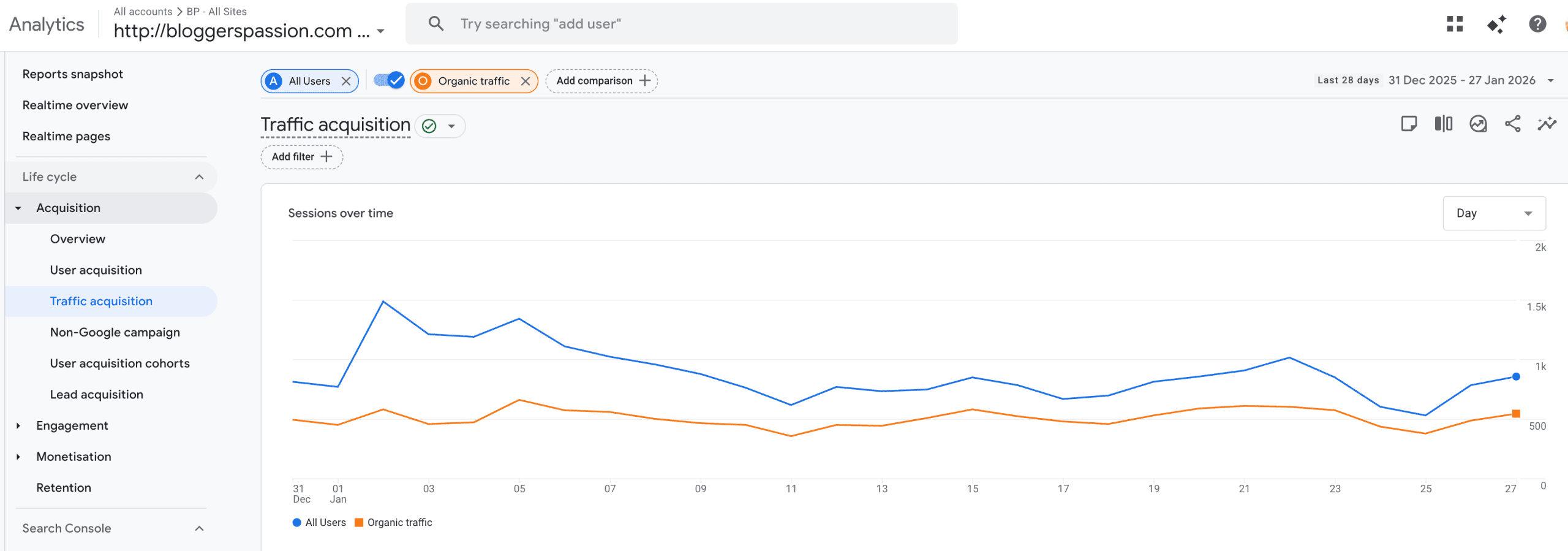
SEO works when your organic traffic increases over time.
Free tool: Google Analytics
Navigate to Reports > Acquisition > Traffic acquisition
4. Monitor Keyword Queries
When your on-page optimization is working, Google doesn’t rank you for just one main keyword. It starts showing your page for many related searches (long-tail keywords).
Example: If your main keyword is “blog commenting sites”, you may also start appearing for:
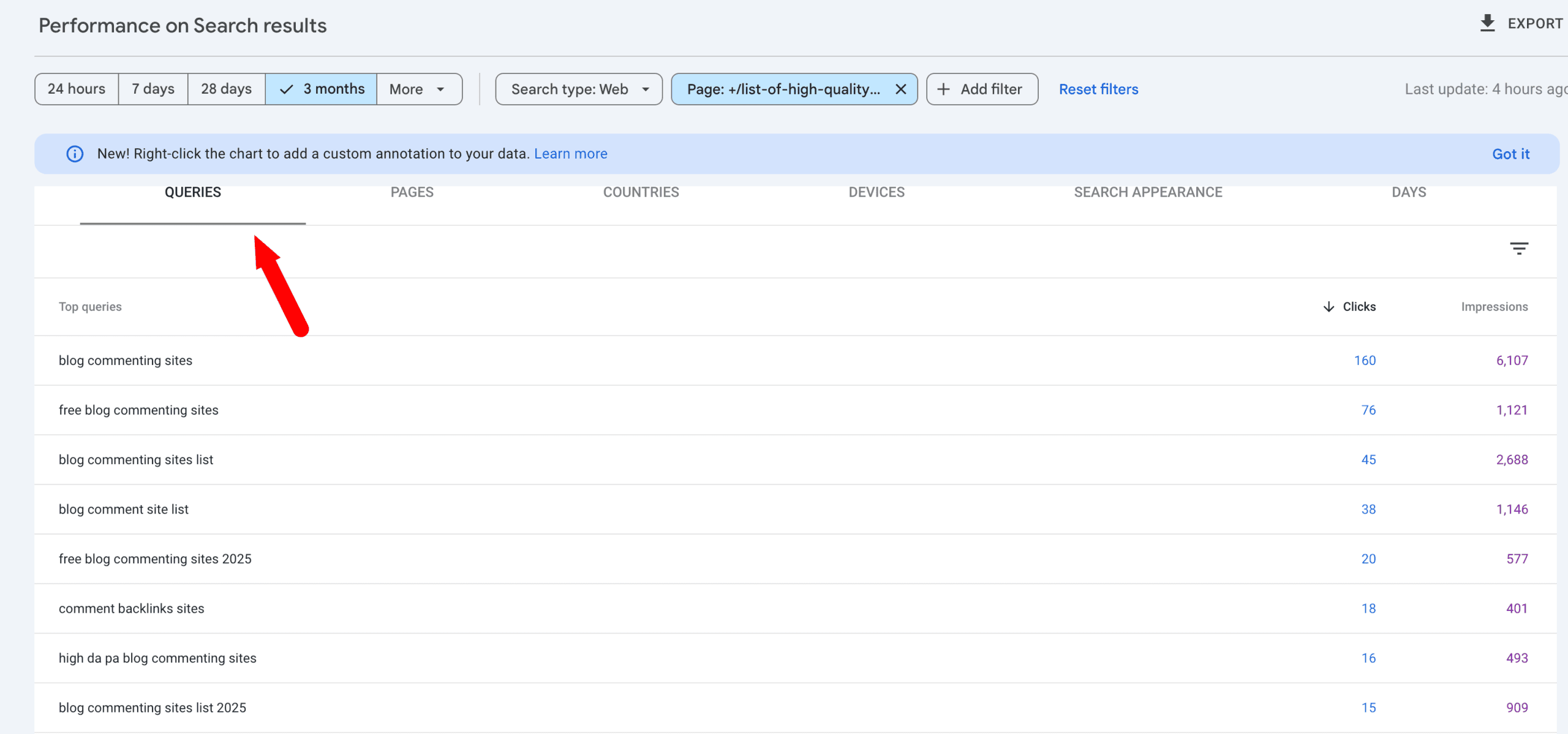
Free tool: Google Search Console
Go to Performance → Search results → Queries
FAQs
Here are some of the frequently asked questions about on-page optimization techniques.
Top factors include: helpful content that matches search intent, fast and mobile-friendly pages, and clear structure with proper headings.
Yes, SEO is still relevant in 2026 as it helps your site rank higher, get more visibility, and drive more conversions and sales.
Optimizing a blog post by using the main keyword in the title, headings, URL, content, and image alt text.
Tools like Google Search Console, Rank Math, and Semrush help you optimize content, structure, and performance to rank better.
Helpful content is the most important on-page SEO factor. Create high-quality, in-depth content that truly answers your audience queries.
On-page optimization helps search engines understand your content, match it to user queries, and improve your chances of ranking higher on Google.
Final Thoughts
On-page optimization still works but old optimization tricks don’t.
Keyword stuffing and exact-match optimization are totally outdated. They don’t work now. Google, after introducing AI into search, is way smarter now.
Today, Google cares MORE about meaning, relevance, and search intent.
If your page clearly answers a searcher’s question better than others, Google will reward it with better rankings, AI visibility, and long-term traffic.
So what are your on-page optimization priorities in 2026? Have any questions? Let us know in the comments.




Hey Anil,
It is very detailed article on SEO On-page. Everything is explained very well.
I have a question that how much time takes a blog to reach in the first page generally with moderate SEO.
Thank you sir it is very helpful to improve my blog SEO.
Ashutosh singh