


This is Anil Agarwal, and I’m back with a really exciting review of Kinsta hosting.
Kinsta is a premium managed WordPress hosting provider that runs on Google Cloud Platform and offers dedicated resources compared to budget shared hosting platforms.
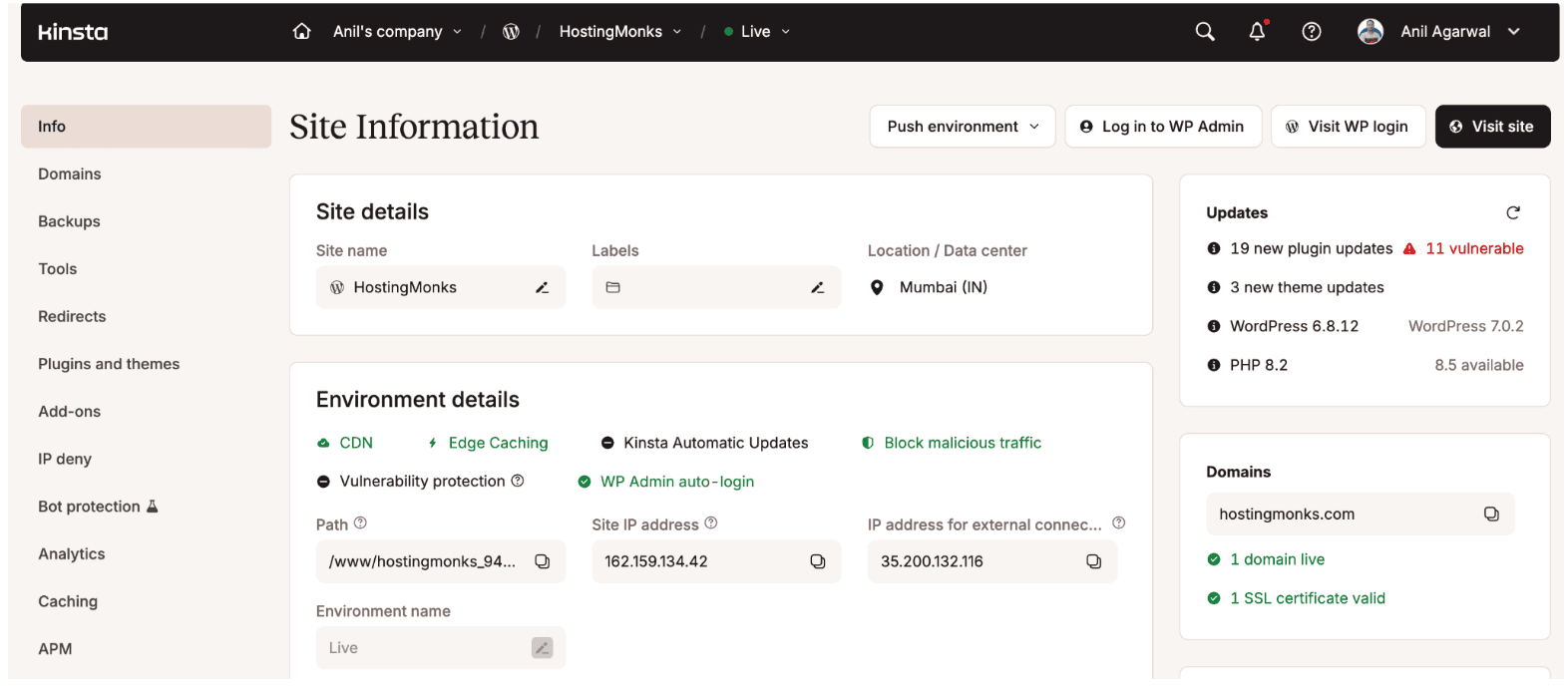
Let me tell you, I’ve been writing WordPress hosting reviews for the past 10 years. My live website, HostingMonks, is running on Kinsta, which I’ve been using for over a year now. Before this, I was on entry-level hosts.
In this review, I’ll share my latest experience with Kinsta hosting. I ran fresh performance tests from the start of 2026 through the end of October 2026, and I’ll walk you through the metrics. By the end, I’ll tell you who should buy Kinsta hosting and who shouldn’t.
Are you ready?
Disclosure: We get a commission when you buy a product via our affiliate link at no additional cost.
Kinsta Hosting Performance [Compared with My Previous Host]
We regularly switch the web hosting for our sites based on data. A while back, I noticed that my previous host, Hostinger (not defaming), had been having poor performance and downtime issues for some time, and that’s when I decided to switch to Kinsta.
See for yourself: after switching to Kinsta, my website’s average loading time improved by 84%. My site gets traffic from all over the world, but the USA and Canada are the most important markets for me. In the USA, my site’s average loading time used to be 3.6 seconds, and after switching to Kinsta, it’s now 0.6 seconds.
I’m still using all the same common plugins on my site as before, like Elementor, Akismet, and TOC, but so far I haven’t seen any lag on Kinsta’s servers. My Core Web Vitals are also fully green on both mobile and desktop.
Here’s the detailed fully loaded time report of my Kinsta-hosted site and my previous hosting:
| Location | Kinsta | Hostinger |
| Chicago | 611 ms | 3,679 ms |
| Dubai | 1,007 ms | 3,513 ms |
| Hong Kong | 529 ms | 2,909 ms |
| Johannesburg | 786 ms | 6,482 ms |
| London | 554 ms | 2,447 ms |
| Singapore | 569 ms | 2,932 ms |
| Sydney | 541 ms | 5,361 ms |
| São Paulo | 605 ms | 4,931 ms |
| Overall Average | 649 ms | 4,040 ms |
The main reason behind Kinsta strong performance is that its servers aren’t shared, meaning every website gets its own dedicated resources. It has 30 data centers worldwide and a strong CDN with 300+ points of presence. These features are what boosted my site’s performance, and they’re what you’d be paying a decent amount for when you choose Kinsta.
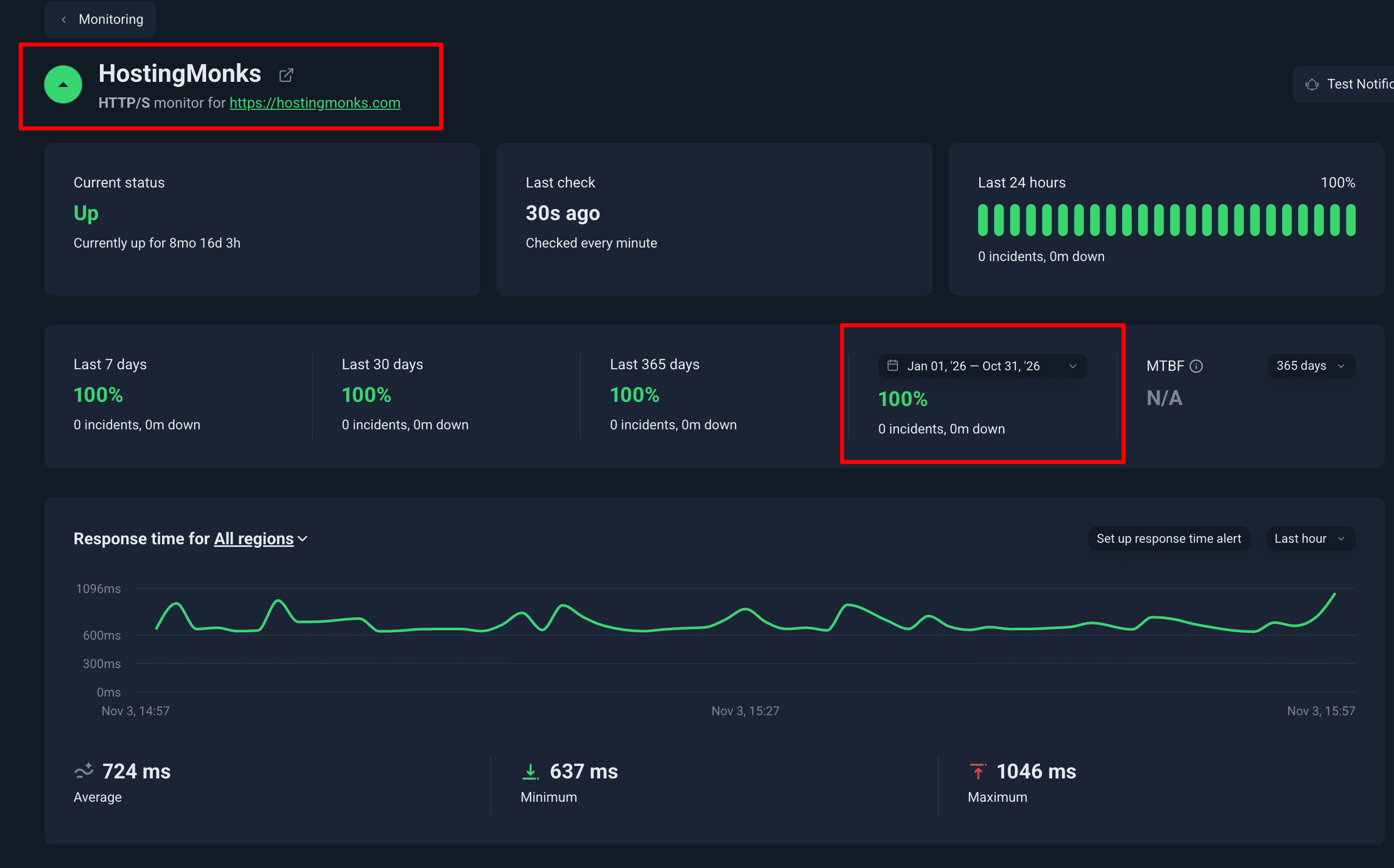
Uptime has also been 100% so far, from the start of 2026 through the end of October, with zero downtime and no technical errors.
I also tested Kinsta performance under heavy load. I sent heavy bot traffic in a short span of time to check their server load efficiency.

- Number of requests: 26.1k
- Test Duration: 5 Min
- Average Response time: 55ms
- HTTP Failures: Zero
- Score Achieved: 95 (Passed)
I sent the highest number of requests per second (99 requests/sec) to Kinsta’s servers — and not once did the servers crash. The response time is great (avg 55 ms only).
I have seen significant spikes in traffic without the site slowing down at all. They use their CDN enabled servers that seem to scale naturally when more people visit the site at once.
There is a catch to this reliability. If my traffic goes over the visitor limit of my plan, Kinsta charges overage fees.
Did you know? Kinsta has delivered the best performance for high-traffic websites — something we’ve also mentioned in our post on the fastest web hosting providers.
Managing the Site via The Kinsta Hosting Dashboard:
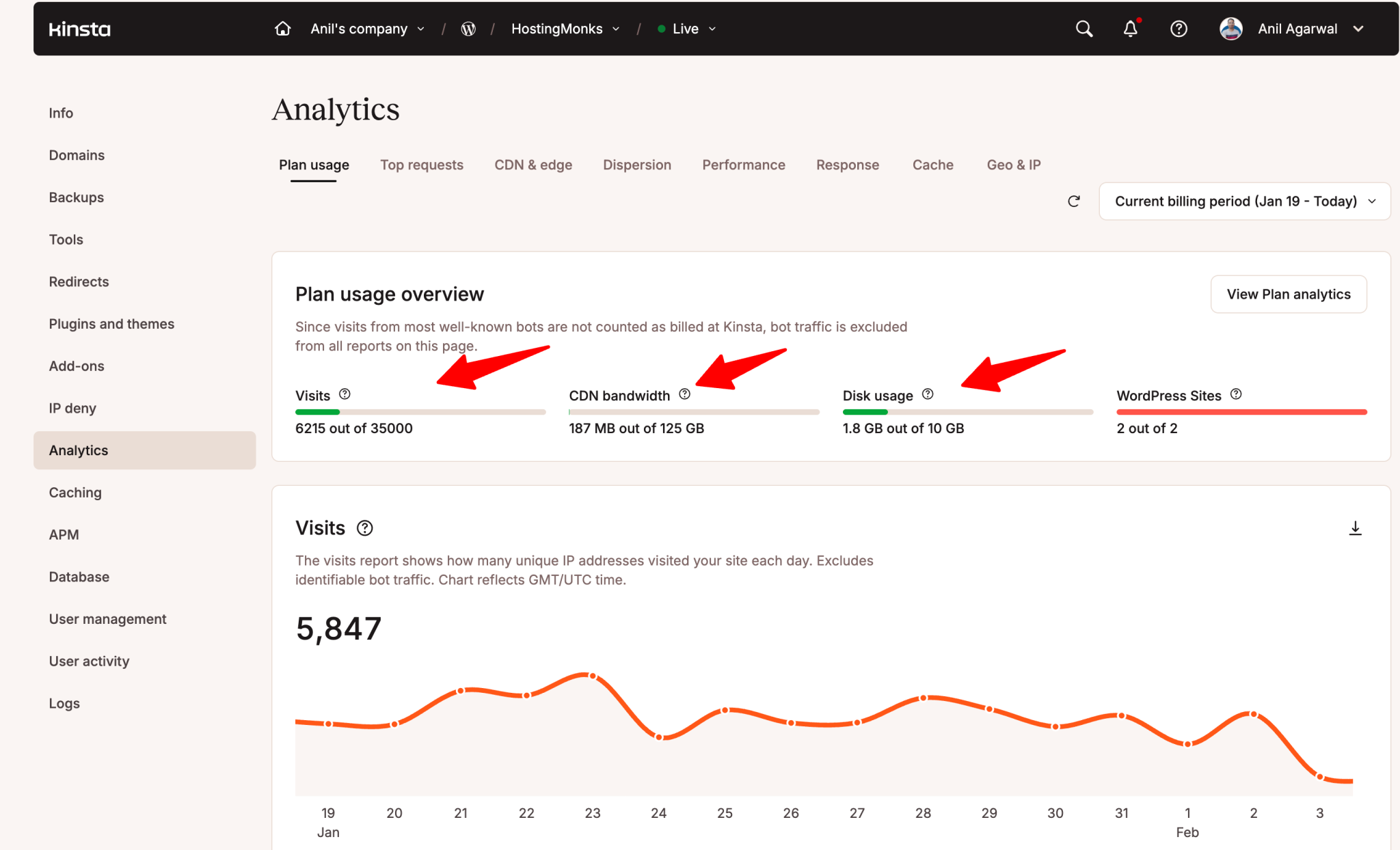
The Kinsta dashboard itself is quite different from the standard cPanel most hosts use. It took me a day or two to get used to where everything was located. Once I figured it out, I found it much cleaner. I can see my resource usage and site analytics in one place without digging through messy menus.
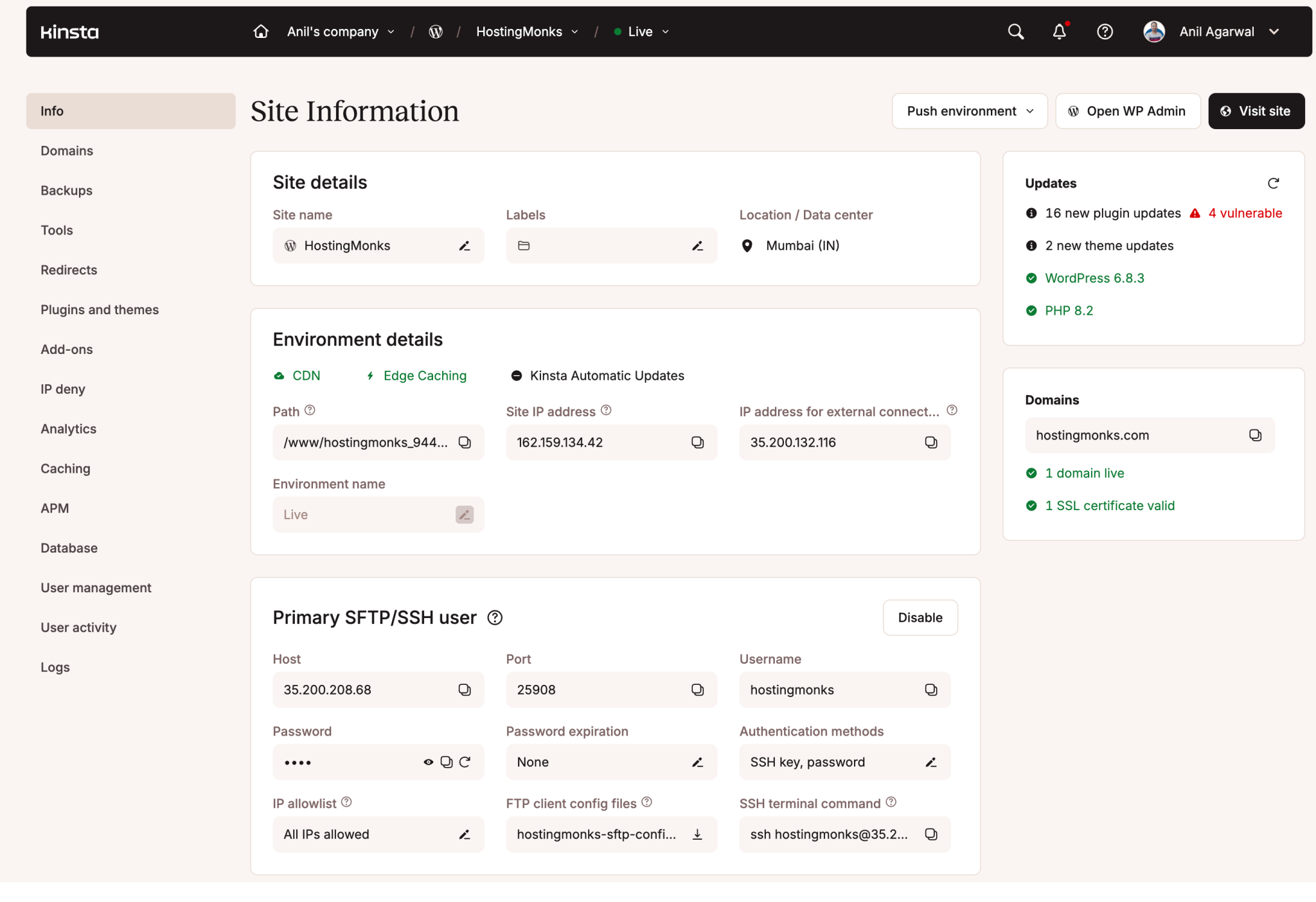
It feels built for people who want to manage a site, not for people who want to be server administrators. I no longer have to worry about the technical details of the server. The platform handles things like caching and security updates automatically. This allows me to focus on my content instead of checking if my server is running correctly.’
After using it, I realized that the Kinsta hosting dashboard is beginner-friendly. No option is hard to understand. The good thing is that each tab includes an explanation under each tool that helps you understand what it does. Backups are no longer a hassle, as Kinsta runs them automatically every day.
Connecting the Technical Team:
I recently contacted the Kinsta support team for migration assistance. Kinsta offers free migrations, so I decided to let their team handle it instead of doing it myself. I filled out a form in their dashboard with my old hosting details. A few hours later, a support engineer contacted me via live chat to start the process.
The wait times have been short for me. I usually get a response within a minute or two. The people on the other end actually seem to know WordPress well. I have not been passed around from one level of support to another. This kind of poor customer support is what I faced with my entry level host.
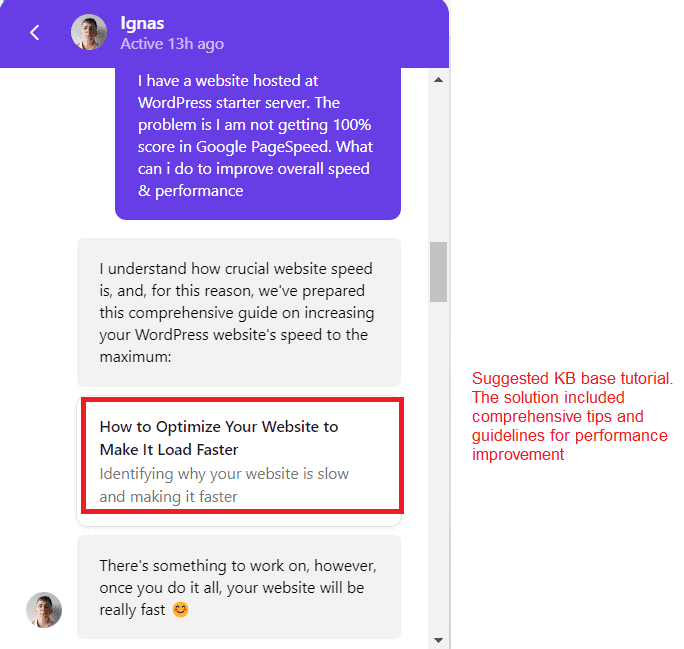
Kinsta team set up a temporary link so I could see my site on their servers before I pointed my domain name to them. It was not an instant process. It took about half a day for everything to move over. I also had to spend some time checking my plugins to make sure nothing broke during the transition.
So my final words on the support are…They will not write custom code for your site or fix your theme layout. But for anything related to the hosting environment, they will be reliable.
Kinsta Cost:
As of now, my site is running on their starting plan (Single35k) in which I get 35k monthly visitors, 125 GB CDN bandwidth, and 10 GB Storage.I found that the plans are mostly based on two things: how many people visit your site and how much storage you need. One thing I find a bit frustrating is the storage limit.
If you have a lot of high resolution images or large files, 10GB can fill up fast. I can pay $20 a month for an extra 20GB of space, but I wish the base limits were more generous from the start. I personally choose to pay for the yearly plan. This gives me two months for free. The good thing is there is no price hike on the renewal.
Final Words on Kinsta Review:
After using Kinsta for about 10 months, my conclusion is straightforward. It is a premium service that improves page load times no matter where readers come from. But I still stand by the fact that it is not the right choice for every website owner.
If you are frustrated with your current host because of slow speeds or poor support, Kinsta will likely solve those problems for you. If you are just starting and have a very tight budget, you may want to wait until your traffic justifies the cost.
| Pros | Cons |
| The site speed is consistently fast without me having to do any manual tuning. | The monthly cost is higher than most other WordPress hosts. |
| Support agents are WordPress experts who respond within minutes. | There is no phone support, which might bother some users. |
| The dashboard is clean and makes it easy to manage backups and staging. | You have to pay extra for things like email hosting and domain names. |
| They handle traffic spikes automatically so the site never crashes. | Overage fees can be a surprise if a post goes viral. |
FAQs:
Does Kinsta increase its prices upon renewal?
Kinsta offers monthly and annual billing options. Your subscription renews at the same rate according to your selected billing cycle.
What are the key features of Kinsta Hosting?
Key features include:
– Google Cloud infrastructure
– 30 global data centers
– Cloudflare CDN
– Edge caching
– Isolated software containers
– Free SSL
– Built-in APM
– Automatic backups
– Free migrations
– Expert support
Does Kinsta provide automatic backups?
Yes. Kinsta provides daily automatic backups for every WordPress site. You can also create manual backups and restore them through MyKinsta. Hourly and external backup options are available as paid add-ons.
Is Kinsta Hosting secure?
Yes. Kinsta includes Cloudflare-powered DDoS protection, a managed Web Application Firewall (WAF), vulnerability protection, daily security scans, and free malware removal.
Does Kinsta offer free staging?
Yes.
How many data centers does Kinsta offer?
Kinsta offers 30 global data center locations.
What are the best alternatives to Kinsta?
Our team has compared Kinsta with its top competitors, and here’s what we found: If performance is the priority, then WPX Hosting is the closest standout. If your site often receives bulk traffic, consider WordPress.com because its traffic-handling capacity is strong compared to other players.


Leave a Comment
Your email address will not be published. Required fields are marked *